PDFNest - View & Create
- 3.00
- 4.0
- Installs
- 10.00K
- Price
- Free
Screenshots
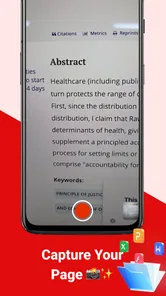
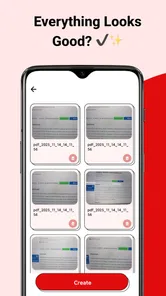
Analysis by Reviewed
I often think of a PDF viewer as a small household utility rather than a headline app. It needs to open a document when someone sends one, keep a form readable on a phone, and make simple PDF creation less awkward than switching between several tools. That is the space where PDFNest tries to be useful. Developed by DIG Netz, it is a free productivity app for viewing and creating PDFs, with an Everyone age rating and support for Android 7.0 or later.
After using it with shared-device habits in mind, I found its appeal fairly clear: it is aimed at people who want a straightforward PDF tool without committing to a larger office suite. The app is currently at version 1.0.5, and its average rating is 4.0 from roughly two dozen ratings. Its reach is still modest at over ten thousand installs, so I would approach it as a practical, relatively young utility rather than a mature document platform with a long list of advanced integrations.
How PDFNest fits into a shared household
A realistic use case is a family tablet or a phone that moves between several people during the day. One person receives a school notice as a PDF, another needs to check a rental document, and someone else wants to turn a few pages or images into a file that can be sent back. In that situation, a focused viewer and creator can be more convenient than opening a full office application every time.
I like this kind of shared-device role because it keeps the task visible and understandable. A household member who only needs to read a document does not necessarily want to learn a complete editing suite. Someone preparing a simple PDF can work from the same general tool instead of searching for a separate converter. The value is not that it replaces every document application; it is that it can reduce the number of steps for ordinary PDF jobs.
There is also a useful distinction between viewing and creating. Reading a PDF is usually a quick, low-commitment action. Creating one deserves more attention because the result may be sent to a school, landlord, employer, service provider, or family member. I would use the viewing side casually, but I would inspect any created file before sharing it, especially when the source contains several pages or personal information.
For a shared phone, I would keep expectations sensible. PDFNest is a document utility, not a household organizer. It can support a workflow in which people open and prepare files, but it should not be treated as a place for family scheduling, task assignment, or long-term coordination. Those jobs belong in dedicated calendar, notes, or cloud-storage tools.
A practical evening workflow
Imagine that a parent receives a PDF notice while a teenager is using the same device for homework. The parent can open the document, check the important details, and later create a clean PDF from material that needs to be returned. The teenager may only need to read the file, not alter it. Keeping those roles separate is helpful: viewing can remain a quick inspection, while creation becomes a deliberate final step.
More From Our News Desk

Weather by Xiaomi Review: Clear at a Glance, Less Clear Up Close

X Under Pressure: Can It Recover When Posting Goes Wrong?

Clash of Clans Is Won Between the Battles

Android Auto Makes the Case for Quieter Car Software

MobiOffice: Transforming Mobile Productivity with Seamless Integration

EA SPORTS FC™ Mobile Soccer: Redefining Mobile Sports Gaming
My tip is to decide what the output is supposed to be before creating it. If the goal is simply to send readable pages, a basic PDF is enough. If the file will be printed or formally submitted, check page order, orientation, legibility, and whether every intended page made it into the result. This small review step matters more than choosing a complicated app for a simple job.
Another useful habit is to give created files clear names immediately. A filename that identifies the document and its purpose is easier to recognize when several people use the same device. This is not a special feature of the app; it is a workflow choice that makes any shared PDF tool safer and less confusing.
Setup, boundaries, and everyday control
Because PDFNest is free, the initial decision is uncomplicated. There is no purchase barrier for someone who wants to try it as a basic PDF viewer and creator. The Everyone rating also makes it suitable for general household access in terms of age classification, although an age label should never be confused with a guarantee that every document opened inside the app is appropriate for every person.
The most important setup boundary is the device itself. On a personal phone, I would use the app according to my own file habits. On a shared tablet, I would first decide who is allowed to create, rename, move, or send documents. The app should be part of that plan rather than the plan itself. If a child uses the device, an adult may still need to supervise documents containing addresses, identification details, school records, or financial information.
I would also separate temporary reading from permanent storage. Opening a document does not automatically mean it should remain easy to find on a shared device. After a task is complete, review where the file is kept and whether another user could open it accidentally. A PDF app can make documents accessible, but household privacy depends on the device’s broader storage and account arrangements.
This is where PDFNest is less suitable than a managed document environment. If your household needs individual profiles, formal permissions, audit trails, or controlled access to sensitive files, a standalone PDF utility will not be enough. You would be better served by a storage or office platform designed around accounts and collaboration. PDFNest makes sense when the main need is local, direct document handling rather than structured identity management.
Keeping account boundaries clear
Shared devices become confusing when one person’s files look like everyone’s files. Even without inventing a special account system inside the app, you can create a simple boundary through folders, naming conventions, and a routine for moving finished documents to the right personal storage. I would avoid leaving private PDFs in a general downloads area if several people regularly use the device.
For a child or teenager, I would explain the difference between opening a file and sharing it. Reading a homework sheet is one action; sending a PDF containing personal details is another. That conversation is more valuable than assuming an age rating handles responsibility automatically. PDFNest can be accessible to a broad audience, but responsible use still comes from the household’s rules.
There is a similar boundary around editing. If someone creates a PDF from several source items, the original images or documents may still exist elsewhere on the device. Before deleting anything, confirm which copy is the final version and which files are merely sources. This prevents a common shared-device problem: one person removes a source file that another person still needs.
Coordination without turning the app into a collaboration suite
PDFNest can support coordination when the document itself is the center of the task. A family member can prepare a file, another can review it, and the final version can be sent through the household’s usual messaging or storage service. That is a useful division of labor, but it is different from real-time collaboration.
I would not choose it as the main tool for several people editing the same document simultaneously. A dedicated office suite is better when comments, revision history, shared permissions, or live co-authoring matter. PDFNest’s strength is the direct PDF action: open something, inspect it, create a file, and move on. Asking it to manage a complex group workflow would create unnecessary friction.
A good coordination routine is to assign one person as the final checker. The creator can assemble the PDF, while the checker confirms that the pages are complete and readable before it goes out. This is especially useful for forms, applications, and school submissions, where a missing page or sideways scan can cause more trouble than the original creation process.
I also recommend agreeing on a handoff method before starting. If one person creates a file and another needs to review it, decide whether the file will be passed through a shared folder, a message, or another familiar route. The app handles the document task, but the household still needs a clear way to identify the latest version.
Where the simple approach helps
Compared with a full office suite, a focused PDF app can feel less intimidating for occasional users. Someone who rarely works with documents may prefer a tool centered on one file format rather than a broad collection of writing, spreadsheet, presentation, and cloud features. That narrower purpose can make a quick household task easier to understand.
Compared with using only a browser-based PDF service, a dedicated app can feel more natural on a phone or tablet. You are not constantly moving between a web page and the file itself. Still, people who already keep all documents in a cloud workspace may find their existing service more convenient because storage, sharing, and account identity are already connected.
Compared with a professional PDF editor, PDFNest is the option I would consider for everyday simplicity, not specialist document production. If your work depends on detailed annotations, advanced form handling, signatures, document comparison, or strict business workflows, choose a tool built around those needs. A free app with a focused purpose can be a good fit without being the best fit for every PDF task.
Age, trust, and the documents people actually open
The Everyone rating is reassuring for general access, but it does not remove the need for judgment. A PDF may contain adult content, private correspondence, medical information, or financial details even when the application itself is suitable for all ages. In a household, the content matters more than the label attached to the utility.
For younger users, I would frame the app as a way to read and prepare documents, not as a private vault. They should know which files are okay to open, which files require an adult, and when they must ask before sharing. This is particularly important on a shared device, where a document intended for one person may be visible to another.
Trust also applies to the act of creating a PDF. A neatly combined file can look official even when the source material is incomplete or outdated. Before sending anything important, check the names, dates, page sequence, and visible personal information. The app may make the file, but the user remains responsible for what the file says.
I would be cautious with sensitive household records until I understood my own storage routine. Keep private material in the appropriate personal location, avoid relying on a shared downloads folder, and remove temporary copies when they are no longer needed. These are practical safeguards for any document app, and they are especially relevant when the same device serves several users.
Questions I would settle before installing
If you are wondering whether the app is free to try, yes: it is listed as a free productivity app. If you are wondering whether an older Android phone can run it, the stated minimum is Android 7.0, so compatibility depends on whether the device meets that requirement. I would still leave enough storage for the PDFs themselves, since the files you open or create are part of the overall device workload.
If your main question is whether it is suitable for a child’s shared tablet, the age classification is Everyone, but I would make the decision based on the documents and the device’s privacy setup. If your question is whether it can replace a complete office package, my answer is no for advanced collaboration and professional editing; it is better viewed as a focused PDF utility.
If you are concerned about reliability because the app is relatively new, its current version is 1.0.5 and its public audience is still fairly small. That does not make it unusable, but it does make a quick personal test worthwhile before adopting it for an important household process. Open a few representative files, create a sample PDF, and verify that the result fits your normal routine.
Finally, if you need a tool for occasional reading and straightforward PDF creation rather than a large ecosystem, PDFNest is a reasonable candidate. I would not build a critical archive or complex multi-person workflow around it without testing first, but I can see the value for a family that wants one uncomplicated utility on a phone or tablet.
My household verdict
My overall impression is positive but measured. PDFNest is most convincing when the job is concrete: open a PDF, inspect it, create a usable file, and pass it to the next person. Its free price, broad age classification, and support for older Android devices make it approachable for shared household use, while its focused productivity role keeps it from feeling overloaded.
The trade-off is that simplicity does not provide the account boundaries or collaboration structure of a larger document platform. Families handling sensitive records should rely on their device and storage practices rather than assuming the app creates privacy separation. People who need professional editing, live teamwork, or detailed document administration should choose a more specialized alternative.
I would recommend giving it a try if your household regularly receives PDFs but does not want a full office suite for every small task. My best advice is to test it with a harmless sample, establish a clear folder and naming routine, and make one person responsible for checking final files before they are shared. Used that way, PDFNest is a practical everyday tool, not an all-purpose document system.
For me, that distinction is the reason to consider it. It does not need to do everything to be useful. It needs to make common PDF moments on a shared device less troublesome, while users remain thoughtful about privacy, file ownership, and the difference between a quick read and an important document handoff.
PDFNest - View & Create Frequently Asked Questions
What devices and operating systems can run PDFNest - View & Create?
PDFNest - View & Create is a mobile productivity app for viewing and creating PDFs. Its minimum operating-system requirement is version 7.0, so check your device’s software version before downloading. The app is available for Android and iOS, and confirming compatibility in the relevant app store can help ensure it will install and run on your device.
Who is PDFNest - View & Create intended for?
PDFNest - View & Create may suit students, professionals, and anyone who needs to handle PDF files on a mobile device. Its focus on viewing and creating documents can be handy for everyday tasks such as reading study material or preparing files to share. The app is rated for Everyone, making it broadly suitable, while each user should still consider whether its tools fit their own needs.
What is PDFNest - View & Create used for?
PDFNest - View & Create is designed to help users open, read, organize, and create PDF documents from a mobile device. It can be useful for reviewing study material, invoices, forms, manuals, and work files without needing a desktop computer. Before downloading, users should check whether the available creation and editing tools match their document workflow and expectations.
Can PDFNest - View & Create create PDFs from other files or images?
The app focuses not only on viewing PDFs but also on creating them, which may include converting supported documents, images, or scanned pages into a PDF file. The exact options can depend on the device, operating system, and app version. Users who regularly scan paperwork or combine images should review the supported input formats and export limitations before relying on it.
Does PDFNest - View & Create allow PDF editing or annotation?
PDF viewing and PDF creation are generally the core functions, while editing and annotation capabilities may vary. Depending on the version, users may be able to add notes, highlights, signatures, text, or other marks, but this should not be assumed to include full professional editing of existing PDF content. Check the current feature list before downloading if advanced document changes are important.
Pros
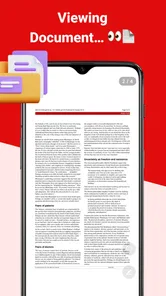
- Opens PDFs quickly
- even when switching between several documents.
- Create new PDFs from images or scanned pages with minimal effort.
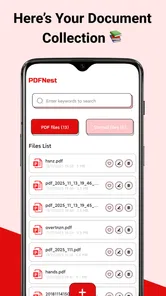
- Useful search tool helps locate words inside supported PDF files.
- Supports sharing documents directly with other apps and contacts.
- Clean interface makes common viewing and editing actions easy to find.
Cons
- Some advanced tools may require a premium upgrade or subscription.
- Large image-based PDFs can take longer to load and process.
- Text recognition quality may vary with blurry or poorly lit scans.
- Editing options are more limited than those in full desktop PDF suites.
- Privacy may depend on how documents are handled during cloud-based features.











