PDF Viewer - PDF Reader
- 8.00
- 3.8
- Installs
- 1.00M
- Price
- Free
Screenshots
Analysis by Reviewed
Ever stumbled upon a pile of PDFs and wished for a magical wand to sort them, read them, and maybe add some notes while sipping your coffee? Well, let me introduce you to the PDF Viewer - PDF Reader, the app that is like your nerdy, organized friend who just loves decluttering.
Getting to Know PDF Viewer
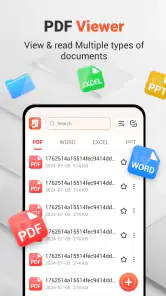
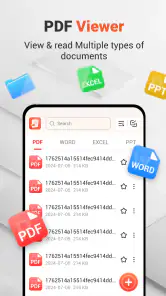
First off, PDF Viewer - PDF Reader is available on both Android and iOS, which means no one is left out of the club. The app's interface is as smooth as butter, making it super easy to navigate through your documents. Whether you're a student, a professional, or someone who just likes to hoard PDF files, this app is a lifesaver. I mean, who wouldn't want to have all their files neat and tidy in one place?
Features That Stand Out
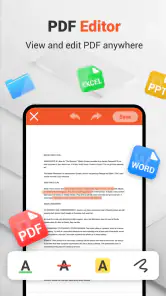
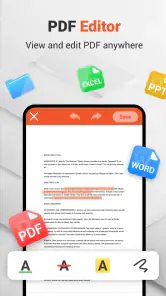
Let’s dive into why this app deserves a spot on your home screen. First of all, it’s not just about viewing PDFs. We’re talking about an app that allows you to annotate, highlight, and even doodle on your documents. Imagine reading through a boring report and being able to add your own quirky notes or highlight those super important details without a hitch.
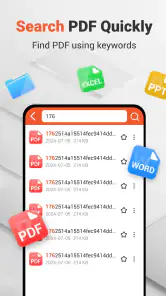
Another cool feature is its ability to synchronize with various cloud services. You’ve got Dropbox, Google Drive, and more, which means that your files are always within reach, no matter where you are. Plus, the app’s search functionality is top-notch. You know those moments where you remember a snippet of text but can’t recall where you read it? Just type it in and let the app work its magic!
Why You’ll Love It
If you’re like me and have a knack for organization, this app will feel like a blessing. The ability to organize files into folders and subfolders means that everything is exactly where you left it. No more scrolling endlessly to find that one document you need in a hurry.
And let’s talk about the reading experience. It’s as if they’ve thought of everything to make sure you have a comfortable session with your PDFs. The app offers multiple viewing modes, and you can adjust the brightness or switch to night mode for those late-night study marathons.
Final Thoughts
All in all, PDF Viewer - PDF Reader is a robust app packed with features that cater to both casual readers and serious document warriors. It’s like having a Swiss army knife for PDFs right in your pocket. So, whether you’re managing work documents or catching up on some e-books, this app has got you covered.
More From Our News Desk

Clash of Clans Is Won Between the Battles

Android Auto Makes the Case for Quieter Car Software

MobiOffice: Transforming Mobile Productivity with Seamless Integration

EA SPORTS FC™ Mobile Soccer: Redefining Mobile Sports Gaming

How Microsoft OneDrive Became a Mobile Productivity Giant

How Google Translate Breaks Language Barriers Effortlessly
In a world where digital documents are becoming the norm, having an efficient and reliable PDF reader is essential. And in my humble opinion, this app ticks all the right boxes. Give it a try and watch your PDF woes disappear into thin air.
PDF Viewer - PDF Reader Frequently Asked Questions
What features does PDF Viewer - PDF Reader offer?
PDF Viewer - PDF Reader is equipped with a suite of robust features designed to enhance your PDF viewing experience. It supports various PDF types, allowing you to open, view, search, and navigate through documents with ease. The app also includes annotation tools, enabling users to highlight text, add notes, and draw directly on the PDF. Additionally, it supports cloud storage integration, making it easier to access your documents from anywhere.
Is PDF Viewer - PDF Reader user-friendly for beginners?
Yes, PDF Viewer - PDF Reader is designed with a user-friendly interface that caters to both beginners and experienced users. The intuitive layout allows for easy navigation, ensuring that even those new to PDF reading apps can efficiently manage their documents. The app includes helpful tutorials and guides to assist users in utilizing all its features effectively.
Can I use PDF Viewer - PDF Reader offline?
Absolutely, PDF Viewer - PDF Reader is fully functional offline. Users can open, view, and annotate PDFs without the need for an internet connection. However, some features, like cloud sync and online storage access, require an internet connection to function. The offline capabilities make it a reliable choice for users who need to work on-the-go without constant internet access.
How does PDF Viewer - PDF Reader handle security and privacy?
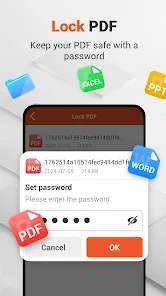
Security and privacy are top priorities for PDF Viewer - PDF Reader. The app includes features like password protection and encryption to ensure your documents remain secure. Users can set passwords for sensitive files and utilize encryption to protect against unauthorized access. Furthermore, the app does not store any personal data, maintaining user privacy and confidentiality at all times.
Is PDF Viewer - PDF Reader free to download and use?
Yes, PDF Viewer - PDF Reader is available as a free download, offering a range of essential features at no cost. However, it also offers in-app purchases for advanced features and tools, such as enhanced annotation options and cloud storage capabilities. This freemium model allows users to access basic functionalities while providing an option to upgrade for a more comprehensive experience.
Pros
- User-friendly interface for easy navigation.
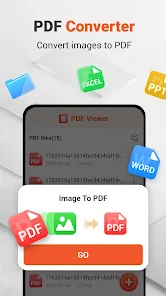
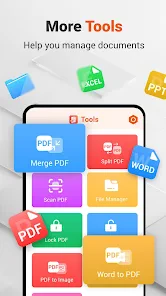
- Supports various file formats beyond PDF.
- Fast loading and rendering of documents.
- Annotation and markup tools are available.
- Syncs with cloud storage services.
Cons
- Contains ads in the free version.
- Limited editing features in free version.
- Occasional crashes on large files.
- Requires internet for cloud features.
- No dark mode option available.
- Category
- Productivity
- Version
- 1.8.0.0












