PDF Reader Pro - PDF Editor
- 5.00
- 4.7
- Installs
- 1.00M
- Price
- Free
Screenshots
Analysis by Reviewed
Hey there, fellow app enthusiasts! Today, I'm diving into the world of document management with PDF Reader Pro - PDF Editor. As someone who's constantly dealing with tons of PDFs for work and personal use, I was pretty excited to give this app a whirl. So, let's see what sets it apart from the rest.
First Impressions: A Robust Interface
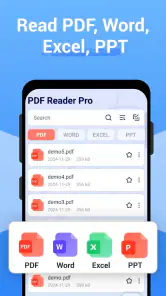
Right off the bat, the PDF Reader Pro - PDF Editor impresses with its sleek and intuitive interface. Navigating through the app is a breeze, thanks to its user-friendly design. Whether you're tech-savvy or a newbie, you'll find your way around without breaking a sweat. The app opens up to a neat dashboard where all your documents are organized, making it super easy to locate what you need in a jiffy.
All-in-One PDF Editing Tool
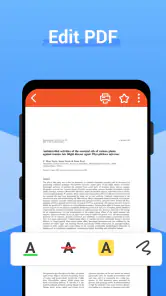
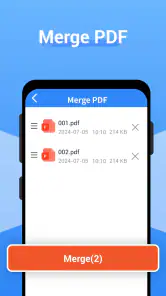
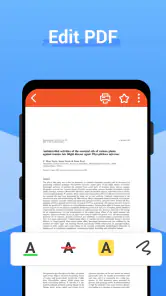
One of the standout features of this app is its comprehensive editing toolkit. From basic tasks like viewing and annotating PDFs to more advanced functions like merging, splitting, and converting documents, this app does it all. I especially loved the annotation tools – highlighting, underlining, and adding sticky notes are just a tap away. It's like having a virtual notepad right on your device!
Seamless File Management
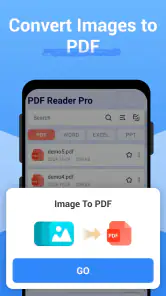
Managing files on PDF Reader Pro - PDF Editor is as smooth as butter. You can import documents from a variety of sources, including your cloud storage services like Dropbox and Google Drive. The app also supports multiple file formats, so you're not just limited to PDFs. Need to convert a Word document to a PDF? No problem! This app handles conversions without any hassle.
Security Features to Keep Your Documents Safe
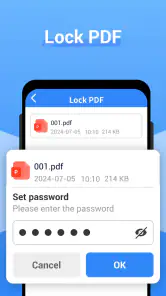
In today's digital age, security is paramount, and this app doesn't disappoint. It offers robust security features to protect your sensitive information. You can lock your PDFs with passwords or add digital signatures to ensure authenticity. It's a comforting thought knowing that your documents are safe from prying eyes.
Performance and Reliability
Now, let's talk about performance. The app runs smoothly without any noticeable lags or crashes, which is a huge plus in my book. It's reliable enough for daily use, whether you're reading an eBook or editing a business report. Plus, it's available on both Android and iOS, so you can access your documents no matter what device you're using.
In conclusion, PDF Reader Pro - PDF Editor is a versatile and efficient tool that's perfect for anyone who regularly deals with PDFs. Its range of features, coupled with its user-friendly interface and strong security measures, make it a must-have app. Whether you're a student, professional, or just someone who loves staying organized, this app has got you covered. So, why not give it a try and see how it can simplify your document management tasks?
More From Our News Desk

Clash of Clans Is Won Between the Battles

Android Auto Makes the Case for Quieter Car Software

MobiOffice: Transforming Mobile Productivity with Seamless Integration

EA SPORTS FC™ Mobile Soccer: Redefining Mobile Sports Gaming

How Microsoft OneDrive Became a Mobile Productivity Giant

How Google Translate Breaks Language Barriers Effortlessly
PDF Reader Pro - PDF Editor Frequently Asked Questions
What features does PDF Reader Pro - PDF Editor offer?
PDF Reader Pro - PDF Editor is a comprehensive tool that provides a range of features for handling PDF files. Users can view, edit, annotate, and convert PDFs. It also allows for merging, splitting, and compressing files. Additionally, the app supports form filling and signing, making it a versatile choice for both personal and professional use.
Is PDF Reader Pro - PDF Editor user-friendly for beginners?
Yes, PDF Reader Pro - PDF Editor is designed with a user-friendly interface that caters to both beginners and experienced users. The app offers easy navigation and clear instructions for all its features, ensuring that users can maximize its capabilities without a steep learning curve. Its intuitive design makes it accessible for anyone looking to manage PDF documents efficiently.
Does PDF Reader Pro - PDF Editor support multiple file formats?
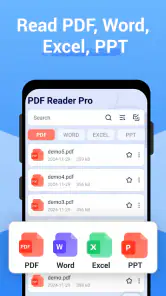
Indeed, PDF Reader Pro - PDF Editor supports a variety of file formats beyond PDFs. Users can work with Word, Excel, PowerPoint, and image files, converting them to PDFs or vice versa. This flexibility allows users to handle different document types within a single app, enhancing productivity and convenience.
Can I use PDF Reader Pro - PDF Editor offline?
Yes, one of the advantages of PDF Reader Pro - PDF Editor is its offline functionality. Users can access, edit, and annotate PDF files without needing an internet connection. This feature is particularly beneficial for those who need to work on documents while traveling or in areas with limited internet access.
Is there a cost associated with using PDF Reader Pro - PDF Editor?
PDF Reader Pro - PDF Editor offers a free version with basic features. However, for more advanced functionalities, such as batch processing and enhanced editing tools, users may need to upgrade to a paid subscription. This tiered pricing model allows users to choose a plan that best suits their needs and budget.
Pros
- User-friendly interface
- Supports various file formats
- Annotate with ease
- Fast document loading
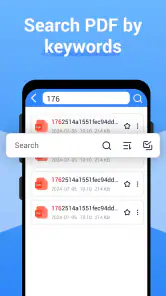
- Efficient text search
Cons
- Limited free features
- Occasional ads
- Premium subscription required
- No cloud integration
- Complex advanced features
- Category
- Productivity
- Version
- 1.8.0.0












