PDF Reader - All PDF Viewer
- 250.00
- 3.7
- Installs
- 5.00M
- Price
- Free
Screenshots
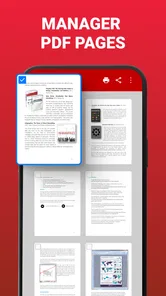
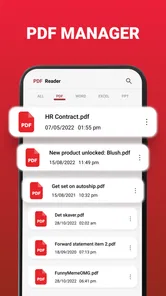
Analysis by Reviewed
On a busy day, a PDF can be the one file that slows everything down: it arrives in a message, sits in a downloads folder, and needs to be checked before you can get on with the task. I judge a reader by how quickly it gets me from “where did that file go?” to actually reading it. PDF Reader - All PDF Viewer is aimed at that everyday productivity problem, and its appeal is straightforward: keep documents readable and make common review tasks possible on a phone.
Where it fits in a phone-based workflow
I’d consider this app when I regularly receive PDFs for study, work, or personal paperwork and want a dedicated place to open and review them. It is a free productivity app from TSoft Productions, rated for Everyone, and its current version is 1.3.0. It has an average rating of 3.7 from around 6,200 ratings, with 5 million-plus installs. Those figures suggest it has reached a broad audience, though they don’t tell me whether every feature will suit my own routine.
A dedicated reader can feel more convenient than opening each file in whichever general-purpose app happens to be the default. The trade-off is that a specialist reader is only useful if it handles the kinds of documents and tasks I actually have. I’d first try it with a few files I use often rather than moving my whole document routine over at once.
Getting Started with PDF Reader
First things first, downloading and setting up the PDF Reader - All PDF Viewer was a breeze. It's available on both Android and iOS, so no worries about compatibility here. Once installed, the app greeted me with a clean and intuitive interface, which I appreciated. No one likes spending ages trying to figure out how to open a file, right?
Features Galore
One of the standout features for me was the app's ability to handle a variety of file formats. Not only does it open PDFs, but it also manages other file types like Word and Excel. It's like having a mini office suite right in your pocket! Plus, the app offers seamless integration with cloud services like Google Drive and Dropbox, making it super easy to access your documents from anywhere.
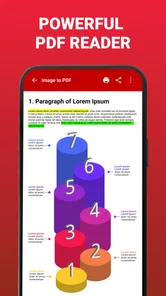
Another nifty feature is the annotation tool. Whether you're highlighting text, adding sticky notes, or drawing directly on the document, this app has got you covered. It's perfect for students or professionals who need to mark up their PDFs on the go. And the best part? All your annotations are saved and easily accessible whenever you need them.
Make review time more useful
For a student, a practical workflow is to mark only the passages that need another look, then add a short note explaining why. That is more useful later than coloring whole pages and trying to remember what mattered. For work, I’d use drawing sparingly: a quick mark can point out a detail during a conversation, but it is not the same as editing the original document or collaborating on a shared draft.
More From Our News Desk

Weather by Xiaomi Review: Clear at a Glance, Less Clear Up Close

X Under Pressure: Can It Recover When Posting Goes Wrong?

Clash of Clans Is Won Between the Battles

Android Auto Makes the Case for Quieter Car Software

MobiOffice: Transforming Mobile Productivity with Seamless Integration

EA SPORTS FC™ Mobile Soccer: Redefining Mobile Sports Gaming
If I’m opening a file from cloud storage, I’d check that I’m working on the intended copy before adding annotations. This small habit helps avoid confusion when a document also exists in downloads or as an attachment. And if a marked-up file is important, I’d reopen it after saving to make sure the changes are present where I expect them. These are sensible checks with any mobile reader, not a claim that every cloud workflow behaves identically.
Performance and Usability
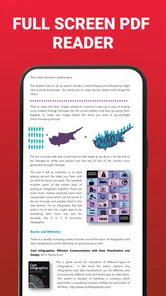
The app runs smoothly, even when handling large files. I was pleasantly surprised by how quickly it loaded a hefty 500-page document. Scrolling through pages was fluid, and the text remained sharp and clear. The search function is also top-notch, allowing you to find keywords within seconds.
Search is especially helpful when I remember a phrase but not the page it appeared on: finding the passage can be faster than repeatedly swiping through a long file. Still, results are only as useful as the document’s text. A scanned page may behave differently from selectable text, so I would not rely on search alone when checking an image-heavy form or scan; visual page review is the safer fallback.
For a realistic routine, imagine receiving a course handout before class. I’d open it, search for the topic the instructor mentioned, highlight the key passage, and add a brief note for later. On the commute, the marked document is easier to revisit than a stack of open browser tabs. For a bill or travel document, I’d use the same approach to find a particular detail and then keep the file organized in the place I normally store important paperwork.
Compared with a basic built-in viewer, the attraction here is the combination of reading, annotations, and support for other document types in one app. A built-in viewer may be enough if I only open the occasional PDF and want the fewest apps possible. At the other end, people who need detailed document editing, team review, or a formal approval workflow may be better served by a full office or collaboration tool. I see this reader as a practical middle ground, not a replacement for every document app.
Performance and usability in context
One thing that really stood out to me was the night mode feature. Reading PDFs in low light without straining my eyes was a game-changer. It's the little things like this that make using the app enjoyable and stress-free.
Night mode makes sense for evening reading, but I would still judge a document in normal lighting if exact page appearance matters, such as when checking a form or a layout. Comfort and faithful visual checking are different priorities. If I’m reviewing something where spacing, color, or print appearance is important, I’d switch back and inspect the page as it was intended to look.
Picking the right files to test first
When I try a new reader, I don’t begin with my most important paperwork. I start with a familiar handout, a short document with selectable text, and one file that includes a few pages I may want to annotate. That gives me a useful comparison: I know what the text should look like, where a detail is located, and whether my marks are easy to find on a return visit. If those everyday tasks feel smooth, I then test a longer document before relying on it for something time-sensitive.
This is also a sensible way to judge whether its support for Word and Excel files is enough for your needs. Opening a document for a quick look is different from preserving a complex layout or making extensive edits. I’d treat the app as a convenient way to consult those files, then use the tool that created them if the formatting or content needs careful changes. That distinction avoids expecting a phone reader to behave like a full desktop office suite.
A small routine that prevents document mix-ups
A common source of friction is not the reader itself but having several copies of one file: an email attachment, a download, and a cloud version with a similar name. Before I mark anything up, I check the document title and where I opened it from. For coursework, I might keep the original handout untouched and use the annotated copy for revision. For a form, I’d avoid treating a highlight or drawing as a completed submission; markup helps me review information, but it does not automatically mean the document has been formally filled out or sent.
After annotating, I’d take a moment to revisit the relevant page and confirm the mark is still visible. If I need to share the result, I’d also check that I’m sharing the copy with the notes rather than the untouched original. These habits are useful precisely because phone workflows can move quickly: a small check is less troublesome than discovering later that I reviewed the wrong version.
Who should choose it, and who should skip it
I’d recommend giving it a try if PDFs turn up regularly in your study or work and you value quick reading, search, and lightweight markup on a phone. It may also suit someone who wants to open Word and Excel files alongside PDFs rather than reaching for separate apps immediately. Since it is free, trying it with a small set of everyday documents is a low-commitment way to see whether it fits.
I’d skip it if my main need were to rewrite document text, coordinate edits with a team, or manage a complex archive with a specialized filing system. A reader can make reviewing easier without turning a phone into a complete desktop publishing setup. I’d also keep a familiar alternative available until I had checked how my own files open and how saved annotations behave in my routine.
What to expect from everyday use
If you mainly need to read a document once, a built-in viewer may still be the cleaner choice: it avoids adding another app to your routine. The case for a dedicated reader gets stronger when you return to documents, use search to relocate details, or want notes and highlights to make a second pass more efficient. I’d decide based on how often those actions come up, not simply on how many tools an app appears to offer.
For someone studying from PDFs, the most useful payoff is a repeatable review loop: locate a section, mark a specific point, write a short reminder, and come back to it later. For a person checking household paperwork, the value is more modest but still real—finding a clause or date without paging through the whole file. Neither routine requires elaborate setup, and both make the reader’s core purpose clearer than trying to turn every document into an editing project.
There is a practical limit to mobile review, too. A phone is convenient for reading a few pages while waiting or travelling, but it is not always comfortable for comparing several documents side by side or inspecting a dense layout. If a task demands careful cross-checking, I’d move to a larger screen and use an editor or office tool designed for that work. The phone remains handy for quick checks and notes, rather than being the right place for every stage of a document-heavy job.
Final Thoughts
In conclusion, the PDF Reader - All PDF Viewer is a versatile and user-friendly app that I'd recommend to anyone dealing with PDF files regularly. Whether you're a student, a professional, or just someone who loves reading e-books, this app offers a comprehensive solution for all your document needs. So, why not give it a try? You might just find it becomes your go-to PDF tool too!
For me, the strongest reason to keep it is time saved on everyday document checks: open the file, locate a passage, and leave a mark before moving on. The main caution is to match its reader-focused approach to your needs rather than expecting advanced editing or team features. If that balance sounds right, this free app is worth testing with the documents you actually use; if not, a built-in viewer or a more specialized editor may be the better fit.
PDF Reader - All PDF Viewer Frequently Asked Questions
Is PDF Reader - All PDF Viewer free to download, and what age group is it suitable for?
PDF Reader - All PDF Viewer is free to download and is rated for Everyone, making it suitable for a broad range of users. It is a productivity app from TSoft Productions, intended for people who want to read PDF documents on a mobile device. Its free price makes it easy to try before deciding whether it fits your document-reading routine.
What Android version does PDF Reader - All PDF Viewer require?
The app requires Android 7.0 or later, so it is worth checking your device’s operating system before downloading. It is listed as version 1.3.0 and has been available since December 14, 2022. If your phone or tablet meets the minimum requirement, you can consider it as an option for reading PDFs on Android.
What features does PDF Reader - All PDF Viewer offer?
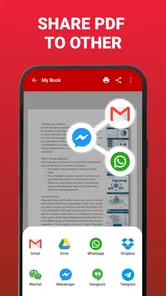
PDF Reader - All PDF Viewer provides a comprehensive set of features including viewing, sharing, and annotating PDF files. It allows users to highlight text, add comments, and even fill out forms. Additionally, the app supports a variety of file formats and offers a user-friendly interface for easy navigation.
Is PDF Reader - All PDF Viewer available for both Android and iOS?
Yes, PDF Reader - All PDF Viewer is available on both Android and iOS platforms. Users can download it from the Google Play Store for Android devices and the Apple App Store for iOS devices. The app is designed to offer a seamless experience across different operating systems.
Does the app support offline usage?
Yes, PDF Reader - All PDF Viewer supports offline usage. Once you've downloaded your PDF files onto your device, you can view and annotate them without an internet connection. This feature makes it convenient for users who need to access documents on-the-go or in areas with limited connectivity.
Pros
- Supports multiple document formats.
- Fast and responsive user interface.
- Easy annotation and highlighting tools.
- Offline access to documents.
- Customizable reading modes.
Cons
- Contains ads in free version.
- Limited cloud storage integration.
- Some features require premium.
- Occasional crashes on older devices.
- Limited editing capabilities.











