PDF ProX: PDF Reader & Editor
- 580.00
- 3.2
- Installs
- 10.00M
- Price
- Free
Screenshots
Analysis by Reviewed
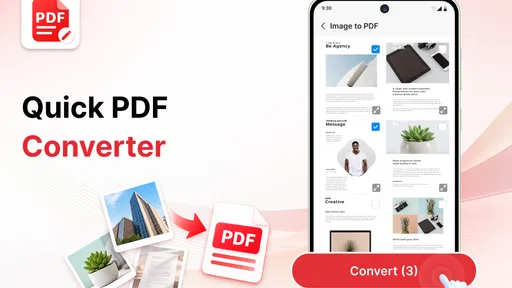
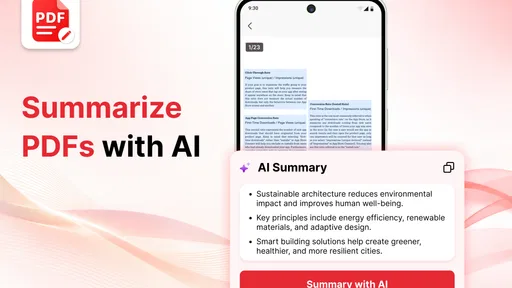
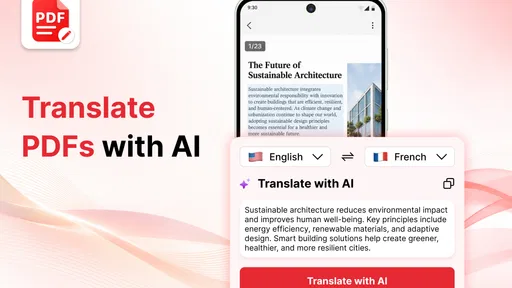
When paperwork lands in my lap away from a computer, I want to know whether my phone can get me from “I need to deal with this” to a usable document without a complicated detour. PDF ProX: PDF Reader & Editor is a productivity app for people who want to handle PDF documents on a phone rather than keep sending them to a computer. Its appeal is straightforward: reading, making edits, scanning pages, and converting documents are gathered under one roof. I’d consider it for everyday paperwork and occasional document changes, while keeping expectations realistic: a tool that covers several PDF jobs is not automatically a full replacement for a desktop editor.
Made by Office Suite Pro, the app is free to install and has a Everyone age rating. It has an average rating of 3.2 from around 52,000 ratings, so the public response is mixed rather than an obvious vote of confidence. That does not tell me exactly how it will fit your workflow, but it is a reason to try it with a low-stakes document before relying on it for something important.
What you can expect from the free starting point
The basic cost distinction matters here. You can get started without paying, while in-app purchases are listed at $19.99 to $29.99 per item. Those figures establish that paid options exist, but they do not tell me which particular tool requires a purchase or what each item unlocks. I would avoid assuming that every advertised action is included in the free experience until you have tried the specific task you need.
That makes a practical first test more useful than a quick download decision. Open a document you can afford to experiment with, check whether the reading and editing steps you care about are available, and see whether a purchase prompt appears during your workflow. If the app handles your routine task without friction, the free entry point is useful. If the action you need is behind a paid option, judge that purchase against how often you will use it rather than paying on the promise of a broad feature set.
The app is currently version 2.0.1-Office and requires Android 8.0 or later. It has reached over 10 million installs, which shows that it has found a large audience, but popularity alone does not guarantee a smooth fit for every device or document. For an older phone, the minimum OS is a helpful compatibility check; for important files, testing the app before a deadline is still the sensible move.
Check the exact job before making it part of your routine
A useful way to judge the free start is to write down the one task that would make this app worth keeping: perhaps turning a paper receipt into a file, making a small correction to a form, or changing a document into a format another person can use. Try that task first, then note where the app asks you to pay and whether the result is good enough. This avoids confusing “free to install” with “every part of my workflow is free,” while keeping the decision grounded in your own needs.
Where a mobile PDF toolkit earns its space
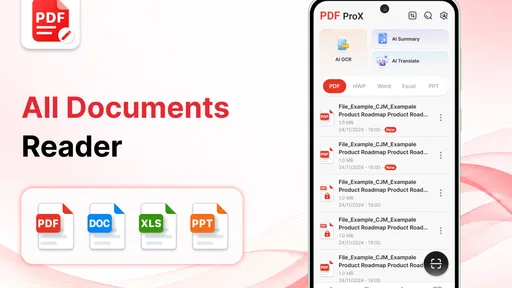
The strongest case for PDF ProX is convenience across different document chores. A reader is useful when you need to check a form, an editor when a small change is necessary, a scanner when paper needs to become a digital file, and a converter when a PDF is not the format you need next. Keeping those jobs in one productivity app can save you from switching between separate utilities, especially when you are away from your desk.
More From Our News Desk

Weather by Xiaomi Review: Clear at a Glance, Less Clear Up Close

X Under Pressure: Can It Recover When Posting Goes Wrong?

Clash of Clans Is Won Between the Battles

Android Auto Makes the Case for Quieter Car Software

MobiOffice: Transforming Mobile Productivity with Seamless Integration

EA SPORTS FC™ Mobile Soccer: Redefining Mobile Sports Gaming
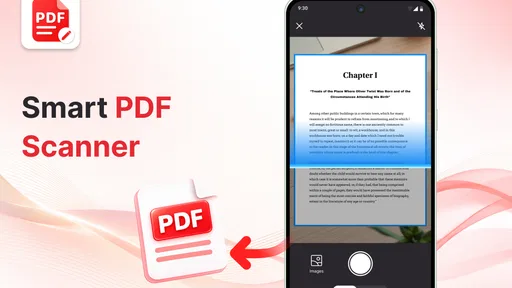
A realistic example is a workday involving a printed form and a last-minute correction. You could use the phone to capture the paper, inspect the resulting document, and make a small edit before sharing it through your usual route. The important advantage is the shorter path from paper to a usable file. I would still review every scanned page for cropped edges, skewed text, or shadows before treating it as ready to send; a quick capture is not the same as a careful scan.
There is also a useful distinction between reading a PDF and preparing one for someone else. For private reference, a file that is merely legible may be enough. For a form, receipt, or document going to a colleague, page order and readability matter more. My advice is to check the output from beginning to end after scanning or converting, rather than assuming that a successful-looking operation preserved every detail.
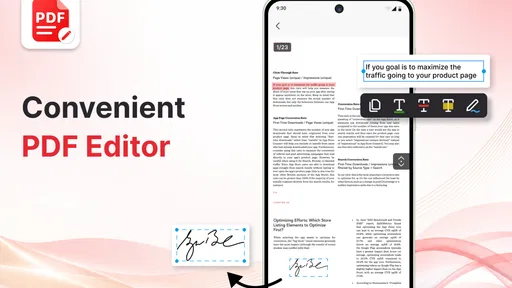
For minor edits, mobile handling can be especially handy when you spot a correction while travelling or between appointments. It is less compelling for lengthy revisions, complex page layouts, or a document that must retain exact formatting. A phone screen makes close comparison and precise placement harder than a larger display, and no general promise of editing capability removes that basic limitation. I would reserve the mobile workflow for changes that are easy to inspect at phone size.
Small workflow choices that prevent avoidable trouble
One practical habit is to keep an untouched copy before experimenting with edits or conversion. That gives you a fallback if the result changes the layout or does not suit the recipient. This is a general document-safety step, not a special feature claim: it matters precisely because a PDF may be the only copy of a signed form or completed application.
Another is to separate “I can open it” from “I can finish the job.” Open a sample file similar to the one you regularly handle, then try the exact action you need—such as a small correction or a conversion—before building your routine around the app. A scanned page, a text-heavy report, and a fill-in form can behave quite differently in practice. Testing the relevant document type gives you a more useful answer than browsing a list of tools.
Finally, check a converted or scanned result on the device or app your recipient will use when possible. If a file is intended for a form submission, make sure its pages remain readable and in the intended order. This extra review is a small cost in time, but it reduces the chance of sending a file that looks fine in a thumbnail and proves awkward when opened properly.
A practical handoff matters as much as the edit
For a deadline-bound form, I would treat the phone as the place to prepare and inspect the file, not as proof that the recipient can use it. After making a change, reopen the saved result and check the details that matter: names, dates, page order, and whether the text remains readable. Then use the sharing or submission route you already trust. This simple handoff check is particularly valuable when you have scanned a paper original, because a readable preview can still hide a clipped edge or a faint mark.
Tradeoffs against familiar alternatives
Compared with using a dedicated PDF reader, PDF ProX’s broader purpose may be a plus if you sometimes scan or alter documents as well as read them. If you only open PDFs to view a bill or reference sheet, a basic reader already built into your phone or a simpler reading app may be enough. In that case, extra tools are not automatically extra value; they matter only if they replace steps you actually perform.
Against desktop PDF software, a phone-first workflow wins on availability, not on working space. It suits a quick check, an occasional scan, or a small change when a computer is not nearby. For careful formatting, extensive document review, or work where tiny layout shifts have consequences, I would move to a desktop editor. That choice is not a knock on this app so much as a recognition that the screen and input method shape what is comfortable to do.
The mixed average rating is worth weighing alongside your own trial. With around 580 written reviews, there is a meaningful body of user feedback, but the rating alone cannot identify whether the complaints concern pricing, reliability, or a particular workflow. I would treat it as a prompt to verify your own must-have task early, not as proof that the app will fail. Avoid making it the sole copy of a time-sensitive document until you know how it behaves for you.
The paid options create another tradeoff. Paying can make sense if an item unlocks a task you repeat often and the price feels proportionate to the time it saves. For a one-off edit, the free start may be enough to assess whether it is worth pursuing, and a different tool may be better if it offers the precise function you need at a cost you prefer. Since the listed purchase range does not map each price to a specific capability, I would make the decision at the point of use rather than assume a particular feature is included.
Choose by document risk, not by the number of tools
If a file is just a reference copy, convenience may be the main concern. If it is an application, invoice, or signed document, accuracy and a reliable final check matter more than having reader, scanner, and editing tasks in one place. I would use the app for a low-risk trial, preserve the source, and switch to a desktop workflow when a document’s layout or exact appearance carries real consequences. That distinction helps avoid paying for breadth when what you actually need is certainty.
Who is likely to get real value
I’d put PDF ProX on the shortlist for someone who handles a mix of ordinary PDF chores on an Android phone: reading, occasional edits, paper capture, and format changes. It is most useful when convenience matters more than fine control and when those tasks come up often enough that one app is easier than juggling separate tools. Its productivity focus is a good match for people who want to deal with documents during a commute, between meetings, or away from a laptop.
It is less suited to a person whose main requirement is advanced, exact editing or a dependable production workflow for important files. It may also be more than you need if you only read PDFs and never scan, convert, or change them. In either case, a simpler reader or a desktop editor can be a better fit: the former avoids paying attention to tools you will not use, while the latter gives you a more comfortable setting for detailed work.
For a student, freelancer, or someone managing household forms, the decision comes down to frequency and consequences. A few low-risk edits and scans make the free starting point attractive to test. Documents with legal, financial, or deadline-sensitive importance deserve a more cautious process: keep originals, inspect the final file, and use a trusted alternative if the app’s result does not look right. No convenience is worth losing confidence in the document you send.
Make the trial fit your real documents
A student could test a scanned handout before relying on it to read a full set of course materials; a freelancer could check a routine client form before trying to prepare a contract; someone handling household paperwork could start with a receipt rather than an original certificate. These are not different feature promises, but useful ways to match the test to the risk. If the app saves time on the documents you actually receive, it has a clearer case for staying installed than if it only handles a hypothetical task.
My buy-or-skip verdict
I would try PDF ProX: PDF Reader & Editor if I regularly need to handle more than just PDF reading on an Android device. The free entry point lowers the barrier to testing it, and the combination of reading, editing, scanning, and conversion gives it a practical role for mobile paperwork. I would not pay simply because the app contains several kinds of tools; I would pay only if the specific paid option I encounter solves a recurring problem well enough to justify its listed cost.
Skip it, or keep it as a backup, if your work depends on precise desktop-style editing, if you only need a basic viewer, or if a crucial task feels unreliable during your own trial. The average rating of 3.2 is a reason to check the app against your real documents rather than assume it will suit everyone. Overall, I see it as a potentially handy mobile utility with a sensible free starting point and a clear caveat: confirm the exact workflow and purchase boundary you need before trusting it with important paperwork.
The simplest decision rule
For occasional reading alone, I would choose the simplest reader already suited to my phone. For frequent, modest paperwork that benefits from reading, scanning, and small changes in one place, I would test this app with a copy and keep it only if the key task feels dependable. For precise editing or high-stakes documents, I would move to a desktop tool and retain the original. That leaves PDF ProX in a practical middle ground: worthwhile to try for mobile convenience, but not a reason to abandon a workflow that already protects the accuracy of important files.
PDF ProX: PDF Reader & Editor Frequently Asked Questions
What is PDF ProX: PDF Reader & Editor used for?
PDF ProX is designed to help you open and read PDF files, as well as make common changes such as adding annotations or editing document content, depending on the tools available in your version. It can be useful for reviewing work, studying, or handling documents on a mobile device. Check the app listing for the current feature set, since tools and availability may vary by platform or release.
Can I edit PDF files with PDF ProX, or is it only a reader?
The app is presented as both a PDF reader and editor, but the exact editing options may differ from one version to another. Before downloading, look at the store description and screenshots to confirm whether it supports the changes you need, such as highlighting, adding notes, filling forms, or modifying text. Some advanced functions may require an in-app purchase or subscription, so review the pricing details as well.
Does PDF ProX work offline?
Reading a PDF that is already saved on your device will often be possible without an internet connection, but features that depend on online services, cloud storage, account access, or downloading files may require connectivity. Offline behavior can also vary by app version and device. If you plan to use PDF ProX while travelling or in areas with poor reception, test the specific documents and tools you need before relying on it.
Is PDF ProX free to download, and are there in-app purchases?
The download price and available features depend on the app store, region, and current version. An app may be free to install while reserving certain editing tools or removing advertisements through in-app purchases or a subscription. Review the store page’s pricing and subscription information before installing, and check renewal terms if a trial is offered. This helps you understand which features are included at no extra cost.
How can I protect my documents when using PDF ProX?
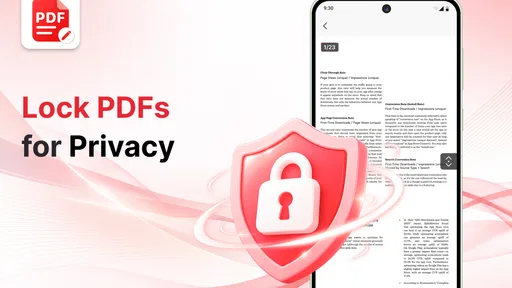
Before opening sensitive files, review the app’s privacy policy and the permissions it requests, especially if you intend to use cloud or sharing features. Keep your device protected with a passcode or biometric lock, and avoid sending confidential PDFs through services you do not trust. The app’s security options can vary, so do not assume that documents are encrypted or password-protected unless those capabilities are clearly described in the current listing or settings.
Pros
- Opens PDFs quickly and keeps page navigation straightforward.
- Search helps locate specific words or sections in longer documents.
- Useful annotation tools make it easy to mark up and review files.
- Supports common document tasks
- including signing and filling forms.
- A clean interface makes essential PDF controls easy to find.
Cons
- Some editing or advanced tools may require a paid upgrade.
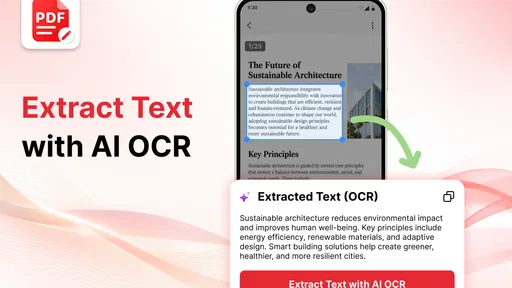
- Scanned PDFs may need OCR before their text can be searched.
- Large documents can take longer to load on older devices.
- Annotations may not display identically in every PDF viewer.
- Cloud or sharing features may depend on extra permissions or setup.











