

OzarksFirst
- 116.00
- 3.9
- Installs
- 10.00K
- Price
- Free

Screenshots
Analysis by Reviewed
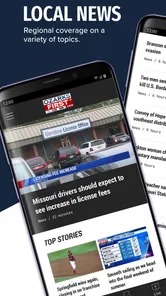
When I want a quick look at what is happening around the Ozarks, I would rather open a local news app than sort through a national feed filled with stories that have little to do with my day. OzarksFirst is built for that purpose, bringing together local news, weather, sports, videos, and related coverage from KOLR10 and KOZL. After spending time with it, I see it as a practical companion for people who want regional information in one place without turning news checking into a long session.
The app is free, aimed at an Everyone 10+ audience, and comes from Nexstar Inc. Its focus is narrow in a useful way: this is not trying to be a universal news reader. Its value depends on whether the Ozarks is the area you care about. If it is, the local emphasis makes the experience more relevant than a general news app. If you live elsewhere or mainly want international headlines, this will feel limited rather than incomplete.
How I use OzarksFirst in a normal day
My baseline workflow is simple. I open the app when I want a quick scan, start with the latest local stories, and then move to weather or sports depending on what I need. That separation matters because it lets me use the app for a specific purpose instead of wandering through one endless stream. A short morning check can tell me what local issue is developing, while a later visit can be dedicated to road conditions, forecasts, or a team update.
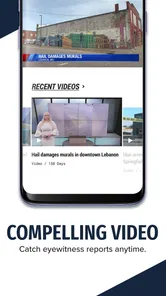
The combination of written reports and video gives the app two different rhythms. Text is better when I need to skim several headlines quietly, especially in a waiting room or during a short break. Video is more useful when I want a fuller presentation and do not mind spending more time with one story. I would not treat those formats as interchangeable: video can provide a more immediate broadcast-style experience, while written coverage is easier to revisit and compare.
A realistic use case is a weekday morning when plans depend on local conditions. I can check the weather section first, scan the most important regional stories, and then look at sports later in the day. That is more efficient than opening a weather tool, a separate sports source, and a broad news service one after another. The app does not eliminate the need for judgment, but it reduces the number of places I need to check for a basic local briefing.
I also like the fact that the app is not pretending to replace every kind of information service. Its strongest role is staying connected to the Ozarks through coverage that has a local angle. For national or international context, I would still use another news source. That is not a flaw in itself; it is the trade-off that makes a focused regional app easier to use for nearby events.
What to check before making it part of your routine
The first question is geographical relevance. If your daily decisions involve the Ozarks, the app has a clear reason to stay installed. If you are only visiting briefly, it may still be useful for local weather and major regional developments, but its value will naturally drop once you leave the area. I would not download it expecting a broad replacement for a national news reader.
More From Our News Desk

 Gmail
GmailGmail in a Busy Inbox: Who Benefits Most?
From first account to crowded workday, Gmail earns its place through dependable search and flexible sorting—but its best fit depends on how much inbox maintenance you can tolerate.

 Prime Video
Switching to Prime Video: What Changes in Your Viewing Routine
Prime Video can make a compelling second home for streaming, but switching means learning a different catalog, rental layer, and route from browsing to playback.

 Universal TV Remote Control
Universal TV Remote Control Works Best as a Reliable Backup
A phone remote earns its place through quick setup and reliable habits. Here is how to get more from Universal TV Remote Control—and where its limits show.

 Weather - By Xiaomi
Weather by Xiaomi Review: Clear at a Glance, Less Clear Up Close
Xiaomi’s weather app makes everyday forecasts quick to scan, but its calm surface can leave useful details and recovery paths harder to find than they should be.

 X
XX Under Pressure: Can It Recover When Posting Goes Wrong?
A resilience-focused review of X, examining setup, mistaken posts, interruptions, weak connections, and the gaps that matter when recovery needs to be dependable.

 Clash of Clans
Clash of Clans Is Won Between the Battles
Its raids are quick; its community is a long-term project of coordination, teaching, rivalry, and shared responsibility—with all the friction that entails.
Latest News



The second question is how you prefer to consume news. People who want a quick local snapshot should find the format approachable. Someone who expects deep investigative reading, extensive opinion tools, or a highly customizable national feed may find the experience too focused. I see it as a convenient local front door, not a complete personal newsroom.
Its audience label of Everyone 10+ also makes it a reasonable household option for older children and adults who want access to general local coverage, although parents should still remember that news topics can vary in seriousness. The age label is not a promise that every story will be comfortable for every reader.
Settings and habits that make the app easier to live with
Experienced use starts with deciding when to check the app rather than allowing every news visit to become an open-ended scroll. I prefer deliberate check-ins: one for the morning picture, another when weather or developing local events matter, and a final look when sports results or evening updates are relevant. This habit keeps the app useful without letting it dominate attention.
It is worth reviewing the app’s available notification choices when first setting it up. I would keep only alerts that match my real needs and avoid treating every update as urgent. A person who mainly wants severe-weather awareness should prioritize that kind of information if the app offers the relevant control, while someone interested in sports may want a different balance. The important point is to make notifications serve a routine instead of accepting a noisy default.
I also recommend checking how the app behaves on your particular device before relying on it during a busy morning. The current version is 510.0.1 and it supports devices running Android 7.0 or later, so compatibility is broad for many Android users. Still, an older phone may handle video, image-heavy pages, and repeated refreshes differently from a newer model. A quick personal test is more useful than assuming every device will feel identical.
Another practical setting habit is to distinguish between reading and watching. If I am on a limited connection, I would favor text and avoid opening multiple videos unnecessarily. If I am at home on a stable connection, video becomes a more comfortable option. The app’s mixed format means my best routine changes with the situation, and that flexibility is more useful than forcing one format all day.
There is also a privacy-minded reason to avoid enabling every convenience automatically. News apps are most helpful when they know what kind of updates I want, but too many permissions or interruptions can make the experience feel intrusive. I review system-level notification access and any available app preferences rather than leaving everything switched on. That is a small step, but it makes the app feel like a tool I control.
Faster patterns for local news, weather, and sports
The fastest pattern I found is to enter with a question. Instead of opening the app and reading whatever appears first, I decide whether I am checking local news, weather, sports, or a video. That simple choice prevents the common problem of spending several minutes on unrelated stories. It also helps me judge whether the app is meeting its purpose: a local news app should save time when my need is local.
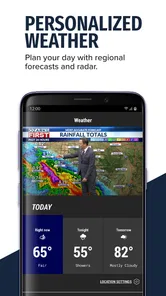
For weather, I would use a two-step habit. First, get the broad forecast picture. Then, if the day involves commuting, outdoor work, or travel, return later for an updated check rather than assuming the morning view remains enough. Weather information changes, and a single glance should not be treated as a permanent answer. The app is convenient for keeping the local forecast close to the rest of the regional coverage, but it should complement sensible planning rather than replace it.
For sports, I would use the app as a local update stream rather than as a full statistical database. It is a good place to see what matters to the regional audience and to catch video or reporting connected with local teams. If I needed exhaustive schedules, advanced player comparisons, or a specialized live-score experience, I would choose a dedicated sports app instead. That distinction prevents disappointment and makes the app’s sports section more valuable for the right job.
Video deserves its own workflow. I would save watching for moments when I can give the report attention, rather than opening clips while doing something that requires concentration. When I only need the essential facts, text is usually faster. When the story benefits from a broadcast presentation, video can add context and immediacy. Switching formats intentionally is one of the easiest ways to get more from the app without inventing complexity.
A useful repeatable habit is to compare a developing story across visits instead of judging it from the first headline alone. Local news can change as officials release information or conditions develop. I would read the initial report, return later if the issue affects my plans, and look for updated wording or a newer item. This is especially important for weather and breaking events, where an early report may be only the beginning of the story.
The app’s scale also helps explain how I would use it. It has more than ten thousand installs and an average rating of 3.9 from roughly three hundred seventy ratings, with over a hundred written reviews. Those figures suggest a modest regional audience rather than a universal platform, so I would judge it by local usefulness instead of comparing its reach with major national apps. A smaller audience is not automatically a weakness when the coverage area is specific.
Where it is strong, and where the limits become visible
The clearest strength is concentration. News, weather, sports, and video related to the Ozarks sit within one recognizable destination. That reduces the mental effort of remembering which source covers which part of the day. For residents, families following local conditions, and people who care about regional teams, that focus can be more useful than a large app that buries local stories beneath national headlines.
The main limitation is the same focus. I would not rely on OzarksFirst alone for a complete understanding of a major national issue, international event, financial development, or specialized subject. A broad news app or a trusted publication with wider reporting is better for those needs. The sensible arrangement is to use this app for the regional layer and another source for the wider picture.
Another trade-off is the difference between convenience and depth. A local app can help me discover what deserves attention, but not every item will provide all the background I want. When a story affects an important decision, I may need to read additional reporting or consult an official source. That is a healthy workflow, not a criticism unique to this app: a headline feed is a starting point, not always the final word.
Performance can also feel different depending on how heavily I use video and how old my phone is. The minimum Android requirement is 7.0, which opens the app to older devices, but compatibility does not guarantee the same smoothness everywhere. If scrolling feels slow, I would reduce unnecessary background activity, keep the app updated, and use text-first habits. For someone with an aging device who mainly wants instant, lightweight headlines, a mobile website or simpler reader may feel faster.
The app is free, which removes the financial barrier to trying it. That makes it easy to keep alongside another news service and decide whether the local coverage earns a regular place on the home screen. Free access is especially useful for occasional visitors or people who only need regional information during severe weather, travel, or a local event.
Who should choose it, and who should look elsewhere
I would recommend OzarksFirst to people living in or closely connected to the Ozarks who want a straightforward local briefing. It is also a sensible choice for someone who follows regional sports and prefers video reports alongside written updates. Families may appreciate having local weather and community coverage in one app, while occasional users can open it when a local situation suddenly matters.
I would be more cautious recommending it to someone who wants a single app for all news. If your priority is international reporting, financial analysis, extensive customization, or a large archive of specialist content, a national publication or an aggregator will serve you better. Likewise, dedicated weather and sports apps may be stronger when you need detailed tools rather than regional coverage in a general news package.
People who dislike notifications should set expectations early. A local news app can become distracting if every alert feels equally important. I would keep the app installed only if I am willing to tune alerts and use it intentionally. Without that discipline, the convenience of quick updates can turn into a stream of interruptions.
My verdict after building a repeatable routine
OzarksFirst works best when I treat it as a regional information hub, not as an all-purpose internet newspaper. Its useful combination of local news, weather, sports, and videos makes everyday checking efficient, especially when I want nearby context rather than another national headline. The experience becomes stronger when I choose a purpose before opening it, separate text reading from video watching, and revisit developing stories instead of assuming the first update is final.
The app has been available since May 29, 2013, and its current version shows that it remains an active option for Android users on supported devices. I would not choose it because of its age or version number; I would choose it because the Ozarks is part of my life. That is the deciding factor. The app’s regional focus is either exactly what I need or a boundary I will notice immediately.
My final recommendation is positive with a clear condition: install it if local coverage is your priority, then pair it with a wider news source when you need national or global context. The best way to use OzarksFirst is as a focused local habit, not as your only source of information. With that expectation, the free app earns a useful place on my phone and makes routine checks of nearby news, weather, sports, and video coverage pleasantly uncomplicated.
In short, OzarksFirst is a practical News & Magazines app from Nexstar Inc. for Android users who want the Ozarks close at hand. I would give it a try, tune its notifications, and keep it if its local perspective consistently saves me time. For my own workflow, that focused usefulness matters more than having every possible news category in one crowded feed.
OzarksFirst Frequently Asked Questions
Who develops OzarksFirst, and is it intended for a particular region?
OzarksFirst is developed by Nexstar Inc. and focuses on local coverage of the Ozarks, as reflected in its news, weather, sports, and video offerings. It is most relevant to people who want regional updates rather than a general national-news reader. The app is listed in the News & Magazines category, so its main purpose is to bring local information together in a mobile format.
What is OzarksFirst, and what can I use it for?
OzarksFirst is a local news and weather app focused on the Ozarks region. After installing it, users can browse breaking news, local stories, video reports, weather forecasts, radar information, and community updates in one place. It is designed for people who want convenient access to regional coverage without relying only on a mobile browser or television newscast.
Does the OzarksFirst app provide live weather forecasts and severe weather alerts?
Yes, weather is one of the app’s main features. OzarksFirst typically provides current conditions, hourly and extended forecasts, interactive radar, and information about storms affecting the local area. Depending on your device settings and location permissions, you may also receive push notifications for severe weather, breaking news, or other urgent updates relevant to the Ozarks.
Can I watch live news or video reports through OzarksFirst?
The app includes video content such as news reports, weather updates, interviews, and selected live coverage when available. The amount of live programming can depend on the station’s schedule, your internet connection, and regional availability. Users should also expect some videos to include advertisements or require a short loading period, especially when streaming over mobile data.
Is OzarksFirst free to download and use?
OzarksFirst is generally available as a free download for Android and iOS devices. Most news articles, weather tools, videos, and alerts can be accessed without a subscription, although the app may display advertising to support its operation. Mobile data charges may apply when streaming videos, loading images, or using radar away from a Wi-Fi connection.
Pros
- Fast access to breaking news from the Ozarks region
- Includes local weather forecasts and severe weather alerts
- Covers community events
- crime
- and regional stories
- Video reports make major stories easier to follow
- Simple layout helps users find recent updates quickly
Cons
- Coverage is mainly relevant to viewers in the Ozarks area
- Frequent breaking-news alerts may become distracting
- Some stories may require a stable internet connection
- Advertising can appear alongside news content
- Older devices may experience slower video performance













