OTG Reader
- 28.00
- 4.2
- Installs
- 100.00K
- Price
- Free

Screenshots
Analysis by Reviewed
I find a USB drive most useful when I need one file away from my laptop: a document to review, a photo to show someone, or a folder I want to copy before handing the drive over. OTG Reader is designed for that kind of quick access on an Android phone or tablet, using an OTG connection. It is a free file-management app from SweatersApp in the Libraries & Demo category, and its 4.2 average from around 1,500 ratings suggests that plenty of people find the basic idea useful.
What to expect from a phone-based file manager
This is not a replacement for a full desktop file-management setup. Its appeal is narrower and more practical: connect compatible USB storage, browse what is on it, and handle everyday file tasks without finding a computer. The app has over 100,000 installs, is rated for everyone, and version 18.0 is listed for Android 7.0 and later. That makes it worth considering if your device meets that requirement and you mainly need straightforward access to external files.
The biggest trade-off is that the app cannot make an unsuitable connection work by itself. Your phone needs to support OTG, and the cable or adapter must match the phone’s port and the USB device. If nothing appears, I would check those basics before assuming the files are missing: unplug and reconnect the drive, try a known-compatible adapter, and give the phone a moment to detect the storage. For a first try, a small, familiar drive is less confusing than a large disk with unfamiliar folders.
Before connecting: choose a simple first test
I would treat the first session as a compatibility check, not a file-cleanup project. Pick one USB drive you can identify, and decide in advance which harmless file you want to open. That gives you a clear goal and makes it easier to spot whether a problem comes from the connection, the file itself, or simply not knowing where to look. If the drive holds important work, use a copy of a file rather than experimenting with the original.
It also helps to think about what you want the phone to do. Browsing and opening a document is a lighter task than moving a large folder, and playing media keeps the drive attached for longer. Starting with the simplest action makes the result more useful: you learn whether the setup works without asking the phone, adapter, and storage to handle several things at once.
Getting Started with OTG Reader
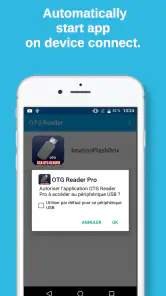
First things first, you’ll need an OTG cable. You can snag one online or at your local electronics store. Once you've got that, plug it into your device, connect your USB drive, and fire up the OTG Reader app. The interface is super intuitive, so even if you’re not the most tech-savvy person in the room, you’ll find your way around in no time.
Make the first connection count
For a reassuring first success, open a file you already recognize before making changes. If you can view it, you have confirmed the useful chain—phone, adapter, drive, and app—without risking a mistaken deletion or move. Then try copying one small file to a location you can find again. That simple test helps distinguish “I can browse the drive” from “I know how to get this file onto my phone.”
More From Our News Desk

Clash of Clans Is Won Between the Battles

Android Auto Makes the Case for Quieter Car Software

MobiOffice: Transforming Mobile Productivity with Seamless Integration

EA SPORTS FC™ Mobile Soccer: Redefining Mobile Sports Gaming

How Microsoft OneDrive Became a Mobile Productivity Giant

How Google Translate Breaks Language Barriers Effortlessly
When you are done, avoid pulling the drive out while a copy or move is still running. A cautious routine is especially helpful with important documents: make one change at a time, check that the destination contains the file, and only then disconnect the storage. For a shared drive, this also gives you a chance to confirm that you are working with the intended folder rather than a similarly named one.
Features That Make Life Easier
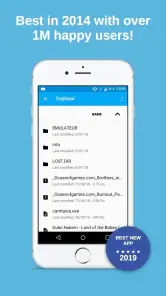
One of the coolest things about OTG Reader is how it effortlessly handles different file types. Whether you’re dealing with docs, images, or even music files, this app has got you covered. You can view, copy, move, rename, and even delete files directly from your USB device. It’s like having a mini computer in your pocket.
That range of actions is useful for more than one-off browsing. Imagine arriving at a family gathering with pictures on a USB drive: you can locate a particular image, show it from your phone, or copy it for easier access later. For work or study, the same approach can help when someone hands you a drive with a presentation or a reading file. I would still check the destination after copying; a successful-looking tap is not as reassuring as seeing the file where you expect it.
Another feature worth mentioning is the app’s ability to play media files directly. So, if you're on a long trip and want to watch movies stored on your USB drive, just plug it in, and you’re good to go! It supports various formats, so compatibility won’t be an issue.
Where file support has limits
In practice, a media file can still be awkward if its format is not handled well by your phone or if the drive connection is unstable. I would test a video before relying on it for a journey, rather than discovering a playback problem when you are already offline. Direct playback also means the drive stays connected and may use your phone’s battery, so copying a short selection first can be a better choice for a longer viewing session.
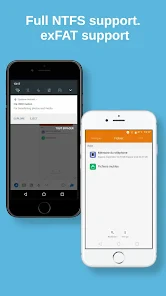
USB storage can use different file systems, and support for NTFS and exFAT is part of this app’s intended appeal. That matters if a drive was prepared on a computer and does not use the format you typically encounter on a small thumb drive. Still, file-system support does not guarantee that every phone, adapter, or particular drive will behave identically. If a drive is important, test it before you travel or rely on it for a deadline.
Make file transfers easier to verify
One small habit makes mobile transfers much less stressful: keep the source and destination straight. Before copying, note the name of the file and the folder it came from; afterward, open the destination and confirm that the expected item is there. This is especially worthwhile when a drive contains repeated names such as “notes” or “final,” where a quick glance at the wrong folder can create needless doubt.
If you are moving rather than copying, pause to consider whether the USB drive is the only place that file exists. Copying is the safer choice when you are unsure, because it leaves the original in place while you check the phone’s version. Once you have verified the copy and know you no longer need the original, you can decide what to do next. This is a simple workflow, but it reduces the chance of turning a quick transfer into a recovery problem.
Why I Love It
I’ve tried a few OTG apps before, but this one stands out for its simplicity and reliability. The user interface is clean and straightforward, which means I spend less time figuring things out and more time getting things done. Plus, it doesn’t bombard you with ads every few seconds, which is a huge plus in my book.
Compared with a phone’s built-in file manager, a dedicated OTG tool is most useful when the built-in option does not make external storage easy to browse or handle. If your existing file manager already detects your drive and lets you copy files comfortably, there may be little reason to add another app. Cloud storage is a different alternative: it is more convenient when files are already online, while OTG is handy when the material is physically on a drive and you have no dependable connection.
Another thing I appreciate is the app’s performance. It’s fast, responsive, and doesn’t hog your device’s resources. Even when managing large files, it runs smoothly without any hiccups. It’s clear the developers put a lot of thought into optimizing it for various Android devices.
Common connection and file questions
If the drive does not show up, I would work through the physical connection before changing files or reinstalling anything. Check that the adapter fits the phone, reconnect the drive, and give detection a moment. If you have another compatible drive or adapter available, testing one at a time can narrow down the cause. A phone that does not support OTG will not become compatible through a file manager, so that is the first capability worth checking when repeated attempts fail.
If a drive appears but a particular item will not open, separate access from format compatibility. The app may be able to browse the storage even if the phone cannot handle that specific document or media format in the way you expect. Trying a different, familiar file can help tell whether the issue is limited to one item. For a video you plan to watch away from home, test it while you still have time to choose another file or copy it first.
People also ask whether this is useful without internet access. Its central purpose—working with files on connected USB storage—makes it a practical option when the file is already on the drive and a network is unavailable. That does not remove the need for a compatible phone and connection, and it does not make every file type interchangeable. I would prepare and test anything essential before going offline rather than treating a last-minute connection as guaranteed.
Who will get the most from it
I’d recommend it to someone who regularly receives USB drives, keeps reference material offline, or wants a simple way to move photos and documents between a drive and an Android device. A realistic use is a student carrying course notes on a USB stick: before class, they can connect it, check the right file, and copy the day’s material onto the phone rather than searching through folders later.
It can also suit someone helping a relative sort through photos or documents stored on a drive. The phone can be a convenient viewing screen, while the ability to copy a chosen item gives you a way to keep only what is needed close at hand. I would use this selectively rather than trying to organize an entire archive on a small screen: browse to the relevant folder, check a few files, and leave larger sorting jobs for a computer.
I would skip it if you rarely connect USB storage, already have a file manager that handles your drives, or need a complete tool for organizing files across several online services. It is also not the right fix when the phone lacks OTG support or the physical adapter is wrong. For very large collections or careful batch organization, a computer remains easier to navigate and less fiddly than a phone screen.
Use it as a bridge, not a whole storage plan
For a one-time handoff, this kind of direct access can be simpler than uploading files to cloud storage, waiting for them to sync, and downloading them again. It is particularly handy when the USB drive is already in your bag or when connectivity is unreliable. On the other hand, cloud storage is the better fit when you need the same files available across devices or want to share them without passing around physical media.
I would also avoid treating a USB drive as the only copy of something valuable just because it opens on the phone. A quick view or transfer proves that the file is accessible; it does not replace a sensible backup routine. For photos, coursework, or work documents you cannot easily recreate, keep another copy somewhere appropriate before deleting or reorganizing the original.
Final Thoughts
All in all, if you frequently find yourself needing to access USB files on the go, the OTG Reader app is a must-have. It combines functionality with ease of use in a way that’s hard to beat. So next time you’re packing for a trip, just bring along your OTG cable, and you’ll have your own portable file manager ready to roll!
My practical advice is to begin with a familiar drive, open one file, and try a small copy before trusting the setup with anything important. That gives you a quick answer to the questions most first-time users have: whether their phone connects, whether the file can be opened, and whether they can move it where they need it. If those basics work, this focused tool can make USB storage genuinely handy; if they do not, checking the adapter and phone compatibility is the sensible next step.
OTG Reader Frequently Asked Questions
Is OTG Reader free to download, and who is it for?
OTG Reader is free and is intended for people who want to access files on USB storage from a mobile device. Its content rating is Everyone, so it is listed for a broad audience. It is categorized as a Libraries & Demo app and is developed by SweatersApp. If your main need is working with files on a USB drive, its focus may be relevant to you.
What is OTG Reader and what does it do?
OTG Reader is an application designed to facilitate the connection between your Android or iOS device and other USB devices via On-The-Go (OTG) technology. It allows your smartphone or tablet to read and manage files directly from USB drives, cameras, or other peripherals, making file transfers and data management more convenient without needing a computer. Its store summary specifically highlights USB flash drives, Type-C connections, and NTFS and exFAT support.
Is OTG Reader compatible with all smartphones and tablets?
OTG Reader is compatible with most Android and iOS devices that support OTG functionality. However, not all devices come with built-in OTG support, so it is crucial to check your device's specifications or consult the manufacturer's website to ensure compatibility. Additionally, you may need an OTG adapter to connect USB devices to your smartphone or tablet. The listed minimum operating system is version 7.0.
Does OTG Reader support USB-C drives and different storage formats?
The app’s store summary highlights support for USB flash drives, Type-C connections, NTFS, and exFAT. These details make it potentially useful if you want to connect a compatible USB-C drive or work with a drive formatted in one of those file systems. Your device still needs OTG capability, and the physical connection must match the port and drive you intend to use.
Does using OTG Reader require additional hardware?
Yes, using OTG Reader typically requires an OTG adapter or cable, as most devices do not have a USB port that can directly connect to external devices. The OTG adapter acts as a bridge between your smartphone or tablet and the USB device, allowing the OTG Reader app to access and manage the connected device's files. With a Type-C device or drive, make sure the connector arrangement is compatible.
Pros
- Fast access to USB storage devices
- Supports multiple file formats
- User-friendly interface
- Automatic file organization
- Offline access to files
Cons
- May not support all USB devices
- Occasional file transfer errors
- Limited cloud integration
- Requires OTG cable
- Some ads in free version
- Category
- Libraries & Demo
- Version
- 18.0











