Offline Podcast App: Player FM
- 10.17K
- 4.1
- Installs
- 10.00M
- Price
- Free

Screenshots



Analysis by Reviewed
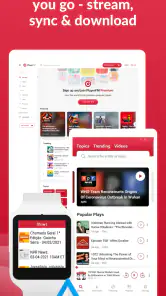
Hey folks! So, I’ve been diving into the world of podcasts lately, and I stumbled upon something pretty cool – the Offline Podcast App: Player FM. Let me walk you through my experience with it, and why it might just be the perfect companion for your podcast adventures.
Why Player FM Stands Out
Alright, let's chat about what makes Player FM so unique. First off, if you're like me and your data plan is as precious as gold, this app is a lifesaver. It allows you to download your favorite podcasts and listen to them offline. No more worrying about Wi-Fi signals dropping or burning through your mobile data. Pretty neat, right?
User-Friendly Interface
One of the first things I noticed about Player FM is its intuitive interface. It’s super easy to navigate, whether you’re a tech wizard or someone who struggles with setting up a new phone. The design is clean, and everything is laid out just where you’d expect it to be. I mean, who wants to spend ages trying to find their next podcast episode?
Vast Library of Content
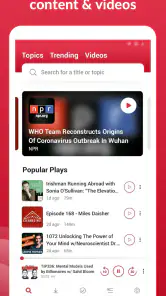
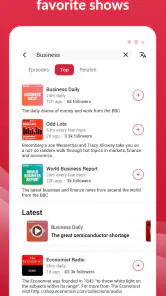
The content library is massive. Seriously, there’s a podcast for everyone here. From tech geeks to history buffs, and even niche topics that you didn’t know existed. And the best part? The app keeps suggesting new shows based on your listening habits. It’s like having a personal podcast curator at your fingertips.
Customization Galore
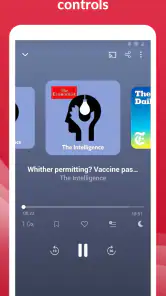
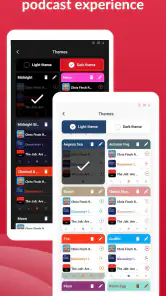
Customization is another area where Player FM shines. You can adjust the playback speed, which is a godsend for those of us who like to speed through episodes or slow down to savor every word. Plus, the sleep timer feature is perfect for those bedtime podcast sessions. Just set it, drift off, and let the app do its thing.
Sync Across Devices
If you're juggling between multiple devices, Player FM has you covered. The app syncs seamlessly across platforms, so you can start a podcast on your phone and pick up right where you left off on your tablet or computer. It's a small feature, but it makes a huge difference in the user experience.
In conclusion, if you’re hunting for a podcast app that offers offline listening, a user-friendly interface, and a treasure trove of content, Player FM might just be your new best friend. It’s got all the bells and whistles you’d want in a podcast player, and then some. Give it a shot, and you might just find yourself wondering how you ever lived without it!
Pros
- User-friendly interface for easy navigation.
- Offline downloads save data usage.
- Wide range of podcast categories.
- Customizable playlists and settings.
- Cross-platform syncing available.
Cons
- Limited features in free version.
- Ads can be intrusive at times.
- Occasional bugs in app updates.
- Requires account for complete access.
- Some podcasts unavailable offline.

- Category
- Music & Audio
- Version
- 7.4.3(27863)