Offline Maps - Route Planner
- 26.00
- 4.1
- Installs
- 1.00M
- Price
- Free
Screenshots


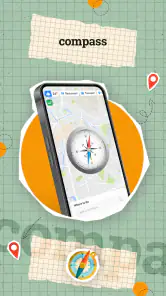
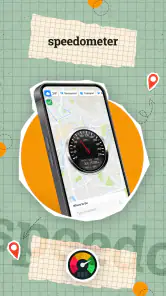

Analysis by Reviewed
When I’m planning a trip, the question I care about is not just where a route goes but whether I can still make sense of it when my connection drops. Offline Maps - Route Planner is a Maps & Navigation app from WE CENTER built around that travel problem. Its focus makes it appealing for journeys beyond reliable mobile coverage, though I would still prepare before setting off rather than assume every part of a trip will work the same way without a signal.
Check the route before you leave coverage
For a drive through unfamiliar countryside, I’d use the app while connected to get my bearings and plan the journey, then make sure the map area I need is ready before entering a patchy-coverage stretch. That small step matters: offline navigation is most useful when preparation happens at home, a hotel, or a café, not on a roadside where the connection has already failed. If plans change mid-trip, I’d look for a connection before relying on new route information.
That makes this a different kind of choice from simply opening a familiar online navigation app and expecting it to handle everything. Online services can be more convenient when live information and quick rerouting are the priority; an offline-oriented planner is more attractive when coverage is the worry. I’d treat the two approaches as complementary rather than assume one replaces the other in every situation.
A Reliable Travel Companion
First things first, the best part about Offline Maps - Route Planner is that it does exactly what the name suggests - it allows you to download maps for offline use. This means no more getting lost when you lose signal in the middle of nowhere! You can plan your routes ahead of time and have them ready to go, whether you’re hiking in the mountains or wandering through a new city.
Features That Stand Out
What caught my eye initially were the incredible features packed into this app. You can download maps for entire regions, which comes in super handy when you’re planning a road trip. The app also supports GPS navigation, so you can follow your route in real-time even when offline. Imagine turning your phone into a navigation device without worrying about data charges!
For a practical trip, I’d think about map coverage as part of the itinerary, not as an afterthought. If a drive crosses several regions, checking that the planned route is covered before leaving can prevent a frustrating gap later. And if I’m navigating on foot, I’d save key destinations such as my lodging and the station in advance, so I have useful reference points even if I change direction. Downloading a broad area may be convenient for a road trip, but it also takes planning and storage; I’d choose the area with the journey in mind rather than collect maps I’m unlikely to use.
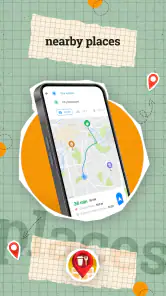
Additionally, the app offers detailed information about places of interest, which is perfect for spontaneous adventurers like me who love to discover hidden gems. You can bookmark your favorite spots and even share them with friends. It’s like having a personal travel guide right in your pocket.
More From Our News Desk

Clash of Clans Is Won Between the Battles

Android Auto Makes the Case for Quieter Car Software

MobiOffice: Transforming Mobile Productivity with Seamless Integration

EA SPORTS FC™ Mobile Soccer: Redefining Mobile Sports Gaming

How Microsoft OneDrive Became a Mobile Productivity Giant

How Google Translate Breaks Language Barriers Effortlessly
Useful when plans change on the ground
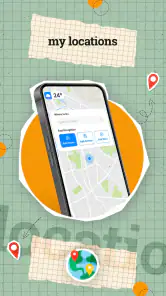
Bookmarks can make a difference when a group is exploring separately or deciding where to meet. I’d save a central landmark before setting out and share it with friends, rather than trying to describe an unfamiliar corner over a weak call. For a city visit, saved places also help me keep planned stops together while leaving room to wander. The trade-off is that a saved point is only as useful as the map and route context around it, so I’d check the area before heading out rather than trust a bookmark alone to solve every navigation problem.
Everyday trips need a different kind of preparation
A useful way to test whether an offline map suits your routine is to picture a normal day rather than a dramatic expedition. Suppose I’m taking a train to a city I don’t know, then walking from the station to a hotel and meeting friends later. I’d prepare the map while connected, save the hotel and meeting point, and keep the route available before leaving the station’s Wi-Fi or mobile coverage. If the signal fades between stops, I still have a visual reference; if the group changes its plans, I’d wait until I’m connected again before assuming the app can find fresh details.
This kind of preparation is particularly handy for a visitor who wants to explore on foot without repeatedly opening a data-hungry online map. It also helps when a driver wants to review a route before setting off instead of depending on a connection at every turn. It is less useful for a spontaneous day built around live traffic, last-minute detours, or constantly changing destinations. The practical question is not whether offline navigation sounds reassuring, but whether you are willing to do a little planning in exchange for less dependence on mobile coverage.
User Interface and Experience
The interface is sleek and intuitive, which makes planning your trip a breeze. Even if you’re not tech-savvy, you’ll find it easy to navigate through the app. The maps are clear and detailed, and the zoom feature is smooth, which makes it easy to explore every nook and cranny of your destination. Plus, the app is lightweight and doesn’t hog your phone’s memory, which is a big plus in my book!
In everyday use, I’d still keep an eye on battery life and have a charging option for a long day of navigation. GPS use can be demanding on a phone, and a map app cannot make a nearly empty battery less of a problem. I’d also avoid making route decisions while moving: check the next turn or destination while stopped, especially when navigating somewhere unfamiliar. These habits help make an offline map a useful backup rather than a reason to stop paying attention to the journey.
What to prepare, and what not to assume
Before relying on the app for a journey, I’d check three things: whether the map area covers the full route, whether important places are bookmarked, and whether the phone has enough battery for navigation. A route that crosses a regional boundary deserves particular attention, because a downloaded area that seems broad at a glance may not include every approach road or the final destination. Saving a little extra map area around the route is a sensible precaution when storage allows.
I’d also separate preparation from live problem-solving. A saved map and place can help me orient myself without a signal, but they are not the same as up-to-date traffic advice or a newly calculated alternative. If road conditions, closures, or a sudden change of destination matter, I’d use a connected service when possible and treat this app as a fallback rather than an all-purpose replacement. That distinction prevents the common mistake of confusing offline access to a map with access to every kind of current travel information.
Who will get the most from it
I’d recommend this app most to travelers who expect dead zones, people visiting a new city who want saved places close at hand, and drivers who prefer to prepare a route before setting off. It is less compelling if your routine depends on current traffic conditions or frequent changes based on live information; a connection-focused navigation service may suit that better. For a regular commute with strong coverage, the extra preparation involved in offline maps may not add much value.
It is also worth thinking about how you travel with other people. A solo walker may value having saved landmarks ready, while a group that makes decisions together may get more from shared bookmarks and a planned meeting point. On the other hand, anyone who expects an app to discover every nearby option on demand should compare it with an online map service before switching. Offline preparation can reduce one particular worry—losing access to a usable map—but it does not remove the need to make sensible route choices.
The app is free to install, has an Everyone age rating, and includes in-app purchases priced from $4.99 to $29.99 per item. It has a 4.1 average from around 2.6 thousand ratings, with over a million installs. Those figures suggest a substantial audience, but I’d still judge it by whether its offline-first approach matches the way I travel. It was released on February 19, 2024, and version 1.4.1 lists Android 6.0 as the minimum operating system, useful details to check against an older device before installing.
Cost, storage, and the choice between map apps
Free installation makes it easy to try the app, but I’d pay attention to the in-app purchase range before assuming every part of the experience is included at no cost. I would first work out whether the basic map preparation and navigation fit my needs, then consider purchases only if I understand what they add and expect to use it. That is a more useful approach than buying anything simply because a trip is coming up.
There is also a storage trade-off behind offline maps. Keeping a larger area ready can make a journey less stressful, especially across several towns, but downloading maps you will not use can take space away from photos, music, and other travel essentials. I’d clear or avoid unnecessary areas and save the places that matter most. Compared with a conventional online navigation app, this planner asks for more thought before departure; compared with relying on a paper map, it offers GPS-based orientation and saved locations. Neither comparison makes it the right tool for everyone: drivers who prioritize live traffic may prefer an online-first option, while travelers who want a digital backup for weak coverage may appreciate this one.
Saving the Best for Last
Now, let’s talk about why this app deserves a permanent spot on your phone. The biggest highlight for me is its offline capability. In a world where we’re constantly glued to our screens, it’s refreshing to have an app that lets me disconnect while still feeling secure in my navigation. Whether you’re a frequent traveler or just someone who enjoys a weekend hike, this app is a must-have.
For me, the sensible approach is to prepare maps and saved places while I have a connection, then use the app as a navigation aid when coverage becomes unreliable. I wouldn’t count on offline planning to replace every benefit of an online service, especially when a trip changes unexpectedly. But for a planned drive, a walk through an unfamiliar area, or a journey where data access is uncertain, it offers a practical way to keep a map close without making continuous connectivity the whole plan.
One final habit makes that approach more dependable: I’d open the prepared map before leaving coverage and check that the places I expect to use are visible, rather than waiting until I need them. If a destination changes while I’m offline, I’d use the map to orient myself and seek a connection before relying on a new route. That small distinction—using the app for the journey I prepared, and staying flexible when circumstances change—is where its value is clearest.
In conclusion, Offline Maps - Route Planner has transformed the way I travel. It’s reliable, easy to use, and packed with features that make exploring new places a joy. So, if you’re looking for a navigation app that won’t let you down when you need it most, give this one a try. Happy exploring!
Offline Maps - Route Planner Frequently Asked Questions
Is Offline Maps - Route Planner free to download, and what does it cost to use?
Offline Maps - Route Planner is free to download, so you can try it without paying upfront. The app also offers in-app purchases priced from $4.99 to $29.99 per item. Consider checking the purchase options in the app before buying so you understand what each one includes and whether it suits the way you plan to use the maps.
Will Offline Maps - Route Planner work on my phone?
The app requires Android 6.0 or later, so it is worth checking your device’s operating system before downloading. It is a Maps & Navigation app developed by WE CENTER, with an Everyone content rating. If your device meets the minimum requirement, you can install it and explore the available navigation features; the age rating also makes clear that its content is intended for a general audience.
What features does Offline Maps - Route Planner offer for navigation?
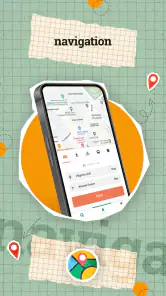
Offline Maps - Route Planner provides a comprehensive set of features for hassle-free navigation. Users can download maps for offline use, ensuring access even without internet connectivity. The app includes turn-by-turn navigation, route planning with multiple stops, and voice-guided directions. Additionally, it supports various map layers and points of interest to enhance your travel experience.
Is Offline Maps - Route Planner suitable for international travel?
Yes, Offline Maps - Route Planner is ideal for international travel as it allows users to download maps from multiple countries worldwide. This ensures you have access to navigation services even in remote areas or when traveling abroad without incurring roaming charges. The app supports various languages, making it user-friendly for travelers from different regions.
How does the app ensure map data accuracy and updates?
Offline Maps - Route Planner ensures map accuracy by utilizing data from reliable sources and frequently updating its database. Users receive regular updates to keep their maps current, reflecting any changes in road networks or new points of interest. This commitment to accuracy ensures that users have the most reliable navigation information available.
Pros
- Works without internet connection
- Comprehensive map coverage
- Customizable route options
- User-friendly interface
- Frequent updates
Cons
- Limited features in free version
- Occasional map inaccuracies
- High battery consumption
- Requires large storage space
- No real-time traffic updates
- Category
- Maps & Navigation
- Version
- 1.4.1













