NFL Network
- 4.31K
- 4.5
- Installs
- 1.00M
- Price
- Free

Screenshots
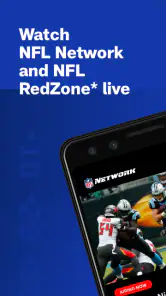
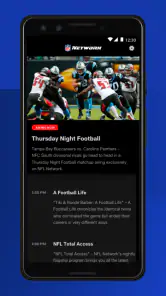
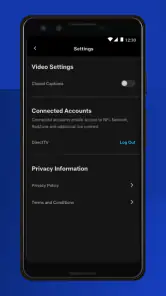
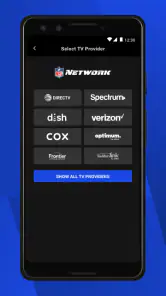
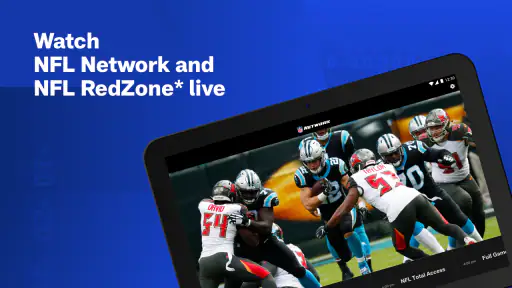
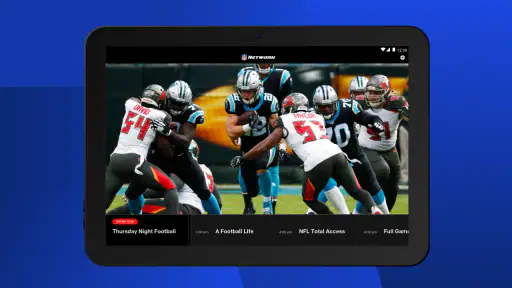
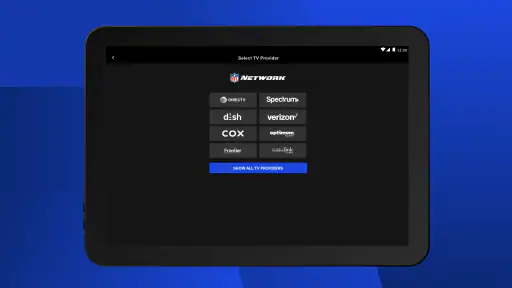
Analysis by Reviewed
I approached NFL Network as a practical sports app rather than a complete replacement for every football service. Its main appeal is straightforward: it puts NFL Network programming and NFL RedZone live viewing on a phone or tablet. That makes it especially interesting for fans who want a focused way to follow league coverage away from a television, while the free download removes the first barrier to trying it.
My overall impression is that the app is most useful when I already know what kind of NFL content I want. It is not trying to be a broad sports portal filled with unrelated leagues. Instead, it centers the experience on NFL Network and RedZone access. That narrower purpose can feel refreshing during a busy football day, although it also means the app may not satisfy someone looking for a universal sports hub or a complete replacement for a paid television package.
How NFL Network feels in everyday use
Speed expectations before settling in
The first thing I would keep in mind is that a live-video app has a different performance profile from a score tracker or news reader. NFL Network needs to prepare a stream, maintain playback, and respond to changes in the connection. In my experience, that makes the quality of the surrounding network more important than simply asking whether the app feels fast in menus.
On a strong connection, the useful part of the experience is its directness. I can open the app with a specific goal—watch NFL Network, check RedZone availability, or keep football coverage running while doing something else—and avoid browsing through a large collection of unrelated content. That focused design is a real advantage for fans who do not want to spend time hunting through a general entertainment app.
The free price is another reason the app is easy to test. I can install it without committing money at the starting point, but I would still treat access to live programming as something to verify for my own viewing setup. The app’s purpose is clear, yet live sports access can depend on the account, subscription, or television arrangement connected to a service. I would not assume that a free installation automatically means every live channel is unlocked for every viewer.
That distinction matters because it changes the way I judge the app. I see it as a convenient viewing doorway, not as a promise that a single download removes all access requirements. If I were recommending it to a friend, I would say: install it first, sign in if prompted, and check the actual channels available before planning an entire game day around it.
What happens during heavier viewing
The app makes the most sense during the moments when a fan wants continuous coverage. A realistic example would be a Sunday afternoon when I am away from the living room television. I could use a tablet in the kitchen, keep NFL Network programming available during breaks, and move to RedZone when the action becomes more important. That is more useful than opening a score page repeatedly because the app is designed around video rather than only updates.
You May Like

Clash of Clans Is Won Between the Battles

Android Auto Makes the Case for Quieter Car Software

MobiOffice: Transforming Mobile Productivity with Seamless Integration

EA SPORTS FC™ Mobile Soccer: Redefining Mobile Sports Gaming

How Microsoft OneDrive Became a Mobile Productivity Giant

How Google Translate Breaks Language Barriers Effortlessly
There is also a practical second-screen use. I might keep the app on a tablet while following a fantasy lineup, preparing food, or watching another program on the main television. The larger display gives live coverage more room than a phone, while the phone remains convenient when I am moving between rooms. This is one of the strongest reasons to consider a dedicated NFL video app instead of relying only on a browser.
Heavy use also exposes the trade-off. Live video consumes more battery and data than reading headlines or checking scores, so I would avoid treating a phone as an all-day television unless it is close to a charger. On a limited mobile plan, Wi-Fi is the sensible choice. The app can be valuable on the road, but the convenience of mobile viewing has a resource cost that a lightweight sports-news app does not carry.
Another useful habit is to prepare before the important window begins. I would open the app early, confirm that I am signed in, and let the initial stream settle before kickoff or a major RedZone stretch. That workflow reduces the chance of discovering an account issue at the exact moment I want to watch. It is a small step, but it is more useful than blaming playback speed when the real problem is access setup.
Reliability when the game matters
For me, reliability here means more than whether the application launches. It includes whether I can return to it quickly, whether playback recovers after a temporary connection problem, and whether the experience remains understandable when I move between networks. Live sports are unforgiving: a delay during ordinary programming is annoying, but a pause during a touchdown drive feels much worse.
I would therefore use it differently depending on the importance of the viewing session. For casual NFL Network coverage, I am comfortable using a phone or tablet on a dependable home connection. For a must-see stretch of live action, I would keep a backup option nearby, such as the television setup or another officially supported way to watch. That is not a criticism unique to this app; it is a sensible habit with any live-streaming service.
The app’s focused purpose helps recovery because I do not need to navigate a huge catalog to get back to football coverage. If playback stops, my goal is obvious: reopen the NFL content and resume. Still, network changes can interrupt any live stream. Moving from home Wi-Fi to cellular data, entering a weak-signal area, or switching between rooms can create more trouble than the app itself.
I also prefer restarting from a clean state when a stream behaves strangely. Closing the app, reopening it, and checking the connection is often more productive than repeatedly tapping the same playback control. If the issue continues, I would check whether the account remains authorized before concluding that the application is unstable. This simple troubleshooting order separates three different problems: a temporary stream interruption, a connection limitation, and an access issue.
Device constraints that affect the experience
NFL Network supports phones and tablets, which gives it flexibility, but those two formats serve different purposes. A phone is best for portability: I can follow coverage while commuting, waiting, or moving around the house. The screen is less comfortable for long sessions, though, especially when the device is held at arm’s length. A tablet is the better compromise for extended viewing because the larger display makes live video easier to follow without requiring a television.
The listed minimum operating-system requirement is Android or iOS version 9, and the current version is 12.60.2. That makes checking the device software worthwhile before installation, particularly on an older phone or tablet. Compatibility is not only about whether an app installs. Older hardware may also feel less comfortable with sustained video playback, multitasking, or battery drain than a newer device.
I would also think about storage and background activity in practical terms, even without treating the app as a permanent resident on every device. A phone used for navigation, messaging, photography, and other streaming services has different limits from a tablet used mainly at home. If the device is already warm, low on battery, or busy with several demanding tasks, a live stream may be a poor fit for that moment.
Screen size changes the recommendation. For quick checks, the phone wins because it is always within reach. For a full afternoon of coverage, the tablet is more comfortable. If I want a large-screen television experience, I would compare this app with the official viewing options already available through my television provider or streaming setup. The app is strongest as a mobile and tablet companion, not automatically as the central screen for every household.
Audio is another overlooked constraint. In a noisy room, a phone speaker may make commentary difficult to follow, while headphones can improve the experience but reduce awareness of what is happening around me. A tablet placed nearby can work better for background viewing. These details do not change the app’s content, but they strongly affect whether a live session feels convenient or frustrating.
Who gets the most value from it
I would recommend this app to someone who follows the NFL closely and wants official network programming in a mobile format. It is particularly suitable for fans who already use a phone or tablet as a second screen, people who travel within reliable coverage, and viewers who want RedZone access available away from the main television. The fact that it is free to install makes it a low-risk addition to an existing NFL routine.
It is also a good fit for households with one television and several football fans. One person can watch the main game while another follows NFL Network programming on a tablet. That does not solve every scheduling conflict, but it gives the second viewer a practical option without needing another television in the room.
I would be more cautious recommending it to a casual sports viewer who only wants final scores, standings, or short news updates. A lightweight score application may be faster for those tasks and less demanding on battery and data. Likewise, someone who expects every game, every team, and every league in one place should compare the app with a broader sports platform before deciding.
It may also be the wrong choice for a viewer who dislikes signing in, has an unreliable connection, or mainly watches on a television rather than a mobile device. In that case, an existing cable or streaming arrangement may be simpler. The app’s value depends on the gap it fills: mobile NFL video access. If that gap does not exist, installing it may add little.
How it compares with common alternatives
Compared with a sports-news app, NFL Network offers a more immersive way to follow coverage because the emphasis is live programming rather than quick written updates. The trade-off is speed and resource use. A score app can usually answer “what is happening?” with less waiting and less battery consumption, while this app is better when I want to watch and listen rather than glance.
Compared with watching through a television provider, the mobile app is more flexible but may be less comfortable for long sessions. A television generally wins for screen size, sound, and shared viewing. The phone or tablet wins when I am away from the television or when another person is using it. I would choose based on location rather than assuming one format is always superior.
Compared with a general streaming service, the focused NFL approach can make football content easier to reach. The downside is narrower scope. A general service may be better for someone who wants films, series, multiple sports, or a single entertainment subscription. This app is a specialist tool, and its specialization is both its clearest strength and its main limitation.
One subtle advantage is routine. When I use a broad platform, I may be tempted to browse or switch away. A dedicated NFL destination encourages a more deliberate habit: open it when I want league coverage, watch what is available, and leave when I am done. For a committed fan, that focus can be more valuable than having a larger but less relevant catalog.
Practical ways to use it more smoothly
I would begin by treating the first launch as setup rather than as the start of the big game. Confirm the account path, inspect the available NFL programming, and test playback on the device I actually plan to use. Doing this earlier reveals whether the phone, tablet, connection, and viewing arrangement are suitable.
For long sessions, I would choose Wi-Fi when possible, keep the device charged, and avoid unnecessary background tasks. On a phone, lowering distractions is helpful: silence nonessential notifications, use a stable stand, and keep headphones available if the room is loud. On a tablet, I would position it where the screen can be seen without repeatedly picking it up.
If the app appears slow, I would diagnose the situation in layers. First, check whether other video services are also struggling. Next, try the same connection without moving between Wi-Fi and cellular data. Then reopen the app and verify the account. This approach is more reliable than assuming that every pause is caused by the application.
For a critical viewing window, I would not wait until the final seconds to launch the stream. Opening early gives the app and connection time to establish playback, and it leaves room to switch to a backup screen if access does not work as expected. That is the kind of small preparation that makes a bigger difference than repeatedly reinstalling an app during live action.
What its public reception suggests
The app has an average rating of 4.5 from around 19 thousand ratings, with more than 4 thousand written reviews. It has also passed the million-install mark, which tells me it has reached a substantial audience of NFL viewers. Those figures do not guarantee that every device or account will behave identically, but they make it reasonable to view the app as an established option rather than an obscure experiment.
It comes from NFL Enterprises LLC and is listed for everyone, so the basic audience is broad. Families can use it as part of a shared sports setup, while individual fans can keep it on a personal device. The age classification does not change the practical need to supervise screen time for younger viewers, but it does make the app easier to consider in a general household context.
I also appreciate that the app has been available since November 14, 2012. Longevity does not automatically equal perfect reliability, yet it suggests that this is a continuing product rather than a short-lived companion. The current release, 12.60.2, is another reason I would keep the app updated when possible, especially if I rely on it during a major football weekend.
My performance verdict
My final view is positive, with a clear condition: NFL Network is most effective when I use it for what it is—a focused mobile and tablet route to NFL Network programming and RedZone live viewing. It is not the lightest way to check a score, and it is not the best universal sports application. Live video naturally demands more from the connection, battery, screen, and device than a text-based alternative.
For a committed NFL fan, those demands are justified when portability matters. The app can turn a tablet into a useful second screen, keep coverage nearby when the television is unavailable, and make a football routine more flexible. I would install it for those reasons, test access before an important game, and use Wi-Fi and a charger for extended viewing.
For someone who only wants quick updates or who already has a perfectly comfortable television solution, I would not call it essential. A lighter score service may be quicker, while a provider app may be simpler for large-screen viewing. But if the question is whether this free sports app deserves a place on an NFL fan’s phone or tablet, my answer is yes: it is a practical companion when live league coverage needs to travel with you.
NFL Network Frequently Asked Questions
Can I use NFL Network while traveling or outside the United States?
NFL Network is a sports app centered on league programming, but access to live streams and video can depend on location and broadcasting rights. If you travel, some content you could watch at home may not be available in the same way. Check what the app offers in your current location before planning to follow a particular program or matchup.
Does NFL Network offer content beyond live video?
Yes. NFL Network is not only a place to watch live channel programming: users can also find NFL news, analysis, interviews, previews, recaps, highlights, schedules, standings, and selected video clips. That mix makes it useful for keeping up with the league even when you are not watching a stream. The exact selection can change with the season and your access.
Can I watch NFL Network on a tablet as well as a phone?
The app is intended for mobile devices, including phones and tablets, and its store summary highlights NFL Network programming and NFL RedZone live on those devices. Your experience will depend on whether your tablet meets the operating-system requirements and has a reliable internet connection. Downloading from the official app store for your device is the best way to check compatibility.
Is NFL Network suitable for children and families?
NFL Network carries sports news, analysis, interviews, and football programming, so it is primarily designed for people interested in the NFL. The app has an Everyone content rating, making it suitable for a broad audience. Parents may still want to review the live programming and video content with younger viewers, since the material can vary depending on the program.
How much storage space should I set aside for NFL Network?
The amount of storage needed can vary with the app version and your device, so it is sensible to check the installation details shown in your phone or tablet’s app store before downloading. The app is free to install, but streaming video is delivered over the internet rather than requiring you to save every program locally. Leaving some free device storage also helps with routine app updates.
Pros
- Live coverage
- highlights
- and analysis keep fans updated throughout the NFL season.
- Full-game replays and condensed games are useful for catching up on missed action.
- News
- interviews
- and expert commentary provide more context beyond the scores.
- The app offers a broad selection of team and league content in one place.
- Personalized alerts can help users follow breaking news and important game updates.
Cons
- Many live features require a participating TV provider or paid subscription.
- Availability of games and content varies by location and broadcast rights.
- Video streaming can use significant mobile data
- especially at high quality.
- Some content may load slowly on weaker connections or older devices.
- Frequent notifications may feel excessive unless alert settings are adjusted.

- Category
- Sports
- Version
- 12.60.2