mySugr - Diabetes Tracker Log
- 12.76K
- 4.6
- Installs
- 5.00M
- Price
- Free

Screenshots
Analysis by Reviewed
I judge a diabetes tracker less by how many boxes it can fill and more by whether it helps me keep useful records on an ordinary, interrupted day. mySugr - Diabetes Tracker Log is built around that practical task: bringing glucose readings and related details into a log that can be reviewed later. Its friendly presentation may make routine tracking feel less stark, though the real test is whether its workflow fits your habits, device, and comfort needs.
Reading a log at a glance
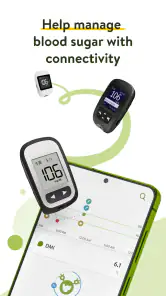
For me, the useful question is not simply whether a diabetes log can hold information, but whether I can make sense of it when I need to. The friendly visual style gives the record-keeping a lighter feel, while a daily overview can help me spot what I have entered without opening each item one by one. That matters when I am checking a pattern before an appointment or trying to remember what happened earlier in a busy day.
The playful monster may make the app feel less clinical, but it is a matter of taste: someone who prefers a plain spreadsheet-like interface might find the personality distracting. I would treat the screen as a log and communication aid, not as a substitute for medical interpretation. A tidy graph or summary can help me prepare a question for my clinician; it cannot explain every unusual reading on its own.
A Sweet Companion for Your Health
First things first, mySugr is designed to be your diabetes buddy. It's not just another app clogging up your phone; it's got personality! With a quirky little monster as your guide, it makes the process of logging your data less of a chore and more of a routine you might actually enjoy.
Features That Make Life Easier
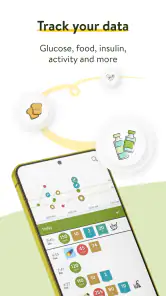
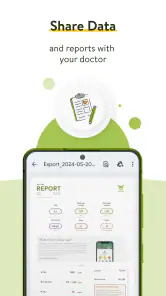
Imagine having all your diabetes-related data in one place. That's exactly what this app offers. From blood sugar levels, carbs, and insulin intake to your activity levels, mySugr tracks it all. And the best part? It does it in a way that's easy to understand and even easier to share with your healthcare provider. You can generate detailed PDF reports to keep your doctor in the loop without any hassle.
Another cool feature is the estimated HbA1c. Now, I don’t know about you, but anything that stops me from multiple lab visits is a win in my book. Plus, the app’s integration with various devices like Accu-Chek and others means your data syncs up automatically. Less manual entry, more time binge-watching your favorite shows!
Using it when the day gets busy
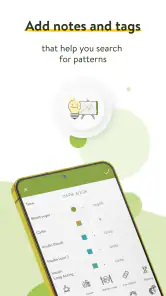
Picture a morning when I check a glucose device, eat on the way out, and later struggle to recall the details before a meal. A synced reading can reduce the need to copy that number by hand, but it does not capture the context I may want to remember. I would add notes while the event is fresh, rather than trying to reconstruct the day at night. That small habit can make a later PDF report more useful in conversation with a healthcare professional.
More From Our News Desk

Weather by Xiaomi Review: Clear at a Glance, Less Clear Up Close

X Under Pressure: Can It Recover When Posting Goes Wrong?

Clash of Clans Is Won Between the Battles

Android Auto Makes the Case for Quieter Car Software

MobiOffice: Transforming Mobile Productivity with Seamless Integration

EA SPORTS FC™ Mobile Soccer: Redefining Mobile Sports Gaming
Before relying on automatic syncing, I would check that my particular device works with the app and that the connection is functioning as expected. If it does not, manual logging may still be practical, but it brings back the very data-entry burden the sync is meant to ease. For someone who already uses a paper notebook or a device’s own record, the advantage of switching is greatest when they want several kinds of information together, not merely another place to store glucose values.
Making the record useful, not just complete
A log can grow quickly without becoming more helpful. I would start by tracking the details I expect to discuss or compare, then keep that routine manageable instead of trying to enter every possible detail from day one. When a clinician asks about a particular stretch of time, a consistent record is often easier to talk through than a few unusually detailed days mixed with long gaps.
There is also a useful distinction between automatic capture and meaningful context. A device connection can reduce transcription, but the person using the app still has to decide what surrounding information matters. If a reading seems surprising, a brief note about what was happening may be more useful later than several unrelated entries. I would use the app to support those conversations, not to turn each number into a conclusion or change a care plan without professional guidance.
User Experience and Interface
Let's talk about the user experience because, at the end of the day, if an app isn’t user-friendly, it’s not going to last long on anyone’s phone. The interface is clean, intuitive, and a breeze to navigate. The dashboard provides a comprehensive overview of your daily stats, and the customizable reminders ensure you never miss a beat when it comes to your medication or meals.
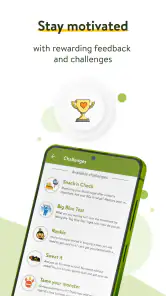
And for those days when you’re feeling a bit down about your numbers, the app’s motivational quotes and friendly monster are there to lift your spirits. It’s like having a cheerleader in your pocket, cheering you on to better health.
Motor and sensory comfort
Medical tracking is personal, so I would not assume that a bright, playful screen is automatically comfortable for everyone. A person who finds visual clutter tiring may prefer a more restrained log, while someone who appreciates a softer tone may welcome the character-led design. The best way to judge is to try the actions that will recur most often—adding a reading, checking a day, and finding a past entry—on the phone and display settings they normally use.
Motor comfort matters just as much as appearance. If entering several fields requires more effort than a person can comfortably manage, a compatible device connection could make the routine easier, but only if that specific device pairs reliably. I would test the full process, including correcting an entry, rather than judging by the first screen. If another person helps with logging, agreeing on a clear routine for who records what can reduce confusion later.
Comfort across different situations
Diabetes tracking happens in more than one setting: at home, between errands, or while trying to explain a history during an appointment. A consolidated log and shareable report can be more convenient than carrying separate notes, especially when readings and daily context otherwise live in different places. I would still review entries before sharing them, since an accidental omission or a rushed note can leave a clinician with an incomplete picture.
For motor or sensory needs, the practical test is whether the controls and information are comfortable for the individual to use on their own phone. I would try entering a typical day’s information before depending on the app as my main record. If small controls, visual density, reminders, or the playful presentation get in the way, a simpler logging method or help from a trusted person may be more suitable. The best tracker is the one that remains usable in real life, not just the one with the most fields.
When a report or connection changes the routine
One practical workflow is to use the log for day-to-day records, then review the period you intend to discuss before creating or sharing a PDF. That quick check can catch missing context and help you decide which questions to bring to an appointment. A report is most useful when it reflects the entries you intended to keep, rather than being treated as a complete account just because it looks organized.
People often wonder whether syncing means they can stop checking their records. I would not make that assumption: verify that the connection is working and that the readings appear as expected, especially when setting it up or after a change in routine. Others may ask whether the app replaces a glucose device or medical advice. It does neither; it helps organize information, while treatment decisions belong with the person and their healthcare professional.
Who is likely to benefit, and who may prefer another approach?
I see the strongest fit for someone who wants glucose readings alongside food, insulin, and activity notes, and who values having a report ready to discuss with a care team. Compared with a basic notes app or paper diary, this brings related entries into a diabetes-focused record and can connect compatible devices. Compared with relying only on a device’s own display, it may offer a broader view of daily context. But if a person wants only a simple place to jot down occasional readings, a basic notebook may involve less setup and feel less demanding.
It is a medical app from mySugr GmbH, and it has been available since December 6, 2013. The current version is 3.139.1, with an average rating of 4.6 from around 127 thousand ratings and over 5 million installs. It is free to download, rated for everyone, and offers in-app purchases ranging from $2.99 to $39.99 per item. I would check which functions matter to me before paying for anything; the free starting point is useful for trying the routine, but the app should not be treated as a clinical service or a replacement for professional advice.
Choosing a tool that fits your kind of tracking
The usual alternatives each solve a slightly different problem. Paper is flexible and does not ask you to learn an app, but searching old entries or bringing several kinds of information together can take more effort. A plain notes app is similarly adaptable, yet it may leave readings, meals, and activity scattered in a format that is harder to review. A glucose device’s own record can be convenient for readings, while a diabetes-focused log may be a better fit when you want to add context and prepare a report.
That wider scope has a trade-off: more ways to record information can mean more decisions and more maintenance. If your current method already gives you a clear record that you and your care team can use, switching just for the sake of having an app may not improve anything. I would move over only if the combined log, compatible syncing, or report workflow solves a real frustration rather than creating a second record to keep up to date.
Cost, setup, and staying realistic
Because the app is free to download but also includes optional purchases, I would first learn the basic routine and identify what is genuinely missing before spending money. The available in-app purchase range is $2.99 to $39.99 per item, so it is worth checking the specific item and its relevance to your needs rather than assuming every useful feature requires a purchase—or that a paid option is necessary for everyone.
Setup is another place to be deliberate. If you want device syncing, confirm compatibility and test it before relying on it for a complete record. If you plan to enter information manually, decide when you will do it: immediately after an event, at a regular pause, or with support from someone you trust. A short, repeatable habit is more realistic than expecting yourself to reconstruct every detail at the end of a tiring day.
Wrapping It Up
In a world where managing diabetes can feel overwhelming, mySugr - Diabetes Tracker Log stands out as a beacon of simplicity and support. Whether you’re newly diagnosed or a seasoned pro at managing your diabetes, this app offers tools and features that can make your life significantly easier. It’s not just about numbers; it’s about creating a healthier lifestyle with a little fun along the way.
So, if you're looking for an app that’s got your back, gives you a clear picture of your health, and adds a dash of fun to your routine, mySugr might just be your new best friend. Trust me, once you start using it, you’ll wonder how you ever managed without it!
My inclusive verdict
I would recommend giving it a try if bringing several parts of diabetes management into one log would make your day easier, particularly if device syncing and reports suit your routine. I would skip it if the character-led style feels wrong, if entering details becomes another chore, or if a dedicated device interface already meets your needs. Overall, its value depends on how well its logging fits the way you actually manage your health—and whether its screens and workflow work comfortably for you.
mySugr - Diabetes Tracker Log Frequently Asked Questions
Is mySugr suitable for children and adults?
mySugr is a medical app with a content rating of Everyone, so it is presented for users of all ages. Its diabetes-tracking tools may be useful to people who want to keep related information organized, but the app is not a substitute for professional medical care. Families can consider whether its logging approach fits their needs and discuss diabetes management decisions with a healthcare professional.
Who makes mySugr, and when was it released?
mySugr is developed by mySugr GmbH. It was released on December 6, 2013, and continues to be available as a diabetes-tracking app. Knowing who develops an app and how long it has been around can help with deciding whether to explore it, though the most important factor is whether its features suit the way you want to track diabetes-related information.
What is the current version of mySugr, and how can I check whether it will work on my phone?
The current version is 3.139.1, and the minimum operating-system requirement is version 11. Check your phone’s software version and the app’s compatibility details before downloading so you can avoid installation problems. Keeping your device compatible is also important if you plan to use mySugr regularly to record or sync diabetes-related information.
Is mySugr free to download, and are there optional purchases?
mySugr is free to download, so you can try the app without paying an upfront price. It also offers in-app purchases, with options priced from $2.99 to $39.99 per item. Consider whether any paid extras suit your needs before buying; the basic download and optional purchases are separate, and you can decide whether to explore those extras after seeing how the app fits your diabetes-tracking routine.
Which phones can run mySugr?
mySugr is available for Android and iOS, and its minimum operating-system requirement is version 11. Before downloading, check the software version on your phone to make sure it meets that requirement. The app is a medical tool for keeping diabetes-related information together, so choosing a compatible phone helps you access its tracking features and keep using it as part of your routine.
Pros
- Easy-to-use interface for all age groups.
- Syncs seamlessly with glucose meters.
- Offers personalized diabetes education.
- Provides detailed weekly progress reports.
- Supports multiple languages for accessibility.
Cons
- Some features require premium subscription.
- Limited food database compared to rivals.
- Occasional sync delays with devices.
- Customer support can be slow to respond.
- Interface may feel cluttered to new users.
- Category
- Medical
- Version
- 3.139.1











