

MyOchsner
- 629.00
- 4.3
- Installs
- 100.00K
- Price
- Free

Screenshots
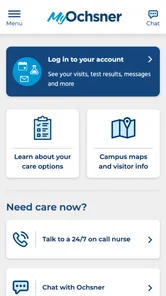
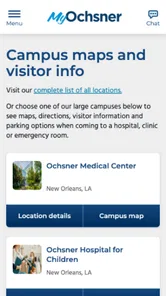
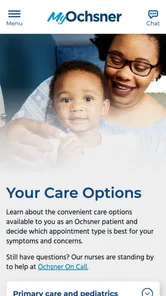
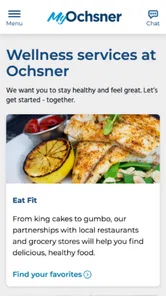
Analysis by Reviewed
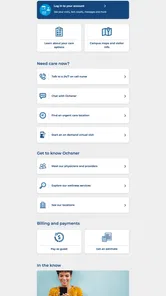
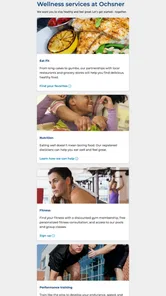
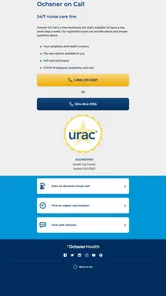
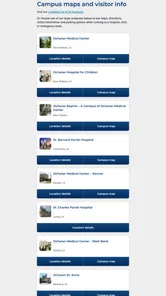
Managing healthcare from a phone sounds simple until you need to sign in quickly, find an important message, or work out whether a problem belongs to the app or to the clinic itself. MyOchsner is designed for that everyday gap: it brings your Ochsner health information and related tasks into a mobile app instead of making you rely entirely on phone calls, paper notes, or a desktop browser. I found it most useful when I already knew what I wanted to do and needed a direct route to it.
Developed by Ochsner Health System, this free medical app is aimed at people who use Ochsner services and want a more convenient way to stay connected with their care. It is rated for Everyone, runs on devices using iOS 11 or later, and has reached over 100 thousand installs. Its average rating sits at 4.3 from around 1.5 thousand ratings, which suggests a generally positive experience while still leaving room for the occasional frustrating session.
My main takeaway is that MyOchsner is best treated as a practical access point to your Ochsner care, not as a replacement for urgent medical help or a universal health-management app. That distinction matters. The app can make routine administration easier, but its usefulness depends heavily on your relationship with Ochsner and on whether your account, device, and clinic records are all lining up correctly.
Where people usually get stuck
The first obstacle is often not a missing feature but access. A healthcare app handles personal information, so a login problem can feel more serious than a normal social or shopping-app error. If MyOchsner does not accept your sign-in, repeatedly returns you to the login screen, or shows an incomplete account, I would resist immediately assuming that your health record has disappeared. Authentication, account matching, and temporary service issues can all look similar from the user’s side.
Before trying several password changes, I would check that I am using the same account details associated with my Ochsner care. It is easy to create confusion by switching between an old email address, a family member’s account, or a separate account used for another healthcare service. On a shared phone, saved credentials can also quietly fill in the wrong information. Clearing that confusion first is usually more useful than repeatedly tapping the sign-in button.
A second sticking point is expectation. MyOchsner is connected to the Ochsner Health System, so it is most relevant when your care is handled within that system. Someone looking for a general medication tracker, a broad symptom checker, or a single dashboard for unrelated providers may find the app narrower than expected. That is not a flaw in its intended role, but it is an important trade-off before installing it.
People can also become unsure when a result, message, or appointment-related detail does not appear immediately. Healthcare information is tied to clinical and administrative workflows, not just to the speed of a phone screen. If a clinician or office has not finalized an update, refreshing the app will not necessarily make it appear. I would use the app to check what has been made available, while remembering that the underlying record is maintained by the healthcare organization.
More From Our News Desk

 Instagram
Instagram’s Power Comes From Its Place in Your Phone
A close look at how Instagram turns Meta’s reach, recommendation systems and everyday camera habits into durable platform power—and what that costs users.

 Gmail
GmailGmail in a Busy Inbox: Who Benefits Most?
From first account to crowded workday, Gmail earns its place through dependable search and flexible sorting—but its best fit depends on how much inbox maintenance you can tolerate.

 Prime Video
Switching to Prime Video: What Changes in Your Viewing Routine
Prime Video can make a compelling second home for streaming, but switching means learning a different catalog, rental layer, and route from browsing to playback.

 Universal TV Remote Control
Universal TV Remote Control Works Best as a Reliable Backup
A phone remote earns its place through quick setup and reliable habits. Here is how to get more from Universal TV Remote Control—and where its limits show.

 Weather - By Xiaomi
Weather by Xiaomi Review: Clear at a Glance, Less Clear Up Close
Xiaomi’s weather app makes everyday forecasts quick to scan, but its calm surface can leave useful details and recovery paths harder to find than they should be.

 X
XX Under Pressure: Can It Recover When Posting Goes Wrong?
A resilience-focused review of X, examining setup, mistaken posts, interruptions, weak connections, and the gaps that matter when recovery needs to be dependable.
Latest News



Another common source of friction is using the wrong device context. A phone with an outdated operating system, limited free space, unstable connectivity, or aggressive battery-saving behavior may make a normally straightforward app feel unreliable. Because MyOchsner requires iOS 11 or later and the current version is 11.8.3, checking the device software before diagnosing the app is a sensible first step.
What I would check before blaming the app
I start with the basics: a stable internet connection, the correct account, enough device storage for normal updates, and the latest available app version for the phone. I also close the app completely and reopen it rather than leaving a failed session running in the background. These steps are simple, but they separate a temporary phone problem from a repeatable MyOchsner issue.
If the app opens but a particular area does not load, I would test another part of the account. For example, if one screen is blank but the rest of the app responds, that points to a narrower loading or record-availability issue rather than a completely broken installation. I would avoid repeatedly submitting the same request while the screen appears frozen, especially when the action could create duplicate messages or appointments.
It is also worth checking the phone’s date and time settings. Incorrect time settings can interfere with secure connections and make recent information appear confusing. I would keep the device’s automatic date and time enabled, then retry the action once. If the problem continues, noting exactly which screen failed and what happened after tapping is more useful than describing the whole app as “not working.”
For privacy, I would not troubleshoot from an unsecured public device or leave my account open on a phone that other people regularly use. A medical app deserves the same care as a physical folder containing health documents. MyOchsner may be convenient, but convenience should not lead to careless account sharing or screenshots that expose personal information.
Making the first session less frustrating
I recommend setting aside a few quiet minutes for the first sign-in rather than attempting it while walking into an appointment. Have the information associated with your Ochsner account ready, use a reliable connection, and read each prompt carefully. If verification or account recovery interrupts the process, rushing tends to create more confusion because it becomes harder to remember which details were entered.
Once inside, I would spend a little time learning where the important areas are instead of waiting until I am under pressure. The goal is not to explore every screen. It is to know how to reach the information I personally use most, such as care-related communication or administrative details. That small preparation can make the app feel much faster later, even though the underlying screens have not changed.
I would also decide in advance which tasks belong in MyOchsner and which should go directly to a clinic or emergency service. A portal-style healthcare app is useful for organized, non-urgent communication and record access. It is not the right channel for symptoms that may require immediate attention. If a situation feels urgent, I would contact appropriate emergency or clinical help rather than waiting for an app response.
Recovering a workflow when something fails
The most effective recovery method is to change one variable at a time. If a page fails, I close and reopen the app. If that does not help, I check the connection. Next, I confirm the app and operating system are current. Only after those steps would I consider signing out and back in, because signing out can create another access hurdle if I do not have the required account details available.
When a task involves a form or message, I would prepare the essential information separately before starting. This is a small but valuable habit: if the session expires or the screen reloads, I am less likely to lose the details I needed to enter. I would keep the wording clear and focused, especially when explaining a non-urgent question to a care team. A concise message is easier for staff to understand and less likely to require clarification.
If MyOchsner appears to submit something but the confirmation is unclear, I would first look for evidence that the action completed before trying again. Repeating a request can create duplicate communication or administrative confusion. A screenshot may help me remember what I saw, but I would make sure it does not expose private details if I need to show the problem to someone else.
For an app that suddenly crashes, I would restart the phone and try again after checking available updates. If the same action fails repeatedly while other phone apps work normally, I would record the device model, operating-system version, app version, and the exact sequence that caused the failure. That information gives Ochsner support or the relevant clinic something actionable to investigate.
I would not delete the app as my first response. Reinstalling can remove local session information and force me through setup again without fixing an account-side or service-side issue. It can be reasonable later, but only when I am confident I can sign back in and when simpler checks have not helped.
When the app is not the cause
Healthcare records move through people and systems outside the phone. A delayed result, missing document, or unanswered message may reflect clinical review, office processing, or the way information is released, rather than a software failure. MyOchsner can display what is available to your account, but it cannot make an unfinalized item appear sooner.
The same applies to scheduling. If an appointment detail seems wrong or a requested change has not appeared, the clinic may need to confirm it directly. I would compare the information shown in the app with any appointment instructions I already received and contact the appropriate Ochsner office when the two disagree. The app is helpful for checking the digital record, but it should not be the only source I trust when timing is critical.
Connectivity can be deceptive as well. A phone may show a signal while a particular network blocks or interrupts secure traffic. Switching between a dependable Wi-Fi connection and mobile data can help identify that situation, provided the network itself is trusted. If the app works on one connection but not another, the pattern points away from the account and toward the network environment.
Device-level restrictions can cause similar confusion. Battery-saving modes, background limits, filled storage, and an older operating system may interfere with updates or notifications. I would review those settings without changing anything that could compromise privacy. If the phone is managed by an employer or family administrator, some restrictions may require that person’s help.
There is also a human factor: sometimes the app is working, but the user is looking in the wrong place or expecting a general health feature that is outside its purpose. I found that defining the task first helps. Am I checking information from Ochsner, communicating about care, or trying to diagnose a new symptom? Only the first two are natural reasons to open this app; the third calls for professional medical guidance.
A realistic day-to-day example
Imagine I have an upcoming Ochsner visit and want to check the details while away from my computer. I would open MyOchsner before leaving, confirm the information that is visible, and make a note of anything that needs clarification. If the app loads normally, that is quicker than searching through old messages. If it does not, I would avoid repeatedly refreshing while on the way to the appointment. I would switch connections, restart the app once, and then use the clinic’s established contact route if the detail remains important.
After a visit, I might use the app as a convenient place to review newly available information or communicate about a routine follow-up question. I would write the question with relevant context and avoid sending multiple versions while waiting. If the matter became urgent, changed quickly, or involved severe symptoms, I would stop relying on an app workflow and seek timely medical care instead.
This example shows the app’s real strength: it can reduce the small administrative steps around an existing Ochsner relationship. It also shows its boundary. It is not a substitute for the clinic, a telephone conversation when clarification is needed, or emergency assistance.
How it compares with the usual alternatives
Compared with calling an office for every routine question, MyOchsner can be more convenient because it gives me a self-service route to information already associated with my care. It is also easier to check quietly at a time that suits me. The trade-off is that a phone call may be better when the issue is complicated, time-sensitive, or dependent on a staff member interpreting the situation.
Compared with using a desktop browser, the mobile app is more natural for quick checks while traveling or between tasks. A larger screen can still be preferable when reviewing a long record, entering detailed information, or comparing several items. I see the app as a companion to browser-based access rather than an automatic replacement for every desktop workflow.
Compared with general health apps, MyOchsner is more focused on the Ochsner care relationship. A general app may be better for tracking habits or combining information from different healthcare organizations, while this one makes more sense when Ochsner is the center of your medical administration. Choosing between them depends less on which interface looks nicer and more on where your actual care information lives.
That focus is also why I would not recommend installing it simply because it is a medical app. If you do not use Ochsner services, its practical value is likely limited. If your care is spread across several unrelated providers, you may still need other tools or direct provider portals. MyOchsner is strongest when it matches the organization you already need to reach.
Who should use it and who should skip it
I would recommend MyOchsner to Ochsner patients who want a straightforward mobile route to their health information and routine care-related tasks. It is especially useful for someone who dislikes waiting on hold for simple administrative questions, checks information while away from a computer, or wants one familiar place for their Ochsner connection.
Caregivers may also find a dedicated healthcare app useful when they are helping a family member, but I would pay close attention to account boundaries and privacy. I would not casually share a login or assume that access to another person’s information is automatic. The safest approach is to use the account and access arrangements provided through the healthcare organization.
I would skip it if I am looking for emergency support, a universal medical database, or a complete personal wellness tracker. I would also hesitate if I rarely interact with Ochsner, because another provider’s portal may be more relevant. The app’s value comes from connection to Ochsner, not from being a general-purpose health toolbox.
My practical verdict
MyOchsner is a useful, focused medical app from Ochsner Health System, and its free price removes the main barrier to trying it. The current version, 11.8.3, shows that it is an actively maintained part of the organization’s digital access, while its broad install base and 4.3 average indicate that many users find it worthwhile. I would still judge it by fit rather than popularity.
My advice is to install it when Ochsner is part of your regular care, complete the initial setup when you have a reliable connection, and learn the few areas you expect to use before an appointment day. Keep your account details secure, avoid duplicate submissions when a screen is slow, and separate app problems from delays caused by clinical or administrative processing.
For routine access to Ochsner-related health information, MyOchsner is worth having; for urgent care, broad health tracking, or unrelated providers, a different route will serve you better. That balanced role is where I think the app succeeds. It does not need to do everything. It needs to make the Ochsner part of healthcare administration less awkward, and when the account and device setup cooperate, it does that well.
MyOchsner Frequently Asked Questions
Is MyOchsner free to download, and what devices can run it?
MyOchsner is a free medical app from Ochsner Health System. It is intended for mobile devices running iOS or Android, and compatibility depends on your device’s operating system. Before downloading, check that your device meets the app’s minimum OS requirement and has enough available storage. Your mobile carrier or internet provider may charge for data used while accessing the app.
Who can use MyOchsner, and is it suitable for family members?
MyOchsner is designed for people receiving care through Ochsner Health, rather than as a general health reference for everyone. A patient needs access to an eligible account to use the portal’s personal health features. Parents, caregivers, or guardians may be able to access information for someone else when the appropriate authorization is in place. The information and tools available can depend on the patient and their care arrangements.
What is MyOchsner, and what can I use it for?
MyOchsner is Ochsner Health’s patient portal app for managing healthcare from a mobile device. After signing in, eligible users can review parts of their medical record, view test results, request or manage appointments, communicate with care teams, check medications, and handle certain billing tasks. The exact features available depend on your Ochsner location, providers, age, and the services connected to your account.
How do I create an account or sign in to MyOchsner?
You generally need to be an Ochsner Health patient or have an activation method provided by Ochsner before using the app’s full features. Registration may require personal information, identity verification, and a valid email address or mobile number. Existing users can sign in with their MyOchsner credentials. If you forget your password or cannot verify your identity, use the recovery options or contact Ochsner support.
Can I use MyOchsner to schedule appointments and contact my doctor?
In many cases, MyOchsner allows users to request or schedule eligible appointments, review upcoming visits, and send secure messages to participating healthcare providers. Availability can vary by specialty, appointment type, insurance requirements, and whether the provider uses the portal. The app may also offer video visits or e-check-in for selected services, but it should not be relied on for emergencies or urgent symptoms.
Pros
- View test results
- diagnoses
- and medical records in one place.
- Request prescription refills without calling the clinic.
- Secure messaging makes contacting care teams more convenient.
- Manage appointments and receive useful health reminders.
- Proxy access can help parents or caregivers manage family care.
Cons
- Some features may be unavailable outside Ochsner Health facilities.
- Response times for messages can vary by department or provider.
- The app may require frequent updates for reliable performance.
- Certain records or documents may take time to appear after visits.
- Proxy access setup can involve additional verification steps.











