

Moras
- 46.00
- 4.4
- Installs
- 10.00K
- Price
- Free

Screenshots


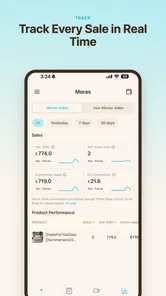
Analysis by Reviewed
I tried Moras as a business-focused tool for turning product material into short TikTok-style videos, and my first impression was that it is aimed at a very specific problem: making a product look ready for social media without asking the user to become a full-time video editor. That focus is useful, especially for small sellers, solo creators, and shop owners who have something to promote but struggle with the time between taking product photos and publishing a convincing clip.
At the same time, I would not treat it as a complete replacement for a professional editing suite. Its appeal depends on how quickly it can help you move from a product idea to a social video, while its value is lower if you need detailed control over every cut, sound layer, caption, or brand element. My overall view is positive but cautious: it looks most interesting as a practical starting point, not as the only creative tool in a serious content workflow.
Where Moras fits in a small-business workflow
Moras belongs to the business side of mobile apps rather than general entertainment. The developer is k2lab, and the app is free, which makes it easy to test without committing money before you understand whether its approach suits your products. It is marked for Everyone, so its intended audience is broad, although the useful audience is more specific: people who need promotional videos and want a simpler route than building each one manually.
The central idea is straightforward. You bring attention to a product, and the app helps shape that material into a short video suitable for TikTok-style viewing. That distinction matters. A product video is not simply a slideshow with music. It has to show the item quickly, create a reason to keep watching, and make the next action clear. Moras is attractive because it starts from the product rather than from a blank editing timeline.
In my experience, that kind of starting point can remove the hardest part of content creation: deciding what to make. A blank editor gives you freedom, but it also gives you too many decisions. A product-centered workflow gives you a narrower path. For a person selling handmade items, clothing, food, accessories, or small household goods, that can be more valuable than a long list of advanced editing controls.
The app has reached over ten thousand installs and holds a 4.4 average from roughly eighty ratings, with around forty reviews. Those figures suggest that people are finding enough value to try and rate it, but they do not make it a proven choice for every type of business. I would read that reception as an invitation to test it with your own product category rather than as a reason to move an entire marketing operation into the app immediately.
What I would use it for first
I would begin with products that can be understood visually in a few seconds. A new color of a bag, a close-up of a handmade candle, a packaged snack, or a simple before-and-after presentation gives the app something clear to work with. The less explanation a product needs, the more naturally it fits a short promotional format.
More From Our News Desk

 Gmail
GmailGmail in a Busy Inbox: Who Benefits Most?
From first account to crowded workday, Gmail earns its place through dependable search and flexible sorting—but its best fit depends on how much inbox maintenance you can tolerate.

 Prime Video
Switching to Prime Video: What Changes in Your Viewing Routine
Prime Video can make a compelling second home for streaming, but switching means learning a different catalog, rental layer, and route from browsing to playback.

 Universal TV Remote Control
Universal TV Remote Control Works Best as a Reliable Backup
A phone remote earns its place through quick setup and reliable habits. Here is how to get more from Universal TV Remote Control—and where its limits show.

 Weather - By Xiaomi
Weather by Xiaomi Review: Clear at a Glance, Less Clear Up Close
Xiaomi’s weather app makes everyday forecasts quick to scan, but its calm surface can leave useful details and recovery paths harder to find than they should be.

 X
XX Under Pressure: Can It Recover When Posting Goes Wrong?
A resilience-focused review of X, examining setup, mistaken posts, interruptions, weak connections, and the gaps that matter when recovery needs to be dependable.

 Clash of Clans
Clash of Clans Is Won Between the Battles
Its raids are quick; its community is a long-term project of coordination, teaching, rivalry, and shared responsibility—with all the friction that entails.
Latest News



I would be more careful with services, technical equipment, or products whose main benefit is invisible. If the buyer needs a detailed demonstration, specifications, comparisons, or a long explanation before understanding the value, a quick video maker may only handle the opening part of the sales journey. In that situation, Moras could still create an attention-grabbing introduction, but I would pair it with a more informative landing page or longer video.
A realistic everyday use case is a small seller preparing a weekend promotion. Instead of spending an evening arranging clips in a general editor, the seller can gather a few clean product images or short recordings, try a product-led video, and then inspect the result before publishing. The important gain is not just speed. It is the ability to create several variations while the product is still fresh in mind.
I would make those variations meaningfully different rather than changing a single word. One version could lead with appearance, another with the practical use, and a third with the buying occasion. This is a better test of the app than producing one polished clip and assuming the tool has solved the marketing problem.
The trust question starts with what is visible
Because Moras is designed around products and social video, I would pay close attention to every screen that asks me to choose media, enter information, or continue to another service. A trustworthy workflow should make those choices understandable at the moment they appear. I would not assume that an app is private or invasive merely because it works with commercial content, and I would not assume the opposite without reading its visible disclosures and permission prompts.
My practical advice is to begin with a non-sensitive test product. Use images that are already intended for public marketing, avoid personal photographs, and do not include invoices, customer details, private messages, or packaging labels that reveal an address. This is not a claim about hidden behavior; it is simply a sensible boundary when evaluating any app that processes media.
I also prefer to notice whether access requests are connected to an action I have just chosen. If I select a photo, a request related to photos makes immediate sense. If a request appears before I have tried to import anything, I would pause and read the wording rather than granting access automatically. That habit gives me more control and makes it easier to understand what the app needs for the task I actually want to perform.
The same principle applies to account controls. Before building a large library of promotional material, I would look for the places where the app identifies the active account, offers sign-out, or explains how content is handled. I would also check whether the app lets me cancel a process before sharing. These are small details, but they determine whether the user remains in charge when a workflow becomes inconvenient.
How I would protect product and customer information
Product promotion often contains more sensitive material than people realize. A photo of a package can show an order number. A screen recording can expose a customer name. A behind-the-scenes clip can reveal a warehouse label or a private conversation. When testing Moras, I would create a separate folder containing only approved marketing assets and use that folder for imports.
That workflow has two advantages. First, it reduces accidental disclosure. Second, it makes the creative process faster because I am not searching through a mixed camera roll full of personal images. I would also remove unused drafts from the working area when a campaign ends, especially if the material includes unreleased products or supplier information.
I would avoid using customer-generated content unless I had permission to use it in advertising. A video tool can make publication easier, but it cannot settle the consent question for you. If a customer appears in a clip, or if their voice, name, order, or home is recognizable, I would treat that material as a separate approval task before importing it.
Another useful boundary is to keep final exports organized outside the app as well. I would save the approved version with a clear filename and retain the original product assets separately. That way, if I later stop using Moras or want to revise the campaign in another editor, I am not dependent on a single mobile workflow.
Where the app gives users useful agency
The strongest form of user control in a product-video app is the ability to decide what represents the product. Automation can arrange a clip, but the seller still needs to choose the most honest image, the correct variation, and the wording that does not promise more than the product delivers. I would treat Moras as an assistant for presentation, not as the authority on what should be claimed.
I would review every generated or arranged result before publishing. In particular, I would check whether the opening frame shows the right item, whether the product color looks accurate, whether text remains readable on a small phone screen, and whether the ending gives viewers a clear next step. A fast workflow is only useful if the final video remains accurate.
One non-obvious benefit of a focused tool is that it can encourage consistency. If I use the same product-first process for several items, I can compare them more easily. That makes it simpler to notice which products need a stronger opening, a closer detail shot, or a clearer demonstration. The app may therefore be useful not only for making videos, but also for exposing weaknesses in the product presentation itself.
There is a trade-off, though. A narrow workflow can make content creation less intimidating while also limiting experimentation. If you want unusual pacing, layered storytelling, precise audio editing, or elaborate motion graphics, a general editor is likely to give you more room. I would not force Moras into a role it was not built to fill. Its value is in reducing friction around product promotion, not in offering every possible creative technique.
My testing routine for a first campaign
I would start with three assets: a clean main image, a detail view, and a short clip showing the product in use. I would keep the background simple and make sure the item is well lit. This preparation is more important than many people expect. If the source material is cluttered, dark, or inconsistent, no quick video workflow can fully repair the impression.
Next, I would create one straightforward version rather than trying to be clever. The first goal would be to see how Moras handles the basic product story and whether the result feels natural for a vertical social feed. I would watch it without sound as well as with sound, because many viewers encounter social videos in situations where audio is unavailable or unwanted.
After that, I would make a second version with a different reason to care. For example, the first could emphasize the product’s appearance, while the second could show the problem it solves. This gives me a meaningful comparison. It also reveals whether the app supports a repeatable workflow or merely produces one acceptable result from a single set of inputs.
Before sharing anything, I would inspect the edges of the video. Text can be covered by platform controls, product details can disappear in a fast transition, and a final frame can end too abruptly. I would also verify that any price, availability statement, or promotional wording is still correct. These checks take little time and protect against avoidable mistakes.
Who should choose it, and who should skip it
I would recommend trying Moras if you run a small shop, manage products for a side business, or need social content without learning a complex editor. It is especially suitable when your products are visually clear and your main challenge is turning existing material into something publishable. The free price lowers the risk of experimenting, and the Everyone rating makes it approachable for a wide range of users.
I would also consider it for a person who already has a content calendar but keeps missing publication days because video production takes too long. In that case, a focused tool can be valuable even if its results are not as customized as those from a professional editor. Consistent, accurate content is often more useful than an ambitious plan that never gets finished.
I would skip it as a primary tool if your work depends on detailed brand systems, complex product demonstrations, advanced sound design, or precise control over every visual element. A dedicated editor will be better when you need exact timing, multiple layers, or a carefully art-directed campaign. I would also hesitate if you are unwilling to review automated output before publishing, because product marketing needs human checking.
For agencies handling many clients, the decision depends on the workflow around the app. A quick creator may help with rough concepts, but a team that needs approvals, shared asset libraries, and strict brand governance may find a broader production system more appropriate. Moras can still have a place in early ideation, but I would not assume that a simple mobile process covers every organizational need.
Version, compatibility, and practical expectations
The current version is 1.1.14, and the app runs on Android 7.0 or later. That gives it a reasonably broad reach for Android users, including people who are not carrying a recent phone. Even so, video work can feel different on older hardware. I would keep the first test small, watch for slow processing or storage pressure, and avoid filling the device with duplicate exports.
Since Moras is free, I would still review each screen carefully for optional actions, sharing destinations, and any account choices before proceeding. Free does not automatically mean frictionless, and a careful user should understand what is being selected at every stage. If the app becomes part of a business routine, I would periodically revisit its visible settings and permissions rather than treating the initial setup as permanent.
I would also keep expectations realistic about TikTok-style content. Creating a video is only one part of performance. The product itself, the opening idea, the caption, the posting time, the audience, and the follow-up experience all matter. Moras can help with the asset, but it cannot replace the judgment required to decide whether the offer is relevant or whether the video represents the product honestly.
My cautious verdict after using the concept in practice
Moras makes sense to me as a focused business app for sellers who want a quicker route from product material to short promotional video. Its free access and simple purpose make it worth testing, particularly for small catalogs and occasional campaigns. I like the idea of beginning with the product instead of forcing every user to construct a video from an empty timeline.
My recommendation comes with a clear condition: keep the user in the loop. Choose the source media carefully, read permission and account prompts, avoid importing private information, and inspect every result before publication. Those habits are more important than speed when a video represents a real business.
If your priority is fast, repeatable product presentation, I would give it a trial with a small set of public marketing assets. If your priority is deep creative control or formal team production, I would use a more advanced editor and consider Moras only for quick drafts. The best way to judge it is not by making one attractive clip, but by seeing whether it helps you create accurate, useful product videos without taking control away from you.
Moras Frequently Asked Questions
Who is Moras designed for, and could it help with my business?
Moras is a business app whose store summary describes turning products into viral TikTok videos. It may be worth exploring if you want to create social video content to showcase products. The exact workflow and tools can depend on the current app version, so review its screenshots and description before downloading to see whether its approach suits the way you promote your business.
What is Moras and what can I use it for?
Moras is a mobile application designed to help users manage and organize their everyday activities in one place. Depending on the version and platform, it may include tools for planning, tracking information, receiving reminders, or interacting with content and services. Before downloading, check the app’s current description and screenshots because available features can differ between Android and iOS releases.
Is Moras free to download and use?
Moras is free to download. However, some functions could require in-app purchases, a subscription, or an account. The free version may include limitations such as advertisements, restricted tools, or fewer customization options. I recommend reviewing the store listing carefully before installing and checking the payment terms, renewal conditions, and cancellation process if premium access is offered.
Does Moras require an account or an internet connection?
The requirements depend on which features you want to use. Basic sections may work without registration, while synchronization, cloud storage, personalization, notifications, or access to online content may require an account and an active internet connection. If offline access matters to you, test the app after installation and review its permissions and account requirements before relying on it.
What permissions and personal data does Moras request?
As with any mobile app, Moras may request permissions related to notifications, storage, network access, or other device functions. The exact list can vary by operating system and app version. Before accepting, review the permission prompts and the developer’s privacy policy to understand what information is collected, why it is used, whether data is shared, and how you can request deletion.
Pros
- Simple interface that is easy to understand from the first use.
- Helpful reminders make it easier to maintain regular habits.
- Lightweight app that should run smoothly on most modern devices.
- Clear visual feedback helps users track their daily progress.
- Useful for building routines without requiring complicated setup.
Cons
- Limited features may feel basic for users seeking advanced tracking tools.
- Some options may require time to configure to match personal routines.
- Reminder notifications can become repetitive if settings are not adjusted.
- Progress insights may lack detailed statistics or long-term comparisons.
- The app’s usefulness depends heavily on consistent daily user input.











