

Mods for Dmod
- 15.00
- 3.2
- Installs
- 100.00K
- Price
- Free

Screenshots
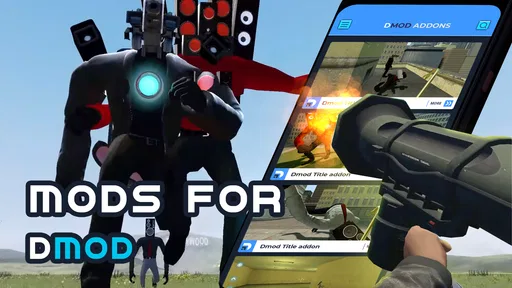
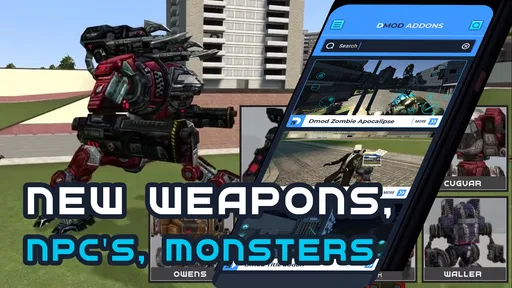

Analysis by Reviewed
When I look at a mod collection for a sandbox game, I want to know more than whether it promises new content. I want to know how easy it is to find something suitable, how much effort it takes to try it, and whether the experience works for the way I actually play. Mods for Dmod is aimed at players who want to browse add-ons for Dmod rather than build every variation themselves. That focus makes it appealing, but it also means its usefulness depends on what you hope to change and how comfortably you can navigate the choices.
Finding a mod without getting lost
The app sits in the Libraries & Demo space, which is a helpful clue: I think of it as a companion for exploring content, not as a replacement for Dmod itself. Its developer is Dumitru Boico, and the app is free to install. The collection-based approach is most useful when I have a rough idea of what I want to try but do not want to search across unrelated sources. I would browse with a small goal in mind—such as looking for a different kind of scene or object—rather than expecting a curated path through every possibility.
That distinction matters for readability and navigation. A library can make discovery feel more approachable than hunting around the web, but browsing a collection still asks the user to compare options and decide what fits. If you find dense menus or fast visual scanning tiring, take your time and inspect one candidate at a time instead of treating the app like a feed to race through. I would also check whether a mod suits the version of Dmod I use before committing to it; that simple pause can prevent a promising pick from becoming a frustrating detour.
Unleashing Creativity
So, what’s the deal with Mods for Dmod? Imagine a world where your imagination is the only limit. This app acts as a bridge between your ideas and the virtual sandbox of Dmod. Whether you are a seasoned gamer or just stepping into the realm of sandbox games, this app offers a plethora of mods that can dramatically enhance your gameplay.
Why Mods for Dmod Stands Out
Let’s dive into the juicy part—what makes this app stand out in the crowded world of gaming mods? First off, the user interface is incredibly intuitive. Even if you’re not a tech wizard, you’ll find navigating through the various mod categories a breeze. From aesthetic enhancements to functional tools, the offerings are diverse and cater to all types of players.
Moreover, the community aspect is robust and thriving. You can easily connect with other players, share your creations, and even collaborate on new mod ideas. This sense of community not only makes the experience more enriching but also fosters a space for innovation and creativity.
Choosing a useful first experiment
I would treat the collection as a way to answer a practical question about my next Dmod session, not as a checklist to complete. If I want a different atmosphere, I would look for one change that seems likely to affect the feel of play; if I want to experiment, I would choose one addition and leave the rest alone. That gives me a clearer comparison with an ordinary session and makes it easier to decide whether the new content is worth keeping in my routine.
More From Our News Desk

 Gmail
GmailGmail in a Busy Inbox: Who Benefits Most?
From first account to crowded workday, Gmail earns its place through dependable search and flexible sorting—but its best fit depends on how much inbox maintenance you can tolerate.

 Prime Video
Switching to Prime Video: What Changes in Your Viewing Routine
Prime Video can make a compelling second home for streaming, but switching means learning a different catalog, rental layer, and route from browsing to playback.

 Universal TV Remote Control
Universal TV Remote Control Works Best as a Reliable Backup
A phone remote earns its place through quick setup and reliable habits. Here is how to get more from Universal TV Remote Control—and where its limits show.

 Weather - By Xiaomi
Weather by Xiaomi Review: Clear at a Glance, Less Clear Up Close
Xiaomi’s weather app makes everyday forecasts quick to scan, but its calm surface can leave useful details and recovery paths harder to find than they should be.

 X
XX Under Pressure: Can It Recover When Posting Goes Wrong?
A resilience-focused review of X, examining setup, mistaken posts, interruptions, weak connections, and the gaps that matter when recovery needs to be dependable.

 Clash of Clans
Clash of Clans Is Won Between the Battles
Its raids are quick; its community is a long-term project of coordination, teaching, rivalry, and shared responsibility—with all the friction that entails.
Latest News



A useful habit is to note what caught my attention before opening a mod, then check afterward whether it delivered the kind of change I expected. That small pause helps separate a genuinely useful add-on from something that only looked appealing while browsing. It also makes the collection less overwhelming for younger or less experienced players: rather than trying to understand every option, they can make one choice with a parent or friend and see how it feels.
Trying mods at your own pace
For a realistic use case, I would open the collection before a short Dmod session, choose one addition that matches the kind of play I’m in the mood for, then test it before adding anything else to my plan. Changing one thing at a time makes it easier to tell whether the mod actually improves the session or simply adds clutter. It is also a sensible approach if you are new to mods: you can learn what you enjoy without turning setup into a project.
This is where the app differs from searching the wider internet for individual downloads. A dedicated collection can reduce the work of finding Dmod-oriented material, while broad web searches may offer more ways to compare sources but require more filtering and care. I would choose the app for focused discovery; I would look elsewhere only if I needed a particular option that I could not find here or wanted broader control over how I source mods.
Customizing Your Experience
Now, let’s talk about customization. This is where Mods for Dmod truly shines. The app allows you to tweak and tailor your gaming environment in ways you probably never thought possible. Want to change the landscape? Add new characters? Introduce complex machinery? It’s all there at your fingertips.
The beauty of it lies in its simplicity. You don’t need to be a coding expert to modify your game. The mods are designed to be user-friendly, allowing you to focus more on creativity rather than getting bogged down by technicalities.
Making the collection work for different play styles
The best fit, in my view, is a Dmod player who enjoys tinkering but does not want the discovery process to become a second hobby. It may also suit someone who plays in short bursts: browsing for one idea before a brief session can be more satisfying than spending that whole session searching elsewhere. If you play with a friend, choosing an add-on together can give you a shared starting point without requiring either of you to know how mods are made.
It is less suitable for someone who wants a finished, hands-off game with no setup decisions, or for a player who needs a very specific add-on and expects a collection to guarantee it. A catalog is a starting point, not a promise that every taste or technical setup will be covered. If your priority is the widest possible choice, comparing carefully selected external sources may be a better use of your time, provided you are comfortable evaluating them.
Touch, attention and everyday access
Motor and sensory needs affect how comfortably anyone can browse, even when the content is intended to be simple. I would use deliberate taps rather than rapid browsing, and take breaks if comparing options starts to feel visually tiring. On a phone, a quiet moment is often better than trying to choose a mod while travelling or switching between several tasks. That is not a special feature of the app; it is a practical way to make a content library less demanding.
For someone who prefers a quick, low-effort choice, the collection may be more useful when approached with a specific idea than when explored without a plan. If you rely on particular display, input, or assistive settings, I would test the browsing experience on your own device before depending on it. The right choice can vary with screen size, personal preferences, and how you use Dmod, so a small trial is more informative than assuming one navigation style suits everyone.
Using it in the right setting
There is a difference between having time to explore and being able to make a considered choice. If I am waiting at home or have a calm break, I can compare a couple of candidates and decide what to try. If I am on a crowded commute, low on battery, or trying to keep an eye on another task, I would postpone browsing and return when I can focus. This is especially sensible when a choice leads to a separate step in Dmod, because rushing can make it harder to remember what I selected or why.
For shared devices or family play, I would involve the person who will actually use the mod in the selection rather than choosing on their behalf. Someone who is sensitive to visual clutter, unfamiliar content, or changes in a familiar routine may prefer a small, reversible experiment over a dramatic overhaul. The Everyone age rating makes the app broadly age-appropriate, but it does not replace a parent’s judgment about particular add-ons or how a child uses them.
Where expectations need a check
The app has a 3.2 average from around 500 ratings, with more than 100,000 installs. I see that as a reason to approach it with measured expectations, not as a verdict on whether it will suit your particular use. It is free to install, though in-app purchases are listed at $19.99 per item, so I would check the terms attached to anything I choose before spending money. The content rating is Everyone, and the current version is 2.2; it requires Android 6.0 or later.
One important trade-off is that a mod collection is only valuable when its contents match your interests and your setup. I would not choose this as a general-purpose game library, nor would I recommend it to someone who wants a complete sandbox experience without also using Dmod. If you prefer to keep your play unchanged, or would rather make every modification manually, the app may add an extra step instead of solving a problem. Players who enjoy trying options in small batches are more likely to get something worthwhile from it.
What I would check before spending or settling in
Because the app is free to install but lists purchases for individual items, I would distinguish browsing from buying. Before paying, I would make sure I understand what the selected item costs and whether it is the specific content I intend to use. The listed amount is substantial enough that I would not treat a purchase as a casual experiment. Starting with content that does not require a purchase, if available to you, is a sensible way to see whether the collection’s approach suits your habits before committing money.
Another practical question is whether a chosen addition works with the way I currently use Dmod. I would check compatibility and any instructions presented for the item, then try it on its own before building a session around it. If something does not behave as expected, I would return to the original setup and troubleshoot one change at a time rather than stacking several unknowns. That workflow is slower than installing everything that looks interesting, but it makes the cause of a problem much easier to identify.
Remaining barriers and better alternatives
The collection does not remove every obstacle involved in modding. A player still has to judge whether an option is relevant, understand any steps needed to use it, and decide whether a purchase is worthwhile. People who need highly predictable navigation or who find small-screen browsing difficult should test it first rather than assume the experience will be comfortable. In those cases, asking a trusted person to help compare options—or sticking with familiar Dmod content—may be the more accessible choice.
Compared with a mod-making tool, this app is for finding and trying existing material rather than building a custom add-on from the ground up. Compared with general web search, its Dmod focus can make discovery more direct, but it may not offer the breadth or independent comparison a careful search can provide. I would pick the collection when convenience and a focused starting point matter most, and choose another route when I need deeper control, a specific item, or more confidence from evaluating multiple sources.
Final Thoughts
In a nutshell, Mods for Dmod is a must-have for any sandbox game enthusiast. It’s not just an app; it’s a gateway to a universe of endless possibilities. Whether you’re looking to enhance your gaming experience or connect with a community of like-minded creators, this app has something for everyone.
So, if you’re ready to take your Dmod game to the next level, give Mods for Dmod a shot. Trust me, once you start, you’ll wonder how you ever played without it!
My more measured recommendation is to try it if you already play Dmod and like the idea of browsing add-ons without starting from scratch. Keep your first session simple, decide whether the available choices suit your play, and only then consider paying for anything. If you need a particular mod, have a strong preference for how content is presented, or find browsing uncomfortable on your device, a different source—or simply sticking with Dmod as it is—may be the better fit. For curious players, though, it offers a straightforward place to begin exploring.
Mods for Dmod Frequently Asked Questions
What does the app include, and what should I expect to find when I open it?
Mods for Dmod is an app in the Libraries & Demo category, built around a collection of maps and mods for Dmod. It is intended for players looking for extra content to explore alongside the game. The selection may appeal if you enjoy trying different maps or browsing mod ideas, though the experience centers on Dmod rather than serving as a general-purpose game library.
What is Mods for Dmod and how does it enhance my gaming experience?
Mods for Dmod is a customization app designed to enhance your gameplay by allowing you to add new features, skins, and missions to the Dmod game. It provides a platform for players to modify their gaming environment, offering a more personalized and engaging experience. Whether you want to explore new maps or try unique character skins, Mods for Dmod expands the possibilities of the original game.
Is Mods for Dmod safe to use and will it affect my device's performance?
Safety is a top priority when using Mods for Dmod. The app is designed to be secure and undergoes regular updates to ensure it doesn't compromise your device's performance. However, as with any third-party applications, it is essential to download from reputable sources and regularly check for updates to maintain security and optimal performance.
Do I need technical skills to install and use Mods for Dmod?
No, you do not need advanced technical skills to install and use Mods for Dmod. The app features a user-friendly interface that guides you through the installation process. Simply follow the step-by-step instructions provided within the app to easily apply mods to your game. Whether you are a beginner or an experienced gamer, Mods for Dmod is designed to be accessible to all users.
Which devices can run Mods for Dmod?
Mods for Dmod is available for Android devices running version 6.0 or later. Before downloading, check your device’s operating system version to make sure it meets that requirement. The app is rated Everyone, so its content rating is suitable for a broad audience. As with any app, keeping your device’s software current can help you get a smoother experience.
Pros
- Extensive range of mod options.
- User-friendly interface.
- Regular updates with new features.
- Customizable game settings.
- Compatible with most devices.
Cons
- May experience occasional bugs.
- Some features require in-app purchases.
- Can consume significant device storage.
- Internet needed for certain functionalities.
- Limited customer support.










