

Mobile Number Locator
- 160.00
- 4.0
- Installs
- 10.00M
- Price
- Free

Screenshots
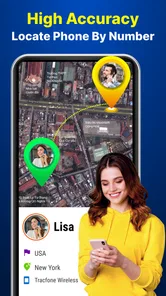

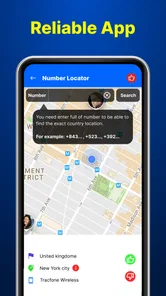
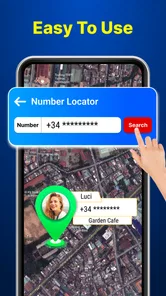
Analysis by Reviewed
I’d put Mobile Number Locator in the “useful for checking a number, but don’t treat it as a way to watch someone” category. It is a free travel and local app from Piontech Studio, and its appeal is simple: it brings number lookup and location-related tools together. The distinction matters. A phone-number lookup can offer clues such as an area code, but that is not the same as seeing another person’s live whereabouts.
Why the difference between a lookup and tracking matters
Phone numbers can suggest a region, but they are not reliable substitutes for a person’s current location. Numbers may be moved between carriers or used far from the area associated with their original code. I’d keep that limitation in mind whenever an app presents geographic information: a result can be a useful prompt for further checking without being proof of where someone is.
That distinction is especially important when the word “locator” sets high expectations. If I were trying to find a friend, I’d ask them to share their location through a service designed for that purpose. If I had misplaced my own phone, I’d begin with the recovery tools built into its operating system. For an unknown caller, a number lookup may offer a clue, but it cannot establish identity on its own.
What the app is best suited to
That difference shapes how I’d use it. If an unfamiliar number calls while I’m arranging a delivery or returning a missed call, an area-code clue may help me decide whether it looks local before I respond. I would treat that result as context, not proof of who is calling or where the caller is now. For finding my own misplaced phone, the phone’s built-in location service is a more dependable first stop; for sharing locations with family or friends, a consent-based location-sharing app is the clearer choice.
A practical way to check an unfamiliar number
My most sensible workflow would be to enter the number carefully, use any location or area information as a rough lead, then verify the caller through a separate, trusted route before sharing personal details. If the call claims to be from a bank, delivery company, or public service, I’d contact that organization using a number I already trust rather than relying on an app result. This keeps a lookup tool in its proper role: helping me assess a number, not making a security decision for me.
If the app presents a map, I would read it cautiously. A mapped area or phone-number location is not automatically a live GPS position, and number portability or regional numbering can make an area-code clue less precise than it first appears. That is the key trade-off: quick geographic context can be handy, while exact, current tracking is a much stronger claim that should never be assumed from a number alone.
How I would use it in an ordinary day
Imagine I’m waiting for a parcel and get a missed call from a number I don’t recognize. I could check the number to see whether its area information is consistent with the context I’m expecting, then compare that clue with any message or delivery notification I already have. If the caller asks me to confirm an account detail or make a payment, I would stop there and contact the company through a trusted channel. The lookup can help me decide what to investigate; it should not decide whether I trust the caller.
More From Our News Desk

 Prime Video
Switching to Prime Video: What Changes in Your Viewing Routine
Prime Video can make a compelling second home for streaming, but switching means learning a different catalog, rental layer, and route from browsing to playback.

 Universal TV Remote Control
Universal TV Remote Control Works Best as a Reliable Backup
A phone remote earns its place through quick setup and reliable habits. Here is how to get more from Universal TV Remote Control—and where its limits show.

 Weather - By Xiaomi
Weather by Xiaomi Review: Clear at a Glance, Less Clear Up Close
Xiaomi’s weather app makes everyday forecasts quick to scan, but its calm surface can leave useful details and recovery paths harder to find than they should be.

 X
XX Under Pressure: Can It Recover When Posting Goes Wrong?
A resilience-focused review of X, examining setup, mistaken posts, interruptions, weak connections, and the gaps that matter when recovery needs to be dependable.

 Clash of Clans
Clash of Clans Is Won Between the Battles
Its raids are quick; its community is a long-term project of coordination, teaching, rivalry, and shared responsibility—with all the friction that entails.

 Android Auto
Android Auto Makes the Case for Quieter Car Software
The car interface is no longer judged by how much it can do, but by how quietly it helps. Android Auto shows what drivers now expect—and what still gets in the way.
Latest News



There’s a useful distinction between curiosity and a decision with consequences. Checking a number out of curiosity is low stakes, but returning a call, sharing private information, or confronting someone based on a location result is not. I’d use the app as one small input, especially when the number’s regional clue is relevant, and keep the next step grounded in information I can verify independently.
Who should consider it—and who should not
I can see this being useful for people who regularly receive unknown calls and want another clue before deciding whether to answer or call back. It may also suit someone who wants a quick number lookup in one place rather than searching an area code separately. It is less suitable for anyone who needs guaranteed caller identification, precise navigation, or a way to locate another person without their knowledge. For those jobs, a carrier’s own tools, a phone’s built-in recovery feature, or a transparent location-sharing service is a better fit.
It is also not the tool I’d choose as my only defense against unwanted calls. If your main problem is repeated suspected spam, a service focused on call screening may be a better match, while your phone’s own blocking controls can handle numbers you already know you want to silence. Mobile Number Locator makes more sense when you want a geographic hint attached to a number, rather than a complete plan for managing calls.
Before installing, I’d also consider what the app asks me to allow and whether those permissions make sense for the task I want to do. I would avoid granting access simply because a prompt appears; if a function cannot work without an access I’m uncomfortable with, I’d skip that function. The app is free to download, with optional in-app purchases ranging from $1.99 to $9.49 per item, so I’d check what a paid item actually unlocks before spending. It is rated for Everyone, and its current version is 1.4.5.
Getting Started with Mobile Number Locator
Jumping into the app is as easy as pie. Once you download it, the setup is straightforward. You don’t need to be a tech wizard to navigate through its features. The interface is clean and user-friendly, which is a breath of fresh air in today’s cluttered app market. As soon as you open the app, it prompts you to enter the mobile number you wish to locate, and voila, you’re all set to go.
For a more careful first try, I’d start with a number I already recognize rather than making a decision about an important unknown caller. That gives me a way to judge whether the displayed region is useful in my own circumstances. I’d also check the number format before searching: including a country code when I know it and reviewing each digit can prevent an avoidable mismatch.
Features You’ll Love
Now, let’s talk about what makes Mobile Number Locator stand out. First off, it offers real-time tracking, which is a game-changer. You can see the location of the number on a map, making it super easy to pinpoint the exact spot. It’s like having a personal detective in your pocket!
Another feature I found quite handy is the caller ID function. It’s not just about the location; it also provides details about the caller. So if you’ve got a mystery number on your hands, this app can help you unmask it.
I would still separate what a caller-detail screen appears to show from what it can establish. A displayed name or other detail can be a helpful lead, but it should not be treated as authentication, especially if the caller is asking for money, passwords, or account information. My practical tip is to use the result to decide what to check next, not to skip verification because a screen looks convincing.
Performance and Reliability
Performance-wise, the app is solid. I didn’t experience any lag or crashes, which is crucial for an app relying on real-time data. The accuracy of the location tracking is also pretty spot-on. It’s reliable enough to use in a pinch, whether you’re trying to find a lost phone or simply curious about a number.
For me, reliability has two parts: whether the app is easy to operate, and whether a result is dependable enough for the decision at hand. A smooth screen or a map that loads quickly can make the experience convenient, but it does not resolve the limits of number-based location clues. I’d be comfortable using a result to guide a low-stakes follow-up; I would not use it as the sole basis for an urgent safety decision.
A Few Things to Keep in Mind
While the app is a fantastic tool, it’s important to use it responsibly. Privacy is a big deal, and while Mobile Number Locator respects this, users should too. Make sure you have permission to track a number to avoid any legal hiccups.
I’d frame permission as more than a legal concern. Trying to monitor someone without their knowledge can damage trust, and an uncertain location result can make that worse rather than clearer. For shared plans—meeting up, coordinating a pickup, or checking that someone arrived—the straightforward option is to ask them to share their location using a tool they understand and agree to use.
Also, keep in mind that the accuracy can vary depending on several factors, like the phone’s signal strength and location services. But overall, it does a commendable job.
There is another practical trade-off with any lookup tool: the more important the outcome, the less sensible it is to rely on a single result. If a number seems connected to a local business, I’d confirm through that business’s own contact details. If it seems suspicious, I’d avoid calling back simply to test the guess. That cautious approach may feel slower, but it prevents a rough clue from turning into misplaced confidence.
How it fits among other lookup tools
Compared with a basic area-code search, this app aims to put number lookup, caller details, and map-based information in one mobile experience. That convenience is its clearest strength. The flip side is that dedicated caller-identification services may be a better choice if your main concern is screening spam, while built-in device tools are generally the sensible option for locating your own phone. I’d choose based on the task rather than expect one app to replace all three.
That comparison also helps set expectations about what “all in one” convenience can and cannot do. A quick area-code search is narrower but may be enough when all I want is a regional clue. A location-sharing service is more appropriate when the goal is to coordinate with a person, because it is built around an explicit sharing arrangement. A device-recovery feature is the better route for a lost handset. This app occupies the middle ground: a phone-number lookup with location-related context, rather than a replacement for those purpose-built options.
If I were choosing between this and a general web search, I’d ask how often I need to look up numbers and whether keeping the process on my phone is useful. For an occasional call, a quick search may be sufficient. For repeated checks, having lookup tools together can be more convenient, as long as I remember that convenience does not make the result definitive. That is the main reason I’d recommend it selectively rather than to everyone who owns a phone.
What to expect before relying on a result
The app has an average rating of 4.0 from around 12,000 ratings, with over 10 million installs and 160 written reviews. Those figures suggest it has reached a broad audience, but they cannot guarantee that a particular number lookup will be accurate. It was released on September 13, 2023, and works on Android 7.0 and up. I’d still test it with a number whose region I already know, then judge whether its results are useful for my own needs rather than treating a single match as conclusive.
It is developed by Piontech Studio and is listed for everyone, so the app is positioned as a general-use utility rather than a specialist tool. Its free entry point makes it easy to try, but the optional purchases are a reason to pause before paying for anything. I’d first work out which part of the experience I actually need, then check the purchase screen carefully so I’m not buying an option that does not solve my particular problem.
One small practical habit can prevent a lot of confusion: keep the number in international format when you know the country code, and double-check digits before searching. A typo can point to a different region or caller, making even a well-presented result misleading. If the information seems surprising, I’d cross-check it instead of acting on it immediately.
My recommendation
Mobile Number Locator is most appealing to someone who wants a handy way to check unfamiliar numbers and interpret location-related clues, and who is comfortable treating those clues as provisional. It is a weaker fit for someone expecting a guaranteed identity check, a precise live location, or a substitute for a phone’s lost-device tools. The best way to get value from it is to pair the lookup with common-sense verification and use another service when the task calls for actual location sharing or call blocking.
In conclusion, if you’re on the hunt for a reliable phone tracking app, Mobile Number Locator is worth checking out. It’s easy to use, packed with useful features, and performs well under pressure. Just remember to use it wisely, and it could become an indispensable tool in your smartphone arsenal.
Mobile Number Locator Frequently Asked Questions
What phones and operating systems can run Mobile Number Locator?
Mobile Number Locator is available for Android and iOS, and the Android release requires Android 7.0 or later. Before downloading, check that your device meets the relevant platform requirements and has enough space for an app. It is listed as a Travel & Local app, and its Everyone age rating makes it suitable for a broad audience.
What is the Mobile Number Locator app?
The Mobile Number Locator is an app designed to help users identify the location of a mobile number. It provides details such as the city and country associated with the number, enabling users to understand where the call or text is originating from. This can be particularly useful for identifying unknown callers or verifying the location of a contact. Its description also highlights GPS and area code lookup features.
How accurate is the location data provided by Mobile Number Locator?
The Mobile Number Locator app uses the latest technology to provide accurate location data. However, it's important to note that the app may not always pinpoint the exact location, but instead offers a general area based on the number's registration. The accuracy can be influenced by various factors, including network availability and the country of origin. Treat the result as a general clue rather than proof of a caller’s precise, real-time location.
Is the Mobile Number Locator app free to use?
Yes, the Mobile Number Locator app is available for free download on both Android and iOS platforms. While the basic features are free, there might be in-app purchases or premium features that require payment. Users can decide if they want to upgrade based on their personal needs for enhanced functionalities. Optional in-app purchases range from $1.99 to $9.49 per item, so check the purchase details before confirming anything.
Does Mobile Number Locator work internationally?
Yes, the Mobile Number Locator app works internationally, allowing users to trace numbers from different countries. However, the level of detail and accuracy may vary depending on the country's telecommunications infrastructure and data privacy regulations. It's advisable to check the app's performance in specific regions if you frequently deal with international numbers.
Pros
- Accurate location tracking.
- User-friendly interface.
- Low battery consumption.
- Supports multiple languages.
- Real-time updates.
Cons
- Requires internet connection.
- Limited free features.
- Ads in free version.
- May not work in some regions.
- Privacy concerns.











