Mirror link car connector
- 1.13K
- 4.1
- Installs
- 1.00M
- Price
- Free
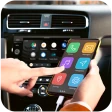
Screenshots
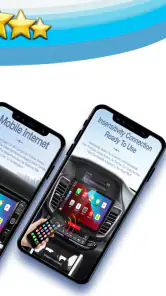
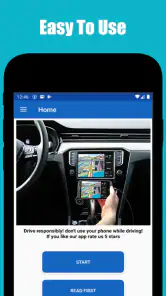
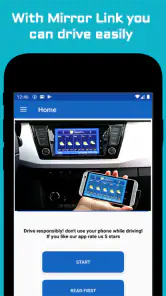
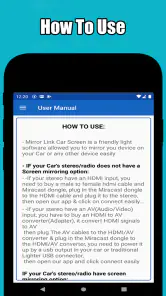
Analysis by Reviewed
I’d judge Mirror link car connector first by the simple question of whether it fits the car and phone I actually use. A screen-mirroring idea can sound useful, but it depends on more than installing an app: the phone, car display, connection method, and driving setup all have to work together. I’d check compatibility before planning a route around it, and test the connection while parked rather than trying to sort it out once I’m already on the road.
What free access means here
The app is free, so there is no purchase price to weigh against its convenience. That makes trying it a low-cost experiment, not a guarantee that every car or phone combination will work. FastSoft is the developer, and the app sits in the libraries-and-demo area, which is a useful reminder to treat it as a tool to evaluate on your own setup rather than assume it will replace a car’s built-in system.
Where it could earn a place in the car
The best case is a driver whose car supports the relevant mirroring connection and who wants to see phone content on a larger display. For example, before a familiar commute, I’d connect while still parked, check that the screen appears as expected, choose a destination, and leave the phone alone once moving. That little test helps distinguish a dependable routine from something that creates a distraction at the exact wrong moment.
I’d also treat the connection as something to prepare, not improvise. Check the cable and the car’s input before setting off, and make sure the phone is positioned and connected without blocking controls or the driver’s view. A stable setup matters more than having a long list of possible uses; if the connection drops or takes repeated fiddling, the extra screen may not be worth the attention it demands.
What to compare before relying on it
Compared with a car’s built-in phone integration, a mirroring app may be appealing when the vehicle’s own interface is limited, but it is not automatically a substitute for a dedicated navigation display. Built-in systems are usually the simpler choice when they already handle the apps and controls a driver needs. A phone mounted securely can be a more straightforward fallback than troubleshooting a connection, while audio-only directions may be preferable when screen interaction would invite glances away from the road.
That trade-off is especially important for people with older or less compatible car systems. I would test the app at home or in a parked car, confirm that the display behaves sensibly, then try a short familiar trip before depending on it for an unfamiliar journey. If a passenger is present, they can help with setup before departure; the driver should not be tapping through menus while the car is moving.
What’s This App All About?
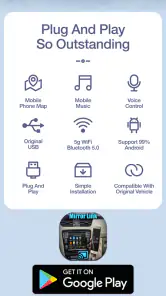
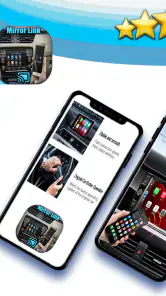
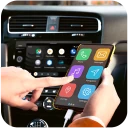
Alright, so here’s the deal. The Mirror Link Car Connector is one of those nifty apps that claims to connect your smartphone to your car's infotainment system. The idea is to mirror your phone’s screen to your car’s display, letting you access apps like navigation, music, and more, without having to pick up your phone. Pretty cool, right?
Setting It Up
I’ll admit, I was a bit skeptical at first because tech and I sometimes have a “complicated” relationship. But, the setup was surprisingly straightforward. After downloading the app, it was just a matter of connecting my phone to the car via USB. The app walked me through the process step-by-step, which was super helpful.
User Experience
Once I got everything set up, using the app was pretty smooth sailing. The interface is user-friendly and intuitive, which is something I always appreciate. I could easily switch between apps and functions without any lag. It’s almost like having your phone turned into a car-friendly version of itself. And let’s be honest, anything that keeps my eyes on the road and hands on the wheel is a win in my book.
Features That Stand Out
One of the standout features for me was the navigation capability. It integrates seamlessly with apps like Google Maps and Waze, which are my go-tos for getting around. Also, having access to my playlists via the car’s display was a game-changer. No more fumbling with my phone to switch tracks—just a quick tap on the screen, and I’m good to go.
Final Thoughts
In the end, I found the Mirror Link Car Connector to be a solid addition to my daily drive. It’s practical and makes the whole process of using my phone while driving a lot safer. If you’re someone who spends a lot of time in the car, this app is definitely worth checking out. It’s like having your personal co-pilot, minus the annoying backseat driving. So, give it a try and see how it changes your driving experience!
Who I’d recommend it to
Mirror link car connector makes most sense for someone who has a compatible car display, wants a larger view of phone content, and is comfortable checking the connection before driving. It is less suited to a person who expects every vehicle to support mirroring, needs a guaranteed hands-free setup, or would rather avoid troubleshooting. If a built-in system already does the job reliably, I’d stick with that; if not, trying a free option while parked is a reasonable first step.
The app has a 4.1 average from around 32,000 ratings, with over a million installs, so it has attracted a sizeable audience, though those figures alone cannot tell me whether it will suit a particular car. It is rated for Everyone, and its current version is 110.0; Android 7.0 is the minimum operating-system requirement. The app was released on October 10, 2020. Those details help with basic eligibility, but compatibility with the car remains the practical question to settle first.
My buy-or-skip take
I’d try it if I had a clear use for mirroring and could test it without pressure. I’d skip it if I needed guaranteed compatibility or already had a better integrated option. Free access makes experimentation easy, but the real value is only there when the connection works smoothly in the car I drive and doesn’t add distraction. My advice is simple: verify the setup while parked, keep a fallback ready, and let convenience—not the promise of a bigger screen—decide whether it earns a spot in your routine.
Making a fair compatibility test
A useful test should answer more than “does the screen turn on?” I’d check whether the car recognizes the phone consistently, whether the display stays visible after I select an app, and whether audio behaves as I expect. I’d also disconnect and reconnect once while parked. A connection that works only on the first attempt may be more trouble than it is worth when I’m leaving in a hurry.
If it does not connect, I’d work through the simplest causes before deciding the app is unsuitable: confirm the car is on the intended input, use a cable that supports data rather than assuming every charging cable will do, and follow the app’s on-screen steps in order. These checks are practical troubleshooting, not a promise that every setup can be made compatible. If the car still does not recognize the phone, I would stop there instead of repeatedly changing settings at the roadside.
A calmer routine for everyday trips
For a weekday commute, I’d prepare the route and any audio before moving, then treat the car display as something to glance at rather than interact with. The app’s usefulness is clearest when it reduces the need to handle the phone, not when it tempts me to browse through several apps. If a message or notification appears, I would leave it alone until I’m parked. Mirroring a phone does not make every phone activity suitable for driving.
Longer drives create a different trade-off. A larger display can make navigation easier to see, but relying on the connection for the whole journey means I would want a fallback ready: a securely mounted phone or the car’s own navigation, if available. I’d also set up the route before departure rather than treating the app as a reason to make changes while driving. The practical benefit comes from having the information in view, not from gaining permission to use the phone more.
When mirroring is less useful
If the main goal is simply to hear turn-by-turn directions, a phone mount and voice guidance may be simpler. If the car already has a dependable built-in interface, switching to an extra connection adds little and creates another step each time I enter the vehicle. And if the car’s display is awkward to reach, small, or positioned where tapping it would be distracting, mirroring does not solve the underlying problem.
I’d also be cautious about treating a displayed phone interface as automatically adapted for a moving car. Some phone apps are designed around touch and detailed menus; seeing them on a larger screen does not necessarily make them safe or easy to use on the road. I would keep the setup focused on navigation and audio, make selections while parked, and ask a passenger to handle changes if they are genuinely needed during a trip.
What the free price does—and doesn’t—settle
Free access is a real advantage for someone who wants to see whether this approach suits their own vehicle without first paying for the experiment. It makes sense to install it, test it in a parked car, and judge the result against the routine already in place. But free does not mean friction-free: time spent troubleshooting, carrying a suitable cable, or changing how I prepare for a drive is still a cost.
That is why I would measure value by repeated usefulness rather than by the novelty of seeing a phone on the dashboard display. If the connection is dependable and saves me from handling the phone, it may earn a place in my routine. If it takes several attempts or only works in a narrow set of circumstances, the no-cost download is not enough to make it a good fit.
Who should give it a try
I’d consider it for a driver whose car and phone already appear suited to mirroring, who wants a larger view for basic navigation or audio, and who is willing to test the setup before relying on it. It may also interest someone whose car interface is limited but whose display accepts the needed connection. In both cases, I’d start with a familiar short drive and keep the existing navigation option available until the app has proved dependable.
I would skip it if I need guaranteed compatibility across different cars, expect a completely hands-free experience, or do not want to troubleshoot a connection. It is also a poor choice for anyone who would use screen mirroring to watch or interact with distracting phone content while driving. A built-in system is the better option when it already covers the same needs reliably; a mounted phone can be the more predictable fallback when it does not.
My bottom line
Mirror link car connector is worth considering as a free experiment, not as an automatic upgrade to every car. The concept is useful when a compatible setup puts navigation or music somewhere convenient, and the app’s 4.1 average reflects a sizeable group of people who have rated it. Still, a broad audience cannot tell me how it will behave with my particular vehicle, cable, and phone.
I’d install it only with a specific reason to mirror, test it while parked, and keep the controls simple once I’m moving. If it connects reliably and makes the drive less fiddly, it can offer practical value without a purchase price. If it creates extra steps or encourages more screen interaction, I’d return to the car’s built-in system, a mounted phone, or audio directions. That is the deciding point for me: the app should make a safe routine easier, not make the setup itself another task on the road.
Mirror link car connector Frequently Asked Questions
What does Mirror Link Car Connector do, and who might find it useful?
Mirror Link Car Connector is an app focused on linking a phone with a car display through Mirror Link. It may interest drivers who want to view supported phone content on a vehicle screen, such as navigation or audio apps. The experience depends on having compatible equipment, so it is worth checking that both your Android phone and car support Mirror Link before downloading.
What is the current version of Mirror Link Car Connector, and when was it released?
The current version of Mirror Link Car Connector is 110.0, and the app was released on October 10, 2020. These details can help you identify the app and compare its version with what appears on your Android device. Before installing, also check that your phone runs Android 7.0 or later, since the app requires that minimum operating system.
What devices and operating system versions can I use with Mirror Link Car Connector?
Mirror Link Car Connector is an Android app, and it requires Android 7.0 or later. Before downloading, check the Android version on your phone and make sure it meets that requirement. The app is intended to work with a car that supports Mirror Link, so phone compatibility alone does not guarantee that the connection will work in your vehicle.
Is Mirror Link Car Connector free, and is it suitable for all ages?
Mirror Link Car Connector is free to download and is rated Everyone, so it is presented as suitable for a general audience. Its stated purpose is connecting a phone with a car display, rather than providing a separate entertainment library. As with any app used around driving, set it up while parked and keep your attention on the road when the car is moving.
What is Mirror Link Car Connector and how does it work?
Mirror Link Car Connector is an app that allows users to connect their smartphones to their car's infotainment system. It works by mirroring the phone's display onto the car's screen, enabling users to access apps, navigation, music, and more directly from the car's display. This seamless integration requires both the phone and the car to support Mirror Link technology.
Articles Related to Mirror link car connector
Clash of Clans Is Won Between the Battles
Its raids are quick; its community is a long-term project of coordination, teaching, rivalry, and shared responsibility—with all the friction that entails.
Android Auto Makes the Case for Quieter Car Software
The car interface is no longer judged by how much it can do, but by how quietly it helps. Android Auto shows what drivers now expect—and what still gets in the way.
MobiOffice: Transforming Mobile Productivity with Seamless Integration
MobiOffice: Word, Sheets, PDF is redefining mobile productivity with a surprising blend of functionality and innovation.
EA SPORTS FC™ Mobile Soccer: Redefining Mobile Sports Gaming
Dive into EA SPORTS FC™ Mobile Soccer, where immersive gameplay and strategic depth transform mobile sports gaming.
Pros
- Easy to set up with intuitive interface
- Compatible with most car models
- Allows seamless phone mirroring
- Supports both Android and iOS devices
- Enhances driving experience with voice control
Cons
- May sometimes lag or disconnect
- Requires strong internet connection
- Limited app compatibility
- Some features behind paywall
- Can drain phone battery quickly
- Category
- Libraries & Demo
- Version
- 110.0