Minnesota Vikings
- 1.51K
- 4.1
- Installs
- 500.00K
- Price
- Free

Screenshots

Analysis by Reviewed
I approached Minnesota Vikings as a supporter’s companion rather than as a general sports portal. It is the official Minnesota Vikings app, developed by Minnesota Vikings, and that official connection is its main reason to exist. Instead of trying to cover every team or every competition, it focuses on giving fans one place to follow the club on a phone. That narrow purpose makes it easier to judge: the app is useful when your priority is the Vikings, but less compelling if you want a broad, neutral sports dashboard.
The app is free and aimed at everyone, which lowers the barrier to trying it. It has been available since March 1, 2012, and its current version is 24.1.9 for devices running iOS 10 or later. Its Android presence is also substantial, with more than 500,000 installs. Those details suggest a long-running official product rather than a short-lived fan project, although longevity alone should not replace checking the choices shown during installation and use.
What makes the official connection valuable
Trust is slightly different with a team app than with an independent sports reader. I am not opening this app for an impartial comparison of the entire league; I am opening it because I want Vikings-focused information from the organization behind the club. That can make the experience more relevant than a large sports app that buries one team among dozens of leagues, scores, advertisements and unrelated headlines.
The public response is reasonably positive: the app holds a 4.1 average from around 5,300 ratings, alongside roughly 1,500 written reviews. I read those figures as evidence that the app works well enough for a sizeable group of supporters, not as a guarantee that every phone or every update will feel equally smooth. Official apps can still have awkward navigation, delayed content or login friction, so I would judge it by how well it fits your routine rather than by the rating alone.
Its strongest audience is straightforward. If you follow Minnesota closely, want a team-specific mobile destination and prefer not to assemble information from several unrelated apps, this is a sensible starting point. It is especially suitable for a supporter who checks the team before work, follows developments during the day and wants to return to one familiar place on game day.
The trade-off is equally clear. A general sports app is usually better for comparing multiple teams, tracking several leagues or building a wider scoreboard view. A team-specific app will naturally give less value to someone whose interests change from one sport or club to another. I would skip this one if the Vikings are only an occasional interest or if your main need is broad competition tracking rather than club-focused coverage.
How I would use it during an ordinary week
Imagine a typical weekday when I have only a few spare minutes. I would open the app in the morning to see what is new around the team, check again before a commute or lunch break, and use it as my first stop when a game is approaching. That workflow is more practical than repeatedly searching the web for the team name, because the app’s purpose is already centered on Minnesota.
More From Our News Desk

Clash of Clans Is Won Between the Battles

Android Auto Makes the Case for Quieter Car Software

MobiOffice: Transforming Mobile Productivity with Seamless Integration

EA SPORTS FC™ Mobile Soccer: Redefining Mobile Sports Gaming

How Microsoft OneDrive Became a Mobile Productivity Giant

How Google Translate Breaks Language Barriers Effortlessly
On game day, the value is less about spending hours inside the app and more about reducing the number of places I need to check. I would keep notifications conservative, open the app when I want a focused update, and avoid turning every alert into an interruption. This is one of the less obvious advantages of an official team app: it can work as a deliberate check-in tool when I control when I look at it, rather than as a constant stream of sports noise.
I also recommend treating the app as a companion, not the only source for every decision. If I needed a league-wide comparison, historical research or a wider set of live sports at the same time, I would use a broader sports service alongside it. The Vikings app is more focused, and that focus is helpful until the question moves beyond the club.
Permissions, data choices and the moments that deserve attention
My trust assessment starts with what is visible on the device, not with assumptions about the developer. During installation and later use, I would read each permission request in context and ask whether the choice is genuinely useful for my routine. A notification request, for example, deserves a different decision from access that would feel unrelated to following a football team. I would allow only what supports the way I intend to use the app.
The most data-sensitive moment is usually the first launch, when an app may present privacy notices, account prompts, notification choices or other consent screens. I would slow down there instead of tapping through automatically. If I only want occasional team updates, I would select the least intrusive notification setup available and revisit it later if my habits change. This approach keeps the app useful without treating every optional prompt as mandatory.
Account controls are another practical consideration. If the app asks me to sign in for a particular function, I would first decide whether that function is important enough to justify maintaining an account. A supporter who only wants occasional reading may prefer to browse without creating credentials whenever that is offered. Someone who wants a more personalized experience may accept the extra step, but should still keep login details unique and review any account settings that are presented.
I would also check the operating system’s privacy controls after installation. Those controls are often easier to understand than a long policy screen because they show which access is active on the phone and let me change it later. This is useful when my needs change: I might want alerts during a season but silence them during a break, or I might decide that background activity is not worth the battery trade-off.
There is an important distinction here. The official identity of the app helps me understand who it represents, but it does not mean I should make blind privacy choices. I would still inspect the app’s visible prompts, the permissions requested by my device and the controls available in the account or settings areas. If a choice is unclear, I would leave it disabled until I understand what I am gaining.
Where user control matters most
Notifications can make or break a team app. I find them useful when they mark something I genuinely want to know, but irritating when they turn every update into an interruption. My practical advice is to begin with a narrow set of alerts, then add more only after a real need appears. That is better than enabling everything on the first launch and later abandoning the app because the phone feels too busy.
There is also a useful separation between following the team and being constantly reachable by it. I can choose to open the app at particular times, such as before a game or during a planned break, rather than relying entirely on push alerts. That habit gives me more control over attention and makes the app feel like a resource instead of a background demand.
If the application offers account-based personalization, I would use it only when the benefit is clear. Personalization can make a team app faster to navigate, but it can also create another account to manage. I would periodically check whether the saved preferences still reflect my interests, especially after changing phones or reinstalling. Keeping old settings and permissions simply because they were once convenient is rarely worthwhile.
Another small but valuable habit is reviewing the app after an update. The current version is 24.1.9, and updates can change layouts, prompts or the location of controls even when the basic purpose remains the same. I would not assume that a choice made months ago still looks identical today. After an update, I would briefly inspect notifications, account access and system permissions before settling back into normal use.
Strengths that are easy to overlook
The first overlooked strength is focus. The app does not need to compete with every sports story on a crowded home screen. For a committed Vikings supporter, that can reduce searching and help separate team information from the wider stream of sports content. I would value that most on busy days when I want a quick, relevant check rather than a full sports briefing.
The second is the credibility context of an official source. That does not make every item automatically complete or perfectly timed, but it gives the app a clear relationship with the team it covers. When I want Vikings-specific material, that direct connection is more useful than relying on a generic app where the team may receive only a small portion of the available space.
The third is the opportunity to build a low-distraction routine. By combining selective notifications with intentional visits, I can use the app without handing over my entire day to it. That is a better experience than simply judging a sports app by how many alerts it can send. The app becomes most useful when I decide what I want from it and keep the controls aligned with that decision.
There are limitations behind those strengths. Official team apps can feel less useful outside the club’s news cycle, and a focused experience may not satisfy someone who wants a single place for many sports. I would also expect the quality of the experience to depend partly on the phone and operating system, which is why the minimum requirement of iOS 10 or later is worth checking before installing on an older Apple device.
Who should install it, and who should look elsewhere
I would recommend it to a Vikings fan who wants a free, team-centered app and is comfortable reviewing notifications and privacy choices personally. It suits people who prefer an official destination over a general sports feed, especially when the goal is to check Minnesota-related information quickly rather than browse everything happening in sports.
I would hesitate if you need a complete multi-team scoreboard, deep cross-league comparisons or a single app for several unrelated sporting interests. In those cases, a broad sports platform will probably be more efficient, even if its Vikings coverage is less focused. I would also avoid installing it merely because it is official if I do not expect to use it; unused apps still occupy space and may remain enabled for alerts or account access until I review them.
For families, the Everyone age rating makes the app broadly approachable, but I would still set notification behavior deliberately on a shared device. The age label is not a substitute for supervising a younger user’s phone habits or checking which account is signed in. A simple review of alerts and permissions can prevent the app from becoming unnecessarily intrusive.
My cautious verdict after weighing usefulness and control
Minnesota Vikings is a focused Sports app with a clear audience and a straightforward reason to install it. The free price, official developer identity, long availability and sizeable Android install base make it an easy option for supporters who want a dedicated mobile home for the team. Its 4.1 average indicates a generally favorable reception, while the written feedback count shows that users have engaged with it beyond simply downloading it.
My recommendation comes with a condition: use the app on your terms. Choose notifications rather than accepting every alert, inspect permissions when they appear, decide carefully whether an account is worthwhile and revisit those choices after updates. Those steps do not make the app less useful; they make its usefulness easier to control.
The best reason to choose it is focused access to the Vikings, not broad sports coverage. I would install it if Minnesota is the team I regularly follow and I want an official, convenient companion for everyday checks and game-day attention. I would choose a general sports alternative if my interests are wider. For the right fan, this is a practical and credible team app, provided its visible controls remain part of the decision rather than an afterthought.
Minnesota Vikings Frequently Asked Questions
Will the Minnesota Vikings app work on my phone?
The Minnesota Vikings app is a sports app for Android and iOS, and its current version is 24.1.9. On Android, it requires version 10 or later, so check your device settings before downloading. The app is free and rated for Everyone, making it suitable for a broad audience of Vikings fans.
Who publishes the Minnesota Vikings app, and is it official?
The app is published by the Minnesota Vikings and is described as the official mobile app of the team. That makes it a direct option for fans looking for Vikings-focused updates and content rather than a general sports news app. It has a 4.1 average rating from around 5.3 thousand ratings, along with more than 1.5 thousand written reviews.
What is the Minnesota Vikings app used for?
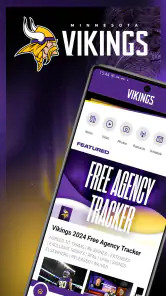
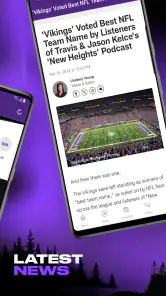
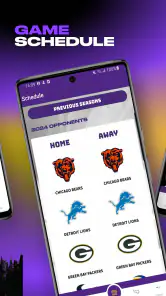
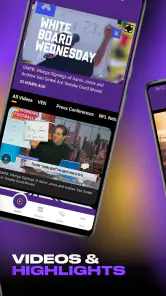
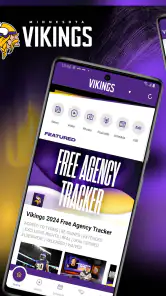
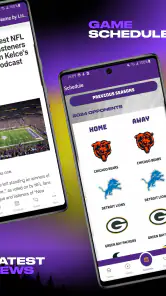
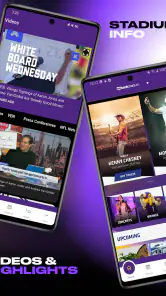
The Minnesota Vikings app is designed for fans who want quick access to team news, schedules, game results, player information, videos, and official announcements. Depending on the current version and your location, it may also provide live game updates, team content, ticket information, stadium details, promotions, and links to merchandise. It is mainly a companion app for following the Vikings throughout the NFL season.
Is the Minnesota Vikings app free to download?
Yes, the official Minnesota Vikings app is free to download on compatible Android and iOS devices. However, some features may connect you to paid services, including ticket purchases, merchandise, premium content, or subscriptions offered through external platforms. Standard mobile data charges may also apply when streaming videos, receiving frequent updates, or using the app over a cellular connection instead of Wi-Fi.
Can I watch live Minnesota Vikings games in the app?
The app may offer live scores, play-by-play information, game statistics, radio coverage, highlights, and other real-time updates, but it does not necessarily provide unrestricted live video of every Vikings game. Live streaming rights depend on the NFL, broadcasters, your location, and any required television or streaming subscription. Before downloading, check the current app description and regional availability for supported live features.
Pros
- Official team news
- scores
- schedules
- and updates in one place.
- Useful alerts help fans follow games and breaking Vikings news.
- Clean design makes team content easy to browse on mobile.
- Includes access to videos
- interviews
- and behind-the-scenes coverage.
- A convenient companion for fans attending games or following the season.
Cons
- Some features may depend on your location or ticket availability.
- Frequent notifications can feel excessive during busy game days.
- Video content may require a strong connection or use significant data.
- The app is mainly useful to Vikings fans
- limiting its wider appeal.
- Certain links may redirect to external services or team websites.
- Category
- Sports
- Version
- 24.1.9





