Migoo–Personalized AI For You
- 14.00
- 4.2
- Installs
- 10.00K
- Price
- Free

Screenshots
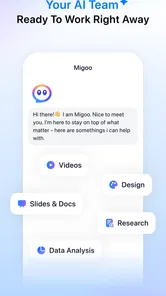



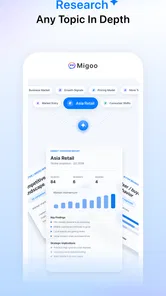
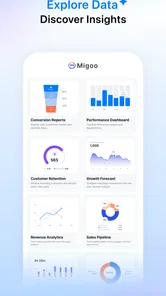

Analysis by Reviewed
I approached Migoo–Personalized AI For You as a productivity app rather than as a general chatbot. Its promise is to help with both work and personal routines, which sounds useful, but it also raises a more important question: how much control do I keep when an app is meant to understand my context? After spending time with it, my view is cautious but positive. It can be appealing if you want one AI-centered place to support everyday planning and thinking, yet it deserves a more deliberate setup than a simple download-and-forget tool.
The app comes from Developer Migoo - US and is listed as free, with optional purchases ranging from $1.00 to $840.00 per item. That wide purchase range is the first detail I would ask readers to notice. A free starting point makes experimentation easy, but I would not assume that every advanced capability belongs to the no-cost experience. I would check each purchase screen carefully and avoid treating a broad “free” label as a promise that the whole service is free.
What using Migoo feels like in daily life
The most convincing way to understand this app is to imagine a busy weekday. I might use it in the morning to turn a loose list of obligations into a clearer plan, return to it during work when I need help organizing an idea, and then use it later for a personal task such as preparing a shopping list or thinking through a decision. That work-and-life overlap is the central appeal. Instead of switching between a notes app, a task manager and an AI assistant, I can treat Migoo as a flexible thinking partner.
That flexibility is also where expectations need to stay realistic. An AI productivity app is not automatically a complete calendar, project-management system or secure document vault. I would use it to shape information, explore options and reduce the effort of getting started. I would still keep important deadlines, official records and sensitive material in tools designed specifically for those jobs.
The app has a 4.2 average from around 28 ratings, with roughly 14 written reviews and over 10K installs. Those figures suggest a small but meaningful early audience rather than a mature, universally established service. I see that as a reason to test it personally instead of assuming that the experience will match the expectations created by the store branding.
It is marked for Teen users, so I would still apply adult judgement when deciding what to enter. An age label is not a guarantee that every type of personal, financial, workplace or health information is appropriate to share. My practical rule is simple: if I would hesitate to paste something into a new online service, I would leave it out until I understand the app’s controls and privacy explanations.
Where it can genuinely save time
The best use case is not asking for a grand life plan. It is giving the app a small, well-defined problem. For example, I could describe three errands, a work obligation and a limited evening schedule, then ask for a sensible order. The useful result is not the AI’s authority; it is the reduction of mental friction. I can review the suggestion, correct it and turn it into my own plan.
More From Our News Desk

Weather by Xiaomi Review: Clear at a Glance, Less Clear Up Close

X Under Pressure: Can It Recover When Posting Goes Wrong?

Clash of Clans Is Won Between the Battles

Android Auto Makes the Case for Quieter Car Software

MobiOffice: Transforming Mobile Productivity with Seamless Integration

EA SPORTS FC™ Mobile Soccer: Redefining Mobile Sports Gaming
A second strong use is preparation. Before a meeting, I might use the app to sort scattered thoughts into talking points and questions. Afterward, I could use it to turn my own notes into follow-up actions. This workflow works best when I treat the output as a draft. I would verify names, dates, commitments and technical details rather than copying the result directly into a message.
A less obvious advantage is that the same conversation style can support personal tasks without forcing me to learn a separate system. Someone who dislikes elaborate productivity setups may find that easier than maintaining multiple tags, folders and automation rules. The trade-off is that conversational convenience can make information harder to retrieve later than a dedicated task list or searchable notebook.
Trust starts with what I can see and change
Because Migoo is positioned around personalization, I pay closer attention to account controls and visible choices than I would with a simple calculator or offline timer. Before relying on it, I would look for settings that explain what information is associated with my account, how personalization can be adjusted and whether I can remove individual conversations or other stored material. I would also check whether the app clearly distinguishes optional features from essential access.
I am deliberately careful here: a polished interface should not be mistaken for a clear data practice. The useful test is whether the app gives me understandable choices at the moment they matter. If a permission request appears, I want to know why it is needed before approving it. If the app asks me to connect another service, I want to understand what that connection changes and how to disconnect it later.
My recommendation is to begin with a low-risk trial account or a limited amount of non-sensitive information. I would avoid entering passwords, identity documents, confidential client material, private medical details or unreleased business plans. This is not an accusation against Migoo; it is sensible behaviour for any cloud-based AI product when the exact handling of a particular piece of information matters.
It is also worth checking the account path before investing time in a long personal workflow. I would want to know how sign-in works, whether there is a straightforward way to manage the account, and what happens if I stop using the service. The ability to leave cleanly is part of trust. A productivity tool should not make me feel trapped by the history I have created inside it.
Moments when privacy matters most
The riskiest moment is usually not the first casual question. It is the point when the app becomes convenient enough that I start pasting everything into it. A draft email can contain another person’s phone number. A work summary can reveal internal plans. A personal reflection can include information about family members who never agreed to use the service. Before submitting text, I would remove names and unnecessary details whenever the task works without them.
I would also separate brainstorming from final storage. Migoo may be useful for helping me think, but I would not use an AI conversation as the only copy of an important plan. After receiving a useful answer, I would transfer the final action items into a system I already trust and understand. That creates a practical backup and prevents a temporary conversation from becoming an accidental records archive.
Another important habit is reviewing generated content before sharing it. AI can produce a confident-sounding answer that still needs correction. If I ask it to help write a workplace message, I would check tone, factual claims and implied promises. If I use it for a personal decision, I would treat the response as one perspective, not as professional advice or a substitute for my own judgement.
The purchase model deserves the same attention. Since individual in-app purchases can reach $840.00, I would read the description of any upgrade, confirm whether it is one-time or recurring, and make sure the purchase is actually solving a problem I have encountered. I would not pay simply because a premium option appears while I am experimenting.
How I would build a safer workflow
I would start by creating a short list of tasks Migoo is allowed to help with: outlining, rewriting my own notes, planning errands, preparing questions and breaking large goals into smaller actions. I would keep a separate list of tasks that stay outside the app, including credentials, highly confidential documents and decisions that require a qualified professional.
Then I would test the app with deliberately plain language. Instead of pasting a full document, I might write a neutral summary with names and identifying details removed. This tells me whether the app is useful without requiring unnecessary exposure. It also makes it easier to judge the quality of its help, because I can compare the response with the original problem.
A particularly useful technique is asking for alternatives rather than accepting the first answer. If Migoo suggests a schedule, I might request a version with fewer transitions or one that protects an evening break. If it drafts a message, I might ask for a shorter and less formal version. This keeps me in charge and turns personalization into an adjustable conversation instead of a hidden decision-making process.
I would also periodically review old conversations and account settings. Personalization becomes less helpful when old assumptions are no longer true. A project ends, a routine changes or a preference becomes outdated. Removing or correcting stale context can make future assistance more relevant and reduce the amount of historical information sitting in the account.
Who should use it, and who should skip it
I think Migoo is a good fit for people who want lightweight AI support across several parts of the day and do not enjoy building a complicated productivity system. Students, independent workers and busy households may appreciate the ability to move between planning, writing and everyday organization without changing apps. It is especially suitable for users who are comfortable reviewing suggestions and making the final call themselves.
I would be more hesitant to recommend it to someone who needs strict project dependencies, detailed team permissions, formal audit trails or a dependable offline-first workflow. A dedicated project manager is the better choice when several people must see exactly who owns each task and when it is due. A traditional notes app is better when predictable folders and long-term retrieval matter more than conversational help.
People who want an entirely private place for sensitive journaling should also think carefully before using an AI service for that purpose. Even if the writing experience feels personal, I would not confuse emotional comfort with a guarantee of confidentiality. For private reflection, an offline journal or a service with controls specifically designed for that need may be a better match.
What version and platform details mean in practice
The current version is 1.19.1, and the app supports Android 7.0 and later. That broad compatibility is helpful for people using older Android phones, although compatibility alone does not tell me how smoothly the app will behave on every device. I would keep the operating system updated where possible and pay attention to battery, storage and notification behaviour during the first few days.
Since this is a productivity app rather than a one-purpose utility, the quality of the experience depends heavily on how quickly I can reach a useful result. If an answer requires too much rewriting, or if returning to previous work feels awkward, the convenience advantage fades. My test would be practical: can I complete a small real task faster and with less confusion than I could using my existing notes, reminders or search tools?
I would also resist comparing it only with other AI assistants. Its real competition is the familiar combination of a notes app, a reminders app and a search engine. Migoo can win when I need help turning an unclear thought into an actionable starting point. Those conventional tools win when I already know exactly what I want to record, schedule or retrieve.
My cautious verdict
After weighing the convenience against the responsibility of sharing context, I see Migoo as a promising productivity companion for controlled, everyday use. I like the idea of one place that can help me move between work and personal planning, and I find the conversational approach more approachable than a heavily structured productivity system.
My recommendation comes with boundaries. Start with harmless tasks, inspect the account and permission choices, keep sensitive information out, verify every important output and treat purchases as optional decisions rather than necessary steps. Those habits matter more here than any single feature because personalization is only valuable when I understand what I am giving the app and what I can take back.
Migoo is worth trying if you want flexible AI help and are willing to stay actively involved. It is not the right replacement for a secure document system, a rigorous team planner or professional advice. For me, its strongest role is as a fast first draft for plans and ideas, while the final record and final decision remain under my control.
Migoo–Personalized AI For You Frequently Asked Questions
What does Migoo’s “Works Ahead of You — Across Work and Life” approach mean in practice?
Migoo is presented as a personalized AI app intended to help across both everyday life and work-related tasks. You can use it to ask questions, explore ideas, organize information, or get assistance with writing and learning. Its usefulness will depend on what you ask and how clearly you explain your goal, so it is worth trying with a few ordinary tasks before relying on it for a regular routine.
What is Migoo–Personalized AI For You, and what can it do?
Migoo–Personalized AI For You is an AI-powered assistant designed to provide personalized help based on your questions, interests, and everyday needs. Depending on the version and available features, it may assist with writing, brainstorming, learning, organizing information, generating ideas, and having conversational interactions. Its usefulness depends on the quality of your prompts and the information you provide.
Does Migoo require an internet connection to work?
Yes, users should generally expect to need an active internet connection because AI responses are typically processed through online servers. Without connectivity, the app may not generate answers or some features may be unavailable. Performance can also vary depending on network speed, server availability, and the complexity of your request, so it is best used with a stable Wi-Fi or mobile data connection.
Is Migoo free to download and use?
Migoo is free to download, while some features may involve in-app purchases. The listed purchase range runs from one dollar to eight hundred forty dollars per item, so check the price and terms shown in the app before confirming anything. Also review whether a purchase is recurring and how cancellation works, particularly if you are considering a paid option for ongoing use.
Can I trust Migoo with personal or sensitive information?
You should avoid entering passwords, financial details, identity documents, confidential work materials, or other highly sensitive information into any AI assistant unless you have carefully reviewed its privacy policy and security practices. AI conversations may be stored or processed to provide the service. Check the permissions requested, data-collection disclosures, account controls, and deletion options before using Migoo for personal topics.
Pros
- Personalized AI responses adapt to your interests and communication style.
- Useful for brainstorming
- writing
- planning
- and everyday questions.
- Simple interface makes it easy to start chats without a steep learning curve.
- Can help organize ideas and turn vague requests into practical suggestions.
- Convenient mobile access keeps your AI assistant available wherever you go.
Cons
- AI answers may occasionally be inaccurate or require fact-checking.
- Personalization may depend on sharing information about your preferences.
- Some advanced features may require a subscription or in-app purchases.
- Response quality can vary depending on how clearly you phrase your request.
- Frequent AI use may consume mobile data and reduce battery life.











