Merrick Bank Mobile
- 8.63K
- 4.5
- Installs
- 1.00M
- Price
- Free

Screenshots
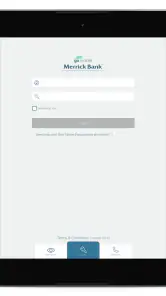
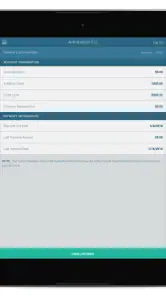
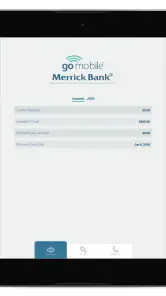

Analysis by Reviewed
When it comes to managing finances on the go, having a reliable mobile banking app is crucial. Enter Merrick Bank Mobile, an app designed to provide users with a seamless banking experience directly from their smartphones. But is it worth downloading? Let's dive into the nitty-gritty of what this app has to offer.
The User Experience
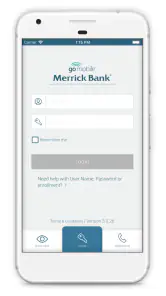
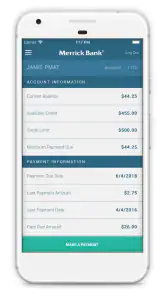
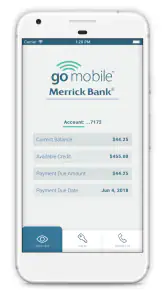
One of the first things you'll notice about the Merrick Bank Mobile app is its clean and intuitive interface. Setting up the app is a breeze, even for those who aren't tech-savvy. The app opens up to a dashboard that gives you a snapshot of your account balances, recent transactions, and available credit. It's like having your bank at your fingertips 24/7.
Features That Stand Out
What sets this app apart from the crowd? For starters, it offers real-time transaction alerts. This means every time you make a purchase or payment, you'll get an instant notification. It's a great way to keep tabs on your spending and ensure there are no unauthorized transactions.
Another cool feature is the mobile check deposit. Gone are the days of rushing to the bank before it closes. Just snap a picture of your check, and voila, it's deposited. It's fast, secure, and saves you a trip to the bank.
Security Measures
In today's digital age, security is a top concern for mobile banking users. Merrick Bank Mobile doesn't disappoint in this area. The app employs advanced encryption technology to protect your data. Plus, it offers fingerprint login, adding an extra layer of security while still being convenient.
I also appreciate the in-app card controls. If you ever lose your card or suspect fraudulent activity, you can freeze your account with just a tap. This feature gives you peace of mind, knowing you can act quickly in case of any issues.
Room for Improvement
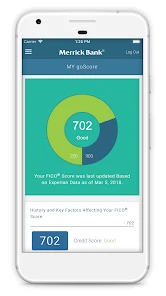
No app is perfect, and Merrick Bank Mobile has room for growth. While it covers the basics beautifully, some users might find the lack of budgeting tools a drawback. It would be great to have features that help manage and categorize spending more effectively.
Moreover, while the app is generally stable, there are occasional reports of glitches. A few users have experienced issues with mobile check deposits not going through on the first try. These are minor hiccups but worth mentioning.
In conclusion, Merrick Bank Mobile is a solid choice for anyone looking to manage their finances on the go. Its user-friendly interface, combined with robust security features, makes it a standout in the mobile banking space. While it could benefit from additional budgeting tools, its core functionalities are strong enough to meet the needs of most users. If you're a Merrick Bank customer, this app is definitely worth a download!
Pros
- User-friendly interface
- Quick account access
- Secure login methods
- Real-time account updates
- Easy bill payment
Cons
- Limited features
- Occasional app crashes
- Slow customer support
- No fingerprint login
- Basic design

- Category
- Finance
- Version
- 4.36.6











