LifeUp: Gamify Tasks & Habits
- 629.00
- 4.7
- Installs
- 100.00K
- Price
- $4.99

Screenshots
Analysis by Reviewed
I found the most interesting test for a gamified planner isn’t whether it makes a single chore feel exciting; it’s whether the system still feels useful after the novelty wears off. That matters even more in a household, where routines are shared but motivation and priorities are personal. LifeUp: Gamified To Do List is a productivity app from LifeUp Apps that gives everyday tasks a role-playing-game flavor. I’d treat it as a personal motivation tool first, rather than assuming it will coordinate everyone’s plans for them.
One household, different task lists
Picture a busy weekday: I need to clear the kitchen, sort a delivery, and make time for an errand, while someone else in the home has their own commitments. LifeUp can make my side of that workload feel more approachable by giving me a reason to return to my list. But the useful household arrangement is to agree on responsibilities outside the app, then let each person manage their own tasks. A shared screen or device doesn’t automatically make a private checklist a reliable family rota.
That distinction is worth keeping in mind if you’re choosing between LifeUp and a conventional shared to-do list. A standard list is usually the simpler fit when several people need to see, assign, and update the same chores. LifeUp’s appeal is different: it adds a personal reward loop to tasks. I would choose it for the person who needs a nudge to start, not as the household’s sole source of truth for who is doing what.
Set boundaries before the rewards get involved
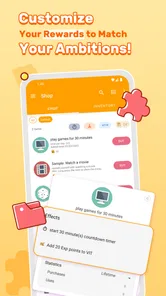
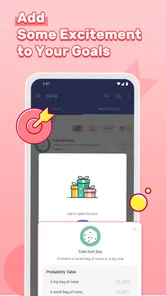
The custom reward idea is most useful when rewards are proportionate and genuinely welcome. I’d start with modest, personal treats rather than making essential family privileges depend on points. For a shared device, I’d also make a clear habit of checking whose task list is open before adding or completing anything. That simple boundary avoids confusing one person’s progress with another’s and keeps the app’s game-like economy from becoming a household argument.
LifeUp is a paid app, priced at $3.99, with in-app purchases listed at $2.99 per item. I’d consider that cost in light of how much you expect to use the custom system: if you only want a bare checklist, a free or simpler planner may be the better fit. The app is rated for Everyone, but that age label is not a substitute for a parent deciding whether a child should use a reward-based task system or share a device. I’d keep expectations and account boundaries clear rather than assume the app provides family controls.
Who gets the most from this approach?
I think LifeUp suits people who enjoy setting their own incentives, like seeing progress represented as a game, and are willing to spend a little time shaping tasks and rewards. It can also work for an adult trying to make repetitive home routines less easy to postpone. It is less suitable for someone who finds points distracting, wants a completely frictionless checklist, or needs dependable multi-person assignment and coordination in one place. If household accountability matters more than individual motivation, a shared chore planner is likely the better starting point.
A practical way to try the approach is to begin with a short list of recurring responsibilities and one reward that feels reasonable, then see whether the loop helps you follow through. Avoid assigning an elaborate point value to every small action at first: maintaining the system can become another chore. That trade-off is easy to miss with gamified productivity. The strongest setup is not necessarily the most detailed one; it’s the one you can keep using without turning planning into a separate project.
More From Our News Desk

Weather by Xiaomi Review: Clear at a Glance, Less Clear Up Close

X Under Pressure: Can It Recover When Posting Goes Wrong?

Clash of Clans Is Won Between the Battles

Android Auto Makes the Case for Quieter Car Software

MobiOffice: Transforming Mobile Productivity with Seamless Integration

EA SPORTS FC™ Mobile Soccer: Redefining Mobile Sports Gaming
LifeUp has an average rating of 4.6 from around 6,400 ratings, with over 100,000 installs. It was released on April 27, 2019, and version 1.101.1 supports Android 5.0 and later. Those details give a useful snapshot of the app’s reach and compatibility, but the decision for a household still comes down to whether each person wants a personal game-like task system or whether everyone needs one shared list.
Turning Tasks into Adventures
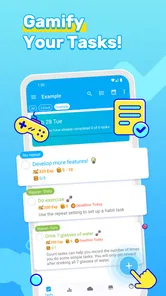
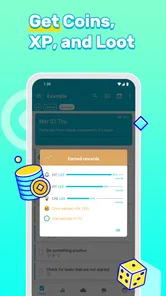
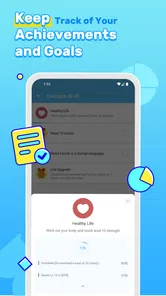
Right off the bat, what sets LifeUp: Gamified To Do List apart is its gamification aspect. Imagine every task you complete earning you points, leveling up your character, or even unlocking achievements. It’s like playing a role-playing game, but instead, you’re slaying the dragons of procrastination. The user interface is intuitive and colorful, making navigation a breeze. The app allows you to create custom tasks, set deadlines, and even categorize them to suit your personal or professional goals.
Features That Stand Out
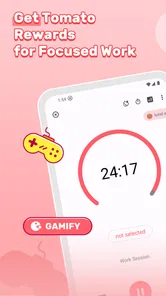
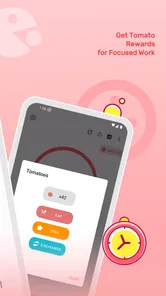
One feature I particularly loved is the ability to track both habits and tasks. It’s not just about checking off a list; it’s about building positive routines. You can set daily, weekly, or monthly goals, and the app keeps track of your progress. Plus, it sends you reminders so you never miss a beat. Another cool feature is the rewards system. You earn coins by completing tasks, which you can then use to "purchase" rewards within the app. Whether it’s a guilt-free Netflix binge or a sweet treat, these rewards add a motivational twist to your productivity.
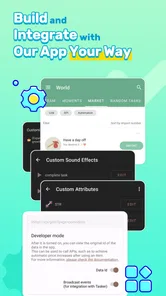
The app also allows for a lot of personalization. You can customize your avatar, choose different themes, and even create your own reward system. It’s perfect for those of us who enjoy adding a personal touch to everything we do. Plus, if you’re feeling particularly creative, you can share your tasks and achievements with friends, turning productivity into a social experience.
My Personal Experience
I’ve been using LifeUp for a couple of weeks now, and honestly, it’s been a game-changer. No longer do I dread my to-do list; instead, I look forward to completing tasks just to see my avatar level up. There’s a certain satisfaction in watching your character grow as you conquer real-life quests. It’s helped me stay organized and motivated, which is something I struggled with using traditional planners.
In conclusion, if you’re someone who thrives on incentives and enjoys a touch of fun in your routine, LifeUp might just be the app for you. It’s more than just a to-do list; it’s a lifestyle enhancer that brings a bit of joy to everyday tasks. So why not give it a try? You might find yourself, like me, looking forward to tackling your to-do list with renewed vigor.
LifeUp: Gamify Tasks & Habits Frequently Asked Questions
Is LifeUp suitable for someone who wants a simple way to organize everyday tasks?
LifeUp is a productivity app built around managing tasks through a personal game-like system. Its store summary describes building your own Life RPG, gamifying tasks, leveling skills, and crafting custom rewards. If you enjoy adding a sense of progress to everyday planning, this approach may make routine task management feel more engaging than using a plain checklist.
What is LifeUp: Gamified To Do List and how does it work?
LifeUp: Gamified To Do List is a productivity app that turns your daily tasks into a game. By completing tasks, users earn experience points and rewards within the app, motivating them to stay productive. The app offers features such as task tracking, habit building, and goal setting, all wrapped in a gamified interface that makes managing tasks more engaging and fun.
How does the gamification aspect of LifeUp enhance productivity?
LifeUp uses gamification by incorporating game-like elements such as levels, achievements, and rewards into your task management routine. This approach makes completing tasks more enjoyable and motivating by providing a sense of accomplishment and progress. Users are encouraged to complete tasks to earn points and rewards, which can be used to unlock new features or customize their experience within the app.
Can LifeUp be customized to fit individual needs and preferences?
Yes, LifeUp offers various customization options to cater to individual preferences. Users can create custom tasks, set personalized goals, and adjust the app's appearance to match their style. The app also allows for the customization of notifications and reminders, ensuring that users can tailor their experience to best suit their productivity needs and lifestyle.
Is LifeUp available on both Android and iOS platforms?
LifeUp is available for download on both Android and iOS devices. Users can find the app on the Google Play Store for Android devices and the Apple App Store for iOS devices. The app is designed to provide a seamless experience across different platforms, ensuring that users can access their tasks and progress from any device they choose to use.
Pros
- Boosts productivity with gamification.
- Customizable task categories.
- Syncs across multiple devices.
- Includes rewards for task completion.
- Integrates with calendar apps.
Cons
- Limited free features.
- Complex interface for beginners.
- Some features require in-app purchases.
- Occasional sync issues.
- No offline mode.











