

LifeMD: Telehealth Services
- 735.00
- 4.7
- Installs
- 100.00K
- Price
- Free

Screenshots
Analysis by Reviewed
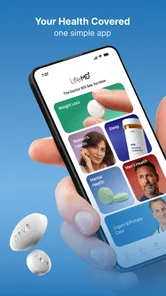
When I look at a medical app, I do not judge it by how polished the opening screen feels. I want to know whether it makes a stressful health decision easier without pretending to replace proper medical care. LifeMD: Telehealth Services takes a broad virtual-care approach, bringing urgent care, weight support, and wellness into one service from LifeMD. That combination is its defining capability, and it is also the reason some people will find it useful while others may prefer a more focused medical app.
I tested it with the mindset of someone who wants a practical first step rather than a long search through separate healthcare services. The app is free to install, carries a Teen content rating, and is available for Android devices running version ten or later. Its current version is 76.0.0, and it has built a strong public presence with an average rating of 4.7 from around 4.4 thousand ratings. Those figures suggest that the basic experience works well for many people, but they do not remove the need to think carefully about what kind of care you actually need.
One virtual-care starting point for several everyday needs
The most important idea here is not simply that LifeMD lets you contact healthcare professionals remotely. Many services do that. The more useful distinction is that it places different kinds of support behind one healthcare app. A person looking for help with a non-emergency concern can begin in the same general environment as someone exploring weight support or broader wellness guidance.
That matters because real health questions rarely arrive in neat categories. I might wake up with a problem that feels urgent but not life-threatening, while another week I may want structured help with a longer-term health goal. Using one service can reduce the mental effort of deciding which specialist app to download first. It also gives the experience a more continuous feel than jumping between unrelated platforms.
At the same time, I would not mistake a wide range of services for a complete replacement for a primary-care relationship. Virtual care is most useful when the issue can be discussed clearly through a remote consultation and when the situation does not require immediate physical examination, emergency treatment, or equipment that is only available in person. LifeMD can help with access and direction, but it cannot make every medical problem suitable for a phone.
The app’s medical category is important here. It is not a general fitness tracker dressed up as healthcare, and I would not use it as a simple source of motivational notifications. The better way to think about it is as a digital front door: a place to begin a health conversation, understand the next step, and decide whether remote support fits the situation.
What the unified approach changes
In my experience, the real benefit of combining urgent care, weight support, and wellness is reduced friction at the beginning. Instead of researching several providers while feeling unwell, I can start with the service I already know. That is especially helpful when I am unsure whether a concern belongs in an urgent-care conversation or a longer-term wellness plan.
More From Our News Desk

 Instagram
Instagram’s Power Comes From Its Place in Your Phone
A close look at how Instagram turns Meta’s reach, recommendation systems and everyday camera habits into durable platform power—and what that costs users.

 Gmail
GmailGmail in a Busy Inbox: Who Benefits Most?
From first account to crowded workday, Gmail earns its place through dependable search and flexible sorting—but its best fit depends on how much inbox maintenance you can tolerate.

 Prime Video
Switching to Prime Video: What Changes in Your Viewing Routine
Prime Video can make a compelling second home for streaming, but switching means learning a different catalog, rental layer, and route from browsing to playback.

 Universal TV Remote Control
Universal TV Remote Control Works Best as a Reliable Backup
A phone remote earns its place through quick setup and reliable habits. Here is how to get more from Universal TV Remote Control—and where its limits show.

 Weather - By Xiaomi
Weather by Xiaomi Review: Clear at a Glance, Less Clear Up Close
Xiaomi’s weather app makes everyday forecasts quick to scan, but its calm surface can leave useful details and recovery paths harder to find than they should be.

 X
XX Under Pressure: Can It Recover When Posting Goes Wrong?
A resilience-focused review of X, examining setup, mistaken posts, interruptions, weak connections, and the gaps that matter when recovery needs to be dependable.
Latest News



There is also a useful psychological advantage. A person who feels embarrassed about discussing weight or uncertain about asking for health advice may be more likely to start when the same app already handles ordinary care questions. The app does not make the conversation effortless, but it lowers the number of decisions required before the conversation can begin.
My caution is that a broad menu can also create uncertainty. If an app covers several areas, I still need to describe my symptoms accurately and choose the right kind of help. A virtual service cannot diagnose a serious condition simply because I selected the closest-looking option. The strongest use of LifeMD is therefore guided access, not self-diagnosis.
How the experience works in practice
The sensible workflow is to begin by defining the problem in plain language. I would write down when it started, whether it is getting better or worse, what I have already tried, and any information a clinician would need to understand the situation. Doing this before opening a consultation is a small but valuable habit. It prevents the conversation from becoming a rushed attempt to remember details under pressure.
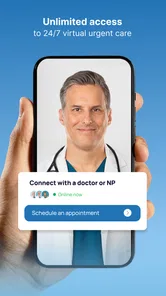
For an urgent-care concern, I would use the app as a way to seek professional guidance for a problem that feels important but does not appear to require emergency services. That distinction is critical. Severe breathing difficulty, signs of a stroke, major injury, heavy bleeding, or another immediate danger should not wait for a telehealth workflow. In those situations, emergency services or an emergency department are the appropriate choice.
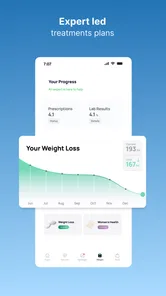
For weight support, I would approach the app with realistic expectations. The useful question is not whether a digital service can produce a quick result. It is whether remote medical guidance can fit into my routine well enough that I can follow through. Before starting, I would prepare a list of current medications, existing conditions, previous weight-related efforts, and the goal I actually want to pursue. That makes the consultation more productive and helps keep the discussion grounded in personal health rather than generic advice.
The same preparation helps with wellness conversations. “I want to feel healthier” is understandable, but it is difficult to act on until it becomes something more specific, such as improving a daily routine, understanding a recurring concern, or deciding what kind of professional support is appropriate. LifeMD is more useful when I bring a concrete question instead of expecting the app to discover the question for me.
A realistic evening scenario
Imagine that I develop a persistent but manageable symptom after regular clinic hours. I am uncomfortable, but I do not have signs of an immediate emergency. Rather than searching the web, guessing from symptom pages, and worrying about whether a clinic is open, I can use LifeMD as a starting point for remote medical guidance. I would keep my health history nearby, describe the change clearly, and use the consultation to understand what to do next.
The important result in that situation is not necessarily receiving a treatment through the screen. It is getting a better decision path. I may learn that home monitoring is reasonable, that I should arrange an in-person appointment, or that the symptom deserves faster attention. That kind of direction can be more valuable than a vague online answer because it connects the concern with a professional conversation.
There is a second scenario where the unified design makes more sense. Suppose I have already been thinking about weight management but keep postponing it because finding a suitable service feels complicated. If I am already using LifeMD for another health question, the barrier to exploring weight support is lower. I can treat it as a separate, deliberate conversation rather than trying to solve everything in one appointment.
That separation matters. I would not combine an urgent symptom and a long-term weight goal into one rushed discussion. The app may bring both areas together, but I still need to give each concern enough attention. A good workflow is to identify the immediate issue first, then return to longer-term support when there is time to discuss it properly.
Questions I would answer before relying on it
One practical question is whether the app costs anything to download. LifeMD is free, which makes trying the service less risky at the installation stage. Free access to an app should not automatically be interpreted as free access to every medical service, so I would review the terms shown during the specific care pathway before assuming there will be no later cost. That is a sensible step with any healthcare platform.
Another question is whether a teenager can use it. The content rating is Teen, but age suitability and medical eligibility are not the same thing. A younger user should involve a parent or guardian where appropriate and should follow the service’s own requirements rather than assuming that the rating answers every access question.
People also often ask whether a telehealth app can replace their doctor. I would say no. LifeMD is best used as an additional route to medical guidance, especially when convenience matters or when a concern needs an initial professional assessment. It is not the right sole resource for complex ongoing care that depends on physical examinations, detailed records, or close coordination among several specialists.
Finally, I would ask whether it is available on my device. The Android requirement is version ten or later, so users on older systems may need to update their phone or choose another route to care. That is a minor issue for many people, but it becomes important when the app is needed urgently and the device has not been maintained.
The tradeoffs behind convenient remote care
The biggest strength is convenience, but convenience can hide a tradeoff. A remote consultation removes travel and waiting-room friction, yet it also depends on the quality of what I communicate. If I leave out a medication, describe a symptom vaguely, or minimize a change that seems embarrassing, the clinician has less information to work with. The app makes access easier; it does not make preparation optional.
Another limitation is the absence of hands-on assessment. Some symptoms are difficult to evaluate without seeing, touching, listening, or measuring the patient directly. Even when a clinician can offer useful guidance remotely, the next step may still be an in-person appointment. I see that not as a failure of LifeMD, but as a boundary that users should understand before they choose virtual care.
The broad service model can also feel less personal than a long relationship with one family doctor. A regular doctor may already know my history, patterns, and previous test results. With a digital service, I may need to explain more context each time. Keeping a concise personal health summary on my phone is a practical workaround: current medicines, allergies, major conditions, recent changes, and the questions I want answered.
Weight support deserves extra care because it can be emotionally sensitive. A useful service should help me discuss health without reducing the subject to a number or a quick promise. I would be cautious about any plan that feels rushed, ignores existing conditions, or treats the same approach as suitable for everyone. The advantage of remote access is convenience, but the quality of the conversation still depends on whether the guidance accounts for the individual.
Wellness support has a different tradeoff. It can be a helpful bridge between vague concern and a more focused plan, but it may feel too general if I want detailed specialist care. Someone seeking highly specific nutritional, psychological, or exercise support may be better served by a dedicated professional who works in that area. LifeMD is strongest when I value a common entry point more than a narrowly specialized tool.
I also would not choose it for emergencies, complex diagnostic work, or situations where I already know I need immediate physical treatment. In those cases, the usual alternatives—emergency services, an urgent physical clinic, or my established doctor—are more appropriate. The app’s value is not that it wins every comparison. Its value is that it offers a convenient option for the situations that genuinely fit remote care.
Small habits that make the service more useful
My first tip is to prepare a short timeline instead of a long story. Note the first noticeable change, what happened next, and what is happening now. This gives a clinician a clearer picture and helps me avoid focusing only on the most recent symptom.
My second tip is to separate immediate questions from planning questions. If I am contacting urgent care, I should first ask what action is safest now. If I am exploring weight support or wellness, I can use a separate conversation to discuss goals and follow-up. This prevents the convenience of one app from turning into an unfocused appointment.
My third tip is to treat the app as part of a personal record-keeping routine. After a consultation, I would write down the advice, warning signs to watch for, and any recommended next step. That makes it easier to notice changes and to give an in-person clinician an accurate account later. The app may open the conversation, but my own notes help carry it forward.
A fourth useful habit is to check the technical side before I need care. Keeping the app updated, confirming that the phone meets the minimum operating-system requirement, and making sure I can use the device comfortably are simple preparations. They matter more for a health service than they would for an entertainment app because frustration at the wrong moment can delay a decision.
Who benefits most from LifeMD
I think LifeMD is a good fit for adults and families who want a recognizable virtual-care starting point for several kinds of health needs. It is particularly appealing if travel is difficult, clinic schedules do not match daily life, or the uncertainty of choosing between urgent care and longer-term support is a recurring problem. The combined approach can save time and reduce the number of separate services I need to remember.
It also suits people who are comfortable taking an active role in a consultation. I need to explain what is happening, provide relevant background, answer questions honestly, and follow through on the recommended next step. Someone expecting the app to diagnose everything automatically will probably be disappointed, while someone looking for professional direction may find it genuinely practical.
The app is less suitable for a person who already has a well-established doctor and needs highly coordinated, ongoing management from that same clinician. It is also a poor choice for emergencies, conditions requiring physical examination, or concerns that demand immediate testing. In those situations, an in-person alternative is not merely less convenient; it is the safer match.
Its adoption is already substantial, with more than one hundred thousand installs, and the public response is positive. I take that as encouragement to try it, not as a guarantee that every consultation will fit every person. Medical experiences are personal, and a high rating cannot replace checking whether the service matches the kind of care I need.
After using it, my view is that LifeMD succeeds when I treat it as a practical gateway rather than a complete healthcare system. The free app gives me a convenient place to begin, the combination of urgent care, weight support, and wellness is more useful than a single-purpose entry point, and the remote format can make an uncomfortable decision feel more manageable. Its limits are equally clear: it cannot handle emergencies, it cannot reproduce every benefit of an in-person examination, and it works best when I arrive prepared.
My recommendation is simple: choose LifeMD when access and direction are your main problems, but keep the boundaries of telehealth in mind. For a non-emergency question, a structured weight-support conversation, or a wellness concern that needs professional guidance, it can be a sensible first step. For urgent danger, complicated ongoing care, or a problem that clearly needs hands-on assessment, I would skip the app and contact the appropriate in-person service instead.
LifeMD: Telehealth Services Frequently Asked Questions
What devices and operating systems can I use LifeMD on?
LifeMD is a medical app for accessing virtual health services, including urgent care, weight support, and wellness. Before downloading, check that your device meets the app’s operating-system requirements and that you can access the app store on your phone. The app is free to download, though care, programs, and related services may involve separate costs.
Is LifeMD free to use, or are there costs after downloading?
The app is free to download, but that does not necessarily mean consultations, treatment programs, medications, or follow-up care are free. LifeMD may offer services through membership plans or self-pay pricing, and costs can differ depending on the consultation, treatment program, medication, and care required. Review the current terms and fees before signing up so you understand the potential costs.
What is LifeMD: Telehealth Services, and what can I use it for?
LifeMD is a telehealth platform that connects users with licensed healthcare professionals through online consultations. Depending on your location and eligibility, it may offer help with general medical concerns, prescription management, mental health, weight management, men’s and women’s health, and other specialized services. Available care areas, pricing, and treatment options can vary by state and by the specific program you select.
Do I need health insurance to use LifeMD?
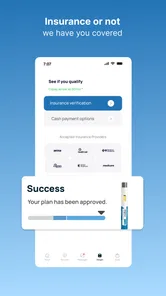
You may be able to use LifeMD without traditional health insurance, since many services are offered through membership plans or self-pay pricing. However, costs differ depending on the consultation, treatment program, medication, and any follow-up care required. Before signing up, review the current membership terms, consultation fees, pharmacy charges, and cancellation policy so you understand the total potential cost.
Can LifeMD prescribe medication through an online appointment?
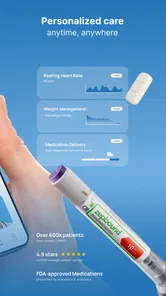
In some cases, a LifeMD provider can prescribe medication after reviewing your symptoms, medical history, current medications, and overall eligibility. Prescribing is not guaranteed, and certain medications may require an in-person examination, laboratory testing, or additional documentation. Laws and prescribing rules differ by location, and controlled substances or specific treatments may not be available through the platform.
Pros
- Convenient access to licensed clinicians from home
- Appointments are often available outside standard office hours
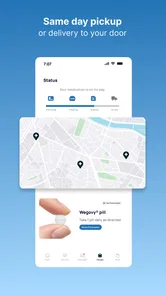
- Prescription delivery may be available in eligible locations
- Supports ongoing care for some chronic health needs
- Digital visits can reduce travel and waiting-room time
Cons
- Service availability and treatments vary by state
- Consultation and medication costs may not be covered by insurance
- Not suitable for emergencies or complex in-person examinations
- Some prescriptions require additional follow-up or lab work
- Response times may vary during busy periods











