

Learn how to draw - ArtWorkout
- 5.58K
- 4.4
- Installs
- 10.00M
- Price
- Free

Screenshots
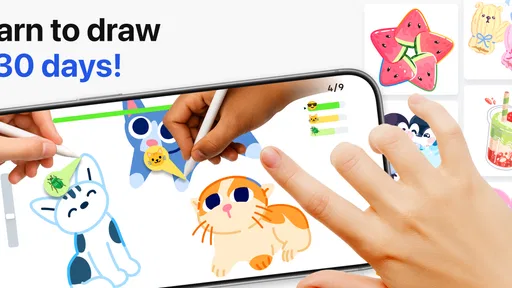
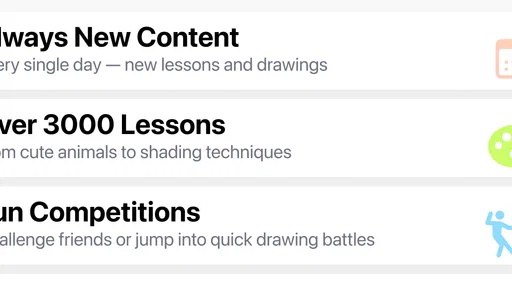
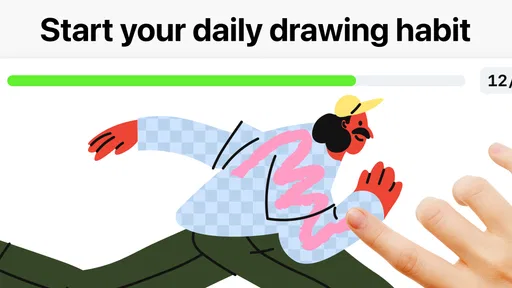
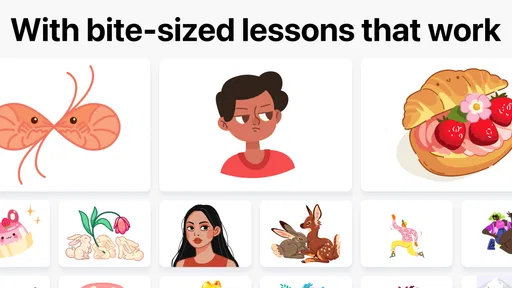


Analysis by Reviewed
I like drawing apps best when they make it easy to start practicing instead of leaving me staring at a blank canvas. Learn how to draw - ArtWorkout aims to do that by turning drawing into a guided activity, with room for sketching, coloring, painting and handwriting practice. It feels most useful as a friendly way to build a habit, rather than a replacement for a full-featured digital art studio.
Why guided practice can make starting easier
The difference between wanting to draw and actually drawing is often the first decision: what should I make, and where do I begin? A guided activity can remove some of that hesitation. Rather than asking me to invent a subject and plan a whole image, it gives the session a narrower focus. That can be a real advantage on a busy day, when I want to practice but don’t have the energy to design an exercise from scratch.
It also changes what a successful session looks like. Instead of judging the result only by whether it could be shared or framed, I can pay attention to whether I followed a shape, made a steadier line, or stayed with a subject longer than I normally would. That shift is useful for newer artists, who can otherwise mistake an imperfect result for a lack of progress.
A guided approach that lowers the barrier
The main appeal is having a prompt and a sequence to follow. When I’m short on ideas, a guided exercise gives me somewhere to begin and helps break an unfamiliar subject into manageable parts. That can be especially reassuring for someone who has mostly drawn casually and isn’t sure how to practice deliberately.
A useful way to get more from that structure is to repeat a lesson rather than rush through a long string of exercises. I’d pause after a step that feels difficult, try it again, and compare the result with my first attempt. This makes practice feel less like completing a checklist and more like noticing what my hand and eye are learning.
How to make a short session count
A good way to fit the app into a routine is to decide on a stopping point before starting. For instance, I might choose one drawing exercise during a quiet break, work through it without trying to make the result perfect, and leave the rest for another day. This keeps a quick creative pause from turning into an open-ended session that competes with other plans.
If a step feels confusing, I’d avoid racing ahead just to finish. I’d take a moment to look at the shapes involved, make a small attempt, and then continue. The point is not to turn every practice session into formal study; it is to give attention to one manageable challenge. That approach is especially helpful for someone who tends to open an art app, browse for ideas, and close it without putting pencil to screen.
More From Our News Desk

 Gmail
GmailGmail in a Busy Inbox: Who Benefits Most?
From first account to crowded workday, Gmail earns its place through dependable search and flexible sorting—but its best fit depends on how much inbox maintenance you can tolerate.

 Prime Video
Switching to Prime Video: What Changes in Your Viewing Routine
Prime Video can make a compelling second home for streaming, but switching means learning a different catalog, rental layer, and route from browsing to playback.

 Universal TV Remote Control
Universal TV Remote Control Works Best as a Reliable Backup
A phone remote earns its place through quick setup and reliable habits. Here is how to get more from Universal TV Remote Control—and where its limits show.

 Weather - By Xiaomi
Weather by Xiaomi Review: Clear at a Glance, Less Clear Up Close
Xiaomi’s weather app makes everyday forecasts quick to scan, but its calm surface can leave useful details and recovery paths harder to find than they should be.

 X
XX Under Pressure: Can It Recover When Posting Goes Wrong?
A resilience-focused review of X, examining setup, mistaken posts, interruptions, weak connections, and the gaps that matter when recovery needs to be dependable.

 Clash of Clans
Clash of Clans Is Won Between the Battles
Its raids are quick; its community is a long-term project of coordination, teaching, rivalry, and shared responsibility—with all the friction that entails.
Latest News



A Sketchy Start: Getting to Know the App
First off, the app's interface is as smooth as a well-sharpened pencil gliding over paper. Upon launching ArtWorkout, you’re greeted with an intuitive design that makes navigation a breeze. The app’s warm color palette feels inviting, almost like a cozy art studio waiting for your creative flair. You’ll find a range of categories to dive into, whether it's portraits, landscapes, or even funky doodles.
Features That Draw You In
Let’s talk features, because this app is packed with them! One of the standout aspects is the step-by-step tutorials. These are perfect for both beginners and seasoned artists looking to refine their skills. Each tutorial breaks down complex drawings into manageable steps, making it seem like you’ve got a personal art coach right there with you.
Another nifty feature is the augmented reality (AR) mode. This allows you to overlay your drawings onto real-world surfaces, giving you a unique perspective on how your art would look in different environments. It’s a fun twist that keeps things fresh and exciting.
Choosing between lessons and open-ended drawing
It helps to be clear about what you want from a drawing tool. ArtWorkout’s guided format is strongest when I want a nudge, a subject, or a sequence to follow. A conventional blank-canvas app is usually a better fit when I already have a specific composition in mind and want to decide every detail of the process myself. Those are different jobs, and it’s reasonable to keep both kinds of tool available rather than expect one to cover everything.
For example, if I were planning a polished illustration with carefully arranged layers and detailed edits, I’d reach for a dedicated art program. If I wanted to practice drawing a subject without spending the first ten minutes choosing one, I’d be more likely to open a guided exercise. That distinction is worth considering before installing: the app’s value depends less on how ambitious the finished picture is and more on whether its structure helps you draw at all.
How it fits into a real routine
In everyday use, I’d treat it as a short creative break rather than a serious studio session. For example, if I have a few minutes after lunch, I can open a lesson, focus on one small exercise, and stop before it becomes another obligation. The key is to choose a manageable task and return to it regularly; a guided app can help with that, but it can’t supply the patience or practice for you.
AR is best approached as a playful aid, not a substitute for learning proportion or observing real subjects. I’d use it to try a different viewpoint or make a drawing feel more connected to the room around me, then return to ordinary sketching to work on the fundamentals. If that kind of visual experiment doesn’t interest you, the core guided drawing experience is the more relevant reason to try the app.
Making AR useful without letting it take over
The AR option is most appealing when I want to change the setting of a drawing session or see a sketch in relation to a real space. I’d treat it as a way to spark curiosity, not as a shortcut to better drawing. A projected reference can make an exercise feel playful, but observing shapes and making decisions still matter; the feature won’t automatically teach proportion or turn a rough sketch into a finished piece.
That also makes AR a feature I’d judge by personal taste. If experimenting with a drawing in your surroundings sounds fun, it gives the app another mode to explore. If you prefer a quiet, straightforward lesson, you can focus on the guided practice instead. It is a bonus for people who enjoy visual experimentation, not a reason everyone needs to use the app.
Practice Makes Perfect
If you’re someone who believes in practice makes perfect, you’ll love the workout mode. Here, you can challenge yourself with daily drawing exercises designed to gradually enhance your skills. It’s like having a gym membership, but for your artistic muscles!
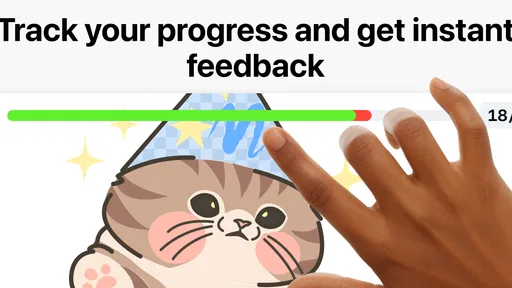
Plus, the app tracks your progress over time, providing insights and feedback on your improvements. This feature is a game-changer for those serious about honing their craft.
What progress can—and can’t—tell you
Progress tracking is most useful to me as a prompt to reflect, not as a verdict on whether I’m talented. A record of practice can help make a regular habit visible, but a number or summary cannot capture every improvement in how I notice shapes, control a line, or stay patient with a difficult subject. I’d use any feedback as one perspective, then look back at earlier work and decide what feels different to me.
It’s also sensible to keep expectations modest at the start. A few sessions can make it easier to get drawing, but artistic confidence and control take repetition. If the first attempt looks awkward, that is not a reason to abandon the exercise. Repeating it later may be more valuable than switching immediately to a new activity in search of a quick win.
What to expect from the format
Guided exercises are a different proposition from a blank-canvas drawing app. They provide a route into practice, while a conventional art program is usually the better choice when you want to control a detailed composition, build a personal workflow, or spend time refining a finished illustration. I’d use ArtWorkout to get moving and explore exercises, then switch tools if my goal were precise editing or a larger independent project.
It also helps to judge progress over a stretch of practice, rather than treating one awkward drawing as evidence that you’re not improving. A lesson can make a task approachable, but it won’t make every result look polished on the first try. If you’re comfortable learning through repetition, that’s part of the value; if you expect instant finished artwork, the format may frustrate you.
What the multiplayer angle means for different learners
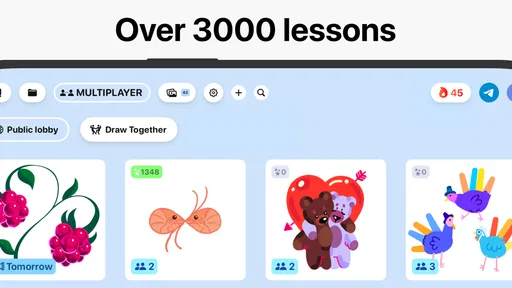
The app is described as a multiplayer drawing game, which gives it a more social identity than a purely solitary sketching tool. That may appeal to someone who finds it easier to stay engaged when drawing is shared or playful. I’d see that side as a different kind of motivation from private practice: it can make the activity feel less like homework, while a learner who wants quiet concentration may prefer to focus on individual exercises.
Social participation is a matter of preference, not a requirement for getting value from drawing practice. If you’re shy about showing unfinished work, you can still approach the app as a place to work on your own skills. If you enjoy creating alongside other people, the multiplayer framing may be a reason to give it a try. Either way, I wouldn’t measure the worth of a session by how much attention a drawing receives.
The Artistic Community
No artist thrives in isolation, and ArtWorkout understands this well. The app boasts a vibrant community feature where you can share your masterpieces and get feedback from fellow art lovers around the globe. It’s a great way to stay motivated and inspired, seeing what others create and learning from them.
Who is likely to enjoy it most?
I’d recommend it to beginners who want direction, casual doodlers looking for a repeatable creative routine, and people who enjoy learning by following visual steps. It can also suit someone who already draws but wants a low-pressure way to keep their hand moving. On the other hand, artists who mainly need advanced editing tools, unrestricted canvas work, or a highly customized production setup will probably be happier with a dedicated drawing program.
There are a few other good reasons to skip it. If you learn best from books, live instruction, or studying real objects without on-screen guidance, this format may not add much to your process. Likewise, someone who wants a finished illustration to print or edit in detail should prioritize a tool built around that result. I’d choose ArtWorkout when the immediate problem is getting practice started, not when the main goal is professional-grade control.
Trying it before committing
The app is free to download, so I’d use the initial experience to find out whether its lessons suit your learning style before spending anything. In-app purchases range from $4.99 to $59.99 per item, so the sensible question is not simply whether a paid option exists, but whether the content or access it offers matches a routine you have already tried. I wouldn’t pay just because I hoped a purchase would make me more consistent; first I’d see whether I naturally return to the exercises.
For a parent choosing an art activity, the age rating is Everyone 10+, so it’s worth checking that guidance against the child’s age and your own expectations. The app is free to start, with in-app purchases ranging from $4.99 to $59.99 per item. I’d explore the experience first and consider any purchase only after deciding that its lessons and routine suit the way you want to practice.
Wrapping Up: Is ArtWorkout Worth It?
So, is Learn how to draw - ArtWorkout worth your time? Absolutely! Whether you’re a doodler looking to upgrade your skills or an experienced artist aiming to keep your abilities sharp, this app offers a comprehensive platform to nurture your talents. With its user-friendly interface, diverse tutorials, and engaging community, it’s a must-have for anyone passionate about drawing.
So grab your stylus or pencil and get ready to embark on an artistic adventure like no other. Happy drawing!
A few practical details before you begin
ArtWorkout is an Art & Design app from developer ArtWorkout, with a 4.3 average from around 220,000 ratings and more than 10 million installs. It was released on December 16, 2024, and version 0.1.69 requires Android 8.0 or later. Those details make it a widely tried option, though popularity alone won’t tell you whether its guided style matches your taste.
One practical tip is to decide what you want from a session before opening the app: follow a lesson to practice a specific subject, use a short exercise to keep a habit alive, or try AR when you want a change of perspective. That small choice makes it easier to avoid tapping around without actually drawing. My verdict is that it’s worth trying if structure helps you begin; choose a conventional art tool instead if control over your canvas matters more than guided practice.
Learn how to draw - ArtWorkout Frequently Asked Questions
Can ArtWorkout be used for multiplayer drawing with friends?
ArtWorkout’s store summary describes it as a multiplayer drawing game, alongside coloring, painting, sketching, and handwriting activities. That makes multiplayer drawing part of its appeal if you want an art app that can be shared with others, rather than focusing only on solo practice. The summary does not describe how multiplayer sessions work, so check the app’s options after installing it to see what suits you.
Who develops ArtWorkout, and when was it released?
ArtWorkout is developed by ArtWorkout and is an app in the Art & Design category. It was released on December 16, 2024, and its current version is 0.1.69. These details can help you identify the app and understand its place among drawing and creative tools, particularly if you are comparing it with other apps before deciding which one to download.
Is ArtWorkout free to download, and what costs should I expect?
ArtWorkout is free to download, so you can try its drawing activities without paying upfront. The app also offers optional in-app purchases, with items ranging from $4.99 to $59.99. Those purchases may provide access to additional content or features. Check the purchase details in the app before confirming anything, especially if you are downloading it for a child.
What age group is Learn how to draw - ArtWorkout intended for?
Learn how to draw - ArtWorkout has an Everyone 10+ content rating, making it a drawing app intended for a broad audience, including older children and adults. Its art and design focus makes it relevant to people who want to practice drawing, coloring, painting, sketching, or handwriting. Parents can review the app together with younger users and decide whether its content and optional purchases are suitable.
What features does 'Learn how to draw - ArtWorkout' offer?
'Learn how to draw - ArtWorkout' offers a variety of features designed to help users improve their drawing skills. These include step-by-step drawing tutorials, interactive exercises, and access to a wide range of drawing tools. The app also provides personalized feedback and progress tracking, making it ideal for both beginners and experienced artists looking to enhance their abilities.
Pros
- User-friendly interface for beginners
- Wide range of drawing tutorials
- Offline access available
- Encourages creativity and practice
- Suitable for all ages
Cons
- Limited advanced drawing features
- Ads can be intrusive
- Some tutorials require purchase
- Occasional app crashes
- Limited community interaction











