Jellyfin
- 525.00
- 4.1
- Installs
- 1.00M
- Price
- Free

Screenshots


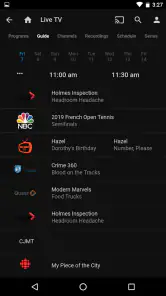
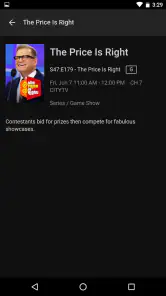
Analysis by Reviewed
I like the idea behind Jellyfin: rather than relying on a ready-made streaming catalogue, you use it to organize and watch media you manage yourself. That makes it a very different kind of video player from apps that simply offer content inside the app. The Android app is free, and for me its appeal is less about replacing every streaming service than having another way to reach a personal library.
What free access means in practice
The app is developed by Jellyfin, is rated for Everyone, and has a 4.1 average from around 6,000 ratings, with more than a million installs. Those figures suggest it has found an audience, but they don’t tell me whether it will suit a particular setup. The important point for a budget-conscious user is straightforward: the app is free. It’s currently version 2.6.3 and supports Android 5.0 or later.
Free access is meaningful here because the experience is tied to your own media arrangement, not a subscription catalogue bundled into the app. I would still separate the app’s price from the effort involved in using it: you need a Jellyfin server and media to watch, so it’s not the quickest choice if you just want to install an app and immediately browse a supplied selection.
Check your setup before relying on it
Before installing, I’d make a simple inventory: where are the videos stored, which device can run the server, and will that device stay on when you want to watch? This small bit of planning can prevent a common disappointment. A phone app can be ready while the library remains unavailable because the computer or storage device hosting it is asleep or disconnected.
For a household, the server can be a shared point of access rather than a collection of separate files copied between phones. That is valuable when several people browse the same library, but it also means one person may need to take responsibility for keeping the setup organized. If nobody wants that role, a ready-made streaming app is a more sensible fit even if it offers less control over the viewing collection.
Getting Started with Jellyfin
So, you’ve heard about Jellyfin and you’re curious to dive into it. First things first, setting it up might seem a bit daunting if you're new to this kind of software, but trust me, it's worth it. The installation process is fairly straightforward. You just need to download the server software from their official website and install it on your preferred device. Whether it's Windows, Linux, or even a NAS, Jellyfin has got you covered.
Before committing, I’d think about where your media lives and who will keep that server available. A home setup can be a good fit when your files are already collected in one place, but it does mean the phone app depends on that arrangement being ready. If you want playback when you’re away from home, plan around the server being accessible; installing the Android app alone doesn’t turn scattered files into a remote library.
More From Our News Desk

Weather by Xiaomi Review: Clear at a Glance, Less Clear Up Close

X Under Pressure: Can It Recover When Posting Goes Wrong?

Clash of Clans Is Won Between the Battles

Android Auto Makes the Case for Quieter Car Software

MobiOffice: Transforming Mobile Productivity with Seamless Integration

EA SPORTS FC™ Mobile Soccer: Redefining Mobile Sports Gaming
Build a library in manageable stages
One practical way to avoid turning setup into a weekend-long cleanup is to begin with a small, representative group of files. Include a film, a few episodes, and anything with naming or artwork you care about. That lets you see how the collection is presented before investing time in moving or renaming everything. If matches are off, correcting a few examples first helps you decide whether your existing folder habits will work.
Think about the server device as part of your viewing routine, not just a one-time installation. A computer that is normally shut down may be fine for occasional home viewing, but it is a poor match for spontaneous access from elsewhere. A device that remains available is more convenient, though it still needs a dependable connection and sensible organization. I’d test the arrangement at the times and places I expect to use it rather than assuming that a successful home test proves remote access will be just as smooth.
So, you’ve heard about Jellyfin and you’re curious to dive into it. First things first, setting it up might seem a bit daunting if you're new to this kind of software, but trust me, it's worth it. The installation process is fairly straightforward. You just need to download the server software from their official website and install it on your preferred device. Whether it's Windows, Linux, or even a NAS, Jellyfin has got you covered.
Features That Stand Out
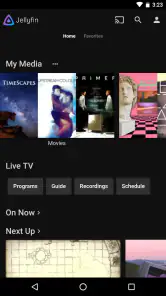
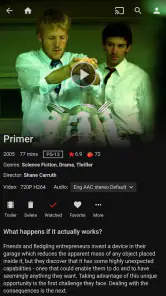
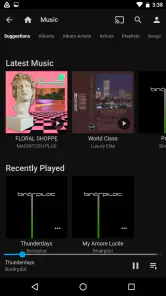
Once you’ve got the server up and running, you’ll be amazed at the range of features the app offers. One of the coolest things is how it organizes your media. It automatically fetches metadata for your movies, TV shows, and music, making your library look super sleek. Plus, you can customize things to your heart’s content. Want to change the cover art? Go ahead. Prefer a different theme? No problem!
That organization is more useful than it first sounds if your collection has grown messy over time. I’d start with a small folder of familiar titles, check whether the information and artwork look right, and only then bring in the rest. That gives you a chance to spot naming or matching problems early, before a large library becomes harder to tidy. Keeping custom artwork in mind also helps if automatic matches don’t reflect how you want your collection presented.
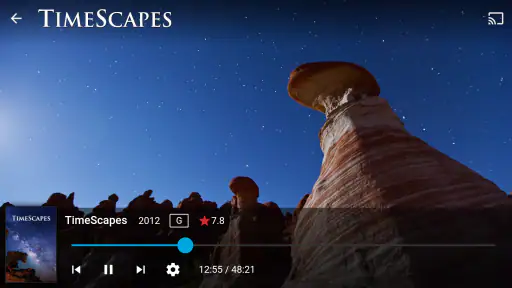
Streaming is a breeze too. You can access your media from anywhere, as long as your server is running. There’s even a mobile app, so you can watch your favorite shows on the go. And the best part? No subscription fees. That’s right, it’s completely free!
A realistic use is starting a film on the living-room setup and later opening the app on your phone to continue browsing your own collection while out. The catch is that “anywhere” depends on the server and your connection being available, so I wouldn’t treat it like an offline-first player for a commute. If you need dependable viewing without a live connection, a player built around files already stored on your device may be the better fit.
Choosing the right playback routine
For a trip or a patchy connection, I’d make the decision before leaving home: will I have access to the server, or do I need a copy of the video on the device? The app’s central idea is reaching a library hosted elsewhere, so it suits connected viewing better than a simple local player. If offline watching is essential, test that need with the files already available on your phone instead of discovering the limitation when you are away.
Another useful habit is to check the whole path when something stutters. Try the same title at home, then over the connection you normally use away from home. If one works and the other does not, that points toward the network or server availability rather than immediately blaming the player. This kind of comparison is especially helpful because Jellyfin is a system made of an app and a server, not just a video screen on the phone.
For families or housemates, a personal library can also make shared viewing less fragmented: people can browse the same collection instead of maintaining duplicate copies on separate devices. The trade-off is that the person who manages the server becomes the unofficial librarian. Clear folder names and a small test library make that job easier, while an untended collection can become frustrating when titles are missing or incorrectly identified.
Personal Experience and Usability
From my personal experience, using Jellyfin has been a game-changer. I love how user-friendly the interface is. Even if you’re not tech-savvy, you’ll find it easy to navigate. The playback quality is top-notch, and I haven’t encountered any major buffering issues. It’s like having your own personal Netflix, minus the monthly cost.
There is an important difference behind that comparison: conventional streaming apps are usually simpler when you want to press play without managing a library, while Jellyfin gives you more control over your own media and asks you to take responsibility for the server side. I’d choose it for a household collection that I want to organize and access across devices; I’d choose a standard streaming service for effortless access to a broad ready-to-watch catalogue.
However, it’s not all sunshine and rainbows. If you’re looking for third-party plugin support, you might find it a bit limited compared to other paid services. But hey, for a free solution, it’s something I can overlook.
The main trade-off for a new user is the learning curve before the first smooth viewing session. You may need to get comfortable with the server, library organization, and keeping it running. I’d also avoid assuming that every playback problem is an app problem: the server, network, and media setup all affect the experience. A quick test with one familiar video at home and then on mobile is a sensible way to see whether your setup meets your needs.
Where the trade-offs matter most
The most important question is not whether the app costs money, but whether you want the responsibilities that come with personal media hosting. Free access makes it easy to try without paying for the Android app, but the value depends on already having media and being willing to arrange a server. That distinction matters: it is not a free substitute for a subscription library if what you want is a catalogue supplied for you.
Compared with local-file players, Jellyfin asks for more setup but can make a collection available through a central library rather than tying playback to files copied onto one device. Compared with commercial streaming apps, it offers a different kind of control, not the same convenience or breadth of ready-to-watch titles. I’d pick according to the source of the videos I actually watch, not just which interface looks more polished.
I’d also be cautious about promising yourself a perfect experience across every device and network before trying it. A title that plays well at home still relies on the server being reachable when you leave. If you mostly watch short clips stored directly on your phone, a simpler player is likely less work. If you want a personal collection available around the home, the extra setup can feel worthwhile.
Conclusion: Is Jellyfin Right for You?
All in all, if you’re looking for a cost-effective way to manage your media collection, the app is definitely worth considering. It’s packed with features, offers great customization, and lets you stream your media without any pesky subscription fees. Sure, it might require a bit of a learning curve at the start, but once you get the hang of it, you’ll wonder how you ever lived without it.
I’d recommend trying it if you already have a personal collection, are comfortable setting up a server, and value control over a polished, zero-setup catalogue. If you mainly watch on your phone, don’t have media to organize, or don’t want to maintain a server, this is probably not the right app for you. In those cases, a conventional video service or a local-file player is likely more convenient.
So, are you ready to take control of your media? Dive into the world of Jellyfin and experience the freedom of open-source streaming.
Jellyfin Frequently Asked Questions
Does Jellyfin require an account or a subscription to get started?
Jellyfin is free to use, with no subscription fee required to enjoy its media-server features. You connect the app to a Jellyfin server and sign in with a user account created for that server. This makes it a useful option for people who want to organize and stream their own media without relying on a paid streaming plan.
What is Jellyfin and what does it do?
Jellyfin is a free, open-source media server application that allows users to manage and stream their personal media, such as movies, TV shows, music, and photos, to various devices. It supports multiple users, offers a rich interface for browsing and playing media, and provides customizable server settings. Jellyfin aims to provide a privacy-respecting alternative to other media servers without any subscription fees or tracking.
How do I install Jellyfin on my device?
To install Jellyfin, you need to download the server software from the official Jellyfin website. It is available for various platforms, including Windows, Linux, macOS, and Docker. After installing the server, you can access it from any web browser or use the Jellyfin app available for Android, iOS, and other smart devices. Follow the setup wizard to configure your media library and user accounts. The Android app requires Android 5.0 or later.
Can I use the Jellyfin app without running a server?
Jellyfin is designed to connect to a Jellyfin server, where your media library and user accounts are managed. The mobile app acts as a way to browse and play media from that server rather than serving as a standalone library for content stored only on your phone. Plan to set up or have access to a server before downloading if you want to use the app’s main features.
Is Jellyfin safe and secure to use?
Yes, Jellyfin is designed with privacy and security in mind. Since it is open-source, the code is transparent, allowing users to review and verify its safety. Unlike other media server solutions, Jellyfin does not track user activity or require a subscription. However, it's essential to ensure your server is secured, especially if you plan to access it remotely, by using strong passwords and enabling secure connections (HTTPS).
Pros
- Open-source media server.
- Supports multiple users.
- Customizable interface.
- Compatible with various devices.
- No subscription fees.
Cons
- Requires technical setup.
- Limited third-party integrations.
- No official mobile app.
- Manual updates needed.
- Community-based support.
- Category
- Video Players & Editors
- Version
- 2.6.3












