Hexa AI: Logo & Design Creator
- 309.00
- 4.5
- Installs
- 1.00M
- Price
- Free
Screenshots
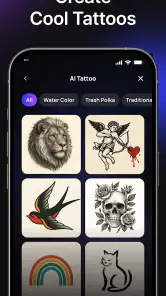
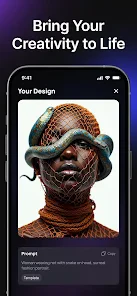
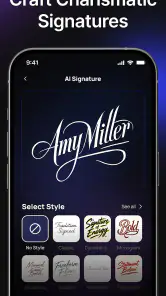

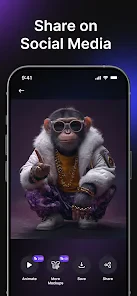
Analysis by Reviewed
Hexa AI: Logo & Design Creator is a dynamic app that caught my attention with its innovative features and user-friendly interface. As someone who dabbles in graphic design, I was excited to see what this app could offer, especially with its promise of leveraging AI to create stunning designs. Let me take you through my experience with this fascinating app.
Unveiling the Power of AI in Design
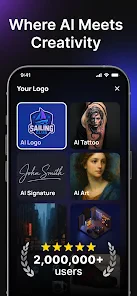
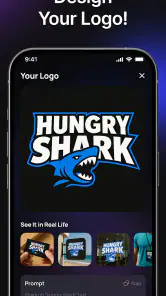
Imagine having a personal design assistant in your pocket, ready to whip up a logo or design at a moment's notice. That's precisely what Hexa AI: Logo & Design Creator promises. Upon launching the app, you're greeted with a sleek interface that's both intuitive and inviting. The home screen features options to create logos, social media graphics, posters, and more. It's like walking into a digital art studio.
Getting Started: A Seamless Experience
Starting a design project on this app is as straightforward as it gets. You choose what you want to create, and the app presents you with an array of templates to kickstart your creativity. The real magic, however, lies in the AI suggestions. The app analyzes your choices and offers design tweaks that align with your style preferences. I found this feature particularly useful; it's like having a second pair of eyes to refine your work.
Another standout feature is the app's ability to generate color palettes. You can either let the app suggest colors based on your design or input your own to see how they harmonize. It's an excellent tool for those who might struggle with color theory.
Designing with Ease and Flexibility
One of the aspects I appreciated the most about Hexa AI: Logo & Design Creator is its flexibility. Whether you're a seasoned designer or a newbie, the app provides tools that cater to all skill levels. You can adjust fonts, tweak layouts, and add elements with a simple tap or drag. It's all about making design accessible and fun.
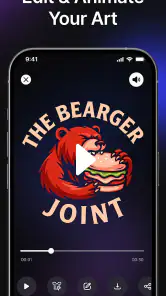
The app also supports exporting your creations in various formats, which is a big plus. Whether you need a high-res PNG for printing or a quick JPEG for online use, Hexa AI has you covered. This feature ensures your designs are ready for any platform or presentation.
Final Thoughts: A Must-Have for Creatives
Wrapping up my experience with Hexa AI, I can confidently say it's a game-changer for anyone interested in design. The integration of AI not only simplifies the process but also enhances the quality of the output. Whether you're crafting a brand logo or a social media post, this app is equipped to handle it all with aplomb.
More From Our News Desk

Clash of Clans Is Won Between the Battles

Android Auto Makes the Case for Quieter Car Software

MobiOffice: Transforming Mobile Productivity with Seamless Integration

EA SPORTS FC™ Mobile Soccer: Redefining Mobile Sports Gaming

How Microsoft OneDrive Became a Mobile Productivity Giant

How Google Translate Breaks Language Barriers Effortlessly
If you're on the hunt for a design app that's both powerful and user-friendly, give Hexa AI: Logo & Design Creator a try. It's more than just an app; it's a creative companion that empowers you to bring your ideas to life. So go ahead, unleash your creativity and see where Hexa AI can take you!
Hexa AI: Logo & Design Creator Frequently Asked Questions
Can I use Hexa AI: Logo & Design Creator without creating an account?
It’s worth checking the app’s sign-in screen and setup flow when you first open Hexa AI: Logo & Design Creator, since account requirements can affect how quickly you can begin a design. The app is aimed at creating visual content with AI, so consider whether you are comfortable following its onboarding steps before starting a project. You can also review the app’s privacy details before sharing personal information.
Does Hexa AI: Logo & Design Creator need an internet connection?
If you plan to use Hexa AI: Logo & Design Creator on the go, check how its main tools behave when your connection is limited. AI-driven creation can rely on online services, while some editing steps may work differently depending on the feature. Confirm your connection before beginning a project you need to finish promptly, and save your work as you go so you can return to it later.
Is Hexa AI: Logo & Design Creator free to download, and are there optional purchases?
Hexa AI: Logo & Design Creator is free to download, so you can try the app without paying upfront. It also offers in-app purchases, with listed items ranging from $2.99 to $39.99 each. Check the purchase details in your app store before buying, and consider whether the free options meet your needs first.
What is Hexa AI: Logo & Design Creator, and what can I do with it?
Hexa AI: Logo & Design Creator is a versatile application designed to help users create professional-quality logos and designs with ease. Whether you're a business owner, graphic designer, or hobbyist, this app provides a user-friendly interface coupled with powerful AI-driven tools. It allows you to craft custom logos, business cards, banners, and more without needing advanced design skills, making it an ideal choice for anyone looking to enhance their brand identity.
Is Hexa AI: Logo & Design Creator suitable for beginners?
Absolutely! Hexa AI: Logo & Design Creator is designed with an intuitive interface that is perfect for beginners. It simplifies the design process with easy-to-use templates and AI assistance that guides users step-by-step. Even if you have no prior design experience, you can create stunning visuals with its drag-and-drop features and extensive library of design elements. This makes it accessible for anyone looking to start designing immediately.
Pros
- User-friendly interface for easy design creation.
- Extensive library of templates and icons.
- Customizable color and font options.
- Quick export to various file formats.
- Supports high-resolution design outputs.
Cons
- Limited free version features.
- Occasional app crashes reported.
- Requires internet for some features.
- Some templates are paid only.
- Limited animation options.

- Category
- Art & Design
- Version
- 2.6.6












