Heja Sports Team Communication
- 762.00
- 4.7
- Installs
- 1.00M
- Price
- Free

Screenshots




Analysis by Reviewed
When a team’s plans are spread across a coach’s texts, a parent’s calendar, and an old message thread, even a simple practice can take too much effort to coordinate. I see Heja Sports Team Communication as a phone-based place to bring those routine team details together, especially when players, parents, and coaches all need the same information.
Where a shared team space helps most
The clearest use case is a youth or amateur team with a coach who regularly shares event details and needs a sense of who is coming. Parents can check plans, players can respond about attendance, and coaches can communicate with the group without relying on one person to forward every update. Heja is a sports app from Heja Sports, and its focus is narrow in a useful way: keeping the team’s communication and coordination in one place.
That focus is not automatically a reason for every group to switch. If your team has one stable weekly practice, few changes, and a group chat that everyone already checks, adding another app may be more of a chore than a benefit. I’d consider Heja when missed replies, scattered details, or uncertainty about attendance are recurring problems—not simply because a team app sounds more organized.
A realistic week with the app
Imagine a coach planning a practice while several families are juggling school, work, and rides. The coach puts the session on the calendar, members respond about availability, and a parent checks the event before arranging a lift. If the venue changes later, an announcement gives the team a clear place to look for the update. The value is not that this removes every reminder or conversation; it is that people have a shared reference instead of having to reconstruct the plan from separate chats.
For a team trying it for the first time, I’d keep the rollout small. Add the next few events, invite the people who genuinely need the details, and agree that attendance responses and changes go through the app. That gives everyone a chance to learn the routine before old habits and duplicate calendars create competing versions of the schedule.
Easy Peasy Coordination
First off, let me tell you about the setup. Heja Sports Team Communication is a breeze to install and get running. Once you've downloaded it, creating a team is as simple as pie. You can invite players, parents, and other coaches with just a few taps. Seriously, it’s like the app was designed with tech novices in mind.
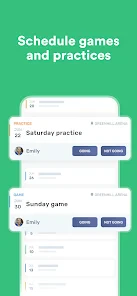
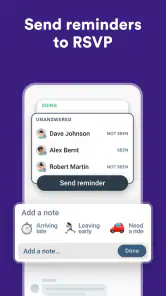
One of the standout features is the calendar. You can schedule practices, games, and even social events. The app sends reminders so nobody's ever left in the dark. My favorite part? You can track attendance. No more guessing who’s going to show up. This cuts down on last-minute cancellations and helps everyone plan better.
More From Our News Desk

Clash of Clans Is Won Between the Battles

Android Auto Makes the Case for Quieter Car Software

MobiOffice: Transforming Mobile Productivity with Seamless Integration

EA SPORTS FC™ Mobile Soccer: Redefining Mobile Sports Gaming

How Microsoft OneDrive Became a Mobile Productivity Giant

How Google Translate Breaks Language Barriers Effortlessly
Making the calendar useful in real life
A practical habit is to check attendance before finalizing the session plan, rather than treating it as a record to review later. A coach can spot that a planned activity needs adjusting if several players are unavailable; a parent can check the event details before arranging a ride. The calendar is most valuable when the team agrees that it is the source of truth. If some people continue relying on old messages or a separate calendar, conflicting versions can still cause confusion.
For a team deciding whether to switch, I’d start with one routine: put the next few practices and games in the app, invite the people who need them, and ask them to respond there. That small trial reveals whether the shared workflow actually fits the group before it becomes another place everyone is expected to check.
Communication is Key
We all know that good communication is the backbone of any successful team. Heja offers a straightforward messaging feature, so you can chat with the whole team or send private messages. Whether you’re sharing strategies or just checking in, communication is instant and efficient. Plus, you can attach files and photos, making it easy to share game highlights or tactical notes.
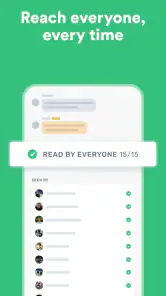
Let’s not forget the announcements feature. Need to inform everyone about a venue change or a sudden weather update? Just post an announcement, and the app makes sure everyone sees it. It’s a real lifesaver for those unexpected changes.
Keeping urgent information findable
One useful distinction is between a message meant for discussion and an announcement meant to reach the group. For a last-minute field change, I’d use an announcement and keep replies or follow-up questions in the conversation, rather than burying the key instruction in a busy chat. That only works if members have notifications set in a way that suits them, so it is worth agreeing on a team habit: check the app before setting off, especially when weather or venue plans may change.
Private messages can be handy for a one-to-one question, but they should not become the only home for information that affects the whole team. If a coach changes a shared plan, posting it where the relevant group can see it helps avoid players hearing different versions through separate conversations.
Bringing the Team Closer
Beyond logistics, Heja fosters a sense of community. The app includes a feed where team members can post updates, share photos, or just cheer each other on. It's like having a mini social media platform tailored just for your team. This feature really helps in building team spirit and keeping everyone motivated.
Another cool aspect is the ability to track player availability. Players can mark their availability for upcoming games and practices, which helps coaches plan effectively. It’s a small feature, but it makes a big difference in ensuring everyone is on the same page.
Readability, navigation, and different abilities
The straightforward organization described here can help people who do not want to learn a complicated team-management system just to check a time or answer an availability request. I would still avoid assuming that every person will find a phone-based workflow equally comfortable. Someone who has difficulty reading small text, navigating touch controls, or keeping up with frequent alerts may need a little help getting started and choosing a manageable way to follow updates.
For a mixed-age team, a coach can make participation easier by explaining where schedules and announcements are posted, and by keeping instructions brief and specific. The feed may be welcoming for people who enjoy sharing encouragement, but it should not be treated as a requirement for staying informed: essential details belong in the team’s practical communication routine, not only in social posts.
Access when plans and attention are limited
Heja is particularly relevant when people are away from a computer and need to check team arrangements on a phone. That can mean a parent reviewing practice details between errands, or a coach checking responses while preparing a session. At the same time, phone access is not the same as access in every situation. During work, travel, or a busy family evening, members may not be able to respond immediately, so a lack of an instant reply should not automatically be read as a lack of commitment.
There are also sensible boundaries to keep in mind with photos, files, and private messages. Teams should share only material that is appropriate for their group and make sure people know which channel is being used for important updates. These are everyday communication choices, but they matter when players, parents, and coaches all share the same team space.
Finally, let's talk about the design. The user interface is sleek and intuitive, which makes navigating through the app a pleasure. Even the less tech-savvy team members find it easy to use, and that’s saying something!
Cost, fit, and remaining friction
The app is free to download, with in-app purchases ranging from around three dollars to around one hundred and forty dollars per item. I’d check what a particular purchase covers before paying, especially if the free setup already handles the team’s routine. Heja is rated for everyone, and it comes from Heja Sports. Its average rating is 4.7 from around 7,100 ratings, with over one million installs; those figures suggest it has found an audience, but they cannot tell you whether your own team will adopt it consistently.
The app’s current version is 708.0 and it requires Android 7.0 or later. For iPhone users, the practical question is simply whether the app is available and works on their device through the relevant store. If a team includes people who cannot or do not want to use a smartphone app, a coach should agree on a backup way to communicate essential schedule changes rather than leaving anyone out.
How it compares with familiar alternatives
A group chat is often the quickest option for a small team that mainly needs to send occasional notes. Its weakness is that dates, attendance replies, and late changes can become mixed into a long stream of conversation. A shared calendar is clearer for dates and times, but it does not necessarily give a coach the same team-oriented place for availability, announcements, and discussion. Heja sits between those habits: it offers more structure than chat alone without presenting itself as a general club administration system.
That middle ground is most useful when the team has enough moving parts to justify a dedicated space but does not need a broader management setup. One trade-off is that structure only helps if members use it consistently. If some families answer attendance in the app while others reply by text, the coach still has to reconcile responses. I’d set a simple expectation about where to respond, while keeping a backup channel for anyone who cannot use the app.
Small habits that make the workflow clearer
One non-obvious benefit of agreeing on a single place for changes is that it reduces the coach’s role as a human forwarding service. Instead of sending the same venue update to several private threads, the coach can post it once where the team expects to find it. This is especially helpful when another parent handles the ride or a player checks the plan independently. It does depend on people knowing where to look, so the team should establish that habit rather than assuming installation alone will solve the problem.
I’d also separate a request that needs a response from information that is simply useful to know. Attendance is actionable: a coach may need to plan around it. A photo or congratulatory post in the feed is different and should not feel like another task members must monitor. This distinction can keep the app from becoming noisy, particularly for people who already receive a lot of phone notifications.
For teams sharing files or photos, a little restraint helps. Attachments can add context that a short message cannot, but they are not a substitute for a clear event time or a plainly written instruction. I’d put the essential detail in the message itself, then use an attachment only when it genuinely helps. That makes the update more useful to someone glancing at a phone while distracted or relying on a quick text read rather than opening every item.
Who should choose it—and who may not need it
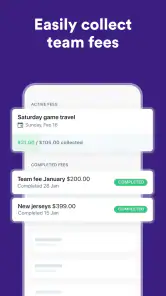
I’d recommend trying Heja for a team with frequent schedule changes, several adults coordinating players, or a coach who repeatedly needs availability before planning. It can also suit a group where parents and players both need to see the same updates, rather than depending on one family member to pass information along. The app is free to download, so a team can first judge whether the shared routine is actually easier before deciding whether any optional purchase is worthwhile.
I would skip it, at least for now, if your group already has a dependable method that everyone checks and there are few details to coordinate. It may also be the wrong fit if a significant part of the team cannot or does not want to use a phone app and no one can maintain an inclusive backup. The practical question is not whether a dedicated team app has more organization in theory; it is whether the people involved will use this particular setup without creating a second, parallel communications system.
Inclusive use depends on the team routine
For someone who finds small-screen reading or touch navigation difficult, a coach or family member can walk through the basic routine once: where to find the next event, how to respond about attendance, and where urgent changes appear. Keeping the number of channels low can help too. This is a practical accommodation, not a guarantee that the app will suit every person or device, so teams should ask members what works for them instead of treating a single phone workflow as universal.
Notification habits deserve the same care. Some people need alerts to be noticeable; others need fewer interruptions to stay focused or manage a busy day. A team can agree that members should check before travel without expecting everyone to reply immediately at any hour. For genuinely time-sensitive changes, it is sensible to consider whether the usual app announcement is enough for the people who need to act on it.
A practical choice, not a universal one
Compared with the usual alternatives—group chats, text messages, and shared calendars—Heja’s appeal is having team events, attendance, announcements, and conversation in a sports-focused space. A basic chat may be quicker for a small group that already communicates well, while a shared calendar can suit people who only need dates and times. I’d choose Heja when keeping attendance and team updates together solves a real recurring problem, and skip it when the group has little coordination to do or members are unlikely to check another app.
In conclusion, Heja Sports Team Communication is more than just an app; it’s a tool that simplifies the entire team management process. From scheduling to communication, it handles everything with ease. If you’re looking to streamline your team’s operations and boost morale, Heja is definitely worth a try. Trust me, once you’ve used it, you’ll wonder how you ever managed without it!
Heja Sports Team Communication Frequently Asked Questions
What devices can I use Heja Sports Team Communication on?
Heja Sports Team Communication is a mobile app for sports teams, and it is available for Android devices running version 7.0 or later. If you are considering downloading it, check that your device meets this requirement first. The app is free to download, though it also offers in-app purchases, so review those options before making any purchase.
Is Heja suitable for someone who only needs basic team updates?
Heja is described as a simple, modern way to communicate within a sports team, so it may suit people looking for a central place to keep up with team communication. It is categorized as a sports app and is rated for Everyone. The experience is intended for people involved with a team, including coaches, parents, and players.
What is Heja Sports Team Communication and who is it for?
Heja Sports Team Communication is a mobile application designed to facilitate communication and coordination among sports teams. It is ideal for coaches, parents, and players who need to stay updated on team events, schedules, and other important announcements. The app centralizes all team-related information, making it easier for everyone involved to stay connected and organized.
How can I join my team on Heja?
To join your team on Heja, you need to be invited by a coach or team manager. They can send you an invitation link via email or text message. Once you receive the link, click on it to download the app and join your team. If you encounter any issues, ensure you're using the latest version of the app and check for any errors in the invitation link.
Does Heja support multiple teams and sports?
Yes, Heja supports multiple teams and sports, allowing users to manage and participate in different teams under one account. This feature is particularly useful for families with multiple children involved in various sports, or for individuals who play on several teams. Users can switch between team profiles effortlessly, ensuring they never miss important updates from any group.
Pros
- User-friendly interface for all ages
- Instant messaging and notifications
- Easy event scheduling
- Efficient team management tools
- Supports multiple sports and teams
Cons
- Limited customization options
- Occasional app crashes
- Requires internet connection
- No offline mode available
- Limited free features

- Category
- Sports
- Version
- 708.0