

Heartbeat Beats VPN:FAST SAFE
- 5.00
- 3.9
- Installs
- 1.00M
- Price
- Free

Screenshots

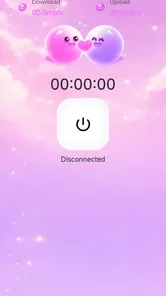

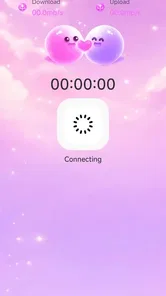

Analysis by Reviewed
Choosing a VPN is usually less about finding the longest feature list and more about deciding what you actually need protected, how often you will use it, and how much setup you are willing to tolerate. I approached Heartbeat Beats VPN:FAST SAFE from that angle rather than treating it as a magic privacy button. It is a free personalization app from Pet.Z, presented with the simple idea of keeping a connection smooth while a VPN is active. That makes it interesting for people who want a quick change to the way their Android connection behaves, but it also means I would not automatically place it in the same decision category as a full-service privacy product.
The app has a 3.9 average from roughly four hundred ratings and has passed the one-million-install mark. Those figures suggest that it has reached a meaningful audience, although they do not tell me whether it will suit every network, phone, or browsing habit. Its Everyone age rating also makes it approachable for a broad household audience. I tested it as a practical everyday tool: something I might open before using public Wi-Fi, traveling, or trying to make a connection feel more consistent. My conclusion is useful but qualified: it is worth considering when convenience is your first priority, while users with demanding privacy or advanced networking requirements should compare it carefully with more established VPN categories.
What I looked for before trusting the connection
My first decision criterion was clarity. A VPN changes the path between a device and the internet, so I want to understand what I am turning on, when it is active, and whether I can return to the normal connection without hunting through menus. With a compact app such as this, a clean start-and-stop routine matters more to me than decorative settings. If I cannot tell whether the VPN is currently running, I am less likely to use it responsibly.
The second criterion was everyday usefulness. I do not need the same thing from a VPN while reading news on café Wi-Fi as I do while accessing a work service, handling banking, or managing a home network. A useful app should fit the first situation without pretending to replace specialist tools for the others. I paid attention to whether the experience felt suitable for quick sessions, whether it introduced friction before ordinary browsing, and whether the app made sense for someone who is not comfortable with networking terminology.
I also considered the difference between a VPN and a general connection booster. The short store phrase, “Heartbeat Beats VPN,” gives the product a memorable identity, but a name cannot establish what level of privacy or performance a user should expect. I would not treat the word “safe” in its title as a guarantee. A VPN can change how traffic is routed, yet it does not make a person anonymous, remove the need for secure websites, or protect an account from a weak password.
Finally, I looked at the switching decision. Because this app is free, the financial barrier is low, but changing VPN habits still has a cost. You may need to remember when to activate it, check whether an app behaves differently while it is enabled, and decide which connection to use when speed and privacy pull in opposite directions. Those practical details are more important than a polished first impression.
The first-use experience is aimed at quick decisions
My strongest positive impression is that this feels like a tool for a person who wants a direct action rather than a networking lesson. That is valuable on a phone. When I am about to join a shared wireless network, I do not want to spend several minutes comparing technical terms before I can protect a session. The app’s positioning suits a short routine: open it, decide whether the VPN is needed, use the connection, and turn it off when the situation has changed.
More From Our News Desk

 Instagram
Instagram’s Power Comes From Its Place in Your Phone
A close look at how Instagram turns Meta’s reach, recommendation systems and everyday camera habits into durable platform power—and what that costs users.

 Gmail
GmailGmail in a Busy Inbox: Who Benefits Most?
From first account to crowded workday, Gmail earns its place through dependable search and flexible sorting—but its best fit depends on how much inbox maintenance you can tolerate.

 Prime Video
Switching to Prime Video: What Changes in Your Viewing Routine
Prime Video can make a compelling second home for streaming, but switching means learning a different catalog, rental layer, and route from browsing to playback.

 Universal TV Remote Control
Universal TV Remote Control Works Best as a Reliable Backup
A phone remote earns its place through quick setup and reliable habits. Here is how to get more from Universal TV Remote Control—and where its limits show.

 Weather - By Xiaomi
Weather by Xiaomi Review: Clear at a Glance, Less Clear Up Close
Xiaomi’s weather app makes everyday forecasts quick to scan, but its calm surface can leave useful details and recovery paths harder to find than they should be.

 X
XX Under Pressure: Can It Recover When Posting Goes Wrong?
A resilience-focused review of X, examining setup, mistaken posts, interruptions, weak connections, and the gaps that matter when recovery needs to be dependable.
Latest News



That simplicity is also a useful test. If you are evaluating it for a family member, I would ask them to explain what the app does after a single use. Can they tell when the VPN is connected? Do they know when it is no longer needed? Can they recognize that a slower connection may be the trade-off for routing traffic through another service? If the answers are unclear, the app may need a short explanation before it becomes a dependable habit.
For my own routine, I would keep the app close to the situations where it provides the most value instead of leaving it on automatically all day. That approach reduces confusion when a website, video service, game, or local device behaves differently. It also makes it easier to notice whether the VPN is helping or simply adding another step to a connection that was already working well.
A realistic public Wi-Fi routine
Imagine I am working for an hour in a café. I connect to the venue’s wireless network, open the VPN, and then use ordinary web services. In that scenario, the app makes sense as a simple protective layer for the session. I would still look for the lock symbol on websites, avoid entering sensitive information into unfamiliar pages, and sign out of accounts I do not need. The VPN is part of the routine, not a replacement for basic caution.
When I leave, I would check whether the VPN is still active before switching to mobile data. This is a small but important habit. Keeping a VPN enabled may be perfectly acceptable, but it can affect local services, casting, device discovery, or the way some apps connect. Turning it off when I no longer need it gives me a clearer baseline for judging my normal connection and avoids blaming the wrong tool if something stops working.
This is one of the app’s most practical use cases: temporary protection without committing to a complicated configuration. It is less compelling when I am at home on a trusted network and only need a stable connection for a local printer, smart device, or streaming setup. In those moments, the extra routing layer may create more troubleshooting than value.
Where the free model helps the decision
Being free changes how I evaluate the app. I can try it during the exact situations that matter to me instead of making a purchase before I know whether it fits my phone and network. That is especially helpful for occasional users who only want a VPN while traveling or using shared Wi-Fi. The low commitment also makes it easier to compare the experience with the normal connection over several short sessions.
However, free does not mean consequence-free. A user should still think about trust, data handling, connection behavior, and the kind of support they expect. I would not move all of my sensitive activity to any VPN simply because there is no charge. For important work, frequent travel, or a household with several devices, I would want to examine the provider’s explanations and the app’s behavior more closely before making it the default.
The current version is 2.0.0, and the app requires Android 7.0 or later. That makes it relevant to many older Android phones, which is useful if you are helping someone who has not upgraded recently. At the same time, compatibility alone does not tell me how well the app will behave on every manufacturer’s software. Battery management, background restrictions, and system VPN prompts can vary between phones, so I would allow a little time for a real-world test rather than judging it from installation alone.
Small habits that make the app more useful
My first tip is to test it on the network where you expect to rely on it, not just on a fast home connection. Public Wi-Fi, mobile data, and a home router can produce different experiences. I would open the same few services before and after activation, note whether pages load normally, and check whether any app that depends on local access stops seeing nearby devices. This is more informative than assuming that a VPN will improve every connection.
My second tip is to separate privacy sessions from performance sessions. If I am reading or sending routine messages on shared Wi-Fi, I may accept the extra routing. If I am trying to upload a large file, play a latency-sensitive game, or troubleshoot a weak signal, I would first establish whether the underlying network is the real problem. A VPN cannot repair a crowded router or a poor mobile signal, and adding one can make diagnosis harder.
My third tip is to treat the connection indicator as a reminder, not as proof of total protection. I would still use encrypted websites, update the phone, lock the device, and avoid unknown downloads. This mindset prevents a common mistake: believing that activating a VPN makes phishing pages safe or turns careless account behavior into secure behavior. The app can support a safer connection routine, but the rest of that routine remains mine.
A fourth useful workflow is to keep a short note of which apps do not behave well while the VPN is active. I would not assume the problem is permanent after one failed attempt. I would reconnect, try the service again, and compare it with the normal connection. If the same issue appears repeatedly, I would decide whether that service is important enough to justify a different VPN arrangement. This turns vague frustration into a practical choice.
Who benefits most from this approach
I see the best fit in occasional VPN users who want a straightforward Android app for shared networks, travel, or a quick change in connection routing. It may also suit someone introducing a less technical family member to the idea of using a VPN, provided that person understands when it is active and what it does not cover. The free price removes a major obstacle for experimentation, and the broad age rating keeps the app accessible to general users.
It is a less convincing match for someone who wants a complete privacy strategy across phones, computers, browsers, and home devices. It is also not my first choice for a user who needs detailed control over locations, protocols, split tunneling, business access, or a carefully documented service relationship. Those needs belong to a more specialized category, and choosing a simple app for them could create disappointment later.
How it compares with the usual alternatives
The closest alternative is not necessarily another named VPN. For many people, the real comparison is between this app, the phone’s normal connection, a browser-based privacy tool, and a paid VPN service. The normal connection wins when speed, local access, and simplicity matter more than using a VPN. A browser-only tool may be enough for someone who wants protection limited to web activity, while a full VPN service is more suitable when the user expects broader device coverage and more control.
Compared with a paid service, the main advantage here is the low-commitment entry point. I can evaluate the basic routine without adding a subscription to my monthly expenses. The trade-off is that I would be more cautious about making it the foundation of a serious privacy plan. Paid alternatives often attract users who want clearer service expectations and a wider set of controls, but I would compare those details directly rather than assuming every paid option is automatically better.
Compared with leaving the VPN off, this app adds a protective step in situations where the network deserves less trust. The downside is that every extra layer can introduce connection friction. Some services may react to a changed network route, and local devices may be harder to reach. For a person who mostly uses a trusted home connection and values maximum simplicity, the normal connection may remain the better daily default.
The real cost of switching
Moving to this app costs little financially, but it does require a new habit. I would need to remember to activate it before a risky connection rather than after entering account details. I would also need to recognize when it is responsible for a change in behavior. That learning period is short for a confident phone user, but it can be confusing for someone who already struggles with network settings.
There is also a continuity cost. If I move from another VPN, I may lose a familiar workflow, saved preferences, or a clear explanation of how my devices are covered. If I move from no VPN at all, I may discover that certain local features behave differently. Before switching, I would write down the situations where the old setup worked well, then test those situations one by one. That prevents a single successful browsing session from hiding an important compatibility problem.
I would be especially careful before using it for work or sensitive personal tasks. The question is not simply whether the app connects. I would want confidence in the service relationship, understand the provider’s privacy explanations, and make sure the app fits any rules imposed by an employer or institution. If those requirements are central, a more transparent, established alternative may justify its cost and setup time.
My recommendation after weighing the trade-offs
I recommend Heartbeat Beats VPN:FAST SAFE as a convenient starting point for Android users who want a free, uncomplicated VPN option for occasional use. Its strongest case is practical rather than dramatic: it can become a quick step before using a shared network, and it does not ask a casual user to begin with a complicated technical project. Pet.Z has positioned it in a way that should appeal to people who value a smooth, approachable experience.
I would not recommend treating it as an automatic answer for every privacy concern. Users who need advanced controls, broad device coverage, business-grade reliability, or a highly deliberate privacy setup should compare specialist VPN services instead. Users who mainly need fast local connections may be happier leaving the VPN off except when the network situation calls for it.
My final decision guide is simple. If you want to try a free VPN on a compatible Android phone, use it first in low-risk, everyday situations and observe how your important apps respond. Keep your normal security habits, check whether the VPN is active, and do not confuse a changed connection route with complete anonymity. If that routine feels clear and stable, the app can earn a place in your occasional toolkit. If you need more control than a quick connection switch provides, move up to a more specialized alternative rather than forcing this app to solve a problem it was not designed to handle.
With an average rating of 3.9 and more than a million installs, it is clearly not an obscure experiment, but popularity should remain only one part of the decision. I value the free entry point and the approachable purpose, while keeping realistic expectations about VPN limitations. For the right user, that balance makes it worth trying; for demanding privacy work, I would choose based on documented capabilities and service fit before convenience.
Heartbeat Beats VPN:FAST SAFE Frequently Asked Questions
What devices and operating systems can run Heartbeat Beats VPN: FAST SAFE?
Heartbeat Beats VPN: FAST SAFE is an Android app that requires Android 7.0 or later. Before downloading, check your device’s Android version and make sure you have enough available storage for installation. If your phone or tablet meets the minimum requirement, you can try the app and see how it performs on your particular device and network.
Who develops Heartbeat Beats VPN: FAST SAFE, and what is its user rating?
Heartbeat Beats VPN: FAST SAFE is developed by Pet.Z. It has an average rating of 3.9 from 437 ratings, alongside 4 written reviews, so the rating offers a quick snapshot but a limited number of detailed comments. Reading the available reviews can help you understand other users’ experiences before deciding whether the app suits your needs.
What is Heartbeat Beats VPN: FAST SAFE used for?
Heartbeat Beats VPN: FAST SAFE is designed to create a protected connection between your device and the internet. It can help secure data when you are using public Wi-Fi, reduce exposure of your IP address, and provide access to servers in different locations. It should be viewed as a privacy and security tool, not as complete anonymity or a guarantee that every website or service will be accessible.
Is Heartbeat Beats VPN: FAST SAFE free to use?
Heartbeat Beats VPN: FAST SAFE is free to download. The app may offer free VPN access, but availability, speed, server locations, advertisements, and daily usage limits can depend on the current version and its subscription model. Some features may require an in-app purchase or premium plan. Before connecting for extended use, check the pricing page, renewal terms, and trial conditions carefully so you understand what you will be charged and when.
Does Heartbeat Beats VPN: FAST SAFE slow down the internet connection?
As with most VPN applications, Heartbeat Beats VPN: FAST SAFE can affect connection speed because your traffic is routed through an additional server. The impact usually depends on your original network, the selected server, distance, congestion, and the app’s current performance. Choosing a nearby server may improve results, while streaming, gaming, or downloading can still feel slower during busy periods.
Pros
- Simple interface makes connecting to a VPN quick and straightforward.
- Offers a convenient way to secure traffic on public Wi-Fi networks.
- Multiple server locations can help access region-limited content.
- Connection status is easy to identify at a glance.
- Useful for adding privacy during everyday browsing on mobile devices.
Cons
- Free servers may become crowded and reduce browsing speeds.
- VPN use can increase battery consumption during long sessions.
- Some streaming platforms may detect and block its VPN connections.
- The app may request permissions users should review before accepting.
- Advanced controls for protocol and connection customization may be limited.











