Guru VPN: Fast Secure Proxy
- 128.00
- 4.3
- Installs
- 1.00M
- Price
- Free
Screenshots
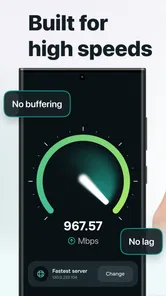
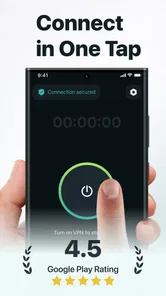
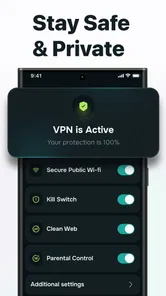
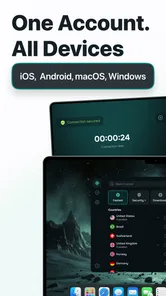

Analysis by Reviewed
Public Wi-Fi, blocked pages, tracking scripts, and streaming services that behave differently from one network to another can turn a simple online task into a frustrating routine. I often want a quick connection rather than a long settings session, and that is the problem Guru VPN: Fast Secure Proxy is designed to address. It is a free productivity app from TapGeneration that combines VPN proxy access with ad and tracker blocking in one place.
After using it as a practical privacy and browsing tool, I see its main appeal in the time it can save. Instead of treating a VPN, a browser blocker, and network troubleshooting as separate jobs, the app brings those needs together. That does not make every connection perfect, and it is not a substitute for careful account security, but it gives casual users a straightforward way to add a privacy layer before opening a browser or streaming app.
The useful question is not whether a VPN sounds impressive; it is whether it removes enough everyday friction to justify keeping it installed. In my experience, Guru VPN is most convincing when I need a fast, temporary connection change or want fewer ads and trackers during ordinary browsing. Users who need advanced control, a clearly selectable server strategy, or highly predictable performance may find its simplicity limiting.
Why this app is useful when the same network problems keep returning
The recurring issue with public networks is not always dramatic. Sometimes a café connection works for messages but struggles with a website. Sometimes a hotel network presents an extra sign-in page, or a shared connection makes browsing feel overloaded with advertising elements. A VPN cannot repair every network problem, but it can give the connection a different route and add a layer between normal browsing activity and the local network.
Guru VPN is positioned around that quick intervention. Its store summary focuses on fast proxy access for streaming services such as Netflix and on blocking ads and trackers, while its privacy message emphasizes a strict no-logs approach. I treat those points as reasons to test the app in real situations, not as a promise that every service will work identically on every network.
What makes the app relevant to productivity is the reduction in small interruptions. A blocked page, a cluttered article, or a connection that needs repeated manual changes can consume more attention than expected. Having one utility available for a quick connection switch and cleaner browsing can be more convenient than opening several tools and adjusting them individually.
That convenience matters most for people who are not interested in learning VPN terminology. If you want a compact utility that feels closer to an on-demand switch than a technical networking dashboard, the approach makes sense. If you are choosing a VPN for detailed regional testing, workplace administration, or strict control over every connection rule, the same simplicity may work against you.
More From Our News Desk

Weather by Xiaomi Review: Clear at a Glance, Less Clear Up Close

X Under Pressure: Can It Recover When Posting Goes Wrong?

Clash of Clans Is Won Between the Battles

Android Auto Makes the Case for Quieter Car Software

MobiOffice: Transforming Mobile Productivity with Seamless Integration

EA SPORTS FC™ Mobile Soccer: Redefining Mobile Sports Gaming
What I noticed during the first setup
The first useful setup is less about changing every option and more about deciding when the app should be part of your routine. I would install it before travelling, before relying on unfamiliar Wi-Fi, or before testing whether a website behaves differently through another connection. The app is free to download, carries an Everyone content rating, and supports Android starting with version 8.0, which makes it accessible to many older devices as well as newer phones.
Guru VPN is currently at version 2.1.5. I would still check that the app is updated before depending on it during a trip, because VPN utilities interact closely with the operating system and network behavior. A current app is generally preferable when the goal is to avoid connection friction rather than introduce another troubleshooting step.
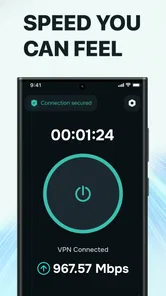
During setup, the important habit is to read the connection request instead of tapping through automatically. A VPN needs the operating system’s permission to create a VPN connection, and Android normally presents that request clearly. I recommend enabling the connection only when you understand what it is doing, then checking that the VPN indicator appears before assuming the route has changed.
The ad and tracker blocking side deserves a separate expectation. Blocking can make pages feel less crowded and reduce some unwanted requests, but it will not make every website look perfect. Some sites depend on advertising scripts for layout or access, and some may ask you to disable blocking. My practical approach is to treat the blocker as a useful default, then temporarily relax that protection when a site genuinely needs it.
One non-obvious benefit of this setup is that it encourages a simple two-step check: first confirm that the VPN is active, then test the specific app or page that caused the problem. Many people turn on a VPN and immediately assume the issue is solved. Checking the actual destination saves time because it separates a routing problem from a service outage, an account restriction, or a weak local signal.
How I would use it during an ordinary day
Imagine I am working from a shared network in the morning and need to access a work dashboard, read research, and send a few messages. I would connect Guru VPN before opening the browser, then use the blocker while reading pages that are heavy with promotional elements. The benefit is not that the work becomes magically faster; it is that fewer interruptions compete with the task.
Later, I might switch to a mobile connection and decide that the VPN is no longer necessary for a particular activity. That is where a manual, on-demand habit is useful. Keeping a VPN active all day can affect how some services identify the connection, and it may complicate local devices or websites that expect a normal route. I prefer to use it deliberately rather than treating it as invisible background protection.
Streaming is another realistic scenario, but it needs a careful caveat. Guru VPN may help when a streaming service responds differently to the network route, and the app specifically presents itself as suitable for services including Netflix. However, streaming platforms can change how they handle VPN and proxy traffic. A connection that works for one title, account, or network may not behave the same way later. I would use it as a convenient experiment, not buy a subscription solely on the assumption that every catalog or stream will be available.
The tracker blocker is especially handy when comparing products or reading several pages in succession. Instead of closing repeated pop-ups and watching unrelated elements load around the content, I can focus on the information itself. The trade-off is that blocking may interfere with sign-in widgets, embedded media, comments, or consent tools. If a page breaks, the sensible workflow is to identify whether the blocker is responsible before blaming the VPN connection.
For travellers, the app can be useful before entering passwords on unfamiliar Wi-Fi. I would connect first, avoid sensitive actions on a network that still looks suspicious, and remember that a VPN does not protect against phishing pages or a compromised account. It changes the network path; it does not verify that an email, login screen, or download is legitimate.
Where it removes friction and where it still asks for patience
The strongest part of Guru VPN is the combination of tasks. A user who wants a proxy-style connection and fewer ads does not need to maintain separate utilities for those basic goals. That consolidation reduces app switching and makes the tool easier to remember when a network feels unreliable.
Another practical strength is its broad audience. The app is listed as free and has passed the one-million-install mark, with an average rating of 4.3 from around eleven thousand ratings. Those figures suggest that it has reached beyond a tiny group of technical testers, although popularity alone cannot guarantee that it will suit a particular phone or network.
The free model also requires attention to the in-app purchase structure. Optional purchases range from $4.99 to $34.99 per item. I would begin with the free experience and judge it by the exact tasks I need before paying for anything. A VPN is only good value if it reliably solves my recurring problem; extra spending does not automatically fix an incompatible streaming service or a weak Wi-Fi signal.
Ads and trackers are not the only source of browsing friction, so it is important not to overestimate the blocker. Pages can still be slow because of their own servers, large images, video, or a crowded network. Likewise, a VPN can sometimes add a step to troubleshooting because a site may react differently to the changed connection. The app removes some causes of annoyance while creating another variable that I need to switch off when diagnosing a problem.
Privacy is another area where I would keep my expectations grounded. The app presents a strict no-logs policy, which is an important part of its privacy positioning. Even so, I would not use a VPN as permission to share sensitive information carelessly. Device security, strong passwords, two-factor authentication, app permissions, and cautious browsing still matter. A privacy tool should support those habits, not replace them.
A useful advanced workflow is to compare behavior with the VPN off and on, one change at a time. If a page fails only after connecting, I know the route may be involved. If it fails in both states, the cause is probably elsewhere. The same method helps with streaming: test the service normally, connect, and then test again without changing several other settings. This simple comparison prevents wasted time and gives a clearer idea of what Guru VPN is actually improving.
Who should choose it and who should look elsewhere
I would recommend Guru VPN to someone who wants a low-effort privacy utility for public Wi-Fi, everyday browsing, and occasional streaming experiments. It is also a sensible fit for people who dislike cluttered pages and want tracker blocking alongside a VPN rather than as a separate installation. The free entry point makes it easy to test without committing immediately.
I would be more cautious if your priority is advanced VPN management. People who need to select precise locations, configure specialized protocols, manage split tunneling, or monitor detailed connection information should compare it with a more technical VPN service. Guru VPN’s appeal comes from reducing decisions, so it is not the obvious choice for someone whose work depends on making many networking decisions.
I would also skip it as the only solution for a household that needs consistent protection across several devices. A phone-focused utility may be convenient for personal use, but families and small teams often need centralized controls, clear device coverage, and predictable administration. Those requirements call for a service designed around that workflow rather than a quick mobile connection tool.
Finally, users who need guaranteed access to a particular streaming catalog should not rely on the app without testing their own account and network. Streaming providers can identify and restrict proxy traffic, and success can vary. Guru VPN can be useful for trying a different route, but it cannot promise that a specific service will accept that route every time.
My final view after weighing convenience against control
Guru VPN: Fast Secure Proxy succeeds when the problem is small but repeated: a public network I do not fully trust, a browser filled with distracting requests, or a streaming app that needs a quick connection test. TapGeneration has packaged those needs into a free productivity app with an approachable purpose, and its current 4.3 average shows that many users find the overall experience worthwhile.
My recommendation is to use it intentionally. Turn it on before the task that benefits from it, confirm that the connection is active, and switch it off when a site or local service behaves strangely. Keep the tracker blocker enabled for normal browsing, but be ready to make an exception when a page depends on scripts that the blocker removes. That small amount of judgment is what makes the app more useful than simply leaving every setting untouched.
For quick privacy-minded browsing and fewer everyday interruptions, it is an easy app to try; for precise VPN control or guaranteed streaming access, a more specialized alternative is the better choice. I would keep it available on a travel phone or a device used on shared networks, while remembering that its value comes from saved time and reduced friction, not from solving every internet problem by itself.
Guru VPN: Fast Secure Proxy Frequently Asked Questions
What devices and operating systems can run Guru VPN: Fast Secure Proxy?
Guru VPN: Fast Secure Proxy is available for Android, and it requires Android 8.0 or later. Before downloading, check your device’s Android version in its settings to make sure it meets that requirement. The app is rated for Everyone, so its content rating is suitable for a broad audience, though parents should still decide what is appropriate for their own children.
Who makes Guru VPN: Fast Secure Proxy, and is it widely used?
Guru VPN: Fast Secure Proxy is developed by TapGeneration and is presented as a productivity app. It has more than a million installs and an average rating of 4.3 from around 11,000 ratings, giving prospective users a general sense of its reach and reception. Ratings reflect individual experiences, so connection quality and satisfaction may differ from one device, network, or region to another.
What is Guru VPN: Fast Secure Proxy, and what does it do?
Guru VPN: Fast Secure Proxy is a VPN application designed to route your internet traffic through a remote server, helping mask your IP address and adding protection when you use public or unsecured Wi‑Fi networks. It may also help you access websites or services that are restricted by location. However, it should not be treated as complete anonymity, and its performance can vary depending on the selected server, network quality, and regional availability.
Is Guru VPN: Fast Secure Proxy free to use?
The app is free to download and may offer a free connection option, but availability, speed, server locations, and usage limits can depend on the current version and subscription policy. Some features may require a premium plan, and free access can include advertisements or restrictions. In-app purchases range from $4.99 to $34.99 per item. Before downloading, check the Google Play Store or App Store listing for the latest pricing, trial terms, automatic-renewal conditions, and whether subscriptions are managed through your Android or Apple account.
Does Guru VPN protect my personal data and online activity?
A VPN can encrypt traffic between your device and the VPN server, which is useful for reducing the risk of interception on open Wi‑Fi networks. Guru VPN’s store summary describes it as having an ad and tracker blocker and a strict no-logs policy. Nevertheless, protection depends on the app’s encryption, privacy practices, permissions, and logging policy. It should not be assumed to protect you from phishing, malware, unsafe downloads, tracking inside apps, or accounts that you voluntarily share with websites and services.
Pros
- Simple one-tap connection makes it easy for beginners.
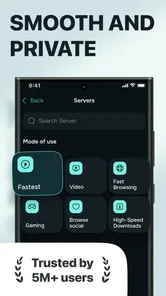
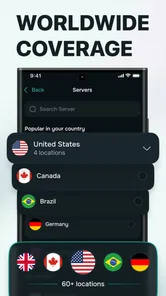
- Offers multiple server locations for more flexible browsing.
- Can help secure data on public Wi-Fi networks.
- Lightweight design uses minimal device storage.
- Useful for accessing content when traveling abroad.
Cons
- Free access may include ads or usage restrictions.
- Connection speeds can vary depending on server load.
- Some features may require a premium subscription.
- VPN use can increase battery consumption during long sessions.
- The privacy policy should be reviewed before entering sensitive data.











