GolfFix: AI Swing Analyzer/Cam
- 324.00
- 4.5
- Installs
- 500.00K
- Price
- Free

Screenshots

Analysis by Reviewed
I get the appeal of filming a golf swing: it turns a fleeting movement into something I can look at calmly, rather than guessing why a shot felt off. The harder question is whether I’ll still bother opening an analysis app once that first bit of curiosity fades. With GolfFix, the answer depends on whether reviewing a few swings can become part of practice without taking over the practice itself.
A useful first session, with a little setup
For a first try, I would keep the goal modest. Pick one thing to observe, record a few swings, and see whether the feedback gives you a clear next step. Trying to diagnose an entire swing at once can leave a newer golfer with more ideas than they can use. A single cue is easier to remember when it’s time to hit another ball.
It also helps to think about the recording as part of the task, not a magic shortcut. I would make sure the camera view is consistent enough to compare attempts, then avoid changing the setup halfway through. If the first recording feels awkward, that doesn’t necessarily tell me anything about my golf; it may simply mean I need a steadier routine for filming.
That practical balance is central to my view of GolfFix: AI Swing Analyzer/Cam. The app is free to download, though individual in-app purchases range from $14.99 to $99.99, so I’d review what a purchase includes before paying. Its appeal is not that it can settle every question about a swing, but that it can give solo practice a more concrete focus.
GolfFix: AI Swing Analyzer/Cam is a cutting-edge application designed for golf enthusiasts aiming to improve their swing with the help of artificial intelligence. This app is available for both Android and iOS users, making it accessible to a wide range of golfers who are keen to enhance their skills on the course. Here's a detailed review of the app based on my personal experience using it.
Where the first-week appeal comes from
When I first tried a swing-analysis app, the appeal was immediate: a recorded motion gives me something specific to examine instead of relying on a vague feeling that a shot went wrong. GolfFix is a sports app from MOAIS, Inc. built around that idea. Its camera-based analysis gives a newer golfer a practical starting point, while a more experienced player can use it to focus practice on one part of the motion at a time.
A realistic use is a short practice session before a round. I would record a few swings, review the feedback, then choose one adjustment to test rather than trying to change everything at once. That restraint matters: swing advice is useful only when I can connect it to what I am doing and check whether it helps on the next attempt. The app is best treated as a practice aid, not as an authority that can replace a coach watching the whole player and the shot.
More From Our News Desk

Clash of Clans Is Won Between the Battles

Android Auto Makes the Case for Quieter Car Software

MobiOffice: Transforming Mobile Productivity with Seamless Integration

EA SPORTS FC™ Mobile Soccer: Redefining Mobile Sports Gaming

How Microsoft OneDrive Became a Mobile Productivity Giant

How Google Translate Breaks Language Barriers Effortlessly
First Impressions and User Interface
Upon launching the GolfFix: AI Swing Analyzer/Cam, I was immediately impressed by its clean and intuitive user interface. Navigating through the app is a breeze, thanks to its well-organized layout. The developers have clearly put a lot of thought into ensuring that even those who are not tech-savvy can use it without any hassle. The main dashboard provides quick access to all the features, which is a huge plus for anyone eager to get started right away.
AI-Powered Swing Analysis
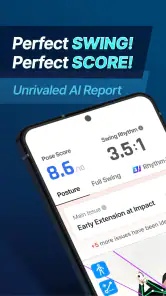
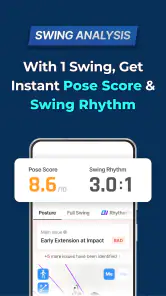
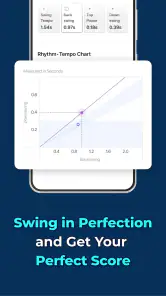
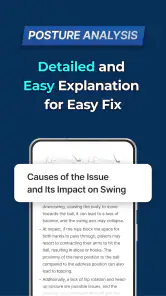
The standout feature of this app is undoubtedly its AI-powered swing analysis. By simply recording your swing using the app's camera feature, the AI quickly analyzes it and provides detailed feedback. I found this extremely beneficial, as it highlights areas where I can improve my technique. The app breaks down the swing into several components, offering insights that are both comprehensive and easy to understand. It's like having a personal golf coach in your pocket, which is a game-changer for many of us who can't afford regular lessons.
Making feedback useful over time
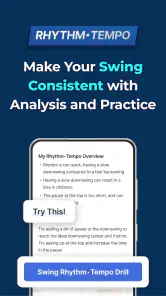
The analysis is most valuable when I keep the comparison fair. For a repeatable check, I would use a similar setup and camera position each time, and avoid changing several swing elements between recordings. That makes it easier to see whether a cue is becoming more consistent rather than mistaking a different angle or a one-off attempt for progress. If the feedback feels confusing, I would return to a comfortable swing and focus on one observation instead of chasing every suggestion.
This also explains the main trade-off with AI feedback: it can make practice more deliberate, but it cannot know every detail behind a shot or how a player feels physically. Someone preparing for a specific technical change, dealing with pain, or struggling to interpret a movement may get more from an in-person instructor. I see the app as a way to arrive at a lesson with better questions, not a substitute for individual coaching.
Customization and Personalization
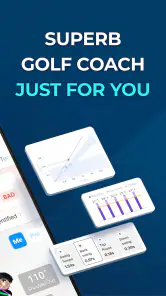
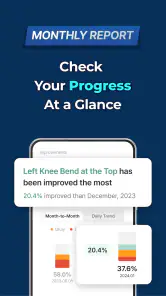
GolfFix: AI Swing Analyzer/Cam also excels in its customization options. You can set personal goals and track your progress over time, which adds a layer of motivation to keep practicing. The app allows you to compare your swings with professional golfers, providing a benchmark to measure your improvement. I particularly enjoyed this feature as it offers a realistic view of where I stand compared to the pros.
Month-to-month value and everyday fit
Goals and comparisons can help turn an interesting first session into a repeatable routine, but I would judge progress by my own consistency rather than by how closely I resemble a professional player. A useful habit might be to review a small batch of swings after a practice session, note one takeaway, and leave the phone aside while actually hitting balls. That keeps analysis from taking over the time meant for golf.
Compared with the usual alternatives—watching general swing videos, asking a playing partner for an impression, or booking a lesson—this app sits in the middle. It offers a more personal reference than a tutorial, and is easier to return to than arranging a lesson, but it cannot provide the same back-and-forth judgment as a coach. It is a good fit for curious beginners and regular golfers who like structured solo practice; someone who mainly wants course information, scoring tools, or social golf updates should look elsewhere.
Maintenance, cost, and possible fatigue
The routine is simple in concept, though recording and reviewing swings still asks for attention. If I only open it when I feel frustrated, it could become another source of second-guessing. I would use it selectively—perhaps when practicing a particular adjustment—rather than analyzing every swing during a round. Consistent framing and a modest goal are more sustainable than trying to build a perfect record of every session.
The app is free to download, rated for Everyone, and has an average rating of 4.5 from around 5,800 ratings, with over 500,000 installs. Its current version is 3.4.1, and in-app purchases range from $14.99 to $99.99 per item, so I would check the available purchase details before spending. The key question is whether I will return to the analysis after the novelty wears off; if I prefer quick advice from a playing partner or do not enjoy reviewing video, the extra process may not earn a regular place on my phone.
Community and Sharing
One of the fun aspects of the app is the community feature. You can connect with other golf enthusiasts, share your progress, and even participate in challenges. This social element adds a competitive edge that encourages users to keep refining their skills. It's always inspiring to see how others are improving and to learn from their experiences.
Final Thoughts
In conclusion, the GolfFix: AI Swing Analyzer/Cam is a must-have app for anyone serious about improving their golf game. Its user-friendly interface, coupled with advanced AI technology, makes it an invaluable tool for golfers of all levels. Whether you're a beginner or an experienced player, this app offers insights and features that can significantly enhance your playing skills. So, if you're looking to take your golf swing to the next level, I highly recommend giving this app a try. It's like having a personal coach, a supportive community, and a progress tracker all rolled into one!
My lasting verdict
I would recommend trying it if you enjoy working on your swing and can use feedback as a prompt for focused practice rather than a scorecard for your talent. Its lasting value depends less on how impressive the first analysis feels and more on whether a small, repeatable review fits your routine. For golfers who want that extra structure between lessons—or who practice alone and want a concrete point to consider—it can be worthwhile. If video review makes you overthink, or you need hands-on correction, a coach or a simpler practice routine is likely the better choice.
Who is most likely to keep using it?
I see the strongest fit for someone who already visits a practice area and wants to make those sessions less random. A golfer who has a lesson occasionally can use the app to revisit one agreed practice focus between appointments, then bring a more specific question back to the instructor. Someone just starting out may also benefit from having a visual reference, provided they are comfortable treating suggestions as prompts rather than instructions they must follow blindly.
There is a different answer for golfers who mainly want help choosing a club, keeping score, or finding a place to play. Those needs are better served by apps built around course tools, and swing analysis would be an unnecessary detour. Likewise, if I know I’ll only use my phone for a quick glance and dislike stopping to record, the most sophisticated feedback is unlikely to matter. The best app is the one that fits the way I actually practice.
A repeatable routine beats a library of clips
One small habit can make comparisons more meaningful: decide in advance what question each recording is meant to answer. For example, if I’m checking whether a change feels more repeatable, I would film a brief set before and after practicing it, rather than collecting clips without a purpose. I’d jot down the cue I was working on in plain language. That note helps separate a genuine pattern from the excitement of seeing a new analysis screen.
I would also avoid turning professional comparisons into a target for every session. They can be interesting reference points, but a tour player’s movement reflects a different level of skill and context. For ordinary practice, my useful benchmark is whether I can reproduce my own intended motion more consistently. That is a less glamorous comparison, but it is more actionable and less likely to make a developing golfer chase changes that do not suit them.
Where the trade-offs show up
Video review can be valuable, but it changes the rhythm of practice. Setting up a camera, recording, and then interpreting feedback takes attention away from simply hitting shots. I would use the analysis between groups of swings or after practice, not after every attempt. If the phone becomes the center of the session, the golfer may end up with more observations but less time learning how a change feels.
There is also a judgment call around conflicting feedback. A screen can highlight a movement, yet it cannot fully explain whether that movement caused a poor result, whether it was intentional, or whether another part of the swing matters more. If a suggestion feels uncomfortable or seems to make contact worse, I would stop and seek an instructor’s view instead of repeatedly forcing the change. That caution is especially important for anyone dealing with pain; an app is not a medical assessment.
Practical questions before settling in
For someone wondering whether they need special golf equipment to begin, the central workflow described here is camera-based swing recording, so the practical starting point is a phone and a way to capture a usable view. A steady, repeatable camera position matters more than trying to make the first clip look polished. I would test the framing with a comfortable swing before spending a full session reviewing footage.
Another natural question is whether the free download means every useful option is free. It does not: in-app purchases are available, and their listed per-item prices range from $14.99 to $99.99. I would explore the basic experience first and read each purchase screen carefully, deciding only after I know that the analysis fits my practice habits. The app has been available since August 10, 2020, and version 3.4.1 is the current release; it requires Android 9 or later where applicable.
GolfFix has an average rating of 4.5 from around 5,800 ratings and more than 500,000 installs, which suggests that many golfers have tried it, but popularity cannot tell me whether its workflow suits my own attention span. The most useful test is personal: after a few sessions, am I using the feedback to make one clear practice choice, or am I collecting clips and feeling less sure? If it is the former, the app has earned a place in my routine. If it is the latter, I would scale back or choose a coach-led approach.
Keeping the habit light enough to last
My long-term approach would be to treat the app as an occasional checkpoint rather than a daily obligation. I would return when I have a specific swing question, record a manageable number of attempts, and then put the phone away to practice. That keeps the analysis connected to real shots and prevents tracking from becoming a task in its own right.
Ultimately, this is a focused sports app, not a replacement for playing, a lesson, or the feel that develops through repetition. Its best contribution is structure: it can help a golfer who practices alone notice what to work on next and revisit that question later. If that kind of reflection energizes you, GolfFix: AI Swing Analyzer/Cam can remain useful beyond the first week. If you prefer instinctive practice or need a person to interpret your movement, there is no shame in choosing a simpler route.
GolfFix: AI Swing Analyzer/Cam Frequently Asked Questions
Is GolfFix: AI Swing Analyzer/Cam free to download, and what might cost extra?
GolfFix is free to download, so you can try the app without paying upfront. It also offers in-app purchases, with paid items ranging from around $15 to $100. That means the free download and any paid features are separate considerations: review the purchase options shown in the app before choosing to spend, and decide whether its available tools fit your practice needs.
Can GolfFix help me practice without a golf course or coach?
GolfFix is a sports app focused on using AI-powered swing analysis to help golfers work on their technique. You can record a swing with your phone and review the resulting feedback as part of your practice, rather than relying solely on a course session. It can be a useful training aid, but it is best treated as feedback to guide practice, not a replacement for every form of instruction.
What is GolfFix: AI Swing Analyzer/Cam and how does it work?
GolfFix: AI Swing Analyzer/Cam is an innovative mobile application designed to help golfers improve their swing technique using advanced AI technology. The app records your golf swing and provides a detailed analysis, highlighting areas for improvement. It uses your phone’s camera to capture your movement, allowing the AI to evaluate your posture, alignment, and swing mechanics. This instant feedback can be invaluable for golfers looking to refine their skills.
Is GolfFix suitable for beginners or only for advanced golfers?
GolfFix is designed to cater to golfers of all skill levels, from beginners to seasoned professionals. For beginners, the app offers basic tutorials and tips to get started with proper swing techniques. Advanced users can benefit from in-depth analysis and specific suggestions to fine-tune their game. The app's adaptability makes it a versatile tool for anyone looking to enhance their golfing performance.
Do I need any additional equipment to use GolfFix effectively?
No additional equipment is required to use GolfFix effectively. All you need is a smartphone with a camera, as the app utilizes your device's camera to record and analyze your swing. However, for optimal results, it's recommended to use a tripod or a stable surface to ensure steady filming. This will help the AI provide the most accurate analysis of your swing.
Pros
- Accurate AI swing analysis
- User-friendly interface
- Real-time feedback
- Customizable swing tips
- Compatible with most devices
Cons
- Requires stable internet connection
- Limited free features
- Occasional app crashes
- High battery consumption
- Subscription needed for full access
- Category
- Sports
- Version
- 3.4.1





