

Glitter Wallpapers Sparkling
- 240.00
- 4.4
- Installs
- 5.00M
- Price
- Free
Screenshots



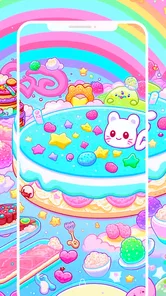
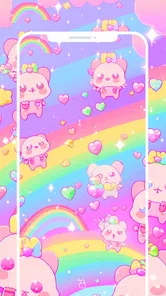
Analysis by Reviewed
I judge a wallpaper app by whether it helps me find a background I actually want to keep, rather than just giving me a long scroll of glitter. Glitter Wallpapers Sparkling is aimed squarely at people who enjoy bright, decorative screens, and its appeal is easy to understand: it makes sparkle the point instead of treating it as one option among many. It is a free personalization app from WallForApps, rated for Everyone, and it has a 4.4 average from around 10,000 ratings. Those figures suggest it has found an audience, though your own taste in glitter will matter more than popularity.
What free access means here
The app is free to install, so trying it does not require an upfront purchase. That makes it a low-commitment way to see whether glitter backgrounds suit your phone. I would separate that confirmed free access from assumptions about every possible cost or condition: the useful question for a new user is simply whether the available wallpaper selection feels worth keeping on the device. The app has passed 5 million installs, and its current version is 2.1.1, but neither number tells me whether its style will fit my everyday home screen.
Glitter Galore: First Impressions
From the moment I opened Glitter Wallpapers Sparkling, I was greeted with an explosion of colors and shimmer. The interface is super user-friendly, which is always a plus in my book. You don’t need to be a tech wizard to navigate through the various options available. It’s as simple as tap, swipe, and voila — your phone is blinged out like never before!
A Sparkling Selection
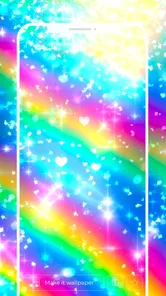
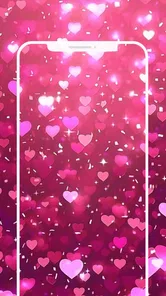
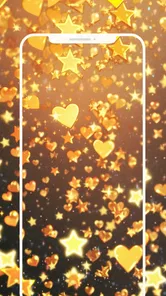
The app boasts a vast collection of wallpapers that range from subtle sparkles to full-on glitter bombs. Whether you’re into pastel hues or bold, bright colors, there’s something here for everyone. I especially loved the categorized sections that made it easy to find exactly what I was looking for. From abstract glitter art to themed holiday sparkles, the variety kept me scrolling for quite a while.
One of my favorite features is the ability to preview wallpapers directly on my home screen before committing to one. It’s such a simple feature, but it really makes a difference when trying to decide which wallpaper will best suit my mood for the week.
Choosing a wallpaper for real daily use
A preview is more useful when I treat it as a readability check, not only a beauty check. I look at where my app icons and widgets sit, then ask whether the glitter pattern competes with them. A bright, detailed image can feel exciting in the gallery but make labels harder to pick out once it fills the screen. If that happens, I’d try a calmer design or adjust the image rather than choosing the flashiest option by default.
For example, if I want a cheerful change before a busy week, I can browse for a softer color and preview it against the usual home-screen layout. If the icons remain easy to find, the wallpaper is doing its job; if not, I can switch without committing. That small habit saves me from a background that looks good for a moment but becomes distracting every time I unlock the phone.
More From Our News Desk

 Gmail
GmailGmail in a Busy Inbox: Who Benefits Most?
From first account to crowded workday, Gmail earns its place through dependable search and flexible sorting—but its best fit depends on how much inbox maintenance you can tolerate.

 Prime Video
Switching to Prime Video: What Changes in Your Viewing Routine
Prime Video can make a compelling second home for streaming, but switching means learning a different catalog, rental layer, and route from browsing to playback.

 Universal TV Remote Control
Universal TV Remote Control Works Best as a Reliable Backup
A phone remote earns its place through quick setup and reliable habits. Here is how to get more from Universal TV Remote Control—and where its limits show.

 Weather - By Xiaomi
Weather by Xiaomi Review: Clear at a Glance, Less Clear Up Close
Xiaomi’s weather app makes everyday forecasts quick to scan, but its calm surface can leave useful details and recovery paths harder to find than they should be.

 X
XX Under Pressure: Can It Recover When Posting Goes Wrong?
A resilience-focused review of X, examining setup, mistaken posts, interruptions, weak connections, and the gaps that matter when recovery needs to be dependable.

 Clash of Clans
Clash of Clans Is Won Between the Battles
Its raids are quick; its community is a long-term project of coordination, teaching, rivalry, and shared responsibility—with all the friction that entails.
Latest News



Making it fit a routine, not just a mood
I would also think about when and where I use my phone before settling on a design. A wallpaper that feels fun during a quiet evening of browsing may be tiring when I am checking messages quickly between errands. For a workday, I would favor a low-detail pattern with enough open space around the areas where notifications and widgets appear. For a weekend or a secondary device, I might choose something louder. This is a practical way to enjoy the app’s theme without expecting one image to suit every situation.
If I change backgrounds often, I would treat browsing as a short refresh rather than a project: pick a color direction, preview a few options, and stop once one works with the screen. That keeps the choice from turning into endless scrolling. If I rarely change my wallpaper, it is worth spending more time checking the candidate in normal use before keeping it, because a sparkling design is more noticeable over repeated unlocks than it is in a gallery preview.
Performance and Usability
Now, let’s talk about performance. I was pleasantly surprised by how lightweight the app is. It didn’t slow down my phone or drain my battery, which is often a concern with apps that offer high-resolution images. The download and installation process was a breeze, and I didn’t encounter any pesky ads popping up every two seconds — a major win in my book!
Another aspect worth mentioning is the customization options. You can tweak the brightness and contrast of the wallpapers to better fit your personal style. It’s little details like these that make the app stand out from the rest.
Small adjustments, better results
I’d use brightness and contrast as practical tools rather than trying to make every wallpaper more dramatic. Lowering brightness can help a busy design sit more comfortably behind icons, while a contrast adjustment may make a muted pattern easier to see. The best result depends on the image and the phone’s layout, so I’d preview after each change instead of editing by instinct. The trade-off is that adjustment takes a little experimentation, and a glitter image may still be too visually active for a screen crowded with widgets.
Compared with a general wallpaper browser, this app’s clear strength is its narrow focus: I can browse specifically for glitter rather than filter through landscapes, photographs, and other styles. That focus is also its limitation. If I want understated photography, plain colors, or a broader mix of themes, a general wallpaper app is the better starting point. If I want sparkle without searching across unrelated categories, the focused collection makes more sense.
Practical checks before you settle on a design
One useful habit is to preview a candidate while thinking about the actual content on your home screen, not an imagined clean layout. If the wallpaper sits behind a calendar, weather information, or a cluster of frequently used icons, check whether those elements remain easy to distinguish. A pattern with bright highlights may draw the eye away from small labels, even if the overall color feels right. I would also check the lock screen separately if I use a different arrangement there, since a design that works behind home-screen icons may not be equally comfortable behind notifications.
Another trade-off is that visual variety within one theme is not the same as variety across themes. Color and sparkle can give a collection different moods, but someone looking for a dramatic change in subject matter may still feel limited. I would use this app when I know the effect I want, then switch to a broader source when I want to explore photography, scenery, or simple solid backgrounds instead.
Who is likely to enjoy it
I’d recommend giving it a try if you like decorative backgrounds, enjoy changing your phone’s look, or want a playful alternative to a plain screen. It is also a straightforward option for someone who would rather browse a themed collection than create a background from scratch. On the other hand, people who prefer minimal screens, need lots of visual quiet behind text, or rarely change their wallpaper may not get much out of a glitter-focused app. The Everyone content rating makes it broadly suitable, but the style itself is still a matter of personal preference.
It can also suit someone choosing a background for a personal device used mainly for casual browsing, messaging, and music, where a decorative screen feels like part of the fun. I would be more cautious about recommending it to someone who depends on a very uncluttered display for work or accessibility reasons. In that case, a plain background or a carefully chosen photograph may make text and icons easier to scan. The point is not that glitter cannot work on a practical phone, but that a visually active image asks more of the layout.
A realistic day-to-day test
Imagine picking a pastel sparkle on Sunday evening because you want a small change for the week. I would preview it with the icons and widgets I rely on, then use the phone normally the next morning: checking messages, opening a calendar, and finding an app quickly while distracted. If the background makes those tasks feel less clear, I would return to the selection and try a quieter design or lower the brightness. That simple test is more revealing than deciding from a large preview alone, and it helps separate a wallpaper that is pretty from one I genuinely want to live with.
For a parent or anyone setting up a phone for a younger family member, the Everyone rating is reassuring as a broad content label, but I would still make the choice together based on taste and screen readability. The app’s playful look may be a welcome personal touch, while a restrained design may be more suitable for someone who shares their screen often or prefers a less decorative appearance.
WallForApps released the app on March 25, 2023, and its minimum OS requirement is 7.0. Those details make it easier to judge whether it is a fit for a device, while the main decision remains visual: do you want a screen that catches the eye, or one that stays in the background? I’d answer that by testing a few previews during ordinary use, not just admiring them in the selection screen.
What to expect from a focused wallpaper app
People often wonder whether a specialized wallpaper app is more useful than choosing images from a general gallery. For me, the answer depends on whether I have a clear style in mind. Here, the focus on glitter reduces the effort of searching for that particular look; it is less helpful when I am undecided or want to compare very different visual styles. A general library is the more flexible choice for browsing widely, while this one makes sense when sparkle is already the brief.
It is also worth distinguishing wallpaper selection from full home-screen customization. A background changes the visual mood, but it does not by itself reorganize icons or make widgets easier to read. I would choose a design that complements the layout I already use rather than expecting the image to transform how the phone works. The brightness and contrast adjustments offer some control over the wallpaper itself, but the most reliable result still comes from matching the image to the screen.
Final Thoughts
All in all, Glitter Wallpapers Sparkling is a must-have for anyone looking to add a touch of glam to their device. The app’s extensive collection, ease of use, and performance make it a standout choice in the world of wallpaper apps. Whether you’re a long-time fan of all things glitter or just looking to try something new, give this app a whirl. You might just find yourself falling in love with a little sparkle!
So, what are you waiting for? Go ahead and give your phone the glittery makeover it deserves. Your inner magpie will thank you!
My buy-or-skip verdict
Because it is free to install, I see this as an easy trial rather than a purchase decision: browse, preview, and keep it only if the designs work with your screen and routine. I’d skip it if I wanted a restrained look or a wide-ranging wallpaper library. For anyone who specifically wants glitter, though, the focused selection and small brightness and contrast adjustments give it a clear purpose. I’d start with a subtle design, check it behind the icons I use most, and move to bolder sparkle only if it remains comfortable to look at throughout the day.
Who should choose another option
I would skip this one if I want a wallpaper source that can follow several different moods, or if I know that bright, decorative patterns quickly feel distracting to me. A broad wallpaper browser is a better match for someone who likes to move between landscapes, illustrations, and minimalist designs without switching apps. Someone who already has a photo they love may be better served by using that image directly rather than browsing a themed collection. The value here comes from wanting glitter in particular, not from covering every wallpaper need.
For a user unsure about the style, I would not treat the download as a commitment. Since installing it is free, the sensible test is to browse and preview a few designs, then decide whether any remain appealing after seeing them with everyday icons and notifications. If none do, moving on costs no purchase price; if one fits, the app has served a clear purpose. That is a more useful way to judge it than assuming a large audience means it will suit every taste.
A measured recommendation
My recommendation is specific: try it when you already like sparkle and want a direct route to decorative backgrounds, but do not choose it just because you are looking for any wallpaper app. The focused theme is its strongest reason to install and its main reason to pass. I would begin with a softer design, adjust it only as needed, and evaluate it during ordinary phone use rather than in a moment of novelty. If it stays attractive without making the screen harder to use, it is a good free personalization option for that preference.
Ultimately, this is a small visual choice, not a reason to overhaul a phone. Its appeal rests on whether glitter makes your screen feel more personal without becoming visual noise. I like that the app gives people who want that look a focused place to browse, while the free access makes testing the style straightforward. If your taste leans toward quiet backgrounds, a different source will serve you better; if you enjoy a bit of shimmer every time you unlock your device, this is an easy one to try.
Glitter Wallpapers Sparkling Frequently Asked Questions
What devices can run Glitter Wallpapers Sparkling?
Glitter Wallpapers Sparkling is a personalization app for Android devices running Android 7.0 or later. Before downloading, check that your device meets this requirement so you can install and use the app. Its focus is on glitter-themed wallpaper, making it an option for anyone looking to give a compatible phone or tablet a sparkling look.
Who makes Glitter Wallpapers Sparkling, and is it suitable for everyone?
The app is developed by WallForApps and is rated for Everyone, so its stated content rating is suitable for a broad audience. It is designed for personalizing a device’s appearance with glitter wallpapers rather than for a specific age group. If you are choosing an app for a child or family device, you can keep that rating in mind alongside your usual preferences.
What is Glitter Wallpapers Sparkling and what does it offer?
Glitter Wallpapers Sparkling is a mobile application designed to provide users with a wide variety of sparkling and glittery wallpapers for their Android or iOS devices. The app offers high-definition images in various categories, allowing users to personalize their home and lock screens with dazzling visuals. In addition to its extensive library, the app is regularly updated with new wallpapers to ensure fresh content for users.
Is Glitter Wallpapers Sparkling free to use?
Yes, Glitter Wallpapers Sparkling is free to download and use. However, it may offer in-app purchases for premium features or additional content. Users can enjoy a wide range of wallpapers without any cost, but additional sparkling collections or ad-free experiences might require a purchase.
How user-friendly is Glitter Wallpapers Sparkling for first-time users?
Glitter Wallpapers Sparkling is designed with a user-friendly interface that makes it easy for first-time users to navigate. The app provides a seamless browsing experience, allowing users to easily search and apply wallpapers to their devices. It also includes intuitive features such as categorization and a favorites list to help users find and manage their preferred wallpapers effortlessly.
Pros
- High-quality sparkling designs
- Easy to navigate interface
- Regularly updated with new content
- Compatible with most devices
- Low battery consumption
Cons
- Contains ads
- Limited free content
- In-app purchases required for premium designs
- Not available offline
- Some wallpapers are repetitive












