Funimate Video Editor & Maker
- 153.67K
- 4.4
- Installs
- 50.00M
- Price
- Free

Screenshots

Analysis by Reviewed
In a household where a phone or tablet gets passed around, Funimate Video Editor & Maker can turn a spare moment into a small creative project. I can imagine one person trimming a dance clip while someone else tries an overlay or sticker, then comparing the results. That casual, make-something-together appeal is the app’s sweet spot: it encourages playful experiments rather than demanding a formal editing session.
Making Room for Different Creators
That shared-device scenario works best when everyone treats each edit as a separate task and agrees on who is using the device. I’d decide beforehand where finished videos should be saved or shared, especially if more than one person uses the same account on the device. This is ordinary household coordination, not a special feature of the editor, but it can prevent someone from posting or changing a clip another person was still working on.
A quick project, with a little planning
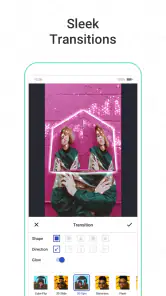
For example, after a family outing, I might choose one short clip, trim away the shaky beginning, add a sticker or overlay, and try a transition before deciding whether the result needs anything else. Working on one clip at a time helps keep the edit focused and makes it easier to compare versions. I’d also keep an untouched copy of anything important before experimenting, so an effect-heavy edit doesn’t become the only version left to use.
Funimate is a video-editing app from Pixery Bilgi Teknolojileri, and it is free to install. Optional in-app purchases range from $1.49 to $69.99 per item, so I’d check the purchase screen before confirming anything, particularly on a shared device. The app is rated Teen, a useful point for household conversations, though an age label by itself is not a substitute for deciding whether its creative and sharing environment suits a particular young person.
Where it fits among mobile editors
Compared with a basic editor built around trimming and joining clips, Funimate puts more emphasis on visual effects, overlays, stickers, and animation. That makes it appealing when the goal is a lively, distinctive short video rather than a restrained cut. A more traditional editor may be a better fit when I need a careful sequence of many clips, detailed control over a longer project, or a familiar timeline-first workflow. I’d choose based on the job, not assume one app is best for every video.
A useful way to keep its effects from taking over is to pick the mood first, then try one transition and one visual treatment before adding more. If I use several effects simply because they are available, the clip can become harder to follow. Saving a simpler version alongside a more playful one also gives me a practical fallback when I want to share the same footage with people who prefer a cleaner look.
What the scale and age label mean at home
The app has a 4.4 average from around 1.1 million ratings, with over 50 million installs, which suggests it has reached a broad audience of mobile creators. It is for teens, and I’d treat that as a prompt to talk about what gets shared and with whom, rather than as a guarantee that every household will be comfortable with every kind of content or interaction. The in-app community can offer inspiration, but families should make their own decisions about whether and how a young user engages with sharing.
More From Our News Desk

Clash of Clans Is Won Between the Battles

Android Auto Makes the Case for Quieter Car Software

MobiOffice: Transforming Mobile Productivity with Seamless Integration

EA SPORTS FC™ Mobile Soccer: Redefining Mobile Sports Gaming

How Microsoft OneDrive Became a Mobile Productivity Giant

How Google Translate Breaks Language Barriers Effortlessly
If a parent and teen are coordinating a project, a simple agreement can help: decide who edits, who approves the finished clip, and whether it stays on the device or is shared elsewhere. I would not assume that the app provides family controls or separate household profiles. For a private creative activity, it can be enough to work together on the edit and make the sharing decision deliberately at the end.
Getting Started with Funimate
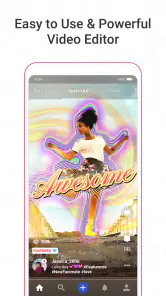
When I first downloaded Funimate Video Editor & Maker, I was curious about how user-friendly it would be. To my delight, the app is super intuitive. The interface is straightforward, making it easy to navigate even for beginners. Right from the start, you’re greeted with a plethora of editing tools that are just a tap away. Whether you want to trim, crop, or add effects, everything is laid out in a manner that doesn’t overwhelm you.
Features Galore
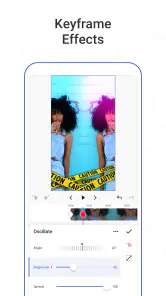
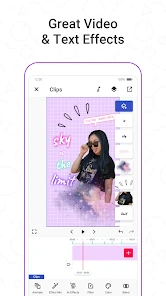
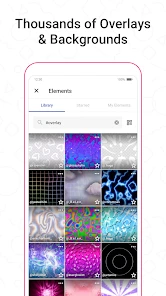
One of the standout features of Funimate is its massive library of effects and transitions. I found myself scrolling through endless options that cater to every style imaginable. Whether you're aiming for something quirky or a more polished look, Funimate has got you covered. Plus, the ability to create custom animations is a nifty addition for those who want to add a personal touch to their videos.
Another feature that caught my attention is the community aspect. Funimate allows users to share their creations within the app, providing a platform to garner feedback and inspiration from other users. It's like having a mini social network dedicated solely to video editing enthusiasts!
Why I Love Using Funimate
As someone who enjoys making videos but doesn't have a lot of time to spend on editing, Funimate is a lifesaver. The app runs smoothly, and I didn’t experience any lag or crashes, which is a big plus. I can whip up a snazzy video within minutes and share it directly to my social media accounts. Talk about convenience!
Moreover, the app frequently updates with new effects and features, keeping the editing experience fresh and exciting. It’s clear that the developers are actively listening to user feedback and continually improving the app. I appreciate that kind of dedication to quality.
Picking the right clip and workflow
For a quick post, I’d start with the footage already chosen rather than scrolling through a whole camera roll while the app is open. A short, steady source clip gives the effects room to be noticed without making the result feel chaotic. I’d watch the original once, decide what moment matters, and then trim around that point before styling it. This simple order saves time: it is easier to judge an effect on a focused clip than on a long recording with dead space at either end.
When I’m making a sequence from several moments, I’d first decide whether the video is meant to tell a story or simply deliver a burst of energy. For a story, the order of clips should remain clear even before overlays are added; for a playful montage, repeated visual motifs can make separate shots feel connected. Funimate’s effects can help establish that look, but they cannot fix footage that is confusing or poorly chosen. I’d treat editing as selection first and decoration second.
Effects are strongest when used with restraint
The large choice of effects is fun, but browsing can become its own distraction. I’d test a couple of treatments on the same moment, compare them, and remove anything that competes with the subject. A sticker can point attention toward a detail; several stickers, animated elements, and transitions at once can make it difficult to tell where to look. The useful skill is not finding the most elaborate option, but knowing when the clip already works.
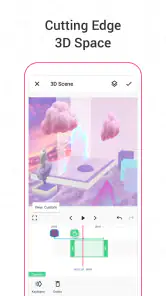
Custom animation is a particularly good reason to choose this app over a plain trimming tool when I want a personal accent rather than a standard filter. I’d use it for a small visual cue—something that supports the action or adds character—rather than trying to animate every part of a short video. That approach keeps the edit recognisable as my own while avoiding the feeling that every available tool had to be used.
Everyday sharing without rushing the decision
A realistic use would be making a quick recap after a school performance, a weekend walk, or a small celebration. I could trim a clip, add one overlay, preview the result, and ask the person featured in it whether they are comfortable with the final version before sharing. That last check matters more than polishing another transition, especially when a shared device makes it easy for one person to edit footage of someone else.
I’d also separate the editing decision from the publishing decision. Finishing a video does not mean it has to be posted immediately: it can be shown to the people involved first, kept for later, or left as a private creative experiment. This is a practical advantage of agreeing on household expectations in advance. The app makes expressive edits accessible, but the people in the video should still have a say in where it goes.
Free to begin, with purchases worth noticing
Because the app is free to install, it is easy to try for a small project before deciding whether it suits your routine. The optional purchases are a separate consideration, particularly if a younger person uses a device where purchases are possible. I’d make the payment boundary clear before handing over the phone, and have the person using the app ask before confirming a purchase. That avoids confusing the cost of installing the editor with the cost of any optional items.
For a household, I’d also agree on a basic handoff routine: finish or abandon the current edit clearly, show the next person which footage is theirs to use, and avoid leaving a draft open for someone else to change accidentally. This is not a substitute for separate accounts or a dedicated family setting; it is simply a low-effort way to reduce mix-ups when people share one screen and one library of personal videos.
Who will enjoy it, and who may prefer another tool
I’d recommend Funimate to someone who mainly makes short, expressive clips and enjoys trying visual treatments without learning a desktop-style editing system. It suits teens and adults who want to make a dance edit, a playful personal montage, or a quick clip with a more distinctive finish than a basic trim-and-share tool provides. The community can also be useful for someone who likes seeing how other creators approach effects, as long as they are comfortable with the social side of the experience.
I’d steer someone elsewhere if their main goal is careful long-form editing, precise multi-clip arrangement, or a quiet utility for cutting out a few seconds and moving on. A conventional timeline editor is usually the more sensible choice for that work; a device’s built-in editor may be enough for simple trimming. Funimate’s creative emphasis is a strength when effects are the point, but it can be unnecessary friction when speed and exact control matter more than style.
Compatibility and expectations
The current version is 13.4.4, and the app supports devices running Android 8.0 or later. That gives Android users a clear starting point for checking compatibility before installing. Funimate is in the video players and editors space, but I would think of it primarily as a creative editor rather than a general-purpose player: its appeal is shaping a clip, not replacing a basic way to watch videos.
The app has been available since August 19, 2016, and its 154,000 reviews sit alongside its broad audience. Those details give a sense of an established product, but they do not guarantee that every effect, workflow, or social feature will match an individual preference. I’d spend a little time with one low-stakes clip first. That reveals more about whether its style suits you than trying to judge the whole experience from its popularity alone.
In Conclusion
Overall, if you’re looking for a way to up your video editing game without breaking the bank or spending countless hours learning complex software, Funimate Video Editor & Maker is definitely worth a try. It’s perfect for both casual users and those looking to dive deeper into the world of video editing. With its impressive array of features and user-friendly design, it truly stands out in the crowded market of mobile video editors. Give it a go, and you might just find yourself addicted to making videos!
Funimate Video Editor & Maker Frequently Asked Questions
Is Funimate suitable for the kind of videos I want to make?
Funimate Video Editor & Maker is a video editing app for creating and enhancing videos, particularly for social media. Its tools include effects, transitions, stickers, overlays, and custom animations, so it may suit users who want to give short clips a more creative look. The app is free to download, and its content rating is Teen.
Can I try Funimate without paying?
Yes. Funimate is free to download, so you can explore the app before deciding whether to buy any extras. Some options are available as in-app purchases, so check the price and details shown in the app before confirming a purchase. This gives you a chance to see whether the editing tools suit your needs while keeping optional spending separate from the initial download.
What should I check before installing Funimate on my phone?
Check that your phone’s operating system meets the app’s minimum requirement: Android 8.0 or later. Funimate is developed by Pixery Bilgi Teknolojileri and is available for Android and iOS. It is categorized among video players and editors. If you are considering the iOS version, check the App Store listing for your device’s compatibility before downloading.
What is Funimate Video Editor & Maker?
Funimate Video Editor & Maker is a popular video editing application available for both Android and iOS devices. It allows users to create stunning videos with a variety of effects, transitions, and animations. The app is geared towards social media enthusiasts who want to enhance their video content with creative tools and share them across platforms.
How user-friendly is Funimate for beginners?
Funimate is designed with an intuitive interface that is friendly for beginners. Even those with little to no editing experience can quickly learn how to use its features. The app provides guided tutorials and tips to help newcomers create professional-looking videos without feeling overwhelmed by too many complex options.
Pros
- Intuitive user interface for easy editing
- Wide variety of effects and transitions
- Regular updates with new features
- Supports sharing directly to social media
- Great for creating short
- fun videos
Cons
- Some features require in-app purchases
- Occasional ads can disrupt workflow
- Limited advanced editing tools
- Can be resource-intensive on older devices
- Requires internet for full functionality
- Category
- Video Players & Editors
- Version
- 13.4.4













