

FlashReel: AI Video Maker
- 0.00
- 0.0
- Installs
- 10.00K
- Price
- Free
Screenshots


Analysis by Reviewed
FlashReel: AI Video Maker is the kind of creative app I would open when a still photo needs more energy but I do not want to build a complete video from scratch. It sits in the art and design space, with a simple idea at its center: turn photos into short animated pieces and give me ready-made creative templates to explore. That makes it more approachable than a traditional editor, especially when I want a result quickly rather than a timeline full of manual adjustments.
My first impression is that FlashReel is aimed at people who think visually but do not necessarily enjoy editing. The appeal is not deep production control; it is the short path from an image to something that feels ready to share. I can imagine using it for a birthday photo, a travel snapshot, a profile image, or a small social post where a static picture feels too plain. The app is free to install, although its in-app purchases range from $1.99 to $99.99 per item, so I would pay attention to what is included before building a regular workflow around it.
How FlashReel feels when speed matters
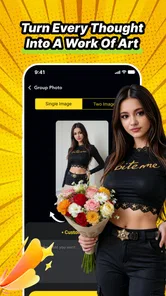
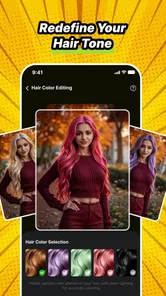
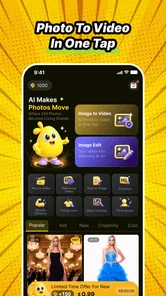
The main question with an AI video maker is whether it helps me move faster or simply replaces one complicated task with another. FlashReel’s concept is promising because animation templates reduce the number of decisions I need to make. Instead of choosing every transition, motion effect, and visual treatment myself, I can begin with a prepared direction and judge whether it fits the photo.
That is particularly useful when I have a clear deadline. If I am preparing a quick congratulations message, a small announcement, or a visual post for a group chat, I would rather test a few creative treatments than spend time learning a full editing suite. The app’s template approach gives me a practical starting point: choose an image, try a style, inspect the result, and keep refining until the movement feels appropriate.
I would not interpret “in seconds” as a guarantee that every project will finish instantly on every phone. AI processing can depend on the image, the selected treatment, the device, and the connection involved in the workflow. Still, FlashReel is clearly designed around fast experimentation. Its value comes from making the first acceptable result arrive sooner, not from promising the same level of control as a professional desktop editor.
A useful habit is to prepare a small group of suitable photos before opening the app. Images with a clear subject and enough visual separation are easier to evaluate in animated templates than cluttered pictures. I also recommend testing the simplest-looking option first. That gives me a baseline for judging whether a more dramatic treatment genuinely improves the image or merely adds movement for its own sake.
What happens during heavier creative sessions
Short experiments should be easy to understand, but heavier use is where an app like this earns or loses trust. Creating several versions from one photo, trying multiple templates, and working through a larger batch can place more demand on the phone than making a single clip. I would expect the experience to feel less immediate during repeated AI processing than during ordinary browsing and selection.
More From Our News Desk

 Gmail
GmailGmail in a Busy Inbox: Who Benefits Most?
From first account to crowded workday, Gmail earns its place through dependable search and flexible sorting—but its best fit depends on how much inbox maintenance you can tolerate.

 Prime Video
Switching to Prime Video: What Changes in Your Viewing Routine
Prime Video can make a compelling second home for streaming, but switching means learning a different catalog, rental layer, and route from browsing to playback.

 Universal TV Remote Control
Universal TV Remote Control Works Best as a Reliable Backup
A phone remote earns its place through quick setup and reliable habits. Here is how to get more from Universal TV Remote Control—and where its limits show.

 Weather - By Xiaomi
Weather by Xiaomi Review: Clear at a Glance, Less Clear Up Close
Xiaomi’s weather app makes everyday forecasts quick to scan, but its calm surface can leave useful details and recovery paths harder to find than they should be.

 X
XX Under Pressure: Can It Recover When Posting Goes Wrong?
A resilience-focused review of X, examining setup, mistaken posts, interruptions, weak connections, and the gaps that matter when recovery needs to be dependable.

 Clash of Clans
Clash of Clans Is Won Between the Battles
Its raids are quick; its community is a long-term project of coordination, teaching, rivalry, and shared responsibility—with all the friction that entails.
Latest News



For that reason, I would treat FlashReel as a focused tool rather than something to leave open while doing many other demanding tasks. If I am producing a handful of variations, I would work in small groups, review each result, and remove versions I clearly will not use. This keeps the project easier to manage and reduces the chance of filling the device with near-duplicates.
There is also a creative cost to generating too many alternatives. Fast templates can encourage me to keep tapping instead of deciding. After a few options, I would stop and ask whether the motion supports the subject. A gentle effect may suit a family photograph, while a more energetic treatment could work for a fashion image or event announcement. The fastest workflow is not always the one that creates the most versions; it is the one that reaches a useful version without unnecessary repetition.
On a phone with limited free storage, I would be especially careful with exported media and source photos. Video files can accumulate quickly even when each individual project seems small. A sensible routine is to keep the original image, save the preferred result, and clear abandoned experiments once I know they are not needed. That is a broader device-management tip, but it matters more when an app encourages frequent visual generation.
Stability and recovering from an interrupted project
Reliability matters because creative work is frustrating to repeat. FlashReel’s version is 1.0.0, which makes me approach it as an early release rather than a mature editing platform with years of refinement behind it. I would begin with a low-stakes image, learn how the workflow behaves, and only then use it for something time-sensitive.
When an AI result takes longer than expected, I would avoid repeatedly pressing the same action. Repeated taps can create confusion about whether a request is still processing or whether several requests have been started. A calmer approach is to wait, check the current project state, and reopen the app only if the screen clearly stops responding. This is one of those small habits that can prevent duplicate work.
I would also keep my original photos outside the app. That way, if a session is interrupted or I decide to switch to another editor, the important material remains available. FlashReel is best treated as the place where I create and test animated versions, not as the only location for irreplaceable images.
For a dependable routine, I would finish one project completely before beginning several unrelated ones. This makes it easier to identify whether a problem belongs to a particular image, a template, or the app session itself. It also gives me a clean recovery path: reopen the last source photo, choose the preferred treatment again, and continue without having to reconstruct an entire batch.
Device limits and who should use it
FlashReel supports Android 7.0 and later, so its compatibility reaches older Android phones as well as newer models. That does not mean every supported device will feel equally comfortable with AI-assisted video creation. An older phone may be perfectly capable of opening the app while taking longer to process, preview, or save a result than a newer device.
If my phone has modest memory, limited storage, or a battery that already struggles under visual workloads, I would use shorter sessions and keep other demanding apps closed. I would also avoid judging the app solely by the time needed for one generation. The real question is whether the complete workflow—choosing an image, testing a template, reviewing it, and saving the result—fits comfortably into my device’s limits.
The mature 17+ content rating is another detail worth considering before installing it for a younger family member. Even though the app belongs to art and design, that rating means I would not assume it is appropriate for every audience. For personal use, it is simply part of the decision; for shared devices or supervised use, I would check the store context and account settings carefully.
FlashReel is a good match for casual creators, social-media users, and anyone who wants animated photo content without studying a complex editor. It is also useful for people who have ideas but lack the patience for detailed keyframing. On the other hand, I would skip it if I need precise timing, layered audio work, advanced color correction, or exact control over every movement. A conventional mobile video editor is likely better for those jobs.
Where it beats ordinary alternatives—and where it does not
Compared with a standard photo editor, FlashReel offers a more direct route to movement. A photo editor may improve the crop, color, or composition, but it usually leaves me to find another tool for animation. FlashReel brings the animated treatment into the same creative decision, which is convenient when the goal is a lively visual rather than a polished still.
Compared with a full video editor, it is less intimidating. Traditional editors are stronger when I need a timeline, several media layers, exact cuts, and a carefully planned sequence. They also demand more time and attention. FlashReel’s advantage is the opposite: it helps me explore a visual idea before I commit to a larger production process.
Template-driven creativity does have a trade-off. A prepared effect can make a result look finished quickly, but it may also make different photos feel similar. I would use the templates as a starting point and choose the one that supports the image’s mood, rather than selecting the most dramatic preview every time. If originality and precise brand consistency are essential, manual editing may still be the better choice.
Another practical question is whether the free installation is enough for regular use. Since individual in-app purchases can reach $99.99, I would not assume that every creative option is included at no cost. Before relying on a particular template or workflow, I would check the purchase prompt and understand whether it is a one-time unlock or part of a broader set of paid items. That matters especially for users creating content for clients or repeated campaigns.
Everyday workflows that make the app more useful
My favorite realistic use case is a quick personal message. I could take one clear photograph from a recent gathering, select an understated animation, and create a short visual greeting instead of sending the same static image again. The important step is restraint: one strong image and one suitable treatment will usually feel more intentional than a collage of unrelated effects.
A second workflow would be preparing several social posts from a small event. I would first sort the photos by subject, then test only a few templates on the strongest images. This avoids spending processing time on weak source material. I would keep the visual style consistent across the final selections, even if FlashReel offers many different directions.
For product or portfolio work, I would use the app for concept previews rather than final production. An animated photo can show a client or teammate how a visual might feel in motion. If the idea is approved, I could then rebuild it in a more controlled editor. This makes FlashReel valuable even when it is not the last step in the process.
One less obvious tip is to compare movement against the unedited original before saving. AI animation can draw attention to the background, face, or edges of an image in ways that are not obvious from a fast preview. Looking back at the still image helps me decide whether the effect improves the subject or distracts from it. I would also inspect the result at normal viewing size, not only zoomed in, because a detail that looks strange up close may be irrelevant in a small social post.
What I would expect from the developer and the current release
ZeroOneSol presents FlashReel as a focused creative app rather than a broad replacement for every video tool. With over 10K installs and a current version of 1.0.0, I see it as a product that may still be establishing its workflow and audience. That makes it worth trying for experimentation, while also giving me a reason to keep important originals and finished work organized elsewhere.
The release date is Jul 9, 2026, and that timing places the app in a very early stage of its public life. I would therefore judge it by whether the central experience is useful today: can I turn a suitable photograph into an appealing animated result without excessive setup? If the answer is yes for my needs, the app has a clear role even before it grows into a more extensive toolkit.
I would not install it expecting a complete social publishing system, a professional post-production environment, or a replacement for a dedicated animation package. Its strongest identity is narrower and more practical. It helps me move from a still image to a creative video idea quickly, especially when a template can do the heavy lifting.
My performance verdict
FlashReel: AI Video Maker is most convincing when I need speed of thought rather than maximum technical control. It gives casual creators a low-friction way to test animated photo concepts, and its template-led approach can save considerable effort compared with building motion manually. The best results will come from clear source images, short focused sessions, and a willingness to reject effects that do not serve the subject.
I would recommend trying it if you want quick visual experiments, personal greetings, social content, or rough creative previews. I would be more cautious if your phone is short on storage, if you need predictable heavy-batch processing, or if the project requires exact editing control. In those situations, a conventional editor may be slower at the beginning but more dependable for the final result.
My bottom line: FlashReel is a useful shortcut for turning photos into motion, not a full replacement for a serious video workstation. The free entry point makes experimentation easy, while the mature age rating, paid items, early version, and possible device demands are reasons to use it thoughtfully. For the right user, that balance is attractive: quick enough to spark an idea, simple enough for everyday creation, and flexible enough to serve as the first step before a more detailed edit.
FlashReel: AI Video Maker Frequently Asked Questions
What devices and operating systems can run FlashReel: AI Video Maker?
FlashReel: AI Video Maker is an app in the Art & Design category, developed by ZeroOneSol. It requires Android 7.0 or later, so check your device’s Android version before downloading. The app is listed for Android, and its age rating is Mature 17+. If your device meets the system requirement, you can consider whether its video-making tools and content rating suit your needs.
Who is FlashReel intended for, and is it suitable for younger users?
FlashReel is aimed at people interested in making creative videos with AI assistance, including users who want to animate photos or work with video templates. Its content rating is Mature 17+, so it is not intended for children or younger teens. Parents and guardians should take that rating into account before allowing a younger person to install or use the app, even if the creative tools seem approachable.
What is FlashReel: AI Video Maker and what can I use it for?
FlashReel: AI Video Maker is designed to help users create short videos with the assistance of artificial intelligence. It can be useful for producing social media clips, promotional content, narrated stories, slideshow-style videos, and other visual projects without requiring advanced editing skills. The app is aimed at users who want a faster alternative to building every scene manually from scratch. Its store description highlights animating photos with AI and exploring creative video templates in seconds.
How does FlashReel create videos from my ideas or text?
The app generally works by turning a written prompt, script, or selected media into a structured video project. Depending on the tools available in your version, FlashReel may help organize scenes, generate or suggest visuals, add narration, and synchronize elements with music or captions. The final result can still require editing, since AI-generated wording, timing, images, and transitions may not always match your intended message perfectly.
Is FlashReel: AI Video Maker free to download and use?
FlashReel is free to download, but it also offers in-app purchases ranging from $1.99 to $99.99 per item. Some features may therefore involve additional costs, so check the purchase details in the app before committing to a paid option. The free download can be a way to explore the app, while the available in-app purchases may affect which tools or content you choose to use.
Pros
- Quickly turns prompts and images into short videos
- AI-assisted editing helps beginners create polished content
- Includes templates suited to social media formats
- Useful for generating promotional clips and visual stories
- Simple interface makes basic video creation accessible
Cons
- AI results can vary and may need several attempts
- Advanced editing controls may feel limited for professionals
- Export options and quality may depend on the selected plan
- Some features may require an internet connection
- Generated videos can look similar when using popular templates











