Flash Alert & Led Flashlight
- 6.94K
- 4.5
- Installs
- 50.00M
- Price
- Free
Screenshots
Analysis by Reviewed
I think Flash Alert & Led Flashlight is most useful when you want your phone to communicate visually rather than relying on sound alone. Its appeal is straightforward: it pairs a hand-operated LED flashlight with camera-flash alerts for calls and notifications. That combination can help in a dark room or a noisy place, though I’d treat the alert feature as a backup cue, not a guarantee that every message will catch my attention.
A visual cue works best as part of a routine
The main question I’d ask before installing a flash-alert app is not whether a bright blink can be noticed, but whether it fits the way I actually use my phone. If I leave the device face down on a desk while working, a rear flash can be easier to spot than a small notification on the screen. If it is buried in a coat pocket, the same alert is unlikely to help. The benefit depends on keeping the phone somewhere the camera can be seen.
That makes this a useful option for particular moments rather than an all-day replacement for every notification method. I might use visual alerts during a shift in a loud kitchen, while doing household chores, or when I have muted the phone but still want to notice a call. At a quiet desk, normal sound or vibration may be less intrusive. I like that distinction: the app can add a cue when the setting calls for one, but it does not make every setting better.
There is also a social side to consider. A blinking camera flash is conspicuous, and people nearby may notice it before I do. In a meeting, a cinema, or a dim shared room, that can be distracting even if my phone is silent. I would switch the alerts off in those situations rather than assume a silent phone is automatically unobtrusive. For anyone sharing a room, a vibration-only setting may be the more considerate choice.
Bringing Light to the Dark
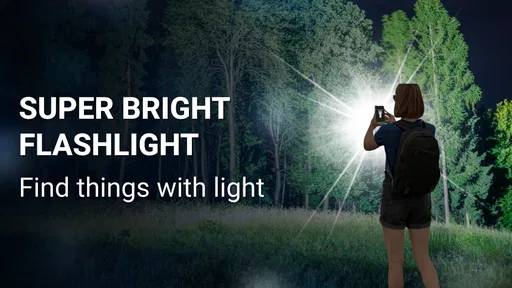
First off, the feature that caught my eye was the flashlight itself. It's a simple concept, but having a reliable flashlight on your phone is a necessity these days. Whether you're trying to find your way in a dark room or need a light source during a power outage, the Flash Alert & Led Flashlight has got you covered. The light is incredibly bright, and the app is super easy to use. Just a quick tap, and your phone transforms into a beacon of light.
That direct use is where a dedicated flashlight app has an advantage over digging through menus: it gives you a simple way to reach the phone’s light when your hands are busy or the room is dark. I’d still check that the phone is easy to unlock and that the light is pointed where I need it before relying on it during a power cut. A phone flashlight is handy for finding a dropped key or checking a cupboard, but it is not a replacement for a proper torch on a longer walk or in an emergency kit.
When the Flash Is More Useful Than a Sound
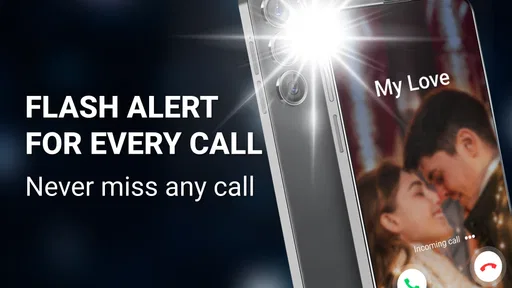
One of the standout features of this app is the flash alert for notifications. You can customize which apps trigger the flash, ensuring you never miss an important message or call. I found this particularly useful in noisy environments where it's easy to miss audio alerts. It's like having a personal assistant giving you a visual nudge, and honestly, who wouldn't want that?
More From Our News Desk

Weather by Xiaomi Review: Clear at a Glance, Less Clear Up Close

X Under Pressure: Can It Recover When Posting Goes Wrong?

Clash of Clans Is Won Between the Battles

Android Auto Makes the Case for Quieter Car Software

MobiOffice: Transforming Mobile Productivity with Seamless Integration

EA SPORTS FC™ Mobile Soccer: Redefining Mobile Sports Gaming
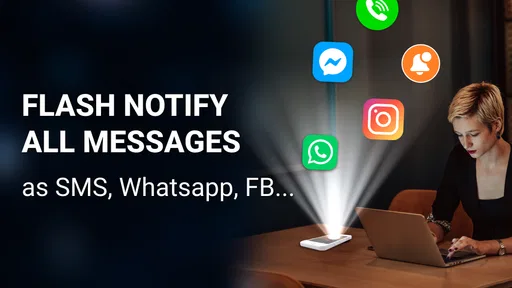
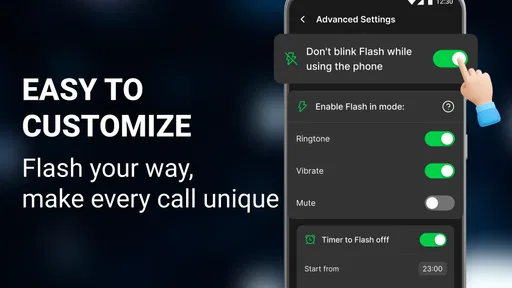
The app allows you to set flash alerts for different types of notifications, like calls, texts, and even social media notifications. It's pretty cool to see your phone light up with each notification, and you can adjust the flash frequency to your liking. This is perfect for those of us who hate missing out on updates.
A practical setup is to choose only the notifications that genuinely need a prompt. If every social update causes a flash, the phone may become more distracting rather than more helpful. I’d start with calls and messages, then add other apps only if I find myself missing them. That small bit of restraint makes the feature easier to live with, especially when the phone sits face down or is across the room.
It also helps to think about where the phone will be. A flash alert is most noticeable when the rear camera is visible, so a thick case, a bag, or a pocket can make the visual cue less useful. In a meeting or a shared room, repeated flashes may draw attention when you would rather stay discreet. For silent settings where I can keep the phone in view, though, it offers a useful alternative to vibration or a ringtone.
Making notification choices deliberately
One small but useful habit is to treat notification selection as a filter, not a checklist. I would begin with the people and alerts that have a real cost if I miss them, then leave routine app activity on its usual sound or vibration settings. That keeps the flash from becoming a second stream of noise in visual form. If I notice that I am checking the phone more often because it blinks for low-priority updates, I would remove those apps rather than increase the alert frequency.
There is a trade-off between a more noticeable pattern and a less disruptive one. A stronger or faster flash may catch my eye from farther away, but it can be irritating in a dark room and more obvious to everyone around me. I would adjust the pattern in the place where I expect to use it, then make sure it is not startling or awkward. The right setting is the least attention-grabbing one that still works for my situation.
I would also keep the phone’s position in mind when setting expectations. A visual alert cannot tell me that a message arrived if the device is screen-down under papers or its camera is covered. If I need to remain reachable while moving around, a wearable vibration or the phone’s regular sound may be more dependable. The flash is strongest when I can leave the device in a visible, fixed spot.
Simple Yet Effective Design
What I love about this app is its simplicity. The user interface is clean and intuitive, making it easy for anyone to navigate. You don't need a tech background to figure out how to use it, which is a huge plus in my book. The settings are straightforward, allowing you to customize your experience without any hassle.
The app is lightweight, so it doesn't hog your phone's resources, leaving you with plenty of battery life to spare. That's a relief, especially if you're like me and rely on your phone throughout the day. Plus, there are no annoying ads popping up every few seconds, which is a breath of fresh air.
My advice is to test the alert pattern somewhere convenient before counting on it. A short trial lets you see whether the flash is visible from your usual desk or bedside spot and whether its rhythm feels noticeable without being irritating. If you use a case that covers or diffuses the camera area, check the result with that case on; what works with a bare phone may be less clear in everyday use.
What to check before relying on it
A quick test can answer a few practical questions more clearly than guessing from the settings. I would send or receive a low-stakes notification while the phone is in its usual place, then check whether the flash is visible from where I tend to sit. I would repeat that with the case on and with the room lighting I expect to have. This is especially worthwhile if the phone normally rests on a soft surface or the camera end faces a wall.
I would also test the flashlight separately from the notification alerts. The two uses solve different problems: one is a light I switch on intentionally, while the other is a signal that appears when selected activity arrives. Trying both before depending on them helps me decide whether the app earns a place in my routine. For an occasional search around the house, a built-in quick setting may be enough; for someone who wants both controls in one place, this app has a clearer reason to stay installed.
People sometimes wonder whether a flash can stand in for accessibility tools or a dedicated alert device. I would not treat it as a complete substitute. It is a visual prompt that may help in some circumstances, but the phone still has to be nearby and positioned so the light is visible. Anyone who needs a consistent alert across rooms or while the phone is out of sight should consider a solution designed for that need, rather than relying on a camera LED alone.
Who Should Keep It Installed?
This is a sensible fit for someone who wants a quick flashlight and benefits from visual reminders, particularly in a noisy workplace, while cooking, or when the phone is set to silent nearby. It may also suit people who prefer a visible cue to another sound. If you mainly want a flashlight, your phone’s built-in quick settings may already do the job with fewer things to configure. If you need discreet notifications, vibration is usually the better choice; if you need dependable illumination away from a phone, carry a separate torch.
That trade-off is the key comparison with ordinary alternatives. The built-in flashlight is often enough for an occasional search in a dark room, while this app adds a notification workflow for people who want the rear LED to signal selected activity. The added flexibility is worthwhile only if you will use it; otherwise, a built-in control is simpler. Flash alerts also depend on seeing the back of the phone, unlike vibration, which can be felt while the display is hidden.
Where it fits—and where it doesn’t
I would recommend it most readily to someone who already knows why a visual alert would help: perhaps they work around steady background noise, keep the phone on a visible counter, or prefer a light cue to another ringtone. It is also a reasonable choice for someone who wants a direct flashlight control and occasional alerts without needing a more elaborate notification setup. In those cases, the two jobs complement each other instead of feeling like unrelated features bundled together.
I would skip it if the phone is usually in a pocket or bag, if blinking lights bother me, or if I need messages to remain private. It is also not my first choice for someone whose only goal is a flashlight and whose device already offers a convenient built-in control. The app’s extra alert options have value only when they answer a real need; otherwise, they add another setting to manage without making the basic task any easier.
A realistic routine might be to leave calls and messages enabled while preparing dinner, when the extractor fan or running water masks a ringtone, then turn flash alerts off before sitting down with other people. I would keep the phone on a counter with its rear camera exposed and use the flashlight separately if I need to inspect a dark cupboard. That is a modest, practical use—not a promise that I will never miss a call—and it reflects where the app feels most convincing.
Practical Details and a Balanced Verdict
Flash Alert & Led Flashlight is a free productivity app from Go Technology Global, rated for Everyone. It has a 4.5 average from around 773,000 ratings and over 50 million installs, which suggests broad interest, though popularity alone does not decide whether its particular alert style suits you. The app first appeared on May 29, 2019, and version 17.0 requires Android 7.0 or later. Optional in-app purchases are listed at $7.99 per item, so I’d check the purchase screen carefully if I wanted anything beyond the free use.
One everyday example: I might set calls and texts to flash while preparing dinner, when running water makes a ringtone easy to miss, then switch to vibration or ordinary sound when I leave the phone in a bag. I would not enable every app by default, and I would avoid relying on a camera flash in a place where it could bother someone nearby. That selective routine makes the feature purposeful rather than a constant light show.
For me, the strongest reason to try it is the combination of a quickly accessible phone light and selectable visual alerts. The main compromise is that the alert is only useful when the flash is visible, and it can be conspicuous in settings where I want to stay quiet. I’d install it if I expected to use both functions and had a clear place in my routine for them. If I only need one occasional flashlight or need a discreet, dependable notification, the built-in controls or vibration are likely the better fit.
So, if you're in the market for a functional and user-friendly flashlight app with a twist, give this one a shot. You might just find it illuminating in more ways than one!
Flash Alert & Led Flashlight Frequently Asked Questions
Will Flash Alert & Led Flashlight keep alerting me when my phone is on silent or Do Not Disturb?
The app is designed to use the camera flash for visual alerts, which can be helpful when you cannot hear ordinary notification sounds. Whether alerts operate as expected with silent mode or Do Not Disturb may depend on your phone’s settings and how the app is configured. Check those settings after installation and test the behavior that matters to you.
What should I consider before allowing the app to send flash alerts for calls, SMS, and other apps?
Flash Alert & Led Flashlight is intended to make calls, SMS, and app notifications easier to notice with a camera-flash signal. To deliver those alerts, it needs to work with your phone’s notification setup. Review the permissions and access requests shown during installation, and enable only the features you want to use. You can also check your phone’s notification settings if an alert does not behave as expected.
Does Flash Alert & Led Flashlight include a flashlight for everyday use?
Yes. Alongside flash alerts, the app is described as an LED flashlight, so it can be useful when you need light as well as a visual signal for notifications. Its central purpose is to make calls, SMS, and app notifications easier to notice. Before downloading, consider whether a flashlight and camera-flash alerts fit the way you use your phone.
Is Flash Alert & Led Flashlight free to download, and are there in-app purchases?
Flash Alert & Led Flashlight is free to download, with in-app purchases listed at $7.99 per item. The app is made by Go Technology Global and is rated for Everyone. Its average rating is 4.5 from around 773 thousand ratings, and it has over 50 million installs. Check the purchase details shown in the app before choosing any paid option.
What is Flash Alert & Led Flashlight, and how does it work?
Flash Alert & Led Flashlight is an app designed to enhance your smartphone's notification system by using the camera flash to alert you to incoming calls, messages, and notifications. This app is particularly useful in noisy environments or for people with hearing impairments. Once installed, you can customize the flash patterns, duration, and intensity to suit your preferences.
Pros
- Bright LED flashlight feature.
- Customizable flash alerts.
- Battery efficient operation.
- Simple user interface.
- Quick access from lock screen.
Cons
- Ads can be intrusive.
- Limited color options for alerts.
- No widget for quick access.
- Occasional app crashes.
- No strobe light feature.











