FishVerify: ID & Regulations
- 245.00
- 4.3
- Installs
- 100.00K
- Price
- Free
Screenshots
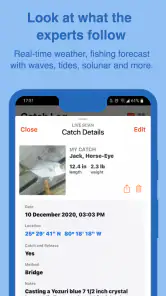
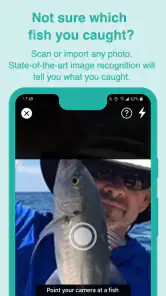
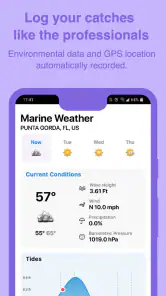
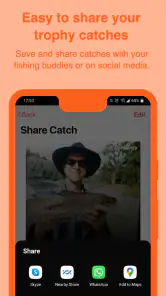
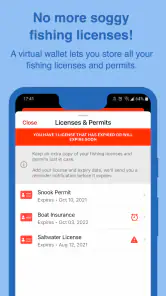
Analysis by Reviewed
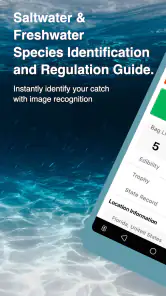
I spend enough time around fishing apps to know that most of them solve only one small problem: they show weather, record a catch, or offer a digital rulebook. FishVerify: ID & Regulations tries to bring those jobs together. It is a free sports app from FishVerify, LLC. that helps identify fish and species, check fishing rules, and keep a record of catches. After using it as a practical companion rather than treating it like a complete fishing guide, I found it most useful when I needed a quick second opinion at the water.
The important distinction is that this is not simply a photo-identification toy. Its value comes from combining recognition with regulation checking and catch logging. That combination makes it appealing to beginners who are still learning local species, occasional anglers who do not remember every rule, and experienced fishers who want a convenient digital record. It is available to everyone at no upfront cost, although optional purchases range from under a dollar to just under fifty dollars per item.
How FishVerify fits into a real fishing day
A practical starting point for uncertain catches
The most obvious use is straightforward: you catch a fish, take a clear photograph, and use the app to help work out what it is. That can be genuinely helpful when several species look similar, when a young fish lacks the markings you expect, or when you are fishing somewhere unfamiliar. I especially like the idea of using identification as a learning step instead of relying on a quick guess from a friend.
That said, I would not treat an image result as the final authority. Fish can look different depending on lighting, water conditions, age, season, and the angle of the photograph. A blurry side view or a fish partly hidden by a hand gives the app less to work with. My practical advice is to photograph the whole fish in good light, keep the body visible, and take an additional picture of distinctive markings when the first result seems uncertain.
This is one of the app’s less obvious strengths: it encourages a better identification habit. Rather than snapping a rushed picture and immediately moving on, I find myself paying closer attention to fins, body shape, coloring, and location. That makes the app useful even when I already have a reasonable idea of the species, because it turns an ordinary catch into a small learning exercise.
Regulations are useful, but location still matters
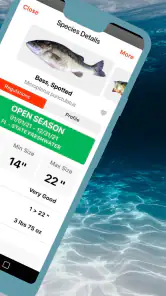
The regulations feature is the part I would use most carefully. Fishing rules can change according to region, waterway, species, season, size, possession limits, and special conservation areas. Having rule information close to the identification result is much more convenient than searching through unrelated pages while standing beside the water.
Still, convenience should not become overconfidence. Before keeping a fish, I would check that the app is showing the correct location and the relevant rule category, then compare anything important with the current official source for that area. A regulation screen can save time, but it should not replace responsibility. If the information looks incomplete, unclear, or inconsistent with signage at the water, the safer decision is to release the fish and verify the rule before keeping another.
More From Our News Desk

Clash of Clans Is Won Between the Battles

Android Auto Makes the Case for Quieter Car Software

MobiOffice: Transforming Mobile Productivity with Seamless Integration

EA SPORTS FC™ Mobile Soccer: Redefining Mobile Sports Gaming

How Microsoft OneDrive Became a Mobile Productivity Giant

How Google Translate Breaks Language Barriers Effortlessly
This workflow is more useful than opening a general search engine because it connects two questions that normally get separated: “What did I catch?” and “What am I allowed to do with it?” That connection is the central reason to choose this app over a basic fishing diary. It reduces the number of separate tools I need, while still leaving room for an official source when the decision has legal or conservation consequences.
Catch logging that can become a personal reference
Logging catches sounds simple, but it can become surprisingly valuable over time. A record can help me remember which species I found, where a trip was productive, and what conditions surrounded a memorable catch. Even if I never build a detailed fishing database, a few well-recorded entries are more useful than relying on memory several months later.
The best way to use the log is to add information while the details are fresh. I would record the species immediately, attach a clear image, and add a short note about the water, bait, weather, or time of day if the app allows that in the relevant workflow. The key is consistency. A short, repeatable entry made after every trip is better than an ambitious record-keeping system that becomes tiring after a week.
There is also a useful trade-off here. A dedicated fishing journal may offer deeper statistics, mapping, gear tracking, or long-term analysis. FishVerify is more appealing when identification and regulations are the priority, with logging serving as a convenient companion feature. If your main goal is analyzing every cast, lure, depth, and weather pattern, you may eventually want a more specialized journal alongside it.
What the current version tells me about its direction
The current version is 5.7, and the app has been available since April 5, 2018. That history matters because it suggests this is an established tool rather than a brand-new experiment. Its average rating is 4.3 from around 657 ratings, while the app has passed 100 thousand installs. Those figures do not guarantee that every identification or regulation entry will fit my situation, but they do indicate that the product has attracted a real audience over time.
I see the version number as a sign of ongoing product development, not as proof that every possible fishing need has been solved. The app’s core direction remains clear: identify fish, connect that identification with rules, and preserve a record of the catch. For existing users, a current installation should feel like a continuation of that purpose rather than a completely different kind of app.
It runs on Android 8.0 or later, which keeps it accessible to people using older compatible phones. That is useful at a lake or river, where not everyone wants to bring a new or expensive device near water. I would still use a protective case and avoid handling the phone with wet hands. The app may be free to install, but the practical cost of fishing with a phone includes keeping it dry, charged, and readable in bright sunlight.
How it compares with the usual alternatives
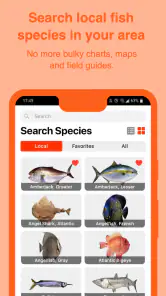
The normal alternative is a mixture of tools: a camera for taking pictures, a search engine for species identification, an official regulations page, and a notes app for recording the catch. That setup can work, but it creates friction. I have to describe the fish accurately, open several sources, remember which rule applies, and then manually organize the result. FishVerify’s advantage is not that it replaces every expert source; it is that it puts the first steps in one fishing-focused workflow.
A field guide remains better when I want detailed biological information, comparison images, habitat context, or a slower identification process. An official government resource remains better for final legal verification. A full-featured fishing log may be better for anglers who want advanced trip analytics. FishVerify sits between those options: faster and more focused than a collection of general apps, but less authoritative or specialized than the best single-purpose resources.
That middle position is a strength for casual use, but it also defines the limits. I would recommend it to someone who wants help making sense of a catch without building a complicated system. I would be more cautious about recommending it as the only tool for a tournament, a research project, or a trip where a regulation mistake could have serious consequences.
Small habits that improve the experience
The first habit is to prepare before the cast rather than waiting until the phone is already wet and the fish is moving. I would open the app before leaving the dock, make sure the phone is ready, and check the relevant area when I have a stable connection. This makes the identification and rule-checking process less stressful when the catch is actually in front of me.
The second is to separate identification confidence from legal confidence. Even if the app makes the species look obvious, I would still inspect the regulation details independently. Conversely, knowing the local rule does not help if I have misidentified the fish. Treating those as two separate checks prevents a confident-looking result from turning into a careless decision.
The third is to use the log for learning, not just bragging rights. After several trips, I would review the entries and look for patterns in the species I encounter and the places where I tend to need identification help. That can improve my own recognition skills. The app becomes more valuable when it gradually reduces the number of catches I need to look up, rather than becoming a permanent substitute for learning the fish.
A fourth useful approach is to photograph before handling the fish more than necessary. A clear image helps identification, and minimizing handling is better for the animal. I would keep the fish close to the water, avoid squeezing it for a perfect picture, and release it promptly when I am not certain that keeping it is permitted. This is a practical limitation of any camera-based fish tool: the user’s behavior affects both the result and the welfare of the catch.
Where the app still feels less complete
The biggest gap is trust calibration. A user may see a species suggestion and assume the hard part is finished, even though visual identification can be difficult. The app is most responsible when used as an assistant that narrows possibilities, not as an unquestionable expert. Beginners should be especially careful because they may not yet know which visual details separate similar species.
Regulations create a second source of friction. Rules are not naturally simple, and a compact mobile presentation can make them feel simpler than they really are. I would want to see the location, species, season, size, and possession details clearly before acting. If I were planning a trip specifically around keeping fish, I would verify that information before traveling rather than waiting until the catch is on the bank.
There is also the question of paid extras. The app itself is free, which lowers the barrier to trying it, but in-app purchases are listed from $0.99 to $47.99 per item. That means I would explore the free experience first and decide whether an optional purchase solves a problem I actually have. Casual anglers may never need to spend anything, while frequent users may consider an upgrade worthwhile if it improves a repeated part of their routine.
Finally, the app cannot solve conditions that are outside its control. Poor lighting, a damaged fish, an unusual color phase, weak connectivity, or an older phone camera can all make the workflow less comfortable. I would bring a small backup plan: know where to find the official local rules and keep a simple note available if logging becomes inconvenient. That does not make the app less useful; it simply keeps one tool from becoming a single point of failure.
Who should use it, and who should skip it
I think it is a strong fit for new anglers, families fishing in unfamiliar places, travelers who do not know local species, and casual fishers who want one app for identification, rules, and memories of their trips. It is also useful for someone who often asks, “What is this fish?” but does not want to carry a printed guide or search through several websites every time.
I would skip it if my main requirement were scientific-level identification, comprehensive biological reference material, or advanced catch analytics. I would also avoid depending on it alone when fishing in a tightly regulated area or when I am unsure whether a particular rule applies. In those cases, a recognized field guide, local authority, or specialized fishing log is a better primary resource.
For an everyday scenario, imagine arriving at a new public lake with a friend who has only fished a few times. After a catch, we take a careful photograph, use the app to narrow down the species, inspect the applicable regulation information, and save the entry for later. If the result or rule is unclear, we release the fish and confirm the details through an official source. That is exactly where the app earns its place: it organizes the first response without pretending that uncertainty has disappeared.
My recommendation after using it
FishVerify: ID & Regulations is a useful fishing companion because it connects identification, regulation awareness, and catch records in a way that feels natural at the water. I like it best as a quick, practical assistant rather than a replacement for expertise. The free entry point makes it easy to test, the Everyone content rating keeps it approachable for families, and the long-running version history gives it more credibility than a tool that has just appeared in the store.
My recommendation is to install it if you regularly fish unfamiliar waters or want to build better species-recognition habits. Use clear photographs, check the location carefully, and treat regulation results as an important guide that still deserves official confirmation when the situation is complicated. Watch how the app’s identification and rule workflow develops in future updates, especially if you are an existing user who depends on it often. Used with that level of judgment, it can replace a messy collection of quick searches and notes while remaining honest about where a dedicated guide or official source is the better choice.
FishVerify: ID & Regulations Frequently Asked Questions
Is FishVerify: ID & Regulations free to download, and are there paid features?
FishVerify is free to download, so you can try its fishing tools without paying upfront. The app also offers in-app purchases, with individual items ranging from $0.99 to $47.99. Check the purchase details shown in your app store before confirming anything, especially if you only want the basic experience. Its age rating is Everyone.
Which devices can run FishVerify: ID & Regulations?
FishVerify is available for Android and iOS devices that meet the platform’s compatibility requirements. The listed minimum operating-system requirement is version 8.0, so check your device’s system version and the app-store page for your specific device before downloading. Keeping your operating system and the app updated can also help you access current features and avoid compatibility issues.
Who develops FishVerify: ID & Regulations, and what kind of app is it?
FishVerify is a sports app developed by FishVerify, LLC. Its focus is practical help for anglers: identifying fish, reviewing fishing rules, and logging catches. It is intended to complement a fishing trip rather than replace careful judgment or official resources, particularly when you need to make a decision about keeping a fish or following a local regulation.
What is FishVerify: ID & Regulations used for?
FishVerify is designed to help anglers identify fish species and check fishing regulations before keeping a catch. You can use the app to photograph or upload an image of a fish, receive an identification result, and review information such as size limits, bag limits, seasons, and other local rules. It is especially useful when you are fishing in unfamiliar waters or want a quick reference in the field.
How accurate is the fish identification feature?
The identification tool can be helpful for recognizing common species from a clear, well-lit photograph, but it should not be treated as infallible. Results may be affected by the fish’s angle, image quality, similar-looking species, or regional variations. After receiving an identification, compare the result with the app’s information and official local resources, particularly when regulations or protected species are involved.
Pros
- Identifies many common freshwater and saltwater species quickly.
- Provides regional fishing regulations and size-limit information.
- Photo-based lookup is convenient when you are unsure of a catch.
- Useful catch log helps organize species and fishing records.
- Available information can support more responsible
- legal fishing.
Cons
- Accuracy may drop with poor lighting
- unusual angles
- or partially visible fish.
- Regulations can change
- so official local sources should still be checked.
- Some advanced identification and regulation features may require payment.
- Coverage and rules may vary significantly by location.
- Requires camera and location permissions for the best experience.
- Category
- Sports
- Version
- 5.7





