

Find My Phone By Clap, Whistle
- 573.00
- 4.2
- Installs
- 10.00M
- Price
- Free

Screenshots
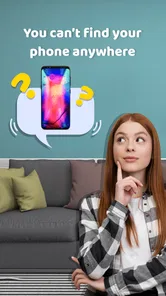
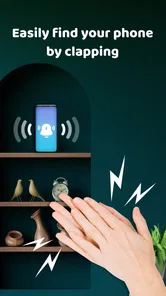
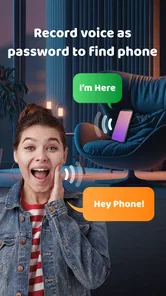
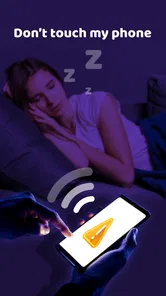

Analysis by Reviewed
Before installing a sound-based finder, I would ask myself one thing: do I usually lose my phone nearby, or do I need help recovering it when it may be somewhere else? That distinction matters more than the novelty of clapping to make a device respond. Find My Phone By Clap, Whistle is a free personalization app from WestPoint Store, built around a simple nearby search. I see it as a handy extra for a phone that has gone missing in a familiar space, rather than a substitute for account-based location and security tools.
Start with the kind of search you actually need
If your phone tends to disappear between the sofa cushions, under a coat, or in another room, a sound cue offers a direct way to look for it. You do not have to borrow another phone to call yours, and you can search even when you have only a rough idea of where it might be. By contrast, if the device may be outside your home, switched off, or beyond hearing range, a nearby audio alert is the wrong tool for the job. I would keep the usual remote-finding options ready for those cases.
How the sound-based approach fits
The idea behind Find My Phone By Clap, Whistle is to let a nearby phone respond to a clap or whistle with an alert. That makes it potentially useful when the device is concealed by ordinary clutter rather than truly lost. The appeal is its immediacy: if I suspect my phone is in the room, I can use a familiar sound instead of starting a map search or asking someone to call me.
Test it where you tend to misplace your phone
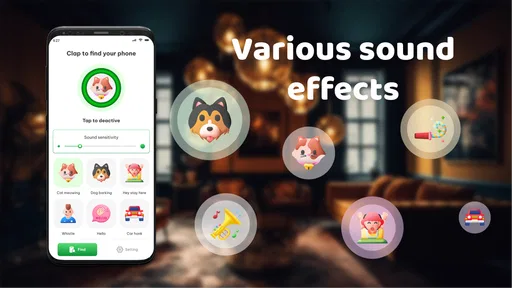
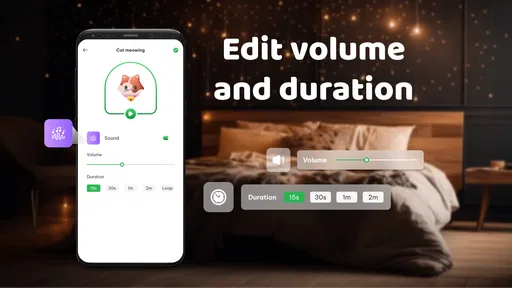
Setup is described as a short calibration process: you can adjust sensitivity to suit your clapping or whistling, then choose an alert tone. I would do that in the places where I actually set my phone down, not only in a quiet room. A sound that works in a calm bedroom may be less distinct in a kitchen with conversation or background noise. Testing from a couple of nearby spots gives you a better sense of what feels reliable in your own routine.
There is a useful trade-off to consider. A sensitive trigger may be easier to activate, but ordinary household sounds could also be more likely to prompt a response. A less sensitive setting may reduce accidental triggers but ask for a clearer cue. I would adjust it gradually and repeat the test rather than assume that one setting will suit every room. A whistle may be easier for some people to distinguish from the sounds around them; a clap may feel more natural for others. The right choice depends on your space and what you can comfortably repeat.
Think about the whole search, not just the trigger
For the method to help, the phone has to hear the cue and its alert has to be audible enough for you to follow. Thick bedding, a loud television, or a noisy room can make a search less straightforward. It may also be inconvenient to clap or whistle in a public place. I would try the setup before I need it and treat it as a practical aid, not a guarantee that every misplaced phone will answer.
A small but helpful habit is to choose one cue and use it consistently. If you switch between clapping and whistling without knowing which one you calibrated for, a rushed search becomes less predictable. I would also make sure I know what the alert sounds like and where it is easiest to hear in my home. These simple checks take little effort and help avoid the frustrating moment of triggering a response but not knowing what to listen for.
More From Our News Desk

 Gmail
GmailGmail in a Busy Inbox: Who Benefits Most?
From first account to crowded workday, Gmail earns its place through dependable search and flexible sorting—but its best fit depends on how much inbox maintenance you can tolerate.

 Prime Video
Switching to Prime Video: What Changes in Your Viewing Routine
Prime Video can make a compelling second home for streaming, but switching means learning a different catalog, rental layer, and route from browsing to playback.

 Universal TV Remote Control
Universal TV Remote Control Works Best as a Reliable Backup
A phone remote earns its place through quick setup and reliable habits. Here is how to get more from Universal TV Remote Control—and where its limits show.

 Weather - By Xiaomi
Weather by Xiaomi Review: Clear at a Glance, Less Clear Up Close
Xiaomi’s weather app makes everyday forecasts quick to scan, but its calm surface can leave useful details and recovery paths harder to find than they should be.

 X
XX Under Pressure: Can It Recover When Posting Goes Wrong?
A resilience-focused review of X, examining setup, mistaken posts, interruptions, weak connections, and the gaps that matter when recovery needs to be dependable.

 Clash of Clans
Clash of Clans Is Won Between the Battles
Its raids are quick; its community is a long-term project of coordination, teaching, rivalry, and shared responsibility—with all the friction that entails.
Latest News



A realistic everyday search
Picture arriving home with shopping, putting your phone down while clearing the bags, then forgetting whether it went on the counter or onto a chair. Later, when you are ready to leave again, you can try the sound cue and listen for the alert instead of checking every surface from memory. This is the kind of small, familiar search where the app’s approach makes sense: you are close by, the phone is likely within earshot, and you need a quick nudge toward its hiding place.
The same workflow is less useful if you only know that the phone was somewhere in a large building, or if you suspect you left it in a vehicle. In those situations, I would not spend time repeating a sound cue from a distance. I would move to the device’s normal remote-location and security tools, which are intended for a different kind of problem. Knowing when to change methods is part of using this app sensibly.
How Does It Work?
The concept behind Find My Phone By Clap, Whistle is straightforward yet ingenious. Once the app is installed and set up, it allows your phone to recognize distinct sounds like claps or whistles. Upon recognizing these sounds, the app triggers an alert tone, making it easier than ever to locate your device, whether it's buried under a pile of clothes or slipped into the couch cushions.
Setting Up Your Sound Detective
Setting up the app is a breeze. Once you download it, you’ll be guided through a simple process to calibrate the sensitivity of the app to your specific clapping or whistling sound. This customization ensures that your phone won’t be triggered by random noises or other people’s actions, which is pretty neat. You can also choose the alert tone that will sound off when your phone is found. The variety of tones available means you can pick something that fits your personality or mood.
Make the trigger work for your surroundings
Calibration is worth doing where you most often misplace your phone, rather than in a silent room if your home is usually busy. Try the sound you intend to use from a couple of nearby spots, then adjust sensitivity so the trigger is recognizable without being too easy to set off by ordinary household noise. A sharp clap may be convenient in a quiet room, while a whistle can be easier to distinguish when there is background sound; the better choice depends on your space and what feels natural to repeat.
There is a trade-off here: the phone needs to be able to hear the cue, and its alert needs to be audible enough for you to follow. A phone buried under thick bedding, surrounded by loud television audio, or in a place where making noise would be awkward may be harder to locate this way. I would test the setup before depending on it, and avoid assuming that a sound-triggered search can overcome distance, silence, or a phone that cannot play its alert.
Real-World Usage
Now, I know what you might be thinking – does it really work? I put it to the test in various scenarios, and I’m happy to report that it performed admirably. Whether I was in a quiet room or a noisier environment, as long as the app’s sensitivity was set appropriately, it picked up my claps and whistles without a hitch. It’s definitely a fun and practical way to find your phone without the usual stress and scrambling.
A realistic use case is getting home, putting the phone down while carrying groceries, and later realizing it is no longer in the spot you expected. Rather than retracing every step through the house, you can try the chosen cue and listen for the alert. This is most useful when you have a rough idea that the device is nearby but cannot see it. For a phone left in a taxi or at work, I would switch to the standard lost-device tools instead; a clap cannot help you search a place you are not in.
How it compares with other ways to find a phone
Compared with calling your number from another phone, this approach does not require someone else’s device or a second person to help. Compared with map-based find-my-device services, it is more direct for a nearby search but is not designed to answer where a distant phone is. The methods complement each other: use a sound cue for a phone likely to be in the room or home, and use account-linked location and security options when it may be elsewhere. That division is the clearest reason to keep expectations realistic.
There is also a practical difference from simply retracing your steps. A memory-based search works best when you remember the last place you used the phone; a sound response can help when you remember the general area but not the exact surface or hiding spot. Still, if your phone is usually left in a predictable place, a charging station or a consistent “phone goes here” habit may solve the problem with less setup. I would think of this app as most valuable for the in-between cases: frequent enough to be annoying, but not so predictable that a fixed routine already prevents them.
When another option is the better choice
I would not choose a clap finder as my main protection against theft or loss while travelling. A sound-based search depends on being close enough to try the cue and hear the response, whereas a remote-finding service is the more relevant category when the phone may be elsewhere. Calling your own number can also be enough if another phone is readily available and the device can ring. Each method has a different convenience: this app avoids needing a helper, while established account tools are better suited to distance and security.
For shared homes, there is one more consideration: other people may make similar sounds, and ordinary noise levels can change throughout the day. I would test the trigger when the house is active, not just when it is quiet, and choose a cue that feels distinctive in that setting. If accidental responses become a nuisance, or if you cannot use a sound comfortably where you tend to misplace the phone, a different search method or a stronger habit of keeping the phone in one place may suit you better.
Who will get the most from it
I’d recommend it most to people who regularly misplace a phone around their home, especially when it tends to land under soft furnishings or among everyday clutter. It may also suit someone who wants a simple sound-based option alongside the location tools already on their device. I would skip it if your main concern is theft, travel, or recovering a phone left across town; those situations call for remote location and security features rather than a nearby audio search.
It is free to install, though in-app purchases are listed from $1.99 to $11.99 per item, so I would check what an optional purchase offers before paying. The app is rated for Everyone, has an average rating of 4.2 from around 30,000 ratings, and has been installed over 10 million times. Those figures suggest many people have tried it, but they do not tell me whether it will suit every room or routine; a quick personal test matters more.
For someone deciding whether to keep it, I would use a simple trial: set the cue, place the phone in a few realistic nearby spots, and see whether the alert helps you find it without extra fuss. If that fits your everyday problem, the app has a clear role. If you are installing it because you fear losing a phone somewhere beyond your reach, I would prioritize the device’s standard recovery options instead. That distinction helps avoid paying for extras or building a habit around a tool that does not match the search you actually face.
Final Thoughts
In conclusion, if you’re someone who often finds themselves misplacing their phone, this app is a game-changer. It’s simple to use, effective, and adds a bit of fun to the otherwise mundane task of searching for a lost device. I’d highly recommend giving Find My Phone By Clap, Whistle a try. It’s available for both Android and iOS, so no one has to miss out on this handy tool.
My recommendation is to treat it as a small, practical backup for nearby searches, not as your only recovery plan. WestPoint Store’s app is currently version 1.6.6 and requires Android 8.0 or later, which makes that requirement worth checking before installation. If you often lose your phone within earshot, the sound-trigger idea can save a few frustrating minutes. If your phone is usually misplaced away from home, a conventional location service is the better fit.
One final point is worth keeping in mind: the best result is not necessarily a dramatic feature but a few minutes saved during an ordinary scramble. I would keep the expectations modest, make sure the chosen sound suits my surroundings, and decide after a real home test whether it earns a place in my routine. For nearby misplacements, that is a reasonable use for a lightweight personalization app; for everything else, I would reach for the recovery method designed for distance.
Find My Phone By Clap, Whistle Frequently Asked Questions
Who develops Find My Phone By Clap, Whistle, and what is it designed to do?
Find My Phone By Clap, Whistle is a personalization app developed by WestPoint Store. Its central purpose is to help you find a misplaced phone by clapping or whistling, rather than searching for it manually. It may be useful when your phone is somewhere nearby but out of sight, such as under a cushion or in another room.
Can I use Find My Phone By Clap, Whistle on an iPhone?
Find My Phone By Clap, Whistle is primarily designed for Android devices, so iPhone users should not assume it will work on iOS. If you are considering downloading it, look for the app in the store for your device and check its compatibility details there. The app’s sound-triggered phone-finding purpose is most relevant to Android users whose devices meet its system requirement.
Is Find My Phone By Clap, Whistle free to download?
Find My Phone By Clap, Whistle is free to download, so you can try its sound-based phone-finding feature without paying upfront. The app also offers in-app purchases, with items ranging from $1.99 to $11.99. Check the purchase options shown on your device before choosing any paid features, and keep in mind that the app is intended for everyone.
What Android version do I need to use Find My Phone By Clap, Whistle?
The app requires Android 8.0 or later. Before downloading, check your phone’s Android version in its settings to make sure it meets that requirement. Find My Phone By Clap, Whistle is a personalization app from WestPoint Store, and it is designed to help you find a misplaced phone with claps or whistles.
How does Find My Phone By Clap, Whistle work?
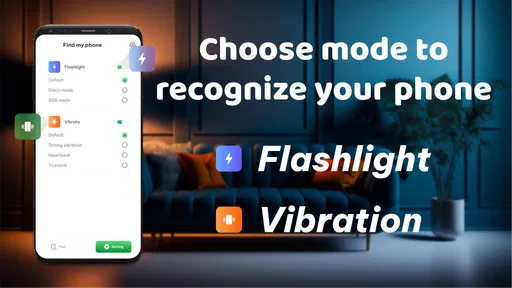
Find My Phone By Clap, Whistle is designed to help you locate your phone by responding to specific sounds. Once the app is installed and activated, it listens for claps or whistles. When it detects the sound pattern, it triggers an alarm, vibration, or flashlight to help you find your phone quickly, even if it's on silent mode.
Pros
- Easy to use interface
- Quick phone detection
- Low battery consumption
- Customizable settings
- Works offline
Cons
- Limited to sound detection
- Not always accurate
- May not work in noisy environments
- Requires microphone access
- Limited to certain devices












