FIFA+ | Football streaming app
- 64.00
- 3.6
- Installs
- 5.00M
- Price
- Free

Screenshots

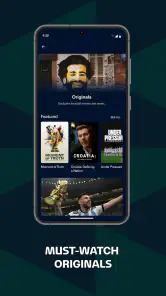
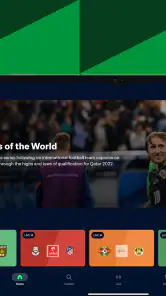
Analysis by Reviewed
When I want football beyond the matches already filling my usual sports apps, I look for a place that makes it easy to explore the game across teams and competitions. FIFA+ is FIFA’s free sports app, and its focus makes it feel different from a general live-score service or a broadcaster’s app. I’d treat it as an extra destination for football, rather than assume it replaces the service that carries the match I most want to watch.
Where the app fits today
The current Android release is version 8.5.57, and the app is rated for Everyone, with Android 8.0 or later required. FIFA+ has an average rating of 3.6 from around 7,900 ratings, alongside 64 written reviews and over 5 million installs. Those figures suggest an established audience, but they don’t tell me whether a particular match or programme is available where I live. I’d check the actual content in the app before planning an evening around it.
That distinction matters because football apps serve different needs. A broadcaster’s app is usually the more direct choice when I need a specific live fixture and know who has the rights. A score-focused app is better when I only need quick results and notifications. FIFA+ makes more sense when I’m in an exploratory mood: I want to browse football material in one place and see what catches my attention. The trade-off is that a broad football destination may not be the simplest route to one particular game.
What the version history can—and can’t—tell you
The app was released on May 18, 2023, and its current version shows that it has continued to receive version updates. I see that as evidence of an actively versioned product, not proof that any one feature has recently changed or that playback will behave the same on every device. If you already use FIFA+, updating is sensible for the current build, but I wouldn’t expect a version number by itself to explain what will feel different on your phone.
For existing users, the practical test is whether the app still gets you to football content with little fuss. I’d keep it updated and revisit the sections I actually use rather than assume that a new build means a redesigned experience. If something looks different after an update, taking a moment to check the navigation before a match is a better plan than learning it during kick-off.
A useful routine for fans
A realistic use case is a short browse during a commute or lunch break: open the app, look for something connected to a team or competition I follow, and save the longer viewing for when I have time and a reliable connection. For a weekend match, I’d first confirm that the event I care about is available, then use FIFA+ as a second screen for broader football browsing rather than depend on it as my only way to follow the fixture. That small check can prevent the frustration of opening an app expecting one specific game and finding that it isn’t the right destination.
I’d recommend FIFA+ most readily to fans who enjoy discovering football content and don’t mind checking availability before settling in. If your priority is a dependable route to one named live match, a rights-holding broadcaster is the safer first stop; if you only want scores, a lightweight results app is likely quicker. FIFA+ is free, which makes trying it low-risk, but free access shouldn’t be confused with a guarantee that every match or viewing option is included.
More From Our News Desk

Weather by Xiaomi Review: Clear at a Glance, Less Clear Up Close

X Under Pressure: Can It Recover When Posting Goes Wrong?

Clash of Clans Is Won Between the Battles

Android Auto Makes the Case for Quieter Car Software

MobiOffice: Transforming Mobile Productivity with Seamless Integration

EA SPORTS FC™ Mobile Soccer: Redefining Mobile Sports Gaming
Just when I thought I’d seen it all in the world of football streaming apps, along comes FIFA+. As a die-hard football fan, I’ve been through my fair share of apps trying to keep up with matches, highlights, and player stats. But, trust me when I say, this app takes the game to a whole new level. Let me walk you through my experience with it.
Getting Started with FIFA+
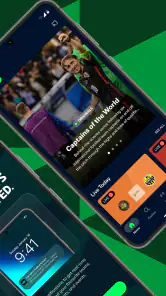
First off, downloading FIFA+ was a breeze. Available on both Android and iOS, it’s a quick download and doesn’t hog much space. Once installed, the interface greets you with a sleek, minimalist design that’s easy to navigate. You know how some apps just bombard you with ads and unnecessary pop-ups? Well, not this one. It’s all about football here, and I love it.
An Immersive Experience
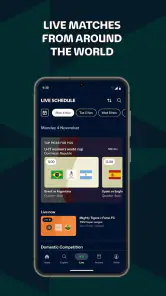
The app offers a plethora of content that’s bound to keep any football enthusiast hooked. From live matches to exclusive documentaries, it’s got it all. The streaming quality is top-notch; I didn’t experience any lags or buffering, which is a huge win in my book. The real-time match updates and stats are incredibly detailed, allowing you to keep up with every kick and pass as if you were right there in the stadium.
Features that Stand Out
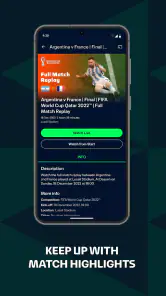
One feature that really struck me was the interactive timeline during live matches. You can jump back to key moments, watch replays, and even view stats simultaneously. It’s like having a personal football analyst right at your fingertips. Additionally, the app’s recommendation system is spot-on, suggesting content based on your viewing habits. It’s like it knows me better than I know myself!
Personalization and Community
FIFA+ is not just about watching; it’s about engaging too. You can personalize your feed to follow your favorite teams and players, ensuring you never miss out on any updates. Plus, the community aspect lets you connect with fellow fans worldwide, sharing thoughts, predictions, and even the occasional rant when your team misses a crucial goal.
In a nutshell, FIFA+ has set a new standard for football streaming apps. It’s user-friendly, packed with content, and offers an immersive experience that’s hard to beat. Whether you’re a casual viewer or a hardcore fan, this app caters to all. So, grab your jersey, settle into your favorite chair, and let FIFA+ bring the magic of football right to your screen.
FIFA+ | Football streaming app Frequently Asked Questions
Can I browse FIFA+ content without creating an account?
FIFA+ is a football-focused streaming app, so it is worth opening it to explore how its available content is organized before settling in to watch. The experience centers on football programming and match-related material, making it useful for fans who want a dedicated place to discover videos and follow the sport. Check the app’s sign-in prompts during setup to see what access is available to you.
What devices and software versions can run FIFA+?
FIFA+ is available on Android and iOS, giving football fans options on both major mobile platforms. On Android, the app requires version 8.0 or later, so checking your device’s software before downloading can help avoid installation problems. FIFA+ is a sports app developed by FIFA, and it is intended for a broad audience, with an Everyone age rating.
What is FIFA+ and what features does it offer?
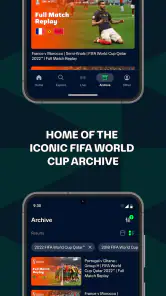
FIFA+ is a comprehensive football streaming app designed to bring fans closer to the world of football. It offers a variety of features including live match streaming, highlights, exclusive interviews, documentaries, and an extensive archive of past matches. The app also provides real-time statistics, scores, and news updates to keep fans informed about their favorite teams and players.
Is FIFA+ available on both Android and iOS platforms?
Yes, FIFA+ is available for download on both Android and iOS platforms. Users can easily find and install the app from the Google Play Store or Apple App Store. The app is designed to deliver a seamless and intuitive user experience, ensuring football fans can access their favorite content anytime, anywhere.
Does FIFA+ require a subscription or is it free to use?
FIFA+ is free to download, and its store summary highlights watching global matches on demand. What you can watch may depend on the content available in the app and your location, so browse the available programming to see whether it suits your interests. The app’s free download makes it easy to try its football-focused experience before deciding how you want to use it.
Pros
- Extensive library of live matches
- High-quality streaming with minimal lag
- User-friendly interface and navigation
- Comprehensive football news coverage
- Exclusive behind-the-scenes content
Cons
- Requires stable internet for streaming
- Limited features in free version
- Some content region-locked
- Occasional ads in free version
- Subscription needed for premium features
- Category
- Sports
- Version
- 8.5.57





