FargoRate Player
- 187.00
- 3.5
- Installs
- 100.00K
- Price
- Free

Screenshots

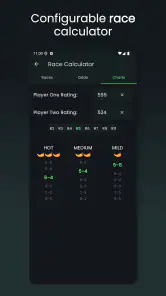
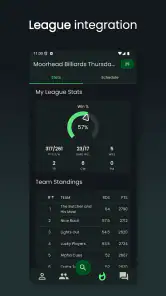
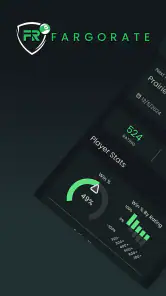
Analysis by Reviewed
If you play pool and want a clearer picture of your competitive level, FargoRate Player is a focused sports app worth a look. I found it most useful as a companion to organized play rather than as a general pool-learning tool. Its purpose is tied to the FargoRate system, so the value appears when your games, matches, or event results are connected to that rating environment.
The app is free to install, with optional in-app purchases ranging from $1.99 to $12.99 per item. It is developed by FargoRate and has reached over 100 thousand installs, which gives it a solid user base without making it feel like a huge, anonymous social platform. The age rating is Everyone, and the app supports Android devices running version 5.0 or later.
My overall impression is mixed but positive: this is a practical tool for players who already encounter FargoRate through leagues, tournaments, or local pool rooms. It is less convincing for someone who simply wants drills, rules, live broadcasts, or a broad community app. If you understand what a player rating is meant to do, the app becomes easier to appreciate. If you expect it to teach you how to run racks, the first screen may feel more limited than expected.
What to expect before you start
The store summary calls it the FargoRate Player App, and that description is a useful clue. I would approach it as a player-facing way to interact with your FargoRate identity and related information, not as a complete replacement for every league manager, tournament desk, or pool-training resource. The app’s strongest role is helping you keep your competitive profile close at hand and make sense of where you stand within the FargoRate ecosystem.
That distinction matters because a rating is not the same thing as a personal performance journal. It is designed to help compare playing strength in a structured way. Your rating can be useful when entering events, discussing handicaps, or checking how your results fit into a wider competitive system. It should not be treated as a perfect description of your current form after one good night or one frustrating match.
The current release is version 2.8.7, and the app has been available since April 20, 2019. Those details suggest an established product rather than a brand-new experiment. Its average rating is 3.5 from roughly 344 ratings, with about 187 written reviews. I read that combination as a sign that the app is useful to a portion of its audience but may leave some players wanting a smoother or more complete experience.
For a first-time user, the most reassuring expectation is that you do not need to understand every part of FargoRate before opening the app. Start with one simple goal: find your player record, confirm that it belongs to you, and learn what information is available there. Once that works, you can decide whether the app deserves a regular place on your phone.
More From Our News Desk

Clash of Clans Is Won Between the Battles

Android Auto Makes the Case for Quieter Car Software

MobiOffice: Transforming Mobile Productivity with Seamless Integration

EA SPORTS FC™ Mobile Soccer: Redefining Mobile Sports Gaming

How Microsoft OneDrive Became a Mobile Productivity Giant

How Google Translate Breaks Language Barriers Effortlessly
Who will get the most from it
I would recommend it first to league players, tournament regulars, and anyone whose local pool scene uses FargoRate when organizing competition. It can also help a newer competitive player become familiar with the language of ratings without relying on screenshots or asking someone else to look up the information.
It is particularly handy before an event. Instead of trying to remember your rating or searching through old messages, you can check your player information on your phone and arrive with a better understanding of how you are represented in the system. That does not guarantee a better draw or a better result, but it removes one small source of uncertainty.
Casual players may find less immediate value. If you play only at home, do not enter rated events, and mainly want instruction, practice plans, or equipment advice, another sports app will probably serve you better. FargoRate Player is narrow by design, and that focus is both its main strength and its clearest limitation.
What it is not
I would not install this expecting a video library, a digital coach, a cue-sports news feed, or a detailed shot-by-shot analysis system. The app’s identity is tied to player information and ratings, so the meaningful experience comes from using it alongside real competition. That is important to understand before judging it against training apps or broad league-management platforms.
It also should not become a source of emotional pressure. Players sometimes check a rating after every match and let a number decide whether they think they played well. I find that approach unhelpful. Use the rating as context, then review your actual decisions: safety choices, cue-ball control, break quality, and how well you handled pressure. The app can support that reflection, but it cannot replace it.
Getting from installation to a useful first result
Start with a calm account check
After installing the app, I would avoid rushing through the first screens just to see what is inside. Begin by looking for the sign-in or player-identification path and use the details connected to your FargoRate player record. The most important early task is matching the app to the correct person. A common mistake in rating-based services is assuming that any similar name must be the right profile.
Check the spelling of your name and any other identifying information the app presents. If you have a common name, take extra care. A wrong match can make the rest of the experience confusing because the information may appear believable while still belonging to another player. This is one of the few moments where slowing down saves time later.
If you already play in a league or event that uses FargoRate, think of a recent competition you know well. Once you reach your player information, use that event as a reference point. You are not trying to audit the entire rating system on your first visit; you are simply confirming that the profile feels connected to your real playing history.
Make the first successful action deliberately small
Your first meaningful success should be finding your own player profile and understanding the main information shown there. That may sound modest, but it gives you a reliable starting point. Once you know where your player details live, future checks become quick instead of feeling like a search through an unfamiliar app.
I suggest taking a moment to note what the app separates clearly and what it leaves for you to interpret. For example, a rating number can be easy to spot, while the practical meaning of a change may require context from the match or event that influenced it. Do not assume that a visible number explains every reason behind its current value.
A useful routine is to open the app after a rated event, check your player information, and compare that with your own notes from the night. Write down the opponents, the result, and one technical lesson separately. This creates a better feedback loop than staring at the rating alone. Over time, you can see whether your competitive results and your playing habits are moving in the same direction.
A realistic evening with the app
Imagine finishing a local league night after winning one match and losing another. On the drive home, you may be tempted to decide that the night was either a breakthrough or a disaster. Instead, I would open FargoRate Player later, when the emotion has cooled, and check the player information available to me.
Then I would write down three observations: where my results landed, which match exposed the bigger weakness, and what I will practice before the next session. If the rating does not change in the way I expected, that is not automatically a problem. Ratings summarize competitive information; they are not instant grades for effort, shot selection, or improvement.
This workflow turns the app into a small part of a larger habit. The app supplies a reference point, while your own notes explain what happened at the table. That combination is more useful than treating the application as a scoreboard that must constantly confirm your feelings.
Use it before competition, not only after it
Many players think of rating apps as something to check after a result. I found a second use before play begins. If you are entering an event or joining a league session, checking your player information beforehand can help you arrive prepared for the administrative side of competition.
You can also use that moment to set a process goal that has nothing to do with the number. Decide, for instance, that you will take more time on safety decisions or avoid changing your strategy after one missed ball. The rating gives you competitive context, while the process goal gives you something you can control during the match.
This is a non-obvious advantage of a focused player app: it can reduce mental clutter before play. You do not need to search old conversations, ask a teammate to confirm your details, or rely on memory. That convenience is small, but it matters when you are already thinking about equipment, travel, warm-up, and the first break.
Understanding the common points of confusion
The first confusion is usually the difference between your current playing ability and the rating displayed by a system. A rating is based on recorded competitive information and should be read as an estimate within that system. It is not a live measurement of every session, and it does not know whether you were tired, distracted, or experimenting with a new approach.
The second confusion is assuming that a recent result must immediately explain every visible change. Rating systems can involve more context than a single win or loss. If the number surprises you, compare it with the actual event history and the quality of your recent competition rather than reacting to one match in isolation.
The third issue is identity. Players may have similar names, move between leagues, or remember their local nickname differently from the name attached to their player record. If something looks wrong, first check that you are viewing the correct profile before drawing conclusions about the rating itself.
Another source of friction is expecting every piece of league administration to happen inside this app. A pool room may use separate tools for schedules, payments, score entry, brackets, or announcements. FargoRate Player can be relevant to the rating side while another service handles the event logistics. That split can feel inconvenient, but it is better to recognize it than to keep searching for controls that are not part of the app’s central purpose.
Where optional purchases fit
The app is free, but it includes optional purchases priced from $1.99 to $12.99 per item. I would not buy anything until I have used the free experience long enough to understand what I actually need. A purchase should solve a specific problem in your workflow, not simply unlock something because the label sounds useful.
For a player who only checks a profile occasionally, the free installation may be enough. Someone deeply involved in organized competition may find an optional item worthwhile if it adds practical value to the way they use the service. The sensible approach is to compare the purchase with your real frequency of play and the tools already provided by your league or tournament organizer.
This is also where the app may be a weaker choice for casual users. If you rarely use FargoRate-related information, even a small optional payment may feel unnecessary. I would first establish a habit of using the core app, then decide whether an added purchase saves meaningful time or improves a recurring task.
How it compares with familiar alternatives
Compared with a general sports app, FargoRate Player is much narrower and more relevant to pool competition. A broad sports platform may offer news, scores, social features, or training content, but it is unlikely to give the same focused connection to your FargoRate player identity. If that identity is central to your league or tournament life, the specialized app has a clear advantage.
Compared with a league-management tool, the balance changes. A league platform may be better for schedules, weekly fixtures, team communication, payments, or standings. FargoRate Player makes more sense when your question is about the player-rating side of competition rather than the complete administration of a league.
Compared with a spreadsheet or notes app, this application is more convenient for checking information tied to the FargoRate environment. A spreadsheet can still be better for personal analysis because you control every column: break success, safety attempts, missed patterns, or practice goals. I would use notes for the details FargoRate cannot replace and the player app for the official competitive reference.
Compared with a pool-training app, the choice is straightforward. Training software is better when your main goal is improving technique through exercises or instruction. FargoRate Player is better when your main goal is staying connected to your competitive profile. Serious players may reasonably use both, because they answer different questions.
Small habits that make the app more useful
First, check your profile at consistent moments rather than repeatedly throughout the day. A pre-event check and a post-event check are more meaningful than constant refreshing. This keeps the rating in perspective and prevents the app from becoming a source of unnecessary anxiety.
Second, keep your own match notes beside the app. Record the situation behind a result, especially if you are trying to improve. A rating can tell you about competitive standing, but your notes can tell you that you lost several games after poor break decisions or failed to convert simple safety exchanges.
Third, use the app to prepare questions for your league organizer when something genuinely looks inconsistent. Bring a specific event, opponent, or result rather than saying only that the number feels wrong. That makes the conversation more productive and avoids confusing a normal rating movement with a data-entry issue.
Fourth, resist comparing yourself with a friend without considering the context of your matches. Two players can have similar-looking numbers while following very different schedules and facing different opponents. The app is most useful for tracking your own competitive position, not for turning every social match into a ranking contest.
Who should skip it
I would skip FargoRate Player if you are looking for a complete pool companion with lessons, drills, equipment recommendations, or live community discussion. You may also want another option if your local play does not use FargoRate and you have no reason to maintain a player profile in that system.
I would also hesitate to recommend it to someone who dislikes numerical evaluation altogether. Even when used sensibly, the app is built around player information and rating context. If numbers make you play more cautiously or judge yourself harshly, a private practice journal may be a healthier first step.
Finally, players who need one app to manage every part of a league should set expectations carefully. You may still need a separate service or direct communication for event details. That is not a reason to reject the app when its rating function matters, but it is a reason not to treat it as an all-in-one solution.
My next-step recommendation
After the first successful profile check, I would use FargoRate Player for two or three competition cycles before deciding how valuable it is. During that period, check your player information before an event, revisit it after the event, and keep brief notes about what actually happened at the table. This gives you enough context to judge the app fairly.
If the app helps you confirm your competitive identity, prepare for events, and follow your place in the FargoRate system without unnecessary searching, it has earned a place on your phone. If you only open it to chase a number and it does not improve your decisions or preparation, uninstalling it is reasonable.
My final view is that FargoRate Player is a specialized sports app with a clear audience. It is not trying to be a pool coach, and I would not judge it by that standard. For league and tournament players who interact with FargoRate, the focused access can be genuinely useful. The average rating of 3.5 shows that the experience is not universally smooth, so I would approach it with practical expectations rather than expecting a polished all-purpose platform.
For me, the best way to use FargoRate Player is as one piece of a disciplined competition routine: confirm the right profile, use the rating as context, keep personal notes for the details, and let actual practice guide improvement. If that matches what you need, the free app is worth trying. If your goal is learning pool from the ground up or managing an entire league in one place, a different tool will likely be the better fit.
FargoRate Player Frequently Asked Questions
What devices can run FargoRate Player?
FargoRate Player is a sports app for Android devices running version 5.0 or later. Before downloading, check your device’s operating system version and make sure you have enough space for an app installation. The app is intended for players who want to access FargoRate-related information on a mobile device, rather than a replacement for the event or league systems used to organize play.
Who develops FargoRate Player, and is it suitable for all ages?
FargoRate Player is developed by FargoRate and is rated for Everyone, so its stated content rating is suitable for a broad audience. Its focus is pool and billiards player information, including ratings and records associated with FargoRate. If a younger player will use it, they should still take care with account details and any personal information entered into a profile.
What is FargoRate Player used for?
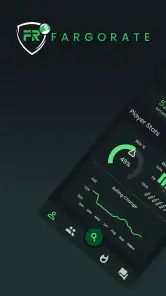
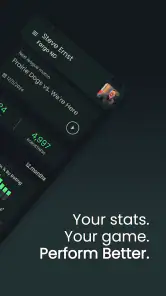
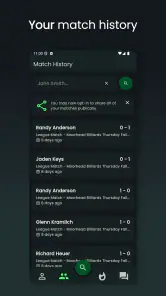
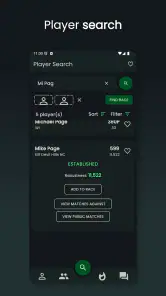
FargoRate Player is designed for pool and billiards players who want to view and manage information connected with their FargoRate rating. After signing in, players can typically check their rating, review match-related records, follow rating changes, and access player information associated with FargoRate events. It is especially useful for competitors who regularly participate in leagues, tournaments, or matches reported to the FargoRate system.
Do I need a FargoRate account to use the app?
Most of the player-focused features require an account or player profile connected to the FargoRate system. You may be able to open the app and view some general information without signing in, but accessing personal ratings, match history, or account-specific details normally requires identification through FargoRate. Make sure your profile uses the correct name and information so your results are linked to the right player.
How accurate and current is the FargoRate information shown in the app?
The information displayed in FargoRate Player depends on the match and tournament results submitted to the FargoRate database. Ratings may not update immediately after a match because results can require verification or processing by a league, tournament organizer, or reporting system. If a result appears missing or incorrect, the issue may need to be resolved with the event administrator rather than through the app itself.
Pros
- Quick access to FargoRate ratings and player profiles.
- Useful for tracking rating changes over time.
- Helps compare your level with other players.
- Clean interface makes key information easy to find.
- Supports informed choices when joining rated events.
Cons
- Some features may require an active FargoRate account.
- Ratings can take time to update after a tournament.
- Limited usefulness for players outside cue sports.
- Event information may vary by location and organizer.
- Requires an internet connection for current data.
- Category
- Sports
- Version
- 2.8.7





