

FaceTrix: AI Video Generator
- 183.00
- 4.1
- Installs
- 100.00K
- Price
- Free

Screenshots



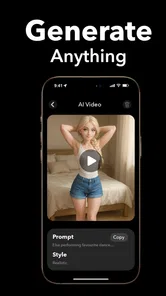
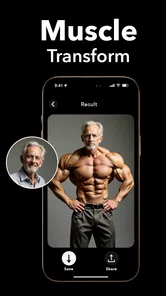
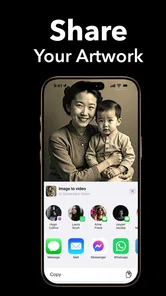
Analysis by Reviewed
Turning a still photo into something that feels alive is the main appeal of FaceTrix: AI Video Generator, a photography app from Mobicraft. I spent time testing it as a quick way to add movement and effects to ordinary pictures, and my overall impression is that it works best as a playful creation tool rather than a complete video editor. The interesting part is not simply making a clip; it is seeing how much the result depends on the quality of the original image, the chosen animation style, and a reliable connection at the right moment.
The app is free to install, with optional purchases ranging from around two dollars to over a hundred dollars per item. That makes it easy to try without committing immediately, but it also means I would approach the more advanced or repeated use with some care. FaceTrix is aimed at teenagers and older users, and its current version is 1.9.0 for devices running Android 8.0 or later. On the store, it has built a 4.1 average from around 4.1 thousand ratings, with over 100 thousand installs, so it is established enough to have attracted a real audience while still feeling more specialized than a mainstream camera app.
What FaceTrix feels like when the connection becomes part of the workflow
When I use a connected AI tool, I treat the connection as part of the creative setup, not just a background detail. I prepare a few suitable images, avoid launching repeated attempts when a result seems delayed, and leave myself room to review the outcome before sharing it. That routine helps me distinguish a genuine image or style mismatch from a temporary interruption, and it leads naturally to the question of what happens when a generated clip needs to move into another app.
The first idea is simple, but the process is not quite instant
I approached FaceTrix with the same expectation I have for most AI photography tools: choose a picture, select an effect, wait for processing, and judge the result. That basic pattern is easy to understand. You do not need to learn a timeline, keyframes, masks, or a complicated editing vocabulary before creating something. For someone who has a folder full of portraits, travel shots, pet pictures, or old family images, that low entry barrier is a genuine strength.
At the same time, AI animation is not the same as applying a filter. The app has to interpret the image and create movement that was never captured by the camera. That makes the network-dependent part of the experience important. A weak or interrupted connection can turn a quick experiment into a waiting session, particularly when you are trying several variations. I found it more sensible to prepare a small group of carefully chosen photos first, then process them when I had a dependable connection rather than repeatedly starting random tests while moving around.
This changes how I think about the app. FaceTrix is not just a camera utility that I open whenever inspiration strikes. It is closer to a small creative workstation that is most comfortable when I have a clear idea, suitable images, and enough time for the generation step. If your expectation is immediate editing in every situation, the AI part may feel slower and less predictable than a conventional effect in a standard photo editor.
Why the source photo matters more than the effect name
The most useful lesson I took from using FaceTrix is that the input deserves more attention than the button you press afterward. A sharp image with a clear subject gives the animation system a better starting point than a dark, crowded, or heavily compressed picture. This is especially noticeable with portraits. If the face is partly hidden, tilted at an unusual angle, or surrounded by distracting details, an effect can look less convincing even when the idea itself is appealing.
More From Our News Desk

 Instagram
Instagram’s Power Comes From Its Place in Your Phone
A close look at how Instagram turns Meta’s reach, recommendation systems and everyday camera habits into durable platform power—and what that costs users.

 Gmail
GmailGmail in a Busy Inbox: Who Benefits Most?
From first account to crowded workday, Gmail earns its place through dependable search and flexible sorting—but its best fit depends on how much inbox maintenance you can tolerate.

 Prime Video
Switching to Prime Video: What Changes in Your Viewing Routine
Prime Video can make a compelling second home for streaming, but switching means learning a different catalog, rental layer, and route from browsing to playback.

 Universal TV Remote Control
Universal TV Remote Control Works Best as a Reliable Backup
A phone remote earns its place through quick setup and reliable habits. Here is how to get more from Universal TV Remote Control—and where its limits show.

 Weather - By Xiaomi
Weather by Xiaomi Review: Clear at a Glance, Less Clear Up Close
Xiaomi’s weather app makes everyday forecasts quick to scan, but its calm surface can leave useful details and recovery paths harder to find than they should be.

 X
XX Under Pressure: Can It Recover When Posting Goes Wrong?
A resilience-focused review of X, examining setup, mistaken posts, interruptions, weak connections, and the gaps that matter when recovery needs to be dependable.
Latest News



I recommend making a small selection before opening the app: one image with a distinct main subject, one with a simple background, and one that has enough visual space around the person or object. That gives you a practical comparison. Instead of blaming the app when a result looks strange, you can see whether the issue comes from the source image. This is one of the less obvious trade-offs of AI animation: the tool feels automatic, but good results still benefit from human preparation.
For social posts, I would also avoid beginning with your only copy of an important photograph. Keep the original safely stored and treat the generated version as a creative variation. AI-based motion can make a picture more engaging, but it is not a replacement for preserving the untouched image. That simple habit is useful when experimenting with old photos or pictures that cannot easily be recreated.
Using it in everyday mobile situations
FaceTrix makes the most sense on a phone because the source material is usually already there. I can imagine opening it after a birthday gathering, choosing a portrait from the camera roll, and turning it into a short animated greeting before sending it to a friend. Another realistic use is preparing a few moving images for a personal story post: a travel photo, a meal, and a group picture can feel more lively when each one has a little motion instead of appearing as a static sequence.
There is also a useful role for people who do not enjoy conventional video editing. A normal editor gives you more control, but it also asks you to make decisions about trimming, transitions, timing, and sometimes audio. FaceTrix focuses on the transformation of the still image itself. That narrow purpose is helpful when you want a visual result quickly and do not want to build a project from a blank timeline.
However, the phone context creates limitations too. A small screen makes it harder to compare several generated versions carefully, and mobile connections vary widely between home, work, public transport, and crowded events. I would not depend on the app as the only way to produce something for a time-sensitive presentation. For a casual message, a social post, or a personal experiment, the uncertainty is manageable. For a client deadline or a carefully planned event, a desktop workflow with predictable local assets may be safer.
A practical workflow for better results
My preferred workflow starts outside the generation step. I first decide what the image is supposed to communicate: a gentle memory, a funny reaction, a dramatic portrait, or a decorative motion clip. Then I choose a photo that supports that mood. A restrained image usually benefits from a restrained effect, while a playful picture can tolerate something more noticeable. The point is to choose movement that supports the subject rather than burying it.
Next, I process one image rather than sending a whole batch into the experiment immediately. This saves time and makes it easier to understand how a particular picture reacts. If the first result is weak, I change either the source image or the effect, not everything at once. That small testing habit gives clearer feedback and prevents a long series of nearly identical attempts.
I also suggest checking the final clip as a viewer would see it, not only as the person who created it. Ask whether the movement makes the subject clearer, whether it draws attention to an awkward area, and whether the effect remains pleasant after repeated viewing. An animation can be technically eye-catching while still being unsuitable for a family greeting, a professional profile, or a quiet memorial image. FaceTrix encourages experimentation, but judgment still belongs to the user.
When generation fails or the result is disappointing
Any AI creation workflow needs a recovery plan, and FaceTrix is easier to use when you expect occasional unsatisfying attempts. A failed result does not necessarily mean the app is broken. It may reflect the source photo, the complexity of the scene, or a temporary connection problem. I would begin by checking the basics: confirm that the image itself opens correctly, move to a stronger connection, and try a simpler picture with one obvious subject.
If the app appears to be waiting for a long time, repeatedly tapping the same action is rarely a good recovery method. It can create confusion about whether a request was submitted once or several times. I prefer to pause, check whether the process has completed, and then restart only when the app clearly needs it. This is particularly important if a generation may be associated with a purchase or a limited use, because accidental repetition is an avoidable risk.
When the output is technically usable but visually wrong, I would not immediately spend money trying to force a better version. First compare another source photo. A close-up portrait, a clean object shot, or a picture with fewer overlapping people gives the animation a more manageable subject. If several well-chosen images still fail to match what you need, that is a sign to switch tools rather than continue paying for experiments.
The recovery experience also depends on your goal. If you only want a funny clip to share with friends, an imperfect result may be part of the charm. If you are making a polished announcement, a product presentation, or a professional portfolio piece, you need control over every movement and frame. In those cases, a traditional video editor or a more specialized animation application is likely the better choice, even if it takes longer to learn.
Being careful with mobile data and spending
Because the central feature involves AI-generated video, I would use FaceTrix thoughtfully when connected through mobile data. The exact amount of data used can vary with the task and the app’s processing behavior, so I would avoid assuming that a long series of experiments is harmless on a limited plan. If I were traveling or using a metered connection, I would prepare the photos first and save the creative testing for a connection I trust.
There is a second kind of data awareness that matters: the images themselves. Before selecting a personal photograph, consider whether it contains private details in the background, other people who did not expect to appear in a generated clip, or information that should not be shared widely. FaceTrix is designed around personal images, which makes it tempting to upload whatever is nearest in the camera roll. A quick review of the frame before processing is a sensible habit, especially with children, workplace scenes, documents, or pictures taken inside the home.
I would also keep the free starting point in perspective. Being free to install is useful because it lets you judge the style of the results before paying, but optional purchases can become significant if you repeatedly generate variations. The listed purchase range extends from around two dollars to over a hundred dollars per item, so I would read each confirmation screen carefully and decide in advance what the app is worth for my particular project. A single amusing clip and a regular content-production routine are very different use cases.
For that reason, my advice is to test with low-stakes images first. Do not begin with an important deadline or a large collection of irreplaceable photos. Learn how the app behaves on your phone, how long you are willing to wait, and whether its visual style suits you. This approach protects both your budget and your patience while giving you a more honest impression than judging it from one lucky result.
How it compares with ordinary photography and video apps
Compared with a standard photo editor, FaceTrix offers a more surprising transformation. Traditional editors are usually better for dependable adjustments such as exposure, cropping, color, sharpening, and retouching. They give you direct control and generally make it clear what will change. FaceTrix is more interesting when the goal is to turn a still image into a small piece of motion, but it gives you less predictable control over how that motion is interpreted.
Compared with a conventional mobile video editor, the difference is even clearer. A video editor is the stronger option when you already have recorded footage and need precise cuts, captions, audio, transitions, or a fixed sequence. FaceTrix is aimed at the earlier creative question: what can I do with this single picture? If your material begins as photographs, it can save you from manually constructing movement. If your material is already video, it is unlikely to replace the editor you use for arranging and polishing clips.
Compared with a simple slideshow maker, FaceTrix has more personality because the images themselves become animated rather than merely appearing one after another. The trade-off is that the result may require more trial and error. A slideshow is predictable; AI animation is more expressive but less exact. I would choose FaceTrix for a short, attention-grabbing visual, and a slideshow tool for a calm presentation where consistency matters more than novelty.
Who will enjoy it, and who should choose something else
I think FaceTrix is a good fit for casual creators, social media users, families making playful greetings, and anyone curious about adding movement to a photo without studying video production. It is also useful for people who have ideas but do not want to spend time learning a full editing suite. The free entry point lowers the risk of trying it, while the photography focus keeps the experience more approachable than a general-purpose production app.
I would be more cautious about recommending it to professional editors, photographers who need exact control, or users working under strict deadlines. The AI approach introduces interpretation, and connectivity becomes part of the process. If you need repeatable output, detailed timing, layered editing, or guaranteed access in difficult network conditions, a conventional tool will probably serve you better.
It may also be the wrong choice if you dislike experimenting. The best results are not always produced on the first attempt, and the app’s appeal depends on accepting some unpredictability. Someone who wants a precise, transparent adjustment to a photograph may find a normal editor more satisfying. FaceTrix is for adding a little creative surprise, not for replacing every part of a photography workflow.
My final view after using it as a connected creative tool
FaceTrix: AI Video Generator is most convincing when I treat it as a quick way to explore ideas rather than a complete video-production system. Mobicraft has made the basic concept approachable: start with a photo, try an AI-driven animation, and see whether the image gains a new mood. That can be genuinely fun, especially when the original picture has a clear subject and the result is intended for casual sharing.
The main caution is that the experience is shaped by more than the effect itself. A dependable connection, a suitable source image, patience during generation, and sensible control of optional spending all matter. Those factors are easy to overlook when an app promises a fast transformation. In practice, the strongest results come from choosing the photo carefully and treating each attempt as a deliberate creative test.
With a Teen content rating and support for Android 8.0 and later, it is accessible to a broad range of mobile users. I would start with the free experience, use a small set of non-sensitive images, and judge the results before considering any purchase. The best reason to try FaceTrix is its ability to give an ordinary photo a fresh visual role without demanding traditional editing skills. Just remember that if your priority is precision, offline certainty, or professional-level control, another photography or video app will be the more dependable companion.
FaceTrix: AI Video Generator Frequently Asked Questions
What devices can run FaceTrix: AI Video Generator?
FaceTrix is a photography app for Android, and its listed minimum operating system is Android 8.0. Before downloading, check your device’s Android version and make sure you have enough storage for the app and the videos you create. The app is free to download, though some features may involve in-app purchases.
Is FaceTrix suitable for teenagers?
FaceTrix has a Teen content rating, so it may be suitable for older children and teenagers, depending on a family’s preferences and the content they create. Since the app works with personal photos and AI effects, parents may want to discuss consent, privacy, and responsible sharing before a young person uses it. Review the app’s permissions and privacy information as well.
What is FaceTrix: AI Video Generator and what can I use it for?
FaceTrix: AI Video Generator is an entertainment-focused app that uses artificial intelligence to create short videos and visual effects from photos. Depending on the available templates, you may be able to animate faces, apply transformations, create themed clips, or generate shareable content for social media. Results can vary according to the quality of your photo, the selected effect, and the app’s current features.
How do I create a video with FaceTrix?
After opening FaceTrix, you generally choose an available AI template or video effect, select a suitable photo from your device, and follow the on-screen instructions to start processing. A clear, front-facing image with good lighting usually produces better results. Processing time may depend on the effect and server demand, and some features may require an account, credits, or an internet connection.
Is FaceTrix: AI Video Generator free to download and use?
FaceTrix is free to download, but free access does not necessarily include every template or generation option. Some effects, higher-quality exports, faster processing, or unlimited use may be restricted by in-app purchases, which range from $1.99 to $129.99 per item. Before confirming payment, review the pricing page carefully, including renewal terms, trial conditions, and cancellation instructions.
Pros
- Creates engaging AI videos from simple text or image prompts.
- Offers creative effects for social media posts and short-form content.
- Beginner-friendly interface makes video generation easy to explore.
- Can save time compared with manually editing every visual element.
- Provides quick previews for testing different creative ideas.
Cons
- Generated results may look inconsistent between different prompts.
- Advanced features may require a subscription or in-app purchases.
- Video creation can consume significant battery and processing power.
- Some exports may include limits on quality
- length
- or watermark removal.
- Results depend heavily on prompt wording and the quality of source images.










