

EMRA MobilEM
- 27.00
- 3.1
- Installs
- 10.00K
- Price
- Free
Screenshots
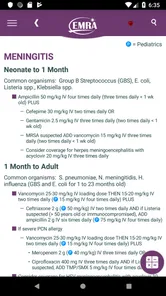
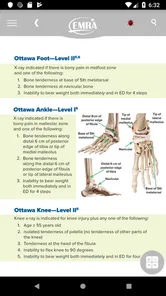
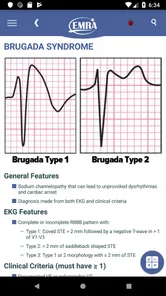
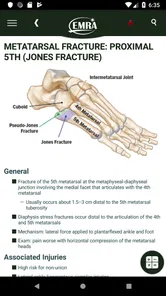
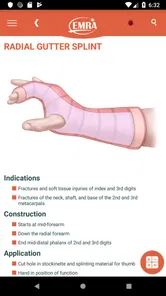
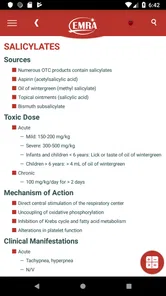
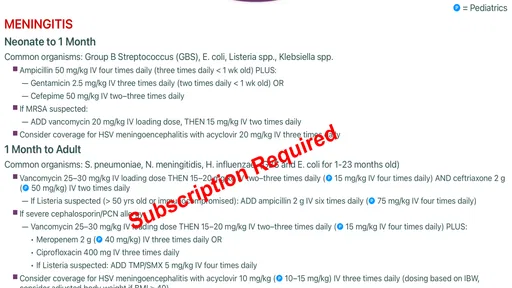
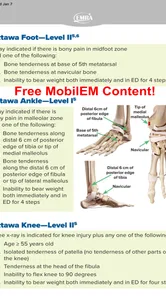
Analysis by Reviewed
When I first opened EMRA MobilEM, I understood its appeal quickly: it is a medical reference app built around fast, evidence-based guidance for emergency medicine. It is not trying to replace a full textbook, a hospital protocol, or clinical judgment. Instead, it aims to put useful emergency-care information closer to hand when time matters and a focused reminder is more helpful than a long search.
The app comes from the Emergency Medicine Residents' Association and is listed as a free medical app for everyone. That broad age label should not be mistaken for a broad audience, though. The material is clearly most relevant to medical students, residents, clinicians, and other healthcare professionals who already understand the basics of patient assessment. A curious non-medical user may find the subject matter interesting, but should not use it to diagnose or treat someone without qualified help.
My overall impression is positive but measured. The strongest reason to keep it installed is convenience: it can serve as a compact point of reference during study, preparation, or a moment when I need to refresh a clinical concept. The weaker side is that a focused reference tool can feel less welcoming than a guided learning platform, especially if I open it without knowing what I am looking for.
What to expect before you rely on it
The store presents EMRA MobilEM with a 3.1 average from roughly thirty-eight ratings and twenty-seven written reviews, alongside more than ten thousand installs. Those figures suggest a modest, specialized user base rather than a mass-market health app. I would read that as a reason to judge it by usefulness in an emergency-medicine workflow, not by the polish or entertainment value expected from a general consumer app.
Its free entry point is helpful for students and trainees who want to explore it without committing money first. The listing also shows optional in-app purchases ranging from $1.99 to $39.99 per item. That makes it important to distinguish between installing the app and deciding whether any additional material is worth paying for. I would begin with the freely available experience, identify the exact gap it fills in my routine, and only then consider an optional purchase.
The app is best understood as a quick-reference companion. That changes how I use it. I do not open it expecting a complete course with lessons, quizzes, progress tracking, or a carefully staged curriculum. I open it when I need to orient myself around a topic, review a point before a shift, or support a study session with a focused clinical reference.
That distinction is also the first safety rule. Emergency medicine changes with local protocols, patient context, and the clinician’s scope of practice. A concise reference can help me remember a pathway, but it cannot see the patient, interpret every finding, or take responsibility for a decision. I would always place direct supervision, institutional guidance, and current professional resources ahead of anything on a phone.
More From Our News Desk

 Gmail
GmailGmail in a Busy Inbox: Who Benefits Most?
From first account to crowded workday, Gmail earns its place through dependable search and flexible sorting—but its best fit depends on how much inbox maintenance you can tolerate.

 Prime Video
Switching to Prime Video: What Changes in Your Viewing Routine
Prime Video can make a compelling second home for streaming, but switching means learning a different catalog, rental layer, and route from browsing to playback.

 Universal TV Remote Control
Universal TV Remote Control Works Best as a Reliable Backup
A phone remote earns its place through quick setup and reliable habits. Here is how to get more from Universal TV Remote Control—and where its limits show.

 Weather - By Xiaomi
Weather by Xiaomi Review: Clear at a Glance, Less Clear Up Close
Xiaomi’s weather app makes everyday forecasts quick to scan, but its calm surface can leave useful details and recovery paths harder to find than they should be.

 X
XX Under Pressure: Can It Recover When Posting Goes Wrong?
A resilience-focused review of X, examining setup, mistaken posts, interruptions, weak connections, and the gaps that matter when recovery needs to be dependable.

 Clash of Clans
Clash of Clans Is Won Between the Battles
Its raids are quick; its community is a long-term project of coordination, teaching, rivalry, and shared responsibility—with all the friction that entails.
Latest News



Who will get the most from it
Medical students may appreciate having a dedicated emergency-medicine reference while revising or preparing for clinical placements. Residents can use it as a rapid refresher when a topic comes up unexpectedly. Experienced clinicians may find it useful for a quick memory jog, although they are also more likely to notice where a compact app is not enough and a fuller reference would be better.
I would be less likely to recommend it as a first medical app to someone who wants general health advice. It is too specialized for that purpose, and the short format of a reference tool can be misleading to a reader who does not already know how to interpret clinical information. For a patient or family member facing an emergency, contacting local emergency services is the appropriate first action, not searching through this app.
Compared with a printed handbook, the obvious advantage is portability and speed of access. Compared with a broad medical database, the likely advantage is focus: the app is centered on emergency medicine rather than asking me to navigate a huge library. The trade-off is depth. A broad database may offer more background, citations, and cross-specialty detail, while a handbook may be easier to annotate or use offline depending on its format. I see MobilEM as a middle ground for quick orientation, not as the only reference in a clinical toolkit.
Getting through the first setup
The first setup should be approached with a clear purpose rather than random browsing. Before opening it, I would decide whether I am testing it for exam revision, preparing for emergency-department work, or looking for a faster way to revisit familiar topics. That small decision makes the first session more useful because I can judge the app against a real task instead of forming an opinion from a few minutes of tapping.
I would also keep expectations realistic about the free download. Since optional purchases are available, I would check which material is immediately accessible and which areas invite an upgrade. That is not a complaint by itself; specialized medical content often has different levels of access. The practical question is whether the free portion is already useful enough for my needs and whether a paid item adds something I will genuinely use more than once.
For a student, a good setup routine is to keep the app beside current notes and use it to investigate one topic at a time. For a resident, I would use it during a quiet preparation period rather than waiting for a high-pressure moment to learn the navigation. The goal is to become familiar with where useful information lives before I need a quick reminder.
One non-obvious benefit of this approach is that it exposes the difference between recognition and understanding. An app may help me recognize a term or sequence, but if I cannot explain why a step matters or how the patient’s condition changes the decision, I have not mastered the topic. I use the app to identify the question I need to answer, then return to teaching material, supervision, or a more comprehensive reference for the reasoning behind it.
Finding the first meaningful success
The first successful action should be small and concrete: choose a familiar emergency-medicine subject, locate the relevant guidance, and use it to answer a question I already have. I would not begin by trying to absorb the entire app. A focused search or short review is more reassuring because it shows whether the content is organized in a way that matches my thinking.
For example, before a teaching session, I might use the app to refresh the broad approach to a topic already covered in class. I would compare what I find with my notes, mark any point that needs clarification, and write down one follow-up question. That workflow turns the app from passive reading into a practical study aid. It also prevents the common mistake of treating a quick glance as complete preparation.
In a realistic everyday scenario, imagine a trainee finishing a shift and realizing that one emergency presentation still feels unclear. Rather than opening a general search engine and sorting through unrelated pages, the trainee can use MobilEM as a focused starting point, review the relevant guidance, and then discuss the uncertain part with a supervisor or consult a fuller source. The meaningful success is not making an independent medical decision from the phone; it is arriving at the next conversation better prepared.
I find that this kind of app works best when I use it in short, deliberate sessions. A few minutes spent answering one question can be more valuable than scrolling through several sections without a goal. I would keep a separate note of topics that repeatedly need review. Over time, that list becomes more useful than trying to remember every page I have opened.
Another practical tip is to treat the app as a pre-brief and debrief tool. Before a learning encounter, I can use it to identify the main concepts I should watch for. Afterwards, I can return to the same subject and check what I misunderstood. This two-pass method gives the reference a clear role without asking it to replace bedside teaching.
Where new users may become confused
The biggest source of confusion is likely to be the difference between fast guidance and complete clinical instruction. A concise entry can feel authoritative because it is easy to read, but brevity leaves out context by design. I would be cautious whenever a situation involves an unusual presentation, several conditions at once, medication complexity, or a patient whose needs do not fit a familiar pattern.
Another possible friction point is deciding whether the app is for learning or for real-time use. I would use it primarily for education and rapid orientation, not as the sole authority during active patient care. In a busy department, the safest workflow is to confirm important decisions through local protocols and qualified colleagues. The app can help me formulate a question, but it should not become a substitute for the chain of clinical responsibility.
The optional purchase model may also require patience. A free app with items priced from $1.99 to $39.99 can make a first-time user wonder which content is essential and which is supplementary. My advice is not to buy based on curiosity alone. First, use the accessible material for a real study or preparation task. If the app saves time repeatedly and the additional content directly matches a recurring need, the purchase may make sense. If I only open it occasionally, the free experience may be sufficient.
The rating is another detail I would interpret carefully. An average of 3.1 is neither a strong endorsement nor proof that the app is unsuitable. With a specialized medical audience and a relatively small number of ratings, individual expectations can have a noticeable effect. I would pay more attention to whether the app fits my workflow than to the score alone.
I would also avoid assuming that an app last encountered in one context will always reflect the latest local practice. Emergency care is sensitive to updates, institutional differences, and changing evidence. Before acting, I would check the date and authority of the guidance available to me, especially for high-risk decisions. That is a general clinical habit, but it matters particularly when a compact mobile reference feels unusually convenient.
How it fits beside other medical resources
Against a textbook, MobilEM wins on immediacy. I can reach for a phone instead of carrying a large volume, and the focused subject area reduces the amount of irrelevant reading. The textbook wins when I need physiology, detailed explanations, illustrations, or a sustained study chapter. I would not choose one as a complete replacement for the other.
Against a search engine, the app’s value is concentration. A web search can produce current material, local guidance, discussion pages, and distractions all at once. That flexibility is useful, but it also puts more responsibility on me to judge sources. A dedicated emergency-medicine reference gives me a more direct starting point, while a search engine remains better when I need a particular guideline, original paper, or institution-specific protocol.
Against a general medical reference app, the choice depends on depth and scope. A broad platform may be better for a clinician moving between specialties or looking for extensive drug and disease information. MobilEM makes more sense when emergency medicine is the central need and speed matters more than a giant catalog. Its narrower identity is a strength for the right user and a limitation for everyone else.
I would also keep a local hospital resource close by. Even an excellent general reference cannot automatically reflect every department’s escalation pathway, documentation expectation, or available service. The best arrangement is complementary: use MobilEM for a focused reminder, local policy for operational decisions, and a senior clinician or comprehensive reference when the case is uncertain.
My next-step routine after the first session
After confirming that the app helps with one real question, I would build it into a modest routine rather than relying on it only during stressful moments. One useful pattern is to select a topic before a shift, review it briefly, and then revisit it afterwards with a note about what was difficult in practice. This makes the app part of reflection instead of just another icon on the home screen.
For exam preparation, I would pair each app session with active recall. Close the reference and explain the approach in my own words. If I cannot do that, I would return to the material and identify the missing link. The app is more valuable when it prompts retrieval and discussion than when it becomes a stream of information I passively reread.
For clinical work, I would set a firm boundary: no important decision should rest on a quick phone lookup alone. I would verify high-stakes points, consider the patient’s full presentation, and follow the appropriate local process. This may sound cautious, but it is exactly what makes a mobile reference useful rather than dangerous. Its role is to support a trained user’s thinking, not to create false certainty.
Should you install it? I would say yes if you are studying or practicing emergency medicine and want a focused, free starting point for rapid guidance. I would skip it if you want general wellness advice, a comprehensive medical encyclopedia, or patient-facing instructions. I would also look elsewhere when you need deep explanations, highly local protocols, or a complete learning course.
In my experience, EMRA MobilEM earns a place as a compact companion rather than a definitive authority. The free access lowers the barrier to trying it, the emergency-medicine focus keeps the purpose clear, and the optional purchases give committed users a way to explore further. Its limitations are just as important: the content should be interpreted by someone with appropriate training, and its convenience should never outrank current guidance or professional judgment.
My recommendation is to install it with one question in mind, test it on a familiar topic, and keep it only if that first focused session genuinely saves you time or improves your preparation. Used that way, it can be a practical addition to a medical study and reference routine without pretending to be the whole routine.
EMRA MobilEM Frequently Asked Questions
Is EMRA MobilEM intended for medical emergencies or energy-market information?
Despite the medical category associated with the app, EMRA MobilEM is the mobile application associated with Turkey’s Energy Market Regulatory Authority (EPDK). It is designed to provide users with access to energy-market information and related public services through a smartphone, not emergency medical guidance. If you are seeking medical help, use an appropriate medical service rather than relying on this app.
What is EMRA MobilEM and what can I use it for?
EMRA MobilEM is the mobile application associated with Turkey’s Energy Market Regulatory Authority (EPDK). It is designed to provide users with access to energy-market information and related public services through a smartphone. Depending on the available version and user permissions, the app may include announcements, regulatory information, sector updates, notifications, and tools for interacting with EMRA services. Its usefulness is mainly aimed at consumers, energy-sector professionals, and anyone following Turkey’s electricity, natural gas, petroleum, or related markets.
Is EMRA MobilEM free to download and use?
The application is free to download, although normal mobile data or Wi-Fi charges may apply when loading documents, announcements, or other online content. In-app purchases range from $1.99 to $39.99 per item. Some services may require an account, identity verification, or access through an official government authentication system. Before using the app for an important submission or inquiry, check its current store listing and the official EMRA website, since available features, login requirements, and service conditions can change with future updates.
Do I need to create an account or provide personal information?
Not every section of EMRA MobilEM necessarily requires registration. Public announcements, general regulatory content, and market information may be accessible without signing in, while personalized services, applications, notifications, or official requests can require authentication. If registration is requested, users should review the permissions and privacy information carefully and provide only accurate details. Access requirements may also depend on whether you are an individual consumer, an authorized company representative, or another type of user.
Is EMRA MobilEM available for both Android and iPhone?
EMRA MobilEM may be distributed through official mobile application stores for supported Android and iOS devices, but compatibility can depend on the operating-system version, device model, and the app’s latest release. The safest approach is to download it only from the verified Google Play or Apple App Store listing and confirm the publisher name before installation. Avoid unofficial APK files or third-party download pages, because they may be outdated, modified, or unsafe.
Pros
- Provides quick access to emergency medical records when needed.
- Can help healthcare staff review important patient information faster.
- Useful for keeping essential health details available while traveling.
- Mobile access reduces the need to carry printed medical documents.
- May improve communication between patients and emergency responders.
Cons
- Its usefulness depends on accurate and regularly updated personal data.
- Access may be limited if the phone has no battery or internet connection.
- Sensitive medical information requires strong device and account security.
- Not every healthcare provider may support or recognize the app’s records.
- Some features may require registration or verification before use.












