Electrician's Bible
- 679.00
- 4.8
- Installs
- 10.00K
- Price
- $4.99

Screenshots
Analysis by Reviewed
When a technical question interrupts an electrical task, I want a reference that helps me get oriented without turning a quick check into a long search. I see Electrician's Bible as a pocket reference for people who regularly work with electrical topics, not as a replacement for training, current requirements, or safe working practices. It is a paid productivity app from Quky, and its appeal is straightforward: keep electrical material and tools close by when a question arises.
Where a reference app can get in the way
A reference is useful only if I can reach the relevant material promptly. If I open the app beside a panel or while reviewing a job note, I want to find a helpful topic without wandering through information I do not need. That is the first thing I would assess: whether the subjects and tools I rely on are easy for me to locate. A broad collection can save time, but it can also feel like unnecessary reading when I need one specific answer.
I would use figures, diagrams, or guidance as a starting point for checking a task, never as permission to work beyond my competence. Electrical work can carry serious risks, and an app cannot inspect an installation or account for every local requirement. If I were a homeowner facing unfamiliar wiring, I would choose a licensed professional over treating a reference as a repair manual.
Make the first session useful
Instead of browsing at random, I would start with the jobs that come up most often for me: identify a term, review a diagram, or see whether the calculator covers a calculation I regularly need. That small test tells me more than scrolling through a long list. It also helps me learn where useful material is before I need it under time pressure.
Before buying, I would check that my device meets the minimum operating-system requirement, version 9. The current release is 1.3.0.21, and it costs $2.99. It is rated Everyone. Its average rating is 4.9 from around 1.8 thousand ratings, and it has over 10 thousand installs. Those figures give me a sense of its audience, but they cannot tell me whether its references match the work I do.
Recovering a workflow when I lose my place
If I have to pause while looking something up, I make a short note of the question instead of trusting my memory. I might write down the circuit context and the calculation I need to verify, then return to the reference when I can focus. This small habit helps prevent repeated searching or a guess based on half-remembered information.
For a field visit, I would identify likely topics before leaving and treat the app as one part of a broader work process. If a section or tool does not seem to behave as expected, I would close and reopen the app, confirm that my device meets the operating-system requirement, and check that I have selected the relevant topic or calculation. Those are sensible first checks, not a guarantee that every problem has the same cause.
More From Our News Desk

Weather by Xiaomi Review: Clear at a Glance, Less Clear Up Close

X Under Pressure: Can It Recover When Posting Goes Wrong?

Clash of Clans Is Won Between the Battles

Android Auto Makes the Case for Quieter Car Software

MobiOffice: Transforming Mobile Productivity with Seamless Integration

EA SPORTS FC™ Mobile Soccer: Redefining Mobile Sports Gaming
Putting the reference to work
If you've ever found yourself tangled in a web of wires, scratching your head over an electrical project, then the Electrician's Bible app might just be your new best friend. As someone who's dabbled in the occasional DIY fix, I was pretty curious to see how this app could help make sense of the electrical chaos. So, I dove in and explored everything it had to offer.
Getting Started with the Basics
Upon launching the app, you're greeted with a clean and intuitive interface. The Electrician's Bible is designed to be user-friendly, which is a big win for those of us who aren't professional electricians. It's like having a handy toolkit right at your fingertips. The app covers a wide range of topics, from basic electrical principles to more complex circuit analysis. Whether you're a weekend warrior or a seasoned pro, there's something in here for everyone.
Exploring the Features
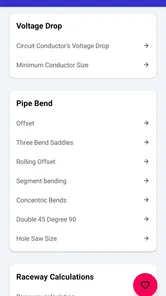
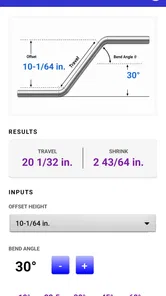
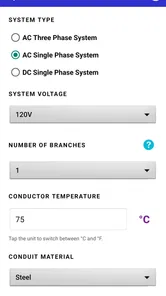
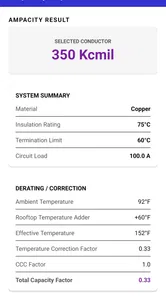
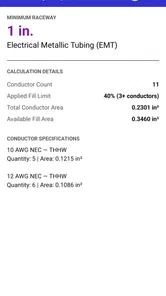
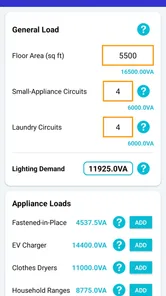
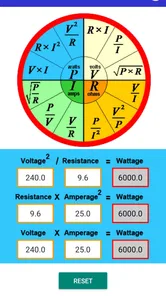
Diving deeper, the app boasts a comprehensive list of features. One of my favorites is the calculator section. It's incredibly handy for quick calculations, whether you're figuring out wire sizes or voltage drops. There's also a nifty section with diagrams and schematics, which is perfect for visual learners like myself. The app doesn't just throw information at you; it helps you visualize it, which really aids in understanding complex concepts.
Another standout feature is the glossary. It's packed with definitions and explanations of common electrical terms. This is a lifesaver when you're knee-deep in a project and stumble upon a term that sounds like it's in another language. Just a quick tap, and you're back on track with a clear understanding.
Practical Applications
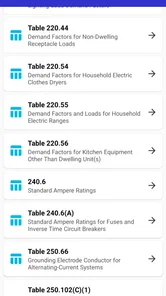
What really sets this app apart is its practical applications. It's not just a digital textbook; it's designed to be used in real-world scenarios. For instance, if you're out in the field and need to quickly reference a particular code or regulation, the app has you covered. It's like having a portable reference library in your pocket.
I've found it particularly useful for troubleshooting. The app provides step-by-step guides for diagnosing and fixing common electrical problems. This is perfect for DIYers who might not have the same level of experience as a professional electrician. With clear instructions and helpful tips, the app empowers you to tackle projects with confidence.
Choosing it for the right kind of work
A realistic use for me would be preparing for a service call: review a term I rarely use, consult a diagram, and make a calculation before deciding what needs checking on site. The useful trade-off is having these kinds of references together instead of switching between a general search engine, a calculator, and separate notes. Search results may be faster for a single broad question, while a dedicated electrical reference is more convenient when I want related material in one place.
That does not make it the best fit for everyone. A professional who already has trusted code books, workplace documentation, and a preferred set of specialist tools may not need another reference, especially if its coverage does not match their local standards or niche. Likewise, a casual DIY user who only needs occasional household advice may find a qualified electrician or a reliable, task-specific source more appropriate. I would check the material against the requirements that apply to the job rather than assuming one reference covers every jurisdiction.
For a learner, the glossary and diagrams can help connect unfamiliar terminology to a visual example, but I would use them alongside instruction and supervised practice. One practical tip is to look up a term before starting a task, then use the glossary afterward to resolve anything that still feels unclear. That keeps the app useful as a learning aid without turning a quick lookup into overconfidence.
Everyday checks and sensible limits
One way I would make the app more useful is to arrive with a question already framed. Instead of opening it with the vague aim of “checking the wiring,” I would identify the specific term, diagram, or calculation I need to review. That makes it easier to judge whether the material answers my question and helps me avoid treating a nearby topic as a substitute for the information I actually need.
For example, before a maintenance visit, I could note the issue reported, consult a relevant diagram or glossary entry, and use a calculator if the task calls for one. On site, I would still verify the real conditions and follow the applicable procedures. If the installation does not match what I expected, I would stop and reassess rather than forcing the situation to fit an illustration or calculation.
The app’s bundled-reference approach is most helpful when I want to move between a definition, a visual explanation, and a calculation. A general web search can be better for finding a current, location-specific document or a single narrowly defined answer; a dedicated calculator may suit someone who performs one calculation repeatedly and wants a specialist workflow. I would choose based on the task, not assume one tool should cover every electrical question.
Who is likely to get the most from it
I think it is best suited to electricians, electrical contractors, and learners who repeatedly encounter electrical terminology, diagrams, or calculations. For these users, even a brief reference check can be worthwhile if it fits naturally into their existing process. A student could use the glossary to review unfamiliar language after class, then compare the diagram with course material, while an experienced worker might use the app as a convenient secondary reference between more authoritative sources.
It is less compelling for someone who only has an occasional household question. In that situation, the price may be harder to justify, and the bigger concern is not convenience but choosing a safe response. If the job involves unfamiliar wiring or a decision with serious consequences, I would get qualified help rather than rely on an app, regardless of how approachable its presentation feels.
I would also think about whether the app’s scope suits my day-to-day work before paying. The practical question is not simply whether it contains useful material, but whether the subjects I actually need are easy to reach and relevant to my working context. A short initial check of familiar topics can reveal that fit; if the reference does not support the tasks I face, a trusted specialist book, workplace resource, or focused tool may be a better use of my time.
When the app may not be the cause
If a result seems wrong or a tool does not give the expected outcome, I would first check my inputs and assumptions. A calculator can only help with the values entered, and a diagram may describe a different arrangement from the one in front of me. I would review the units, the context, and the question I intended to answer before repeating the calculation. If the uncertainty remains, I would verify it with an appropriate professional reference rather than relying on a second attempt alone.
There is also a difference between a display or navigation problem and a technical disagreement. Reopening the app and confirming the selected topic are reasonable steps for the former. For the latter, I would compare the material with current local requirements and the conditions of the actual job. That distinction matters: getting a screen to work does not establish that a method applies to a particular installation.
Final Thoughts
In conclusion, the Electrician's Bible app is an essential tool for anyone involved in electrical work, whether you're a hobbyist or a professional. It combines a wealth of information with practical tools and resources, all wrapped up in a user-friendly package. It's like having an experienced electrician by your side, guiding you through every step of your project.
So, if you're ready to take on your next electrical challenge, give the Electrician's Bible app a try. It's more than just an app; it's your go-to guide for all things electrical.
My practical verdict is a little more specific: I would consider it if electrical references, calculations, and terminology come up repeatedly in my work or study, and I would test its usefulness against the exact topics I need. I would skip it if I expected it to replace current local guidance, professional judgement, or hands-on expertise. Used as a supporting reference, it can make an otherwise scattered lookup routine more convenient; used as the sole authority for a risky repair, it asks too much of any app.
Electrician's Bible Frequently Asked Questions
Who is Electrician's Bible intended for?
Electrician's Bible is aimed at people who work in electrical trades, including electricians and electrical contractors. Its store summary presents it as a tool for professionals, so it may be most useful to readers looking for a work-focused reference. The app is developed by Quky and is listed in the productivity category.
What is the Electrician's Bible app?
The Electrician's Bible app is a comprehensive mobile application designed for electricians and electrical engineers. It provides a wide range of tools and resources, including electrical calculators, wiring diagrams, code references, and safety guidelines to assist professionals in their daily tasks. The app is available on both Android and iOS platforms, making it accessible to a wide audience.
Is the Electrician's Bible app suitable for beginners?
Yes, the Electrician's Bible app is suitable for both beginners and experienced electricians. It offers a user-friendly interface with easy-to-follow guides and tutorials that can help newcomers understand complex electrical concepts. Additionally, the app includes basic electrical principles and safety tips, making it a great starting point for those new to the field.
What features does the Electrician's Bible app offer?
The Electrician's Bible app includes a variety of features such as electrical calculators, wiring diagrams, circuit analysis tools, and code references. Users can also access safety guidelines and troubleshooting tips. These features are designed to enhance the productivity and efficiency of electricians by providing quick and reliable information at their fingertips.
Can the Electrician's Bible app be used offline?
Yes, many features of the Electrician's Bible app can be used offline. Once downloaded, users can access calculators, diagrams, and code references without an internet connection. This is particularly useful for electricians working in areas with limited connectivity, ensuring they have the necessary information available at all times.
Pros
- Comprehensive electrical code guide.
- User-friendly interface for easy navigation.
- Regularly updated with latest standards.
- Includes helpful diagrams and illustrations.
- Offline access available for field use.
Cons
- Limited to electrical topics only.
- Requires in-app purchases for full access.
- May not cover all local codes.
- Heavy app size for limited storage phones.
- No real-time expert consultation feature.