Easy Rout Map: Navigation Path
- 208.00
- 4.2
- Installs
- 10.00M
- Price
- Free

Screenshots







Analysis by Reviewed
When I’m going somewhere unfamiliar, I want directions that are easy to follow without turning every trip into a screen-watching exercise. Easy Rout Map: Navigation Path is a free travel and local app from Travel Maps Tech, built around map guidance, voice navigation and a street-view map. Its appeal is straightforward: it aims to make finding a route feel less intimidating, especially when I’m moving through streets I don’t know.
Where a connection changes the trip
Navigation can feel effortless while a phone has a steady data connection, but city travel often means moving between stations, underground areas and crowded blocks where service may falter. I’d check the route and destination before setting off, then keep the map open long enough to orient myself. That small habit matters with any connected map: it gives me a clearer starting point if directions take a moment to refresh later.
The app’s store summary highlights voice guidance and a street-view map, which serve different needs. Spoken prompts can help me keep my attention on the road or pavement, while a street-level view can help me recognize a destination or an entrance before I arrive. I’d use the visual detail while stopped, rather than trying to inspect it while walking or driving.
What the connection means in everyday use
I would treat the connection as part of the route-planning routine, not as a technical detail to worry about only after something goes wrong. Before leaving, I’d enter the destination while I have a reliable signal, check that the route begins from the right place, and note a nearby landmark. That is particularly useful at large buildings, where a pin can lead to the general property rather than the entrance I actually need.
For a short walk across a familiar neighborhood, a brief interruption may be little more than an inconvenience. For a trip involving an unfamiliar interchange or a time-sensitive appointment, the same interruption can leave me unsure which street to take next. I’d plan those journeys with a second source of essential information, such as the appointment address or a transit operator’s own service details, rather than expecting one map to cover every uncertainty.
Getting Started with Easy Rout Map
First things first, downloading and setting up Easy Rout Map: Navigation Path is a breeze. Available on both Android and iOS platforms, the app ensures that no matter what device you’re using, you won’t get lost. Upon launching, you’ll be greeted with a sleek, intuitive interface that doesn’t bombard you with unnecessary details. It's all about getting you from point A to B as smoothly as possible.
Features That Stand Out
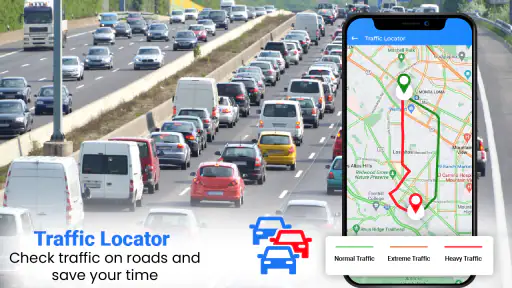
One of the standout features of this app is its real-time traffic updates. Gone are the days of being stuck in traffic jams with no clue of what’s happening ahead. The app provides live updates, allowing you to reroute if necessary, saving both time and sanity. Another handy feature is the offline maps. For those times when you’re in areas with spotty internet coverage, you won’t have to worry about losing your way.
More From Our News Desk

Weather by Xiaomi Review: Clear at a Glance, Less Clear Up Close

X Under Pressure: Can It Recover When Posting Goes Wrong?

Clash of Clans Is Won Between the Battles

Android Auto Makes the Case for Quieter Car Software

MobiOffice: Transforming Mobile Productivity with Seamless Integration

EA SPORTS FC™ Mobile Soccer: Redefining Mobile Sports Gaming
Plus, its voice-guided navigation is a lifesaver. You don’t have to keep staring at your phone screen, which is a huge plus for safety. The app’s voice prompts are clear and timely, ensuring you make every turn with confidence.
Using it on foot, in a car, or on transit
For a realistic errand, imagine taking a bus to an unfamiliar neighborhood and walking the last few blocks to an appointment. I’d use the route view to understand the approach, then rely on voice prompts while moving and check the street-view map once I’m safely stopped near the destination. If the network drops between the stop and the building, I would not assume every map detail will remain available; I’d keep the address handy and look for a clear landmark before leaving the bus.
That cautious workflow is useful because a route app is not the same thing as a local transit authority’s service. For a commute where a missed departure would matter, I’d compare the suggested route with the operator’s current timetable or station information. A general map is handy for connecting the pieces of a journey, while a transit provider may be the better source for last-minute service changes.
A practical way to prepare for an unfamiliar trip
On an actual day out, I’d build in a minute before leaving to check three things: that the destination is spelled and placed correctly, that the first turn matches the street I’m standing on, and that I can identify a recognizable point near the arrival location. This is a simple check, but it catches common navigation friction before I’m walking in the wrong direction or trying to interpret a map in a crowded doorway.
If I’m meeting someone, I’d share or keep the written address separately rather than relying on a map pin as the only description of where to meet. A pin can be useful for getting close, while “the entrance on the side street” or a nearby public landmark can make the final approach clearer. This is especially helpful when a destination has several entrances or sits inside a larger complex.
Choosing a route app that fits
Compared with opening a general-purpose map app, this one is worth considering if its clear route guidance and street-level context match what you need. It may not be the best sole tool for a trip that depends on detailed local transit alerts, or for navigating a remote area where you need dependable offline coverage. Before relying on any route for an important appointment, I’d check the destination, confirm the starting point, and keep a backup way to identify the next turn.
Who is it for? I can see it suiting someone who wants direct help getting around town and appreciates spoken directions rather than constant map checks. If you rarely travel beyond familiar streets, or you need specialist hiking maps, highly detailed transit planning, or offline navigation as a firm requirement, another purpose-built option may serve you better. I’d also test the sound level and voice prompts on a short, familiar journey before depending on them in a busy setting.
Mobile habits that make guidance easier
Voice guidance is most useful when I can hear it without turning the phone into a distraction. Before setting off, I’d check the volume in a quiet place and make sure the device is positioned securely; I would not adjust settings while driving. On foot, I’d still glance at the screen only when it is safe to do so, because spoken prompts can tell me when to turn but may not explain which side of a divided street or large plaza is the right approach.
Battery and attention are practical trade-offs on any navigation trip. If I expect to be out for a while, I’d begin with a charged phone and avoid repeatedly opening detailed map views just to reassure myself that I’m still on course. A quick look at the route before moving, followed by listening for guidance and checking again at safe stopping points, is a calmer way to use a phone than carrying it in front of me throughout the journey.
User Experience
Using Easy Rout Map: Navigation Path feels like a seamless experience. The developers have clearly put a lot of thought into making the app user-friendly. Whether you’re tech-savvy or not, navigating through the app is straightforward. The search functionality is robust, accurately pulling up locations without a hitch. And if you're someone who loves to plan, the app allows you to save your favorite routes for future reference.
One thing that really impressed me was the integration with public transport schedules. For those who prefer hopping on a bus or train, the app provides detailed schedules and routes, making it a versatile tool for any kind of traveler.
When directions need a fallback
If a route stops updating, I’d first check whether the phone has regained a connection and whether the destination is still correct, rather than immediately following an old instruction. At a safe stopping point, reopening the route or checking the street around me can help me reorient. I wouldn’t make a turn based only on a delayed prompt, and drivers should set up guidance before moving. Those are ordinary precautions, but they matter when map directions and live conditions no longer line up.
For data-conscious use, I’d avoid repeatedly opening street-level imagery while travelling and use it only when it answers a specific question, such as which entrance faces the road. Voice directions can reduce the need to keep the display active, though the screen and navigation still need sensible attention. The app is free to download, with in-app purchases listed at $2.99 per item, so I’d check what an optional purchase offers before paying rather than assuming it is necessary for basic route finding.
Questions worth settling before depending on it
Can I count on the app when the signal disappears? I would not plan on that without testing the route and the app’s behavior on my own device first. A map screen that was already open may help me maintain my bearings, but that is not the same as a promise that every route, street view or refreshed instruction will be available without a connection. For a journey where losing guidance would be serious, I’d choose a tool with offline coverage I have personally confirmed.
Is it a substitute for a transit operator’s app? Not for the parts of a trip where a live platform change, cancellation or local service notice is decisive. I’d use a route map to see how walking and transit fit together, then verify any departure or disruption that could make me late with the service provider. Likewise, a driver should treat live routing as helpful guidance, not as a replacement for paying attention to road signs and conditions.
Does the optional spending need to be part of the plan? I’d begin with the free download and only consider an in-app purchase if its description addresses a need I actually have. The presence of a purchase price by itself does not tell me whether a particular extra is useful for my routine, so checking its purpose before confirming payment is the sensible move.
Practical details before installing
The app has a 4.2 average from around 13,000 ratings and more than 10 million installs, which suggests it has attracted a sizable audience, though popularity alone cannot guarantee a smooth experience on every phone or route. It is rated for Everyone, runs on Android 6.0 and later, and its current version is 2.0.18. I’d check that my device meets the minimum requirement and try a short trip first, especially if I’m relying on it for a connection or appointment.
One useful preparation is to save a familiar route if I expect to repeat it, then verify the starting point each time rather than assuming the app has selected the right entrance or side of a large site. That is a small step, but it can prevent a route from beginning at the wrong end of a building or block. It also gives me a chance to notice whether the route makes sense before I set off.
Who should choose something else
I would skip this as my only navigation tool if my plans depend on dependable offline maps, specialist trail information or fine-grained transit disruption alerts. Those needs call for an app designed around that particular job, and no amount of convenience in a general route view makes it a substitute. It is also not a good fit for anyone who expects voice prompts to remove the need to watch surroundings, check signs or make safe decisions at crossings.
For casual city errands, short drives and journeys where street-level context helps me recognize the last turn, its mix of route guidance and spoken directions is more appealing. The best fit is someone who wants a straightforward everyday aid and is comfortable taking a few sensible precautions when the connection or route is uncertain. I’d judge it on a familiar test trip before letting it guide an unfamiliar, high-stakes journey.
Final Thoughts
In a world where getting lost is not an option, Easy Rout Map: Navigation Path is a game-changer. It combines practicality with advanced technology, ensuring that you always have a reliable navigation partner by your side. Whether you’re planning a road trip or simply finding the quickest route to work, this app has got you covered.
So, if you’re in the market for a navigation app that’s both reliable and easy to use, give Easy Rout Map: Navigation Path a try. It might just be the travel companion you never knew you needed. Happy traveling!
My connectivity verdict
I see this as a useful everyday route companion when I can prepare before setting out and use the street-level view deliberately rather than constantly refreshing it. Its voice guidance can make a trip less screen-focused, and the visual context may help at the final approach. But I would not treat connectivity-sensitive guidance as a guarantee through tunnels, dead zones or a busy travel day.
My practical recommendation is to try it on a low-pressure journey, learn how its directions feel on your phone, and keep a separate address or transit source for the details that matter most. If that balance suits the way you travel, it is a reasonable free option to consider; if offline certainty or specialist routing is essential, I’d choose a tool built specifically for that requirement.
Easy Rout Map: Navigation Path Frequently Asked Questions
What is the minimum Android version needed to install Easy Rout Map: Navigation Path?
Easy Rout Map: Navigation Path requires Android 6.0 or later, so check your phone’s software version before downloading. The app is aimed at everyday navigation and is categorized under Travel & Local. If your device meets the requirement, you can consider whether its map guidance and voice navigation suit the way you travel.
Who develops Easy Rout Map: Navigation Path, and is it suitable for all ages?
Easy Rout Map: Navigation Path is developed by Travel Maps Tech and is listed in the Travel & Local category. Its content rating is Everyone, making it suitable for a broad audience. If you are comparing navigation apps before installing, its focus is on helping users find their way with map guidance, including voice navigation and street-view features.
What is Easy Rout Map: Navigation Path and how does it work?
Easy Rout Map: Navigation Path is a user-friendly navigation application designed to provide accurate and efficient route guidance for both drivers and pedestrians. It utilizes GPS technology to pinpoint your current location and offers turn-by-turn directions to your desired destination. The app automatically recalibrates if you deviate from the planned path, ensuring that you always have the most efficient route available. Its intuitive interface makes it suitable for users of all ages.
Can I use Easy Rout Map: Navigation Path offline?
Yes, Easy Rout Map: Navigation Path offers offline map capabilities. Before heading out, you can download maps for specific regions to ensure uninterrupted navigation even when you don't have internet access. This feature is particularly useful in areas with poor connectivity, ensuring that you can rely on the app regardless of your location.
Is Easy Rout Map: Navigation Path available for both Android and iOS devices?
Absolutely, Easy Rout Map: Navigation Path is available for download on both Android and iOS platforms. You can easily find it on the Google Play Store for Android devices and the Apple App Store for iOS devices. The app is optimized for both operating systems, ensuring a seamless navigation experience across different devices.
Pros
- User-friendly interface
- Accurate real-time navigation
- Offline maps available
- Customizable route options
- Frequent updates
Cons
- Consumes battery quickly
- Ads can be intrusive
- Limited free features
- Occasional map glitches
- Requires constant GPS
- Category
- Travel & Local
- Version
- 2.0.18