

DrawMee - Learn how to draw
- 0.00
- 0.0
- Installs
- 10.00K
- Price
- Free

Screenshots
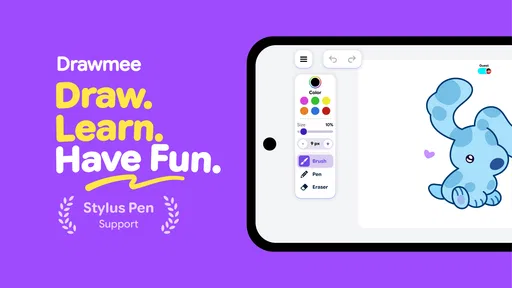
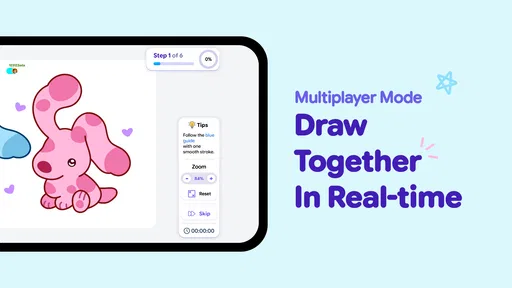
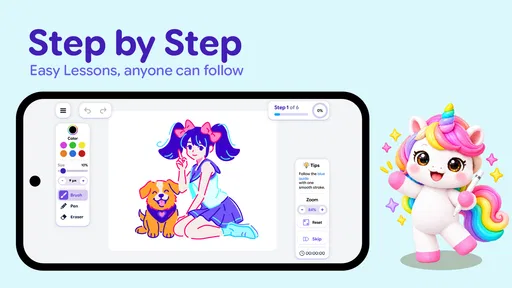
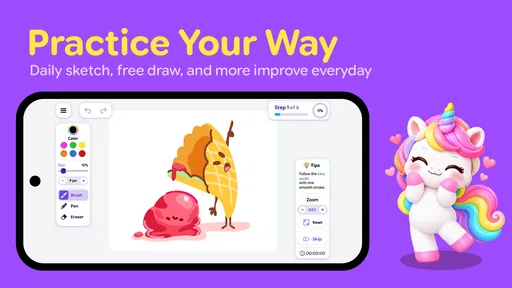
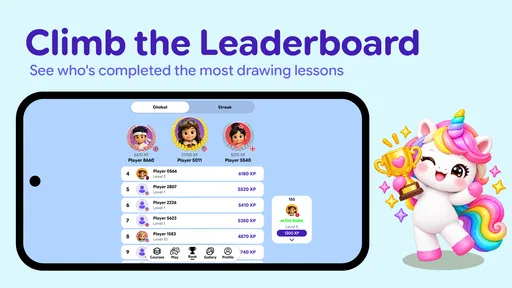
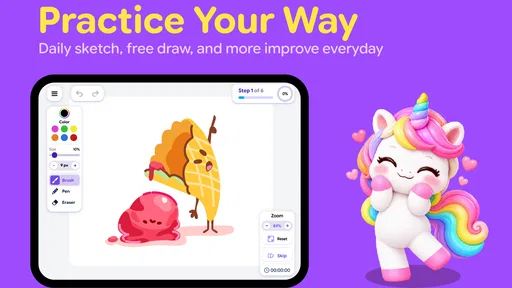
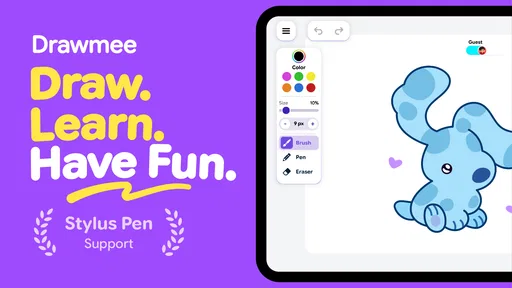
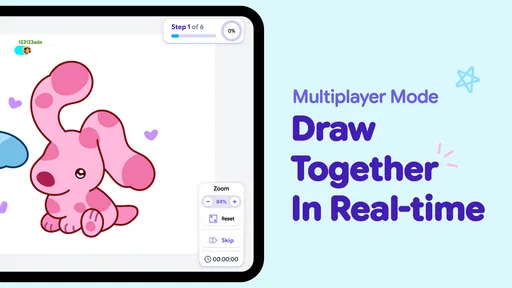
Analysis by Reviewed
I tried DrawMee as a low-pressure way to spend a few quiet minutes drawing, and its main appeal became clear quickly: it is easier to begin than a blank canvas. Instead of asking me to invent a subject, it places the focus on guided coloring and prepared art collections. That makes it a comfortable choice for someone who wants a creative break without first learning a full digital-art workflow.
The app comes from Be Inc. and sits in the Art & Design category. It is free to install, with optional in-app purchases ranging from $7.99 to $39.99 per item. The audience rating is Everyone, and the current version is 2.0.1. It requires Android 8.0 or later, has passed 10K+ installs, and is listed as released on Jun 20, 2026. Those details place it in the accessible, casual end of mobile creativity rather than the professional illustration space.
How DrawMee fits into a shared household
The most convincing use case for me was a shared-device moment: a child, parent, or guest wants something relaxing to do, but nobody wants to hand over a complicated drawing suite. One person can open an art collection, follow the visual guidance, and make progress without needing a long explanation about layers, brushes, canvases, or export settings. The same simplicity also works for an adult who wants to unwind after work.
That simplicity is not the same as unlimited flexibility. DrawMee is built around guided coloring, so it suits people who enjoy completing an image more than those who want to sketch anything from scratch. If your household already uses a full drawing application for school projects, detailed illustrations, or handwritten notes, this app is better viewed as a separate relaxation tool rather than a replacement.
I also found that the guided format changes the mood of a session. A blank page can create pressure to be original, while a prepared design gives me a starting point and a clear visual task. For a shared device, that matters because the next user can begin quickly instead of trying to understand someone else’s unfinished composition. The trade-off is that the experience feels more curated than open-ended.
For a realistic evening routine, I would use it after dinner with the device placed on a table rather than treating it like a serious art workstation. One person could choose a collection, another could take a turn coloring, and the finished result could simply remain on the screen as a small shared project. I would not expect the app itself to coordinate turns or household profiles; the coordination has to come from the people using the device.
What the guided approach does well
The strongest design decision is the reduction of friction. I do not have to decide which brush to select, what canvas size to create, or how to construct a subject before making a mark. That makes the first few minutes approachable for beginners and keeps the focus on color choices and steady progress.
More From Our News Desk

 Gmail
GmailGmail in a Busy Inbox: Who Benefits Most?
From first account to crowded workday, Gmail earns its place through dependable search and flexible sorting—but its best fit depends on how much inbox maintenance you can tolerate.

 Prime Video
Switching to Prime Video: What Changes in Your Viewing Routine
Prime Video can make a compelling second home for streaming, but switching means learning a different catalog, rental layer, and route from browsing to playback.

 Universal TV Remote Control
Universal TV Remote Control Works Best as a Reliable Backup
A phone remote earns its place through quick setup and reliable habits. Here is how to get more from Universal TV Remote Control—and where its limits show.

 Weather - By Xiaomi
Weather by Xiaomi Review: Clear at a Glance, Less Clear Up Close
Xiaomi’s weather app makes everyday forecasts quick to scan, but its calm surface can leave useful details and recovery paths harder to find than they should be.

 X
XX Under Pressure: Can It Recover When Posting Goes Wrong?
A resilience-focused review of X, examining setup, mistaken posts, interruptions, weak connections, and the gaps that matter when recovery needs to be dependable.

 Clash of Clans
Clash of Clans Is Won Between the Battles
Its raids are quick; its community is a long-term project of coordination, teaching, rivalry, and shared responsibility—with all the friction that entails.
Latest News



There is also a useful emotional distinction between guided coloring and conventional drawing. Traditional art apps reward experimentation, but they can make a beginner feel lost. DrawMee gives the session a narrower purpose. If I am tired, distracted, or sharing the device with someone who has never used digital art software, that narrower purpose is a genuine advantage.
My practical tip is to choose the collection before handing the device to another person. On a shared screen, browsing and deciding can take more time than the coloring itself. Picking a design in advance creates a smoother handoff and reduces the chance that one user changes the direction of the session for everyone else.
Setting expectations before anyone starts
Because the app is free to install but includes optional purchases, I would establish a simple household rule before letting a child use it: browsing is fine, but purchases require an adult’s permission. The listed purchase range is wide enough that I would not treat an accidental tap as something to ignore. This is not a criticism of the art experience itself; it is a normal boundary for any shared device with payment access.
I would also avoid assuming that a general Everyone rating answers every household question. It describes the intended age suitability, but it does not replace a parent’s judgment about screen time, spending, or whether a child is ready to use a device independently. For younger users, I would start a session together and see whether the guidance is understandable without constant help.
The app requires Android 8.0 or newer, so an older household phone or tablet may not be suitable even if it still handles basic applications well. Before planning a shared activity, I would check the operating-system requirement and make sure the device has enough battery for an uninterrupted session. That small check prevents the disappointment of introducing the app when the device cannot run it.
On iOS, I would verify the platform’s own availability before promising a download, since the confirmed technical requirement here is specifically expressed for Android. I would not build a household plan around an unverified version on another platform. The safest approach is to check the relevant official app marketplace on each device and then apply the same spending and sharing rules.
Coordination without pretending there are family controls
DrawMee can support a shared activity, but I would not mistake it for a household-management application. There is no reason to assume that it provides separate child profiles, synchronized progress, turn timers, parental dashboards, or account-level boundaries. If those tools are essential, a family-oriented platform or a device’s built-in controls would be a better place to look.
That limitation actually clarifies how I would use it. On one device, I would keep the session informal and agree on who chooses the collection, who colors first, and whether the image is a group project or belongs to one person. On separate devices, I would treat each installation as an individual creative space instead of expecting work to move automatically between users.
A helpful workflow is to finish one small section before passing the device on. This avoids a common shared-device problem: several people touching the same image without knowing what changed. The app’s guided nature makes that handoff easy to understand because the visible progress is part of the activity, but the household still needs to decide whether unfinished work may be altered by someone else.
I would also keep expectations modest about continuity. If a family member starts an image and another person later opens the app, I would not assume that the app will separate their work or preserve a personal history for each user. That is why I prefer assigning one device to one ongoing project, or agreeing that every session is casual and replaceable.
Age, trust, and the right level of supervision
The Everyone rating makes DrawMee a reasonable candidate for a broad household audience, especially when the goal is calm creative activity rather than competitive play. Still, age suitability and independent purchasing are different questions. A child may be perfectly comfortable with the coloring tools while still needing an adult nearby when collections or payment prompts are involved.
For a younger user, I would demonstrate the basic flow first: open a collection, choose a design, follow the guide, and stop when the session is over. I would not present the app as a lesson in professional drawing. Its value is more immediate and practical: it offers a structured way to color and relax, with enough guidance to make the activity feel achievable.
For older children and adults, I would give more freedom but still set a clear rule around purchases. The free starting point makes it easy to try the experience before deciding whether additional content is worthwhile. I would judge that decision by actual use: if the available collections already provide enough variety for occasional sessions, there may be no reason to spend more.
Trust also matters when a device is shared. I would not let one person sign into or use another person’s account casually, and I would avoid assuming that the app’s local progress, purchases, or settings are designed for multiple household identities. A shared tablet can be convenient, but convenience is not the same as account separation.
Where it beats ordinary drawing apps
Compared with a blank-canvas drawing app, DrawMee is faster to understand and less intimidating. A conventional alternative gives me more control over brushes, shapes, layers, and composition, but that control can become work. If my goal is to relax rather than improve a technical skill, the guided format is the better fit.
Compared with coloring on paper, the app is easier to carry and avoids the need for pencils, markers, and a physical storage space. It is useful when the household already has a phone or tablet available and wants a tidy activity. Paper still wins for tactile sensation, visible keepsakes, and situations where screen-free time is the priority.
Compared with a professional illustration tool, this is much less suitable for creating original artwork. I would choose a full-featured app for layered compositions, precise editing, lettering, or portfolio work. DrawMee makes a different promise through its structure: start with guided art, make choices within it, and enjoy the process without managing a large toolbox.
That comparison reveals the central trade-off. The less technical effort I need to invest, the less freedom I have to define the image. Beginners and casual users may see that as relief; experienced artists may see it as a ceiling. Neither reaction is wrong, but it is important to choose the app for the activity it actually supports.
Small habits that improve the experience
My first useful habit is to treat collections as mood choices rather than simply browsing for the most attractive thumbnail. A calm, familiar subject can work better when the goal is decompression, while a more detailed design may be better for a longer, focused session. Choosing based on available time prevents a quick break from turning into an unfinished task.
Second, I would use the guide as a starting point rather than rushing to complete the entire image. The app is more relaxing when I pay attention to color combinations and gradual progress. Trying to finish everything immediately makes the experience feel like a checklist, which undermines the reason to use a calming art app in the first place.
Third, on a shared device I would agree on whether users may revise one another’s choices. That sounds minor, but color decisions are personal. A household session works better when everyone knows whether the goal is a collaborative picture or a protected individual attempt. The app can provide the canvas, but the social rules come from the people around it.
Finally, I would review purchase behavior after a few sessions rather than buying immediately. The free entry point is enough to discover whether the guided method suits the user. If someone keeps returning and wants more collections, an adult can make that choice deliberately instead of treating every locked or additional item as necessary.
Who should use it and who should skip it
I would recommend DrawMee to beginners, casual colorists, families looking for a simple shared-device activity, and adults who want a gentle creative pause. It is especially appealing if a blank page feels demanding or if a full drawing suite offers more controls than you want to manage.
I would skip it if your main goal is unrestricted sketching, professional illustration, detailed photo editing, or a completely screen-free hobby. I would also look elsewhere if separate profiles, built-in family coordination, or tightly managed account boundaries are essential. Those needs require tools designed around organization and supervision, not just guided art.
The app is also less compelling for someone who wants a structured drawing course. Guided coloring can build comfort with visual choices, but it should not be confused with step-by-step instruction in anatomy, perspective, shading, or digital painting. For learning those skills, a teaching-focused app would be a more direct investment of time.
My household verdict
After using it, I see DrawMee as a focused relaxation app rather than a general-purpose art studio. Its prepared collections and easy guidance make it approachable, portable, and suitable for informal use on a shared device. The free installation lowers the barrier to trying it, while the optional purchases mean adults should keep spending boundaries clear.
Be Inc. has positioned the experience in a useful middle ground: more engaging than passively watching something, but less demanding than creating an illustration from nothing. That makes it a good choice for a short evening activity, a quiet break, or a first experiment with digital coloring.
My recommendation is positive with one condition: choose it for guided relaxation, not unlimited artistic control. If everyone in the household understands that distinction, agrees on account and purchase boundaries, and treats coordination as a shared responsibility, the app can work nicely. For an easy creative session with low setup effort, DrawMee earns a place on the device; for serious art production or built-in family management, I would choose a different tool.
DrawMee - Learn how to draw Frequently Asked Questions
Is DrawMee available for Android and iOS?
DrawMee is a mobile drawing app, and its lessons are intended to be followed on a phone or tablet. Before downloading, check the Google Play Store or Apple App Store on your device to confirm that the app is available for your platform and compatible with your operating system. The listed minimum operating system is version 8.0, so checking compatibility first can help avoid installation issues.
Who develops DrawMee, and what age group is it intended for?
DrawMee is developed by Be Inc and is rated for Everyone, making it suitable for a broad range of users, including children and adults interested in drawing practice. The age rating does not replace supervision or your own judgment about a child’s app use, particularly when reviewing purchase options or device settings. Its guided approach makes it approachable for people exploring art on a mobile device.
What is DrawMee - Learn how to draw?
DrawMee - Learn how to draw is a beginner-friendly drawing app designed to teach users how to create pictures through guided lessons and step-by-step instructions. It is intended for people who want to practice drawing on a mobile device, whether they are complete beginners or simply looking for structured exercises to improve their basic sketching, proportions, and line-control skills.
Is DrawMee suitable for complete beginners?
Yes, DrawMee is mainly aimed at beginners and users who may feel unsure about where to start with drawing. The lessons generally break an image into simpler stages, helping you build the final result gradually instead of expecting you to draw everything at once. However, progress still depends on regular practice, so the app should be viewed as a learning aid rather than an instant way to master drawing.
What can I learn by using DrawMee?
The app can help users practice fundamental drawing techniques such as observing shapes, following proportions, controlling lines, and adding details in the correct order. Depending on the available lesson collection, you may find different subjects and drawing examples to reproduce. It is particularly useful for developing hand coordination and confidence, although it may not replace a complete art course covering anatomy, perspective, shading, or advanced digital illustration.
Pros
- Simple lessons make drawing approachable for beginners.
- Step-by-step guidance helps users practice at their own pace.
- Useful for improving observation and basic sketching skills.
- Short activities fit well into quick daily practice sessions.
- Suitable for children and adults who enjoy creative learning.
Cons
- Advanced artists may find the lessons too basic.
- Some content or features may require in-app purchases.
- Progress tracking options may be limited.
- The app may feel repetitive after completing many lessons.
- A stable internet connection may be needed for some content.











