Document Reader & Viewer
- 84.00
- 4.1
- Installs
- 5.00M
- Price
- Free
Screenshots
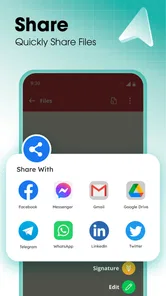
Analysis by Reviewed
I often need a document to open quickly while I’m away from my computer, and a dedicated viewer can be more convenient than reaching for a full office suite. Document Reader & Viewer is a free productivity app from Shark Studio - Awesome Apps, built for viewing common document formats on a phone. Its appeal is straightforward: keep a reader handy for PDFs, Word and Excel files, presentations, and text documents, rather than installing a separate app for every kind of file.
When quick access matters
For an ordinary file, I’d expect the main benefit to be getting from a tap to readable content without the overhead of opening a more complex editing tool. That matters when I’m checking a meeting agenda, looking up one figure in a spreadsheet, or reading a handout while waiting in line. A document viewer is not the same thing as a full office suite, though: if I need to revise formulas, rework a presentation, or collaborate on edits, I’d choose the app designed for that work instead.
One useful habit is to test the files I rely on most before I’m in a hurry. Open a typical PDF and a spreadsheet while you have a moment, then check that the text and layout are comfortable to read on your phone. Wide tables and complex page layouts are harder to inspect on a small screen than a simple letter or handout, regardless of which reader you use.
For a practical commute routine, I’d check a travel itinerary or class handout at home, confirm that the important pages are readable, and leave the file ready on the phone before heading out. That small trial also answers a useful question: can I find the page or detail I need without spending the journey wrestling with zoom and scrolling? If the document is mainly a reference, that matters more than whether the app offers every tool found in a desktop office suite.
All-in-One Document Solution
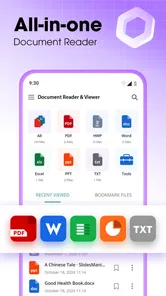
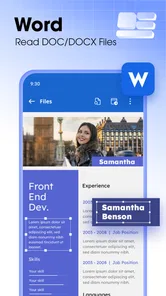
At its core, the Document Reader & Viewer app is designed to read and view documents of different formats, including PDFs, Word docs, Excel sheets, and more. It's like having a mini office suite right in your pocket, and the best part? It's super easy to use. No more fumbling around trying to figure out how to open that pesky file your colleague just sent you. Just tap, and boom—you're in.
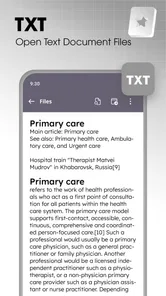
The range of formats is most useful when a phone has become the place where attachments arrive, even if it isn’t where the work gets done. A PDF invoice, a Word brief, a spreadsheet, a slide deck, or a plain text note can all be part of the same day. One reader can reduce the need to guess which app should open each attachment. Still, format support is only a starting point: files with unusual fonts, intricate tables, or carefully arranged slides deserve a quick visual check before you rely on them.
User-Friendly Interface
One thing I absolutely love about this app is its user-friendly interface. The developers really nailed it with a clean layout that makes navigation a breeze. Whether you're tech-savvy or someone who just figured out how to set a ringtone, you'll find this app a delight to use. The menus are intuitive, and the icons are self-explanatory, making your document management as smooth as butter.
More From Our News Desk

Weather by Xiaomi Review: Clear at a Glance, Less Clear Up Close

X Under Pressure: Can It Recover When Posting Goes Wrong?

Clash of Clans Is Won Between the Battles

Android Auto Makes the Case for Quieter Car Software

MobiOffice: Transforming Mobile Productivity with Seamless Integration

EA SPORTS FC™ Mobile Soccer: Redefining Mobile Sports Gaming
A simple reader is especially handy if you don’t want to learn the controls of a larger editing suite just to check a file. For example, if someone sends a timetable as a spreadsheet, I can use a viewer to confirm a time or address without switching into editing mode and risking an accidental change. If I need to enter data or adjust the document itself, that convenience becomes a limit: I’d move to a spreadsheet or word-processing app for the actual edits.
There is a useful trade-off here between a focused reading task and a full document workflow. A viewer can be a calmer choice when all I need is to inspect a page, but it is not automatically the best place to organize a shared project or maintain several versions of a file. I’d keep the original in the place where I normally manage work, and treat the phone reader as the quick access point. That reduces the chance of confusing a convenient copy with the authoritative version.
Speed and heavier files
Performance-wise, Document Reader & Viewer doesn't disappoint. The app runs smoothly, even when you're juggling multiple document types. I tried opening a hefty PDF and a couple of Excel sheets simultaneously, and it handled them like a champ. No lagging, no crashing—just pure, uninterrupted document viewing.
In heavier use, the file itself can matter as much as the reader. A long PDF or a spreadsheet with many columns can be less pleasant to navigate on a phone than a short document, so I wouldn’t treat a smooth opening as a guarantee that every large file will be effortless to inspect. My practical approach is to open the file before a meeting or commute, check that the important pages or cells are readable, and keep an editing app available for work that needs more than viewing.
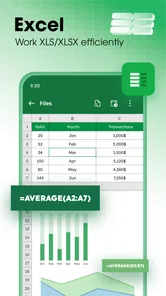
A helpful way to handle a wide spreadsheet is to decide in advance what you need from it. If I only need to verify one total or a particular time, I’ll look for that detail rather than trying to understand the entire sheet on a narrow display. For comparing columns, tracing formulas, or checking a dense set of figures, I’d move to a larger screen or a spreadsheet app; the convenience of a phone does not make small-screen inspection precise by itself.
That distinction also helps set expectations around reliability. For a quick reference, a separate reader can make the task feel simpler than launching a broad office app. For a document that must be edited, formatted, or checked with complete precision, the usual specialist app is the safer choice. I’d use this as a convenient viewer, not as the only tool in a work-critical document workflow.
If the app or a document does not behave as expected, I would first reopen the file and check whether the same document works in the app that created it. That is a sensible recovery step because some problems come from a file’s layout or content rather than from the reader itself. For anything time-sensitive, I’d keep another route available—such as the sender’s original app or a computer—rather than assuming one mobile viewer will handle every document perfectly.
Offline reading and preparation
Another cool feature is the ability to access your documents offline. This is perfect for those times when you're on the subway or somewhere with spotty internet. Just download your files beforehand, and you'll be able to view them anytime, anywhere. It's a real lifesaver for anyone who needs to stay productive on the go.
A small preparation step makes offline reading more dependable: open or save the file on your phone while you still have a connection, then check it before leaving. That’s useful for a student reviewing course notes on the way to class or a traveler keeping a document available during a journey. It’s less suitable if your routine depends on constant shared editing or on files that remain in an online workspace; a viewer and a collaborative office app serve different needs.
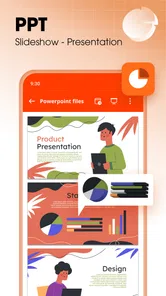
For a meeting, I’d use that same preparation to check the agenda and any reference pages in advance, rather than waiting until the room is quiet and everyone is ready. If the document is a presentation, I’d inspect a few slides for layout and readability, then keep the file easy to reach. This is not a substitute for rehearsing or editing the deck, but it can prevent a basic access problem from becoming a distraction at the moment I need the information.
Offline access is most useful when the file is already available on the device. I would not build a plan around opening a document for the first time after connectivity has disappeared. Anyone who regularly works with cloud-based documents should also distinguish between a saved local copy for reading and a live shared file that teammates may update. When the latest version matters, checking it before disconnecting is the safer habit.
Device fit, cost, and alternatives
The app is rated for Everyone and requires Android 6.0 or later. It has an average rating of 4.1 from around 7,000 ratings, with over 5 million installs, which suggests it has reached a broad audience while still leaving room for individual preferences. It is free to install, with in-app purchases ranging from $4.99 to $29.99 per item. I’d start with the free experience and consider a purchase only if its available options solve a need I actually have. Version 2.0.0 is the current version, so I’d also keep the app updated through the usual store process.
For device choice, the Android requirement gives a useful baseline, but a minimum operating-system version doesn’t tell you how comfortable every phone will feel with a particular document. If your device is older or storage is tight, avoid keeping unnecessary copies of large files and try your regular documents before depending on the app for a deadline. If a file struggles to display or is awkward to read, switching to a desktop or a dedicated office app may be more productive than repeatedly reopening it.
Compared with using separate viewers for PDFs, spreadsheets, and presentations, an all-in-one reader is appealing when the main goal is simply to open a mixture of attachments. Compared with a full office suite, it is the lighter choice in purpose, not necessarily a replacement for editing or collaboration. And compared with a phone’s built-in file handling, the deciding factor is whether you often receive formats that your existing setup does not open comfortably. If you rarely deal with documents, adding another app may not improve your routine.
The free starting point makes it reasonable to try the app with the files you actually receive, rather than deciding from a feature list alone. I’d use a typical PDF, one spreadsheet, and a presentation if those formats matter to my routine, then judge readability and navigation. The in-app purchases are worth considering only if a paid option addresses a concrete need; I would not pay merely because I expect a viewer to behave like a complete editing suite.
Who it suits, and when I’d choose another tool
I’d recommend this kind of app to someone who regularly receives different document types and mostly needs to read, check, or reference them on Android. Its strongest everyday role is as a handy route from a file to its contents—not as a replacement for every writing, spreadsheet, or presentation tool. If you only open documents occasionally, your phone’s existing viewer may already be enough; if you edit files all day, a full office suite is likely the better primary choice.
It is especially suitable for students who want to review handouts between classes, people who need to check a form or itinerary away from a desk, and anyone who receives work attachments but does not need to edit each one. It is less compelling for someone whose main job is building spreadsheets, revising long reports, or presenting from carefully formatted slides. In those cases, the specialist app’s editing controls and larger-screen workflow matter more than the convenience of opening several formats in one place.
My practical verdict is that this reader makes the most sense as a supporting tool: useful when the task is “open this and find the information,” less convincing when the task is “change this and make sure every detail is correct.” I would test it with real files before relying on it, prepare offline documents ahead of travel, and keep a more capable editor available for anything consequential. That gives the app a clear role without asking it to do work it was not designed to replace.
In conclusion, the Document Reader & Viewer app is a fantastic tool for managing your documents with ease. It's reliable, fast, and incredibly user-friendly. Whether you're a student, a professional, or just someone who needs a solid document viewer, this app won't let you down. Give it a try and see how it transforms your document handling experience.
Document Reader & Viewer Frequently Asked Questions
Can Document Reader & Viewer help me manage documents from different office apps in one place?
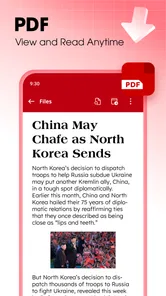
Document Reader & Viewer is a productivity app for opening and viewing several common document types, including PDF, Word, Excel, PowerPoint, and text files. Having these formats available in one app can be useful when you receive files from different sources and want a straightforward way to read them on your mobile device. It is focused on viewing documents rather than replacing dedicated editing software.
Is Document Reader & Viewer free to download, and what should I know about its purchases?
The app is free to download, so you can try its document-viewing basics without paying upfront. It also offers in-app purchases, with individual items ranging from $4.99 to $29.99. Check the purchase details shown in your app store before confirming anything, especially if you only need the free functions. The app is rated for Everyone, so its content rating is suitable for a broad audience.
What is Document Reader & Viewer and what file formats does it support?
Document Reader & Viewer is a versatile app designed to open and view a wide range of document formats on your mobile device. It supports popular formats like PDF, DOC, DOCX, XLS, XLSX, PPT, PPTX, and TXT. This makes it a convenient tool for users who need to access various types of documents while on the go, without the need for multiple apps.
Is Document Reader & Viewer available for both Android and iOS devices?
Yes, Document Reader & Viewer is available for download on both Android and iOS platforms. This cross-platform availability ensures that users can access and view their documents regardless of the device they are using, whether it be a smartphone or a tablet. You can find the app on Google Play Store for Android and the Apple App Store for iOS devices.
Does Document Reader & Viewer require an internet connection to function?
No, Document Reader & Viewer does not require an internet connection to open and view documents. Once the app is installed, you can access your documents offline, making it a reliable tool for users who need to work in areas with limited or no internet connectivity. However, some advanced features might require internet access.
Pros
- Supports multiple file formats
- Fast and easy document loading
- User-friendly interface
- Offline access available
- Annotations and notes feature
Cons
- Contains ads in free version
- Limited cloud integration
- Occasional loading errors
- No text editing features
- Subscription for advanced features











