Dive+ : Diving Community
- 452.00
- 4.5
- Installs
- 100.00K
- Price
- Free

Screenshots

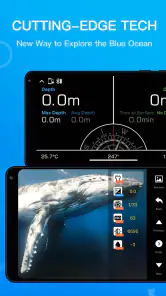
Analysis by Reviewed
I approached Dive+ as a beginner looking for a practical way to keep diving memories organized and connect with other people who enjoy the sport. It is a free sports app from Life Plus Tech (Shenzhen) Co., Ltd., aimed at divers who want more than a camera roll full of underwater images. The central idea is simple: combine a diving community with tools for recording dives and improving the appearance of underwater photos.
That combination makes a good first impression because it addresses several small problems at once. Diving often leaves you with scattered notes, inconsistent photos, and plenty of stories that are difficult to organize later. A dedicated app can turn those fragments into something easier to revisit. In my experience, the most useful way to think about this app is not as a replacement for professional dive equipment or formal training, but as a companion for documenting, reviewing, and sharing your experiences.
The app has been available since November 1, 2017, and its current version is 3.6.23. It runs on Android devices using version 5.0 or later, which makes it accessible to people using older phones as well as newer models. Its Teen content rating also makes its intended audience clear: it is a social and sports-oriented product, not a children’s game or a technical certification tool.
What to expect when you open Dive+
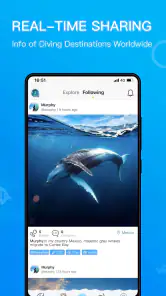
The first thing I noticed is that Dive+ is built around the idea of a shared diving space rather than a private notebook. The community aspect matters because diving can be a solitary activity once you are back on land. You may have enjoyed a reef, wreck, or unusual marine encounter, but people around you may not understand the details. A focused community gives those memories a more relevant audience.
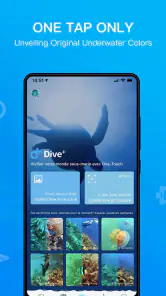
The other major attraction is color correction for underwater images. Anyone who has taken photos below the surface knows that colors can look very different from what the eye remembers. Water changes the appearance of a scene, and the resulting images may feel flat, blue, or less vivid than expected. Having a feature aimed specifically at this problem is more useful than relying only on a general photo editor with broad, unrelated controls.
I would not install this expecting a complete dive computer, a replacement for a logbook required by a course, or a source of medical and safety advice. Its strengths are documentation, presentation, and community interaction. That distinction is important for a first-time user because it prevents the app from being judged against equipment or services it was not designed to replace.
The store summary describes a diving community with color correction, dive logs, and more, and that is a fair outline of the experience. The app feels most valuable when those parts are used together. A photo becomes more meaningful when it is connected to a particular dive, and a dive entry becomes more memorable when it includes images that look closer to the scene you experienced.
More From Our News Desk

Clash of Clans Is Won Between the Battles

Android Auto Makes the Case for Quieter Car Software

MobiOffice: Transforming Mobile Productivity with Seamless Integration

EA SPORTS FC™ Mobile Soccer: Redefining Mobile Sports Gaming

How Microsoft OneDrive Became a Mobile Productivity Giant

How Google Translate Breaks Language Barriers Effortlessly
Public interest is reasonably strong. Dive+ has an average rating of 4.5 from around ten thousand ratings, with more than four hundred written reviews and over one hundred thousand installs. Those figures suggest that it has found a real audience, although they should not be treated as proof that every diver will enjoy the workflow. Diving habits vary widely, and an app that suits a recreational photographer may feel less useful to someone who only wants precise technical records.
Who will get the most from it
I think the best match is a recreational diver who wants a simple place to preserve trips and share underwater photography. It is also a sensible option for someone who is just starting to build a personal dive history. Instead of trying to reconstruct every detail months later, you can make a habit of recording a dive while the memory is still fresh.
It can also help frequent travelers who want to keep separate trips from blending together. A weekend near the coast, a holiday with several boat dives, and an occasional pool session can create a messy collection of images and notes. A dedicated diving app gives those experiences a common context, which is more useful than leaving everything in a generic gallery.
I would be more cautious about recommending it to technical divers who require specialized calculations, formal certification records, or equipment-level monitoring. I would also skip it if your only goal is editing ordinary holiday photos. A general photo editor may offer more control for many kinds of pictures, while Dive+ makes more sense when the diving context is part of what you want to preserve.
Getting through the first setup without confusion
My advice is to begin with one recent dive rather than attempting to import or organize your entire history immediately. Choose a small group of photos from a single outing and treat that as a test case. This makes it easier to understand how the app handles your images, how the correction looks, and whether its community style suits you before you invest time in a larger archive.
When preparing that first entry, keep the original images available. Color correction is helpful, but it should be viewed as an interpretation of the photo rather than an automatic guarantee of perfect results. Underwater images can differ greatly depending on depth, visibility, lighting, camera settings, and distance from the subject. A correction that improves one image may make another look too strong, so I recommend comparing the result with the original instead of accepting every change without checking.
A useful beginner workflow is to select a representative image first. Pick one with a clear subject and enough visible detail, not the darkest or most distant shot in your collection. This gives you a fairer impression of the editing feature. If the first picture is difficult to rescue, you may wrongly conclude that the whole tool is ineffective when the real issue is the source image.
For dive logs, consistency matters more than length. I would use the same basic pattern for every entry: identify the outing in a way you will recognize later, add the images that belong to it, and write a short note about what made that dive memorable. The value of a log grows from repeated use. A long entry made once is less useful than brief, clear records that you can understand months afterward.
Before sharing anything publicly, look through the entry as another person might see it. Remove duplicate images, check that the corrected version still looks natural, and make sure the text explains the moment rather than merely repeating a generic description. This small review step improves the quality of your personal archive and makes community participation feel less rushed.
Your first meaningful success
The first successful action I would recommend is creating one complete dive record with a corrected image and a short personal note. This is more useful than opening the community feed and browsing without a goal. It lets you test the three parts that define the app: recording, improving, and sharing.
Imagine returning from a morning dive with several pictures of a reef and one image of a fish you almost missed in person. Instead of uploading every frame, choose the strongest few. Apply color correction carefully, compare the result with the untouched version, and write a note explaining what you remember about the sighting. That entry now has a purpose: it preserves the experience for you and gives other divers something specific to respond to.
This workflow also reveals an important trade-off. The app encourages visual storytelling, but underwater photography is not always a reliable record of what happened. A corrected image may look more attractive while still leaving out context such as visibility, movement, or the conditions around the shot. I would therefore use the image as the emotional center of the log and the written note as the place to add context.
For a beginner, this first completed record creates a useful habit. After future dives, you can process the photos while the details are fresh instead of postponing everything indefinitely. If you are traveling, doing this at the end of each day can prevent images from different sites from becoming mixed together. The app is especially practical when used as part of that routine rather than opened only when you want to browse.
Community interaction works better when it follows this kind of personal use. Once you have a few entries, you can see what sort of posts interest you and decide how much you want to participate. Some people will enjoy sharing images and discussing sightings; others may prefer using the app privately as a visual log. Both approaches are reasonable, and the app does not need to become another social obligation.
Where first-time users may hesitate
The phrase “diving community” can make the app sound broader than its most concrete functions. It is easy to expect a complete network of local dive planning, training, equipment management, and live safety information. I would keep expectations narrower. The experience is most convincing when centered on your own dive records, photographs, and conversations connected to those experiences.
Another possible source of confusion is the difference between a dive log and an official record. A personal entry can help you remember where you went and what you saw, but it should not automatically be assumed to satisfy the documentation standards of a course, club, employer, or certification organization. If another person requires a particular format or verification process, keep following that requirement separately.
Photo correction can also create uncertainty because “better” is subjective. Some divers prefer dramatic colors, while others want an image that stays close to what the scene looked like underwater. I found it more helpful to treat the feature as a starting point. If the correction makes the subject pop but removes the atmosphere of the dive, the original may actually be the better memory.
There is also a social trade-off. A community can make the app feel alive, but it can encourage comparison. Highly polished underwater images may set unrealistic expectations for someone using a basic phone or diving in limited visibility. I would judge your own progress by whether your records become clearer and more enjoyable to revisit, not by whether every image resembles a professional portfolio.
The app is free to download, which lowers the barrier to trying it. It includes in-app purchases ranging from $0.99 to $39.99 per item, so I would pay attention to any purchase screen and decide in advance whether optional extras are worth it for your use. A free starting point is valuable, but it does not mean every part of the experience will necessarily remain cost-free.
Turning the first log into a useful long-term routine
After the first successful entry, I would create a simple personal standard. Use a recognizable title or description, keep only the images that add something, and write enough detail to jog your memory later. The goal is not to produce a formal report every time. It is to make each record understandable when the excitement of the dive has faded.
One non-obvious benefit is that the app can help you notice patterns in your own diving interests. After several entries, you may see that you consistently photograph marine life, prefer wide reef scenes, or care more about the mood of a location than individual subjects. Those patterns can guide your future photography choices. You might spend more time adjusting distance, composition, or timing instead of taking a large number of similar shots.
Another useful approach is to separate “best image” from “most important memory.” The most attractive photo is not always the one that best represents the dive. Keeping one visually strong image alongside a less polished but meaningful moment creates a more honest record. This is where the combination of logs and community sharing can be stronger than a standard gallery: the story can carry value even when the picture is imperfect.
If you are using the app during a trip, process entries in small batches. Waiting until the end of a long holiday may feel efficient, but it increases the chance that locations and moments will blur together. A short review after each outing lets you remove duplicates, test correction on the right images, and capture details that would otherwise disappear. This is a practical advantage of treating Dive+ as a routine rather than a one-time upload tool.
For people who already use a paper notebook or another digital logbook, I would not immediately abandon that system. Instead, use Dive+ for the visual and community side while keeping any required technical or formal information in the place you already trust. This two-part workflow may sound less convenient, but it avoids forcing one app to serve purposes it may not handle as well.
Compared with a generic social network, the focused subject is the main advantage. You are less likely to spend time explaining why an underwater image matters, and your browsing can stay connected to diving. Compared with a general photo editor, the diving context is the differentiator. On the other hand, a broad social platform may offer a larger audience, and a dedicated editing app may provide finer manual control. Dive+ sits between those alternatives, prioritizing a connected diving record over maximum reach or editing depth.
Privacy and sharing choices deserve a moment of thought before you post. A dive image can reveal more than the subject itself, including travel habits or recognizable locations. I would review what each entry communicates and share selectively, especially when an image includes other people or details about a particular site. The community is more enjoyable when participation is intentional rather than automatic.
My recommendation after using it
I see Dive+ as a friendly, specialized companion for divers who want their photos and memories to live in the same place. Its best path is clear: start with one recent dive, improve a representative image, add a concise note, and then decide whether community sharing adds value for you. That sequence gives a first-time user a meaningful result quickly without requiring a large archive or complicated setup.
The app is not the right choice for someone seeking a full technical diving instrument, formal certification management, or a powerful all-purpose photo studio. It also may not appeal to divers who dislike social features and want nothing beyond private, highly structured records. In those situations, specialist equipment, an established logbook system, or a more advanced editor will be a better fit.
For recreational divers and underwater photography enthusiasts, though, the balance is appealing. The free entry point makes experimentation easy, the Teen rating suits its social sports focus, and the established audience gives the community side a reasonable foundation. I especially like the idea of using it to preserve the small details that are otherwise lost after a trip: the image that finally looked right after correction, the sighting that was difficult to explain, or the dive that would otherwise become just another folder on a phone.
My final advice is to keep the first session modest. Do not judge the app by how quickly you can fill it or by how impressive your first corrected photo looks. Judge it by whether you can find one dive later and immediately remember what made it special. If the answer is yes, Dive+ has earned a useful place in your diving routine.
Dive+ : Diving Community Frequently Asked Questions
What devices and operating systems can run Dive+?
Dive+ is available for mobile devices, and its Android version requires Android 5.0 or later. Before downloading, check that your phone or tablet meets the operating-system requirement and has enough available storage for the app and the underwater photos or videos you may want to manage. The app is developed by Life Plus Tech (Shenzhen) Co., Ltd.
Is Dive+ suitable for someone who is new to diving?
The app can be a useful way for newcomers to explore underwater photography and connect with people who share an interest in diving. Its community content may offer inspiration, while its diving-related tools can help users organize experiences. However, an app is not a substitute for certified instruction or sound safety practices. Beginners should rely on qualified instructors and established guidance when learning to dive.
What is Dive+ : Diving Community, and who is it designed for?
Dive+ is a mobile app created for scuba divers, freedivers, underwater photographers, and people interested in exploring the ocean. It combines diving-related tools with a social community, allowing users to discover marine locations, share underwater photos and videos, record experiences, and connect with other divers. It can be useful for beginners looking for inspiration as well as experienced divers documenting their underwater activities.
Can Dive+ be used to plan and record scuba dives?
The app is mainly focused on the diving community and may provide features for discovering dive sites, checking location-related information, recording dive experiences, and organizing underwater content. However, users should not treat it as a replacement for formal dive training, a certified dive computer, navigation equipment, weather services, or professional local guidance. Always verify conditions and safety information independently before entering the water.
Does Dive+ include underwater photo and video editing tools?
One of Dive+’s notable attractions is its focus on underwater photography and visual content. Depending on the device and app version, users may be able to improve the appearance of images and videos captured underwater, where colors often look faded or distorted. Editing results can vary according to camera quality, depth, visibility, and lighting, so the app should be viewed as a convenient enhancement tool rather than a substitute for professional editing software.
Pros
- Detailed dive logs help track depth
- time
- location
- and personal progress.
- Community features make it easy to share underwater photos and dive experiences.
- Useful marine-life information can enrich dives and improve species recognition.
- Supports trip planning by helping users discover dive sites and local operators.
- Clean interface makes browsing dive content and recording sessions straightforward.
Cons
- Some advanced features may require a paid subscription or in-app purchases.
- Community content quality can vary depending on the contributor and location.
- The app may use significant battery and mobile data when tracking dives or uploading media.
- Offline access may be limited in remote areas with weak underwater or travel connectivity.
- Privacy-conscious users may dislike sharing location and dive activity data.
- Category
- Sports
- Version
- 3.6.23





