

Cubtale: Pregnancy & Baby
- 223.00
- 4.3
- Installs
- 50.00K
- Price
- Free

Screenshots
Analysis by Reviewed
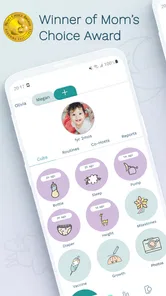
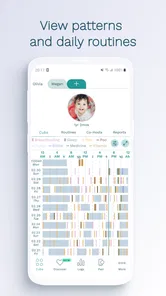
Parenting apps often promise to make pregnancy and baby care feel more organized, but the real test is whether they help when you are tired, distracted, or sharing responsibilities with someone else. After spending time with Cubtale: Pregnancy & Baby, I found it most useful as a central place for recording the small events that are easy to forget: feeding, sleep, diaper changes, and other day-to-day notes. It is not a replacement for medical advice, and I would not treat any tracker as one, but it can turn scattered memories into a clearer routine.
The app comes from Cubtale and sits firmly in the parenting app category. It is free to install, aimed at Everyone, and has built a sizeable audience with more than fifty thousand installs. Its average score is 4.3 from roughly 1.6 thousand ratings, which suggests that many parents find the basic idea worthwhile while still leaving room for individual preferences. I think that is a fair picture: this is a practical organizer rather than a magical solution to the chaos of early parenthood.
How Cubtale fits into everyday parenting
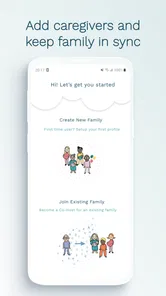
The central appeal is having pregnancy and baby-related tracking in one app instead of spreading it across notes, alarms, memory, and several unrelated tools. That matters because a baby’s routine is rarely handled by one person alone. A partner, relative, or caregiver may need to know when the last feeding happened or whether a nap was unusually short. A shared record can reduce the familiar “I thought you already did it” confusion.
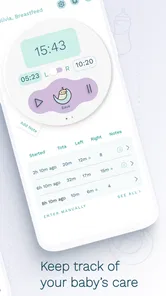
I especially like the idea of using the app as a running timeline rather than trying to create a perfect diary. Parents do not need beautifully written entries at three in the morning; they need a quick way to capture what happened. The best workflow is to log an event immediately, then use the history later when planning the next feed, nap, or change. That small shift makes the app feel less like homework and more like a backup for an exhausted memory.
For pregnancy, the value is different. Tracking can help someone keep personal observations in one place and prepare questions for appointments. I would still keep expectations realistic. A phone app can organize information, but it cannot interpret symptoms safely or replace a clinician. If something feels medically urgent or unusual, the right next step is professional care, not checking whether a tracker has a reassuring pattern.
A realistic morning with the app
Imagine a morning after a broken night. You remember that the baby woke several times, but the details are already blending together. Instead of relying on a vague impression, you can review the recent entries and see the sequence of feeds, sleep periods, and diaper changes. Later, when your partner takes over, the record gives them a starting point without requiring you to explain every detail verbally.
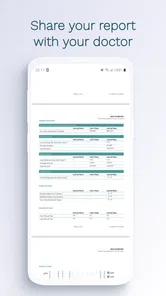
That scenario shows the app’s strongest practical use: continuity. It is less about discovering something dramatic and more about removing repeated questions from an already demanding day. I would also use it before a pediatric appointment to gather observations. A short review of recent patterns is more useful than trying to reconstruct a week from memory, although the information should be treated as a conversation aid rather than a diagnosis.
More From Our News Desk

 Gmail
GmailGmail in a Busy Inbox: Who Benefits Most?
From first account to crowded workday, Gmail earns its place through dependable search and flexible sorting—but its best fit depends on how much inbox maintenance you can tolerate.

 Prime Video
Switching to Prime Video: What Changes in Your Viewing Routine
Prime Video can make a compelling second home for streaming, but switching means learning a different catalog, rental layer, and route from browsing to playback.

 Universal TV Remote Control
Universal TV Remote Control Works Best as a Reliable Backup
A phone remote earns its place through quick setup and reliable habits. Here is how to get more from Universal TV Remote Control—and where its limits show.

 Weather - By Xiaomi
Weather by Xiaomi Review: Clear at a Glance, Less Clear Up Close
Xiaomi’s weather app makes everyday forecasts quick to scan, but its calm surface can leave useful details and recovery paths harder to find than they should be.

 X
XX Under Pressure: Can It Recover When Posting Goes Wrong?
A resilience-focused review of X, examining setup, mistaken posts, interruptions, weak connections, and the gaps that matter when recovery needs to be dependable.

 Clash of Clans
Clash of Clans Is Won Between the Battles
Its raids are quick; its community is a long-term project of coordination, teaching, rivalry, and shared responsibility—with all the friction that entails.
Latest News



What the free access means in practice
Cubtale is free, so a parent can try its basic experience without paying an upfront purchase price. That is important for this category because needs change quickly. Someone may want detailed tracking during the newborn stage, then stop using it once the routine becomes predictable. Free access makes experimenting less risky than committing immediately to a paid planner.
There are also in-app purchases, with individual items ranging from $2.99 to $139.99. I would pay close attention to what is available without upgrading before deciding whether the app belongs in your long-term routine. The free entry point is useful, but the presence of paid options means the overall value depends on which parts you actually need and whether those parts are included in the no-cost experience.
My advice is simple: use the free version long enough to test your real habits, not an imaginary ideal routine. Can you record events quickly? Does the history help you? Does it work for the people who share care with you? If the answer is no, paying for more will not solve the underlying friction. If the free workflow already saves time, then a purchase may be easier to judge on its own merits.
Where the app delivers genuine value
The most convincing value comes from reducing mental load. Parents often know what happened but cannot remember exactly when it happened. A tracker gives those memories a structure. That is particularly helpful during transitions: the first weeks at home, changes in feeding patterns, a new sleep routine, or a handoff between caregivers.
Another useful angle is consistency. If one person records every event in one place while another uses text messages and a third relies on memory, the household ends up with several incomplete versions of the truth. A single tracking habit is not exciting, but it is much more dependable. I would establish a few rules early: log events as soon as possible, avoid adding speculative details, and decide together which events are important enough to record.
A less obvious benefit is that the record can reveal when your own assumptions are wrong. A parent may feel that the baby “barely slept all day,” then discover that the naps were frequent but short. That does not automatically indicate a problem, but it creates a more accurate basis for deciding what to discuss with a healthcare professional or adjust in the household routine.
Small workflow choices that make it more useful
First, do not try to track everything just because the app allows a broad view of pregnancy and baby care. Pick the few entries that answer your current questions. During one stage, feeding and diapers may matter most; later, sleep patterns may be more useful. A smaller, consistent record is better than an ambitious log that becomes too tiring to maintain.
Second, treat the app as a handoff tool. Before another caregiver takes over, review the latest entries together rather than assuming they will interpret the history the same way. This is especially helpful when routines are changing, because a quick shared look can prevent duplicate work or missed tasks.
Third, use the timeline to prepare questions, not conclusions. If you notice an unusual pattern, write down what you observed and bring it to a qualified professional. This is a safer and more productive use of tracking than searching for certainty inside an app.
The tradeoff between detail and effort
Every tracking app has the same basic tension: more detail can be informative, but entering more detail also makes the routine harder to sustain. Cubtale’s all-in-one approach may appeal to parents who want pregnancy and baby notes together, yet that breadth can feel unnecessary if you only need a simple feeding timer or a basic sleep log.
I would not recommend turning the app into a test of parental performance. Missing an entry does not make the record useless, and an imperfect timeline is still better than abandoning it because it is not complete. The right standard is whether the information helps you make a practical decision or communicate more clearly with another caregiver.
There is also a privacy and attention tradeoff that I would consider before installing any parenting tracker. Any app that holds personal family information deserves a careful look at its settings and the way you prefer to manage digital records. I would keep entries factual and minimal, especially when a note does not serve a clear purpose. The less unnecessary information you create, the easier the record is to maintain and review.
How it compares with simpler alternatives
The usual alternative is not another sophisticated parenting platform; it is a notes app, a paper notebook, a shared calendar, or a conversation in a messaging app. Those options can be perfectly adequate for a family that only needs occasional reminders. A notebook has the advantage of being immediate and distraction-free, while a shared digital note may be faster for a couple already comfortable with that system.
Cubtale makes more sense when you want a dedicated structure for pregnancy and baby tracking rather than a blank page. The tradeoff is that a dedicated app asks you to learn its way of recording information. If your needs are extremely narrow, a single-purpose timer may feel faster. If several caregivers need a common record, a general notes file may lack the organization you want. I see Cubtale as the middle option: more focused than improvised notes, but less specialized than choosing a separate tool for every individual task.
The app is also not the right choice for someone who dislikes logging altogether. No interface can create useful history without regular input. Parents who become anxious when they see every irregularity written down may be better served by a lighter routine and direct conversations with healthcare professionals. Tracking should reduce uncertainty, not turn every ordinary variation into a source of worry.
Who is most likely to get value
I think Cubtale is a good fit for first-time parents who want a gentle record of changing routines, couples who share night duties, and families with more than one regular caregiver. It can also suit parents who are moving from pregnancy tracking into the baby stage and prefer not to start over with an unrelated system.
It may be especially practical during periods when memory is unreliable: after a difficult night, during a schedule change, or when a parent is recovering and another person is taking a larger role. In those situations, the value is not entertainment or novelty. It is the ability to answer ordinary questions with something more reliable than “I think it was earlier.”
I would be more cautious if you only want a basic alarm, if you rarely record anything, or if you already have a shared system that everyone follows consistently. Switching systems has a cost, even when the app itself is free. You need to learn it, build the habit, and decide what to do with old records. If your current method already works, Cubtale may not improve your day enough to justify that change.
Device requirements and long-term practicality
The current version is 4.8.3 and it requires Android 8.0 or later. That makes the compatibility question straightforward for Android users: older phones may not be suitable, while devices running a supported system should be able to consider it normally. I would still make sure the phone is comfortable to use one-handed, because quick logging is much more realistic when it does not require a complicated setup.
The app has been available since February 9, 2021, giving it a longer presence than a brand-new tracker. Its audience size and rating indicate that it is not an obscure experiment, but popularity alone should not decide the purchase. The important question is whether its organization matches your household. A well-rated app can still be the wrong fit for a parent who wants almost no data entry.
My buying judgment
My recommendation is to start with the free access and judge it by one concrete test: after several ordinary days, does reviewing the record make handoffs, appointments, or routine decisions easier? If it does, the app is already delivering value before you consider any paid item. If it does not, I would skip the purchases and return to a simpler method.
The paid range deserves a careful, need-based decision rather than an automatic upgrade. A low-cost item may be reasonable if it removes a specific obstacle you have already identified. The highest-priced option should only be considered after you understand exactly what you are receiving and know that you will use it beyond a short burst of interest. I would never pay simply because parenting feels chaotic; payment should solve a clear workflow problem.
Overall, I see Cubtale as a useful organizer for parents who want one dedicated place to follow pregnancy and baby routines. Its best quality is not that it promises to understand your child, but that it helps you remember what actually happened. Its main weakness is equally clear: tracking takes effort, and a broad app can feel like too much when a simple note would do.
My final verdict: try it if shared, structured tracking would make your household calmer, especially during the newborn stage or a changing routine. Keep the free experience if it covers your needs, and treat in-app purchases as optional rather than necessary. Skip it if logging feels burdensome or your existing system already works. For the right parent, this is a practical companion; for everyone else, it may be one more task competing for attention.
Cubtale: Pregnancy & Baby Frequently Asked Questions
How much does Cubtale: Pregnancy & Baby cost, and are there paid features?
Cubtale: Pregnancy & Baby is free to download, so you can try the app without paying upfront. It also offers optional in-app purchases, which may unlock additional features or services. Before making a purchase, review the options and terms shown in the app so you understand what is included and whether a recurring plan applies.
Which phones can run Cubtale: Pregnancy & Baby?
The app is available for Android devices running version 8.0 or later. Check your phone’s operating system before downloading, especially if you use an older device, since compatibility can affect whether the app installs or works as expected. Keeping your operating system and the app updated can also help you use the available features smoothly.
What is Cubtale: Pregnancy & Baby, and what can I use it for?
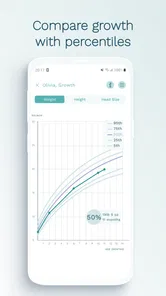
Cubtale: Pregnancy & Baby is designed to help expectant parents and families organize pregnancy and early childcare information in one place. Depending on the features available in your region and connected devices, it may support pregnancy tracking, baby feeding and diaper logs, sleep records, growth information, reminders, and shared caregiving. It is best viewed as a planning and record-keeping companion rather than a replacement for professional medical care.
Is Cubtale suitable for tracking a newborn’s daily routine?
Yes, the app is intended to make common newborn-care tasks easier to record and review. Parents can use it to monitor activities such as feeding, pumping, diaper changes, sleep, and other routine events, which can be helpful when several caregivers share responsibilities. The usefulness depends on entering information consistently, and parents should still follow their pediatrician’s advice when a baby shows unusual symptoms or changes in behavior.
Does Cubtale: Pregnancy & Baby require a physical device or smart accessories?
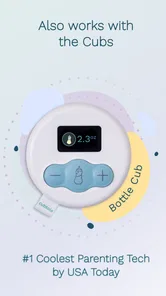
Some Cubtale features may work directly through the mobile app, while other functions can depend on compatible Cubtale hardware or accessories. Before downloading or purchasing anything, check the current product description, supported devices, subscription details, and availability in your country. If you only need basic logs and reminders, the app may be useful on its own, but advanced automation can require additional equipment.
Pros
- Tracks pregnancy milestones
- symptoms
- appointments
- and baby development in one place.
- Baby-care tools help monitor feeding
- sleep
- diapers
- pumping
- and growth after birth.
- Shared access lets partners or caregivers contribute to tracking and daily routines.
- Personalized reminders can make recurring baby-care tasks easier to manage.
- Clean interface makes essential logs quick to find during busy days.]
- contras:[
- Some advanced tracking features may require a paid subscription.
- The amount of logging can feel overwhelming for first-time parents.
- Insights are informational and should not replace professional medical advice.
- Certain features may depend on compatible Cubtale hardware or accessories.
- Data entry may become repetitive when tracking several activities every day.
Cons
- Some advanced tracking features may require a paid subscription.
- The amount of logging can feel overwhelming for first-time parents.
- Insights are informational and should not replace professional medical advice.
- Certain features may depend on compatible Cubtale hardware or accessories.
- Data entry may become repetitive when tracking several activities every day.











