CompuSport
- 189.00
- 3.3
- Installs
- 100.00K
- Price
- Free

Screenshots

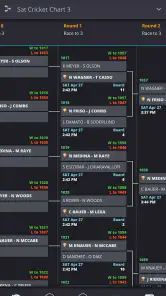
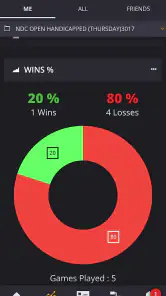
Analysis by Reviewed
When I look at CompuSport, I see a focused sports app rather than a general fitness tracker or a scorekeeping toy. Its central job is organizing leagues and tournaments, and that single purpose shapes almost every part of the experience. I tested it with the mindset of someone responsible for keeping a competition orderly: setting up participants, maintaining fixtures, checking results, and making sure the standings reflect what happened on the court or field.
The appeal is easy to understand. A small sports organizer often starts with a spreadsheet, a group chat, and a collection of handwritten notes. That combination works until a match is postponed, two teams report different scores, or someone asks for the current table while the organizer is away from a laptop. CompuSport brings that administrative work into an Android app from CompuSport, giving the competition a dedicated home instead of scattering information across several tools.
It is free to install and is rated for Everyone, which makes it approachable for community leagues, school activities, amateur clubs, and informal tournaments. The app has been available since February 3, 2015, and its current version is 2.6.1.0. That history matters because this is not presented as a brand-new experiment; it is a long-running utility aimed at a very specific problem.
Turning a competition into something manageable
The most important capability here is not simply recording a result. It is the way a league or tournament can be treated as an organized structure rather than a sequence of isolated matches. Once a competition has participants, scheduled encounters, and outcomes, the organizer needs those pieces to remain connected. That is where CompuSport makes the biggest difference.
In a spreadsheet, I can certainly create columns for teams, dates, scores, and points. The problem is that a spreadsheet mostly gives me empty tools. I have to decide how the schedule should look, which formulas control the table, how to handle a knockout round, and how to keep accidental edits from damaging the whole document. A group chat is even less suitable: it is useful for announcements, but poor at showing the complete state of a competition.
CompuSport feels more appropriate when the competition itself is the main object. Instead of asking, “Which file contains the latest standings?” I can think in terms of the league or tournament I am managing. That change sounds small, but it reduces the mental overhead of administration. The app’s value is strongest when several people need the same competition information and the organizer cannot afford to rebuild it every week.
I would not describe it as a replacement for every sports platform. It is not the kind of app I would choose simply to follow professional teams, track personal workouts, or discover news. Its usefulness begins when I have responsibility for a competition. If I am a player who only wants to see one result, a shared message or a club website may be quicker. If I am the person expected to keep the whole event coherent, the dedicated structure becomes much more valuable.
More From Our News Desk

Clash of Clans Is Won Between the Battles

Android Auto Makes the Case for Quieter Car Software

MobiOffice: Transforming Mobile Productivity with Seamless Integration

EA SPORTS FC™ Mobile Soccer: Redefining Mobile Sports Gaming

How Microsoft OneDrive Became a Mobile Productivity Giant

How Google Translate Breaks Language Barriers Effortlessly
What the capability changes in everyday use
The practical effect is consistency. A result entered into a competition-management workflow has a clear purpose: it contributes to the ongoing picture of the event. That helps me move from match-by-match administration to supervision. I can check whether the competition is progressing, identify what still needs attention, and communicate from one central record instead of relying on memory.
There is also a useful psychological benefit. Organizers often spend more time worrying about whether their records are correct than actually communicating with participants. A dedicated sports app does not remove the need for careful input, but it gives that work a clearer place. I found that especially helpful when the competition involved people who were not all present at the same time.
One non-obvious advantage is that a structured competition record can act as a neutral reference point during disagreements. If two captains remember a result differently, the organizer has one maintained record to inspect rather than searching through old messages. That does not solve every dispute, and it does not replace agreed rules, but it makes the administrative conversation less dependent on whoever remembers the most confidently.
How I would use it from setup to final result
I would begin by treating the app as the control center, not as a place to dump information after the event has already started. Before the first match, I would make sure the participant names are consistent and easy for everyone to recognize. This sounds mundane, but naming discipline prevents confusion later, especially when teams have similar names or when a club enters more than one side.
Next, I would establish the competition in the way that matches the real event. A league and a tournament are not interchangeable in how people think about progress. A league is about accumulation over time, while a tournament is about advancing through a defined series of encounters. Choosing the right structure at the beginning is one of the most important practical decisions because it keeps later updates understandable.
After that, the organizer’s routine should be simple: confirm the match, record the result promptly, and review the competition after each update. I would avoid waiting until the end of a busy evening to enter everything from memory. Delayed entry creates a surprisingly large risk of swapped scores, forgotten postponements, or uncertainty about which match has already been processed.
My preferred workflow would be to update CompuSport immediately after the official result is agreed, then use the app as the reference when sending a message to participants. That order matters. If I announce a result first and plan to update the record later, the chat becomes the apparent source of truth. If I update the competition first, the announcement can point people back to the maintained record.
For a tournament, I would pay particular attention to the transition between rounds. The useful habit is to verify that the advancing participant is the one actually recorded before preparing the next part of the event. This is a small administrative checkpoint, but it prevents a common error: building the next stage on an assumption made in a hurried conversation.
For a league, I would review the table after every batch of results rather than only when someone asks for it. That gives me a chance to notice an incomplete entry or an unexpected position while the details are still fresh. It also makes the app more useful to participants because updates feel dependable instead of sporadic.
A realistic weekly example
Imagine I am running a neighborhood sports league with evening matches spread across several days. On Monday, one match finishes and I enter the result. On Wednesday, another team reports that its match must move to a different day. By Friday, a participant asks whether the latest result has changed the standings. Without a central tool, I would be checking messages, editing a spreadsheet, and explaining which version is current.
With CompuSport as the competition record, I would update the result when it is confirmed, keep the changed fixture aligned with the event’s current plan, and use the app when answering the standings question. The important benefit is not that the work becomes automatic. I still have to make the decisions. The benefit is that each decision has a stable place, so I am less likely to lose track of what has happened.
A second useful scenario is a short tournament held over one weekend. Several matches may be completed quickly, and the organizer may be moving between playing areas while answering questions from teams. In that situation, a mobile-first competition tool is more practical than carrying a laptop or trying to maintain a paper bracket while also supervising the event. I would still check every entry carefully, but the app fits the environment better.
The tradeoffs behind the convenience
CompuSport’s focus is also its limitation. A person looking for a broad social sports network, detailed athlete statistics, training plans, or a polished public-facing club portal may find it too narrow. The app is built around managing leagues and tournaments, so I would not install it expecting the wider ecosystem offered by larger sports platforms.
There is a learning curve whenever an organizer moves away from a familiar spreadsheet. A spreadsheet is flexible and can be adapted to unusual rules, custom calculations, or a one-off event. That flexibility can be useful when I already know exactly how I want to build the system. CompuSport is the better fit when I value a purpose-built workflow more than unlimited customization.
Another tradeoff is responsibility. A dedicated record can make an event clearer, but it can also make mistakes more visible. If I enter the wrong result, the structured competition may present that error with more authority than a casual message would. My advice is to create a short verification habit: confirm the participants, confirm the score, and check the resulting competition state before considering the update finished.
The app’s average rating is 3.3 from around 500 ratings and nearly 200 written reviews. I read that as a sign to keep expectations measured. CompuSport may solve the core organizational problem for the right user, but it is unlikely to feel equally polished or necessary to everyone who downloads it. The rating does not erase its usefulness; it suggests that the surrounding experience deserves the same careful evaluation as the central capability.
There is also a financial detail worth considering. The app is free, but it includes in-app purchases ranging from $0.99 to $29.99 per item. I would install it first and test the basic workflow with a real but low-stakes competition before spending anything. That approach is sensible for a volunteer organizer who needs to understand whether the app fits the event’s scale and routine.
Compared with a spreadsheet, CompuSport offers a more direct sports-management context but less open-ended freedom. Compared with a group chat, it offers a more stable record but less instant conversation. Compared with a large league platform, it may appeal to someone who wants a narrower tool without adopting a full club-management system. The right choice depends on whether the main problem is organizing competition data or managing a whole sports community.
Small habits that make the app more reliable
- Use one naming convention from the start. Do not alternate between a team’s full name, abbreviation, and nickname. Consistent labels make the competition easier to read and reduce accidental duplication.
- Update at the point of confirmation. Entering results immediately is safer than collecting them in a notebook and transferring them later, particularly during a tournament with several quick matches.
- Separate administration from announcements. Maintain the competition record first, then communicate the result. This keeps the app as the reference point rather than allowing a fast-moving chat to become the unofficial archive.
- Review the event after every change. A quick check of the affected match and the wider competition can catch an incorrect participant or result before it influences later decisions.
These habits are not flashy features, but they are where much of the real value lies. Competition software succeeds or fails through the quality of the organizer’s routine. CompuSport gives that routine a dedicated place; it cannot substitute for careful administration.
Who will gain the most from it
I would recommend CompuSport most strongly to volunteer organizers, amateur club coordinators, school sports staff, and anyone running recurring leagues or compact tournaments. These users often need more structure than a chat provides but do not want the complexity of a large enterprise-style sports system. The app’s free entry point makes it practical to try with a small event before deciding whether it belongs in a regular workflow.
It can also help a player who has unexpectedly become the organizer. That person may not have time to design a spreadsheet or learn a complicated platform. A focused app gives the role a clearer starting point. The important question is not whether the organizer is technically experienced; it is whether the event needs a maintained competition record.
I would be more cautious about recommending it to someone who only follows results as a spectator. If I am not responsible for entering or checking competition information, much of the app’s purpose is irrelevant to me. I would also look elsewhere if I needed advanced team communication, extensive player profiles, personal performance tracking, or a highly customized public website.
Device compatibility is another practical consideration. The app requires Android 7.0 or later, so I would check the phone being used by the organizer before planning an event around it. The age rating of Everyone makes it suitable from a content-classification perspective for broad community use, although the actual competition rules and supervision still belong to the organizer.
With more than 100 thousand installs, CompuSport has reached a meaningful audience for such a specialized sports utility. That does not guarantee that it will match every league’s preferred workflow, but it does make the app feel like a serious option rather than an obscure experiment. I would still run a rehearsal: create a small test competition, enter a few representative results, and see whether the process feels natural before inviting an entire group to depend on it.
My recommendation after using it
CompuSport is most convincing when the problem is competition organization itself. Its strength is not breadth; it is the attempt to keep league and tournament administration in one focused mobile workflow. For me, that is a meaningful improvement over juggling a spreadsheet, paper notes, and messages, particularly when results need to remain understandable over several days or weeks.
I appreciate that the app encourages a more disciplined way of running an event. It makes me think about the competition as a living record: participants, fixtures, results, and progress all need to remain aligned. That perspective is useful for organizers who are tired of answering the same “what is the latest table?” question from several different versions of their records.
At the same time, I would not call it a universal sports solution. The modest average rating, the presence of paid items, and the narrower focus are reasons to test it carefully rather than assume it will replace every tool around a club or league. Its best use is clear and practical, while its value drops quickly if I need social features, training tools, or deep customization.
For a small or medium community competition, I would start with the free version, establish consistent names, enter results immediately, and make the app the official record before sharing updates elsewhere. If that routine feels comfortable, CompuSport can remove a surprising amount of administrative friction. If the event is mainly about conversation, personal statistics, or public promotion, I would choose a different category of app instead.
My final view is favorable but specific: I would recommend CompuSport to the person running the competition, not automatically to every person taking part in it. When that distinction matches your needs, the app’s focused approach is exactly what makes it useful.
CompuSport Frequently Asked Questions
Is CompuSport available for both Android and iOS?
CompuSport is a mobile app for following and managing leagues and tournaments. Before downloading, check that your device’s operating system supports the app; the Android version requires Android 7.0 or later. Installing the app is only one part of getting started: to see useful event information, you will generally need a league or tournament that uses CompuSport.
What is CompuSport, and who is it designed for?
CompuSport is a tournament and league management platform designed to help organizers run competitive events, while allowing players and spectators to follow results. It can be useful for billiards, darts, and other supported competitions, depending on the organizer’s setup. Before downloading, check whether your local venue or tournament uses CompuSport, since many of its features depend on an event being connected to the service.
Can I use CompuSport without joining a tournament or league?
You may be able to browse certain public events, schedules, standings, brackets, and player information without actively participating, although the available content depends on the organizer’s privacy settings. To register for competitions, view personal results, or receive event updates, you may need to create an account or provide player information. The app is most useful when linked to an active CompuSport-managed event.
What features does CompuSport offer to players and spectators?
CompuSport can provide access to tournament brackets, match schedules, standings, player profiles, results, and event announcements. Depending on the event configuration, users may also receive notifications or follow matches as they progress. The exact experience varies between organizers, because venues can choose which information to publish and which registration or scoring features participants are allowed to use.
Does CompuSport require an internet connection?
Yes, CompuSport generally requires an internet connection to load current tournament information, synchronize results, register for events, and receive updates. Some previously viewed information may remain temporarily available through app caching, but you should not rely on offline access during an important competition. A stable Wi-Fi or mobile-data connection is recommended, particularly when checking live brackets or last-minute schedule changes.
Pros
- Clear tournament schedules make it easy to follow upcoming matches.
- Player and team rankings help compare performance over time.
- Results are updated quickly after games finish.
- Useful for organizers managing brackets
- draws
- and event information.
- Works well for following several competitions in one place.
Cons
- Some features depend on organizers entering accurate
- timely information.
- The interface may feel dated compared with newer sports apps.
- Large tournaments can make menus and match lists feel crowded.
- Limited value if your preferred competition does not use CompuSport.
- Notifications and settings may require manual configuration.
- Category
- Sports
- Version
- 2.6.1.0





