Cloud Storage: Cloud Drive App
- 1.12K
- 4.3
- Installs
- 5.00M
- Price
- Free

Screenshots




Analysis by Reviewed
Hey there! If you’re like me and constantly on the hunt for the best way to store all those digital memories, work files, and whatnot, you’ve probably stumbled upon the Cloud Storage: Cloud Drive App. Let me take you through my experience with this handy app!
Getting Started with the Cloud
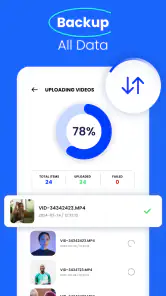
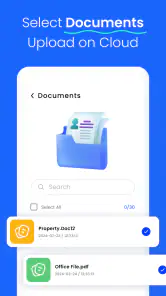
First things first, setting up the Cloud Storage: Cloud Drive App was a breeze. The app’s interface is super user-friendly, making it a cinch to upload files. You just drag and drop, and boom, your files are safe and sound in the cloud. No more stressing about losing important documents or those precious photos from last year’s vacation.
Features That Stand Out
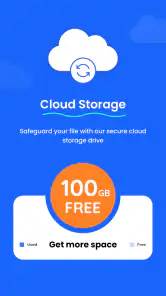
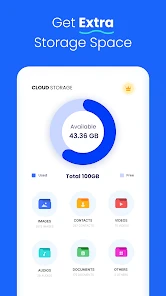
One of the things I love about this app is its generous storage capacity. Whether you’re storing a few documents or a whole library of media files, there’s plenty of room. Plus, the app offers seamless synchronization across devices, which means you can start a project on your laptop and finish it on your phone without missing a beat. Pretty neat, right?
Another awesome feature is the collaborative tools. If you’re working in a team, you’ll appreciate how easy it is to share files and folders with colleagues. You can even set permissions to ensure everyone has the right access, which is a godsend for managing team projects.
A Few Nifty Extras
The app also boasts some cool extras like file versioning. Ever accidentally delete something and wish you could go back in time? With this feature, you can easily retrieve previous versions of your files. It’s like having a little safety net that catches your mistakes before they turn into disasters.
Security is another biggie, and the app doesn’t disappoint. It offers top-notch encryption, so you can rest easy knowing your data is protected against unauthorized access. In a world where data breaches are all too common, this level of security is crucial.
And let’s not forget the offline access feature. You can download files to access them even when you’re off the grid. Perfect for those long flights or when you find yourself in a Wi-Fi dead zone.
Wrapping It Up
All in all, the Cloud Storage: Cloud Drive App is a solid choice for anyone looking to keep their digital life organized. It’s packed with features that make file storage and sharing a breeze. Whether you’re a student, a professional, or just someone with a lot of digital media, this app has something for everyone. Give it a try and see how it can simplify your life!
Pros
- Easy to use interface
- High storage capacity
- Fast upload speeds
- Secure data encryption
- Cross-platform compatibility
Cons
- Limited free storage
- Requires internet access
- Occasional sync issues
- Subscription can be pricey
- No offline access option

- Category
- Productivity
- Version
- 1.5.8