Clay Box
- 6.00
- 3.6
- Installs
- 500.00
- Price
- $5.49

Screenshots
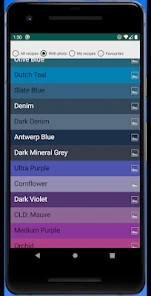
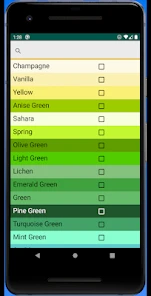
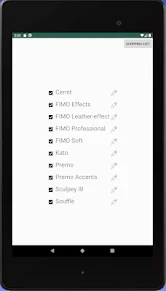
Analysis by Reviewed
I approach Clay Box as a focused tool for planning polymer-clay colors, rather than a full digital pottery studio. That distinction matters: if you want to work out a palette before mixing real clay, a dedicated color-mixing app makes more sense than a general drawing program. I’d treat it as a companion to hands-on crafting, not a replacement for the feel and unpredictability of physical material.
Trust, choices, and color planning
Made by Horsebytes, this Art & Design app costs $5.49. Its average is 3.6 from a small pool of ratings, so I wouldn’t treat that score as a firm verdict either way. It has over 500 installs, is rated Everyone, and version 3.2 runs on Android 5.0 or later. Those details make it easier to judge whether it fits your device and budget before you commit.
What I would check before relying on it
Color planning can involve more than casual play: a crafter may be working toward a specific shade for a commission or a batch of pieces. I’d use the app to explore combinations, then test an important recipe with actual clay before making a large amount. Screen colors and physical pigments do not always translate perfectly, and the lighting around your phone can affect how a shade looks.
I also wouldn’t assume that a creative app is automatically private or that it offers particular account controls. Before sharing anything, I’d review the choices the app presents on my device and decide whether sharing is useful for my project. If I only need to keep a palette for myself, there is no reason to share it. That simple habit keeps the decision in my hands without making claims about permissions or data practices that I can’t verify.
A practical workflow for polymer clay
For a small project, I’d start by choosing the target color and experimenting with a few possible mixes, rather than trying to map every shade I might ever use. Once I have a promising direction, I’d note the proportions in a separate sketchbook or project record and make a small physical test. This is especially helpful when I want several pieces to match: checking a sample first is less wasteful than mixing a full batch and discovering the color is off.
Latest News
There is also a useful trade-off here. A general art app may offer broader drawing and image-editing tools, while a simple note or swatch chart can be easier for recording recipes over time. The appeal of a purpose-built polymer-clay color tool is staying focused on mixing, but I’d pair it with my own notes if repeatability matters. I would skip it if I mainly want digital sculpting, a large art suite, or a substitute for testing real clay.
Who may get the most from it
I can see it fitting hobbyists who already work with polymer clay, beginners who feel uncertain about combining colors, and makers who want a quick place to explore ideas before opening their supplies. Imagine planning a weekend project after dinner: you can consider a few color directions on your phone, settle on a small test for the next day, and avoid making a large mix on impulse. For a one-off craft session, though, a basic color wheel or handwritten recipe may be enough.
When deciding whether the price is worthwhile, I’d ask how often I mix custom colors and whether a dedicated tool would save me time or material. The Everyone age rating makes it broadly suitable by content, but younger users may still benefit from an adult’s help with real clay and craft tools. I’d also check that my device meets the minimum Android requirement before buying.
Choosing a palette without wasting material
A useful way to approach a color-mixing tool is to begin with the finished object, not with the app. I’d decide whether the project needs a warm, muted, bright, or contrasting palette, then explore only the few directions that serve that goal. That constraint keeps color planning practical: it is easy to spend time browsing possibilities and end up with no decision, especially when the physical project is small.
For a set of matching earrings, beads, or miniature decorations, I’d plan one main shade and one or two supporting colors, then make a physical test of the main shade first. If it looks too vivid beside the other colors, I can adjust the plan before using much clay. For a single accent piece, I would not spend long refining a digital recipe; a quick test with scraps may be faster than building a detailed palette.
I’d keep the phone’s display in mind as a planning aid rather than a color standard. A shade that looks balanced on screen might appear different under a bright work lamp or beside a particular clay brand. If consistency matters, I’d compare the cured sample with the project’s other materials in the same light where the finished piece will usually be seen. This extra check is particularly worthwhile for gifts, coordinated sets, or work that needs to match an existing item.
Where a dedicated mixer beats a general art app
Clay Box is most compelling when the question is specifically, “What color combination should I try in polymer clay?” A drawing app can help with composition, lettering, and mock-ups, but it may not keep the mixing decision at the center. A traditional color wheel is immediate and inexpensive to consult, yet it usually helps with relationships between hues rather than with thinking through a clay recipe. I’d choose the tool according to the decision I actually need to make.
There is a practical limit to that comparison: a color-planning app does not remove the need for material knowledge. Clay can behave differently from screen color, and the result can depend on the supplies and process used. I would not rely on any digital preview as proof that a large batch will match. For a maker who already keeps reliable written recipes, a notebook and a small swatch collection may be a better long-term system; for someone who needs help getting started, a focused app can make experimentation feel less intimidating.
I’d also separate inspiration from record keeping. If I find a direction I like, I would write down what I tested, what I changed, and how the real sample turned out, rather than assuming I’ll remember the screen later. A dated project note or labeled clay swatch gives me something physical to compare against next time. That small habit is more valuable than collecting many attractive-looking options without a way to reproduce them.
A realistic session at the craft table
Say I’m preparing a small batch of floral decorations for a weekend project and want the petals to sit comfortably beside a green center. I’d use a short phone session to compare a few color directions, choose one to test, and then put the device aside while I mix a small amount of clay. Once the sample is ready, I’d judge it next to the green and under the light I expect to use while assembling the pieces. If the two colors compete, I can change the next test without sacrificing the whole batch.
This workflow makes the app a planning step, not the whole creative activity. It is useful when I’m hesitant about color choices or want to avoid starting with an oversized mix. It is less useful if I already know the recipe, am working intuitively with scraps, or need a precise color match for a professional order. In those situations, a tested physical sample and a dependable record should take priority over an appealing on-screen preview.
For a beginner, I’d keep the first experiment deliberately small and change one thing at a time. If several ingredients or color choices change together, it becomes difficult to tell what caused the result. For a more experienced maker, the same discipline helps when adapting an old recipe to a new project. The point is not to make crafting scientific; it is to make the next attempt easier to understand.
Keeping the decision in your hands
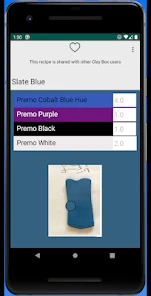
On a data-sensitive point, I would make choices based on what the app visibly asks me to do rather than guessing about its background behavior. If a sharing option appears, I’d consider whether I want that particular palette or project to be shared before using it. If I do not need to share, I would simply keep my work to myself. That is a sensible boundary for creative work, especially when a palette is tied to a commission or a gift idea.
I’d use the same care with account or device prompts: read what is on screen, decide whether it is relevant, and avoid granting access or creating an account just because an app presents an option. I can’t turn that general caution into a claim that Clay Box has a particular permission, privacy setting, or account feature. For me, the useful test is whether the choices I can see fit the way I plan to use it, and whether I’m comfortable proceeding with those choices.
That approach also helps answer a common practical concern: do I need to share or publish anything to benefit from color planning? Not for the basic idea of sketching a palette and testing it with clay. I would only use a sharing route if it clearly helps with a specific project, such as showing a collaborator a color direction. Otherwise, a private note and a physical sample are enough to keep the work moving.
When I would pass
I would not buy this expecting a full clay-modeling experience, lessons in every craft technique, or a substitute for hands-on practice. The useful question is narrower: do I regularly need help considering polymer-clay color combinations? If the answer is no, a paper color wheel, saved reference images, or a small set of labeled test swatches may cover the occasional need without adding another tool to my routine.
It may also be a poor fit for someone who wants a broad digital art workspace. A general illustration app is better for drawing a finished design, arranging motifs, or preparing a visual mock-up. Conversely, a physical notebook is often more dependable for preserving exact recipes and recording how a sample behaved after curing. Clay Box sits between those options: it is for exploring a color idea, not for handling every stage of a craft project.
The purchase decision comes down to how often that middle step matters to you. If I make polymer-clay pieces often and regularly pause over color choices, a dedicated tool could earn a place in my process. If I only mix colors once in a while, I’d first try a simple wheel and a few small swatches. The $5.49 price is easier to justify when it solves a repeated problem rather than a one-time curiosity.
Getting Your Hands Dirty
The first thing you'll notice about the app is how intuitive it is. From the moment I fired it up, I was greeted with a slick interface that made navigation a breeze. The app offers a wide array of clay types and colors, which I found incredibly exciting. The tactile experience of molding clay on a screen is surprisingly satisfying, and the app does an excellent job of simulating the real deal. It's almost like having a pottery studio in your pocket!
Features That Stand Out
One of the coolest features has to be the ability to share your creations with friends. Once you've crafted your masterpiece, you can easily share it on social media or with fellow clay enthusiasts within the app's community. I loved seeing the variety of designs that others came up with; it’s a fantastic source of inspiration.
Another noteworthy feature is the app's tutorial section. For those new to the world of clay modeling, these step-by-step guides are a godsend. They’re detailed enough to help you learn the ropes but flexible enough to allow your creativity to shine through.
Why You Should Try It
The beauty of Clay Box lies in its ability to make art accessible to everyone. You don’t need to have a degree in fine arts to create something special. Plus, it’s a great way to unwind after a long day. There’s something incredibly calming about working with clay, even if it’s virtual.
If you're someone who enjoys creative pursuits or just wants to try something new, I highly recommend giving Clay Box a whirl. The app is available on both Android and iOS, so no matter your device, you can jump in and start molding away.
In conclusion, Clay Box offers an enriching and fun experience that can be enjoyed by users of all ages. It's a great way to get creative and lose yourself in the world of virtual clay. So why not download it today and see for yourself what all the fuss is about? I promise you won't be disappointed!
Clay Box Frequently Asked Questions
Is Clay Box focused on making physical polymer clay color mixing easier?
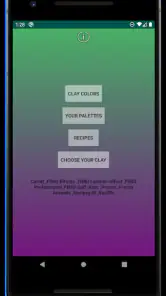
Clay Box is an innovative app designed for creative minds who love working with clay. Its stated purpose is to help you mix and use your own polymer clay colors, so it is focused on color planning rather than virtual sculpting. It may be useful when you want to explore combinations before working with clay in a hands-on project.
What is Clay Box and what can you do with it?
Clay Box is an innovative app designed for creative minds who love working with clay. It offers virtual tools that simulate real-life clay modeling, allowing users to create, mold, and shape their clay artworks digitally. Whether you're an artist, hobbyist, or just someone curious about clay modeling, Clay Box provides a hands-on experience without the mess of traditional clay.
Is Clay Box suitable for beginners and professionals alike?
Absolutely, Clay Box is designed to cater to both beginners and professional artists. The app provides a user-friendly interface with tutorials and guides for newcomers, making it easy to start your clay modeling journey. For professionals, it offers advanced features and tools that allow for detailed and intricate designs, making it a versatile tool for all skill levels.
What devices are compatible with Clay Box?
Clay Box is available for both Android and iOS devices, ensuring a wide range of compatibility. It supports most smartphones and tablets that run on the latest operating systems. Users need to ensure that their device meets the app's minimum requirements for optimal performance, which includes having enough storage space and a compatible OS version.
Does Clay Box offer any community features for sharing creations?
Yes, Clay Box comes with built-in community features that allow users to share their creations with others. You can showcase your artworks, get feedback, and engage with a community of like-minded creative individuals. There's also an option to follow other artists, participate in challenges, and view a gallery of popular designs for inspiration.
Pros
- User-friendly interface design
- Wide variety of creative tools
- High-quality output results
- Regular updates with new features
- Cross-platform availability
Cons
- Requires a stable internet connection
- Limited offline functionality
- Subscription-based premium features
- Occasional in-app ads
- High battery consumption

- Category
- Art & Design
- Version
- 3.2











