Clap to Find My Phone
- 29.00
- 4.0
- Installs
- 1.00M
- Price
- Free
Screenshots


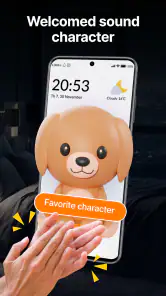
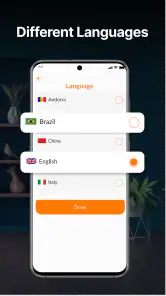
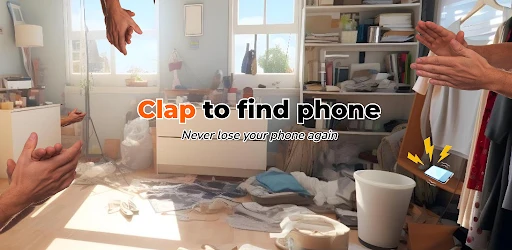
Analysis by Reviewed
I like the idea behind Clap to Find My Phone because it tackles a familiar, low-stakes annoyance: the phone you set down and then cannot locate. It is a free personalization app from Now Tech, aimed at making the handset easier to find with a sound cue rather than another search through cushions and bags. For me, that is a focused promise, and its usefulness depends on whether you tend to misplace your phone within earshot.
A small tool for a specific kind of lost phone
The app is intended for the moments when your phone is somewhere nearby but out of sight. You clap or whistle, and it can respond by ringing, flashing, or vibrating. That makes it different from the usual wallpaper, theme, or ringtone options in the personalization category: it changes how you locate the device, not just how it looks or sounds during normal use.
A realistic example is getting home, setting your phone down while unpacking groceries, and later finding your hands full when you need it. If it is in the next room, a sound-based prompt can be more convenient than retracing every step. It is less useful if the phone is far away, switched off, or in a place where you cannot hear or see its alerts; I would still use a device-finding service or ask someone nearby for help in those situations.
There is a useful distinction here between “lost nearby” and “lost.” This app addresses the first problem: it can help you search a room or familiar space without needing another person to call your number. It is not the tool I would rely on if I had left my phone on public transport or could not remember where I last had it. For that, a location-based finder has a clear advantage because it is designed for a different kind of search.
How Does It Work?
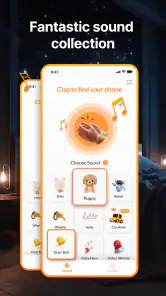
So, here's the deal. The Clap to Find My Phone app is as straightforward as it sounds. You simply need to enable the app and whenever you misplace your phone, just clap your hands. The app is designed to recognize the sound of clapping and will trigger your phone to ring, vibrate, or flash its LED light. It’s like having your own personal assistant, minus the hefty price tag!
That simple interaction is also the main trade-off. A call from another phone works well if someone is around and you can ask them, while searching manually is dependable but slow when the handset has slipped under furniture. This app gives you a hands-free alternative when you are alone, but it depends on making a recognizable sound and being close enough for the phone’s alert to help.
Setting It Up
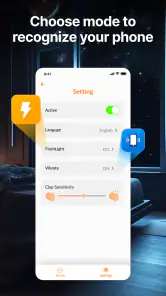
Setting up the app is a breeze. Once you download it from the app store, you’ll be guided through a quick setup process. The app allows you to adjust the sensitivity of the clap detection so it doesn’t get triggered by random noises. You can also customize the alert settings to suit your preference—whether you want it to ring loudly or just vibrate discreetly. It’s all in your hands!
More From Our News Desk

Clash of Clans Is Won Between the Battles

Android Auto Makes the Case for Quieter Car Software

MobiOffice: Transforming Mobile Productivity with Seamless Integration

EA SPORTS FC™ Mobile Soccer: Redefining Mobile Sports Gaming

How Microsoft OneDrive Became a Mobile Productivity Giant

How Google Translate Breaks Language Barriers Effortlessly
One practical tip is to test the detection in the places where you most often leave your phone, rather than judging it from one quiet room. A setting that works beside a desk might react differently in a kitchen or shared living space. I would also choose an alert that suits the room: vibration may be less disruptive when others are working, while a ring can be easier to notice when the phone is under a blanket or tucked into a bag.
Clapping is not always the best trigger. A whistle may be more convenient if your hands are occupied, but either sound can be hard to distinguish from ordinary noise in a busy room. If you live with other people, it is worth checking whether everyday claps, music, or conversation cause unwanted responses. Adjusting sensitivity is useful, but it is a trade-off: making detection less eager may reduce accidental triggers while also making a deliberate cue less reliable.
I would make that check part of setup rather than waiting for an urgent search. Put the phone where you normally leave it, try your chosen cue from the doorway, and then repeat it with ordinary household noise in the background. That gives you a more realistic sense of where the feature is useful. If the phone only responds when you stand very close in a quiet room, you will know not to count on it from another floor or during a noisy moment.
Another small workflow choice is to settle on one alert style and keep it consistent. If a ring is easy to recognize at home, it makes sense to use that as your default; if you share a quiet office, vibration may be less intrusive, though it can be harder to notice when the handset is cushioned. The best setting is not necessarily the loudest one—it is the one you can actually detect without creating a nuisance around you.
Performance and Reliability
Let’s talk about performance. In my experience, the app works like a charm when needed. I tried clapping from different rooms and, most of the time, my phone responded almost instantly. However, it’s worth noting that the app might struggle in very noisy environments, but hey, nothing is perfect, right?
That limitation is central to deciding whether this is the right finder for you. A clap-based tool suits a quiet home or a familiar workspace better than a crowded café, a noisy workshop, or a place where making a loud sound would feel awkward. It is also not a substitute for a method that can locate a phone you left outside the room. I would treat it as a handy nearby-phone shortcut, not as a complete recovery plan.
It is worth thinking about the people and places around you, too. A clap or whistle is an unusual way to look for a phone in a meeting, library, or shared office, even if the feature works as intended. At home, it can be a quick private signal; in public, asking a companion to call the handset may be more discreet. The app is therefore most convenient when the setting is yours to control.
There is also a practical difference between hearing an alert and locating the handset. A ringtone can point you toward a phone that is hidden nearby, while a flash may be easier to spot in a dim room if you can see the area. Vibration is useful when sound would bother others, but it can be difficult to detect if the phone is on a soft surface or inside a bag. I would choose based on where I usually misplace it rather than assuming one alert is best everywhere.
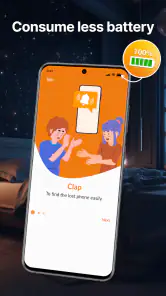
What I really appreciate about this app is its battery efficiency. Unlike other similar apps, Clap to Find My Phone doesn’t drain your battery like a thirsty camel in the desert. It remains active in the background without being a power hog, which is a big plus in my book.
For anyone concerned about keeping the feature available, the sensible routine is to enable it when you are at home or in another place where you commonly misplace your phone, then check that it is still set the way you want before relying on it. I would not assume a sound trigger will help in every setting: a phone buried deep in a bag, covered by loud surroundings, or outside hearing range can defeat the basic idea regardless of the alert choice.
My advice is to treat it as a convenience layer, not something to leave untested and forget about. If you tend to put your phone in different places, make sure the alert you picked is still useful in each spot. A phone left on a desk is a different search from one dropped into a coat pocket, and a sound cue can only help if the alert can get your attention from where the device is.
Is It Worth Downloading?
If you’re someone who frequently loses their phone or is just looking for a handy tool to make life a tad easier, then I’d say give it a shot. The app is free with optional in-app purchases, but the basic version is more than enough to meet your needs.
The key value is access without an upfront price: you can try this narrow convenience without paying to get started. I would not frame it as a replacement for more complete phone-location options, and I would not choose it if your main concern is recovering a lost or stolen device. Its appeal is strongest when the phone is close and the problem is simply remembering where you put it.
That free access makes it easy to judge the fit for yourself, but I would still keep the decision tied to your routine rather than installing it just because it sounds clever. If you regularly search for your handset at home, a sound trigger may save a few frustrating minutes. If you rarely misplace it or already have a reliable way to ring it, there may be little practical difference in your day.
Now Tech’s app has an average rating of 4.0 from around 1,100 ratings, with 29 written reviews and over a million installs. It is rated for everyone, and version 1.8.0 requires Android 7.0 or newer. Those details make it a broadly accessible Android option, though the real deciding factor is still whether sound detection fits your household and habits.
For an older or shared household device, the Everyone age rating is also a straightforward fit, and the Android requirement means it is worth checking compatibility before planning to use it on a particular handset. The app is focused on Android; if you are choosing a solution for an iPhone, I would look at the options built into that device rather than assume this app is available there.
It is a better fit for people who often put their phone down at home, work at a desk, or want a quick way to prompt a nearby handset without asking another person to call it. I would skip it if you need silent, long-distance tracking, regularly work in loud places, or would find it embarrassing to clap or whistle in public. In those cases, a built-in device-finding feature or a call from another phone is the more sensible choice.
I would also skip it if your phone is usually on silent in places where you cannot see it, or if your surroundings make clapping an unreliable signal. A device-finding service is better for locating a handset beyond earshot, and a second phone is often the simplest option when someone is nearby. Those alternatives are not failures of this app; they solve different problems and are more suitable when the sound-based approach does not match the situation.
In essence, Clap to Find My Phone is a fun, practical, and efficient app that does exactly what it promises. It’s a small download with a big impact, and it’s ready to become your new best friend in those "where is my phone?" moments. So, why not give it a try and see how it fits into your daily routine?
My verdict is to try it if your lost-phone moments usually happen within a familiar room and you are comfortable making a sound to find the device. Its free starting point makes that an easy experiment, while its limits are clear enough to plan around. Keep another locating method for phones that are truly missing, and use this one for the everyday case it handles best: a handset nearby, out of sight, and just waiting to announce where it is.
Clap to Find My Phone Frequently Asked Questions
Is Clap to Find My Phone free, and what should I know before installing it?
Clap to Find My Phone is a free personalization app from Now Tech. It is intended for people who want a quick way to locate a misplaced phone using sound detection. Before installing, check that your Android device meets the app’s system requirements and that you are comfortable granting microphone access, since listening for a clap or whistle is central to how the app works.
What can Clap to Find My Phone do when it detects a sound?
The app’s short description is “Clap to Find,” and its main purpose is to help locate a misplaced phone through sound detection. When it recognizes a clap or whistle, it can make the phone ring, flash, and vibrate. Those alerts can make the device easier to notice when it is nearby, such as under a cushion or among other belongings.
How does Clap to Find My Phone work?
Clap to Find My Phone is designed to help you locate your misplaced phone by simply clapping your hands. Once activated, the app detects the sound of clapping and triggers an alarm or ringtone on your device, making it easier to find. It's an innovative solution for those who often misplace their phones at home or in the office.
Is Clap to Find My Phone compatible with all devices?
Clap to Find My Phone is primarily designed for Android devices. Compatibility may vary depending on the device's hardware and software specifications. It's essential to ensure your device's microphone is functioning correctly, as the app relies on sound detection to operate effectively. It requires Android 7.0 or later, so check your device’s operating system before downloading.
Does Clap to Find My Phone drain battery quickly?
The app is optimized to minimize battery consumption by running in the background with minimal resource usage. However, as with any app that requires microphone access, there may be a slight increase in battery usage. Users are encouraged to monitor their device's battery performance and adjust app settings as needed to balance functionality and power consumption.
Pros
- Easy to use interface.
- Quickly locates phone with claps.
- No internet needed to function.
- Customizable sensitivity settings.
- Works in silent mode too.
Cons
- Drains battery faster.
- May not work in noisy environments.
- Limited functionality on older devices.
- Requires microphone access.
- May trigger accidentally.
- Category
- Personalization
- Version
- 1.8.0












