

FestAI: Ghost Detector App
- 197.00
- 3.2
- Installs
- 5.00M
- Price
- Free

Screenshots
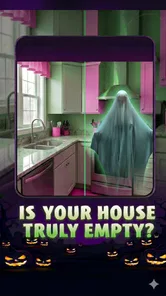
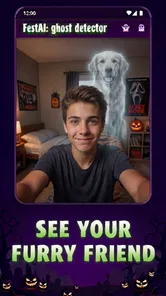
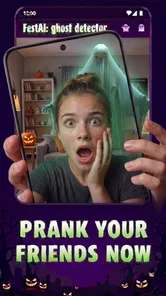
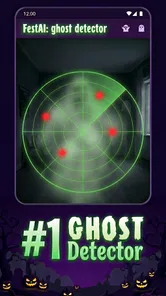
Analysis by Reviewed
If you’re deciding whether a ghost-themed app belongs on your phone, I’d treat FestAI: Ghost Detector App as entertainment first and a prompt for playful investigation second. Its appeal is less about proving anything paranormal and more about turning an ordinary room, quiet evening, or get-together into a small spooky activity. That distinction matters: the experience is easiest to enjoy when you approach its readings and effects with curiosity rather than treating them as evidence.
Start with the connection, not the ghost story
Parts of the app’s appeal involve material beyond a basic sensor-style reading, including recorded EVP clips and a community for sharing stories. Those elements make connectivity relevant: if a screen or piece of content takes time to load, the atmosphere can lose momentum, especially when friends are waiting for the next eerie moment. I’d open the app and get familiar with its available sections before starting a group activity, rather than assuming every part will be ready the instant you want it.
For a planned evening, that small bit of preparation helps. Try the experience in a calm setting first, notice which screens respond promptly, and decide whether the group is more interested in exploring the camera effects, listening to spooky audio, or comparing interpretations. This keeps a slow-loading moment from becoming the main event. I wouldn’t make a connection-dependent feature the only plan for a party; have a simple conversation game or another activity ready in case the app doesn’t cooperate.
Choose a setting that suits the experience
The best fit is someone who enjoys ghost stories, novelty camera experiences, and the fun of reacting together. A realistic use is a rainy evening at home: one person points the camera around a familiar room, another listens to an EVP clip, and everyone takes turns describing what they think they noticed. Familiar surroundings are useful here because you can separate ordinary explanations—reflections, movement, or background sounds—from the spooky interpretation the app encourages.
It can also work as a short icebreaker at a sleepover or Halloween gathering, but I’d keep the phone in one person’s hands at a time. Passing it around while people crowd the screen can make it harder to see what is happening and can turn a playful session into a scramble. In a quiet public place, or anywhere people might be uncomfortable being filmed, I’d avoid pointing the camera at strangers. The experience is better when everyone involved knows it’s a game-like activity and has chosen to join in.
When something stalls, keep the explanation ordinary
If a feature hangs or a screen does not react as expected, I’d first pause and try again in a less busy setting rather than interpreting the delay as a result. Close the session, reopen the relevant area, and check whether the phone is responding normally. If the issue continues, move on to another part of the app or save the activity for later. That’s a more grounded way to handle a hiccup than building a ghost story around a technical pause.
There is also a practical trade-off in using a phone as the whole ghost-hunting setup: camera effects, audio, and sensor-based interactions are competing with the ordinary demands of a mobile device. I’d begin with a charged phone, keep the session fairly short, and avoid switching constantly between features if you want to preserve the mood. Those habits don’t guarantee a smoother experience, but they make a casual trial easier to manage.
More From Our News Desk

 Gmail
GmailGmail in a Busy Inbox: Who Benefits Most?
From first account to crowded workday, Gmail earns its place through dependable search and flexible sorting—but its best fit depends on how much inbox maintenance you can tolerate.

 Prime Video
Switching to Prime Video: What Changes in Your Viewing Routine
Prime Video can make a compelling second home for streaming, but switching means learning a different catalog, rental layer, and route from browsing to playback.

 Universal TV Remote Control
Universal TV Remote Control Works Best as a Reliable Backup
A phone remote earns its place through quick setup and reliable habits. Here is how to get more from Universal TV Remote Control—and where its limits show.

 Weather - By Xiaomi
Weather by Xiaomi Review: Clear at a Glance, Less Clear Up Close
Xiaomi’s weather app makes everyday forecasts quick to scan, but its calm surface can leave useful details and recovery paths harder to find than they should be.

 X
XX Under Pressure: Can It Recover When Posting Goes Wrong?
A resilience-focused review of X, examining setup, mistaken posts, interruptions, weak connections, and the gaps that matter when recovery needs to be dependable.

 Clash of Clans
Clash of Clans Is Won Between the Battles
Its raids are quick; its community is a long-term project of coordination, teaching, rivalry, and shared responsibility—with all the friction that entails.
Latest News



What the paranormal theme offers in practice
First off, the FestAI: Ghost Detector App is designed to give you a taste of the paranormal right from your smartphone. The app is packed with features that will keep you hooked for hours. It uses your device's sensors to detect electromagnetic fields, which, according to enthusiasts, might indicate ghostly activity. I mean, who wouldn't want to turn their phone into a ghost-hunting gadget?
A low-friction way to begin
One of the first things I noticed was how easy it was to get started. The interface is quite intuitive, with a sleek design that doesn’t overwhelm you with too many options. You simply download it, tap a few buttons, and you're ready to ghost hunt. The app provides a simple guide on how to interpret the readings, which is super helpful for newbies like me.
For a more useful first session, I’d take a baseline reading in an ordinary room before trying the same phone in a different setting. Nearby electronics and changes in where you hold the device can affect sensor readings, so a number or alert is best treated as a starting point for observation, not a conclusion. This simple comparison gives newcomers something concrete to discuss without presenting the app as a scientific instrument.
Vary the pace instead of scanning endlessly
What I found particularly interesting are the augmented reality features. Imagine pointing your camera around your room and seeing if any spectral figures pop up on your screen! It’s like stepping into your own episode of a ghost-hunting show. The app also features a library of recorded EVPs (Electronic Voice Phenomena) that you can listen to, adding another layer of creepiness to the experience.
There’s a useful way to pace those elements: use the camera experience for a quick visual round, then switch to the recordings when everyone is ready to sit still and listen. The change in pace keeps the activity from feeling like repeatedly scanning the same room. It also gives people who don’t want to hold the phone a role in the session: they can listen closely, compare reactions, and decide whether a sound has an ordinary explanation before leaning into the spooky mood.
Plus, there's a community feature where you can share your findings and exchange stories with fellow ghost hunters. It's a great way to connect with other people who share the same fascination with the supernatural.
Sharing is a different kind of use from a private scare session, so I’d think about what I’m comfortable posting before contributing. A description of an odd reading or a general story can preserve the fun without exposing personal details or showing people who have not agreed to appear. If you mainly want a private activity, there’s no need to make community participation the goal; the camera and audio elements can still give a small group plenty to talk about.
Keep the claim separate from the experience
Now, let's address the big question: Is this app really detecting ghosts? Well, the jury is still out on that one. While some users swear by the app's accuracy, others see it more as a fun novelty. Personally, I think of it as a bit of both. It's a fantastic way to entertain yourself and your friends, especially during a sleepover or a Halloween party. With its spooky sound effects and eerie visuals, it sets the perfect mood for a night of ghostly fun.
That entertainment-first view is also the clearest way to compare it with ordinary ghost-story videos or a standard camera app. Videos give you a fixed scare, while a regular camera lets you make your own pictures but does not frame the activity as a paranormal hunt. This app combines the feeling of checking a space with themed visuals and audio, which makes it more participatory, though less suitable if you want a neutral camera or a tool for serious measurement.
For anyone wondering about the commitment, it is a free entertainment app from Now Tech, with optional in-app purchases priced from $2.99 to $29.99 per item. It has a 3.2 average from around 3,300 ratings, and more than five million installs; those figures suggest a sizable audience, but they don’t settle whether its style will suit you. It is rated for Everyone 10+, runs on Android 7.0 or later, and version 6.3 is the current release. I’d check the purchase prompts carefully and keep the free experience in perspective before spending: the main value is a themed activity, not proof of the paranormal.
Who will enjoy it—and who should look elsewhere
If you’re deciding whether to install it for yourself or a group, think about what you want the phone to contribute. It suits people who enjoy improvising stories, reacting to eerie visual effects, and taking turns interpreting what they see or hear. It is less likely to satisfy someone who wants a dependable scientific reading, a neutral camera tool, or a fully predictable entertainment experience. For those goals, a dedicated measuring device, a regular camera, or a preselected ghost-story video is a clearer fit.
One practical way to use it with a mixed group is to agree on the tone beforehand. Treat each reading or effect as a prompt, then let the group offer both a spooky interpretation and an ordinary one. That keeps skeptical friends included without forcing anyone to pretend the app proves something. It also gives the activity a natural stopping point: once the conversation runs out, move on rather than repeatedly checking the same room in search of a more dramatic result.
If you’re using it while travelling or in a place with an unreliable connection, plan around the portions you can open comfortably in advance. I wouldn’t promise myself that every online-oriented element will be available at the exact moment I want it, so I’d treat the app as one possible part of the evening rather than the whole plan. A quiet home session is a better first test than trying to introduce it in a crowded venue, where distractions and network delays can both take attention away from the experience.
A sensible way to judge a session
If you’re wondering whether you need to share anything to enjoy the app, I’d say no: the community is an optional social angle, while a private session can still center on the camera experience, audio, and readings. If you do choose to share, keep descriptions general and avoid posting identifiable details about other people or places. This is a small but worthwhile boundary, especially when a spooky story is more fun than the personal information attached to it.
For a first try, I’d keep the phone steady, use one feature at a time, and make a mental note of what the room was like before interpreting an unusual result. Then repeat the check from a slightly different position or after moving away from nearby electronics. The point isn’t to turn a casual app into a laboratory; it’s to avoid mistaking a change in surroundings or handling for a convincing paranormal conclusion. That approach makes the session more interesting and more honest.
If you want evidence-grade readings, a dedicated instrument and a method for controlling environmental variables are a better choice. If you want a casual, slightly eerie way to get friends talking, this is closer to the mark. The app is also less appealing if you dislike spooky effects, prefer a completely predictable experience, or don’t want to rely on a phone during a social activity. Its modest average rating is a reason to keep expectations measured, not a reason to assume every session will disappoint.
In conclusion, whether you’re a hardcore believer in the paranormal or just someone looking for a good time, the FestAI: Ghost Detector App is definitely worth a try. It's a blend of technology and imagination that brings a little bit of the unexplained into your everyday life. So go ahead, download it, and see what mysteries you might uncover!
FestAI: Ghost Detector App Frequently Asked Questions
Is FestAI: Ghost Detector App suitable for children?
FestAI: Ghost Detector App is rated Everyone 10+, so it is aimed at a general audience with guidance for younger users. Its ghost-detection theme may feel spooky to some children, even though the app is presented as entertainment. Parents may want to look at the app together with their child and decide whether its paranormal focus is a good fit.
Who makes FestAI, and what kind of app is it?
FestAI: Ghost Detector App is an entertainment app developed by Now Tech. Its store description invites users to explore the spirit world and ghost stories with a ghost detector and ghost radar. That framing is useful to keep in mind before downloading: the app is designed around a playful paranormal experience rather than a dependable way to establish whether spirits are present.
How does FestAI: Ghost Detector App work?
FestAI: Ghost Detector App uses advanced algorithms to detect paranormal activities. The app employs your device's sensors like the camera, microphone, and gyroscope to identify unusual patterns or anomalies that might indicate the presence of ghosts or spirits. Users should understand that this app is intended for entertainment purposes and not as a scientific tool for ghost hunting.
Is FestAI: Ghost Detector App free to use?
Yes, FestAI: Ghost Detector App is free to download and offers a free version with basic features accessible to all users. Some optional in-app purchases cost between $2.99 and $29.99 per item, so check the purchase details before confirming anything. This gives casual users a way to try the app without buying an item first.
Can FestAI: Ghost Detector App guarantee real ghost sightings?
No, FestAI: Ghost Detector App cannot guarantee real ghost sightings. The app is designed primarily for entertainment, utilizing the excitement of ghost hunting and paranormal investigations. While it may provide interesting results, these should be taken with a grain of salt as the app does not replace professional paranormal investigation tools.
Pros
- Intuitive interface
- easy to navigate.
- Offers a variety of ghost detection tools.
- Fun for both amateurs and enthusiasts.
- Provides detailed results and analyses.
- Regularly updated with new features.
Cons
- Requires internet for full functionality.
- Advertisements can be intrusive.
- May drain battery quickly.
- Results can be inconsistent.
- Limited offline capabilities.












