ChatBox: AI Chat Bot Assistant
- 1.31K
- 4.3
- Installs
- 5.00M
- Price
- Free

Screenshots
Analysis by Reviewed
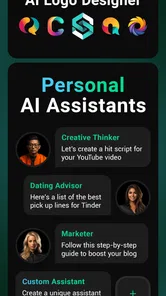
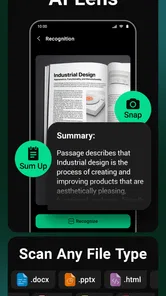
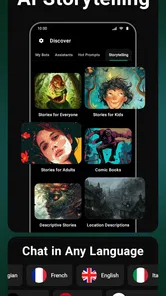
I tend to find AI assistant apps most useful when they remove a small everyday hurdle, rather than when they promise to manage my whole life. ChatBox is aimed at people who want to ask questions, draft text, or explore image generation from one place. That breadth can be handy, though I’d treat its answers as a starting point, not a substitute for checking important details.
Where one app can save a few steps
A practical use is turning a rough thought into something usable. For example, if I have a meeting coming up, I can ask for a concise list of points to cover, then request a more casual version of a follow-up message. Keeping those related prompts in one conversation makes it easier to refine the result than starting over in separate tools. I still review the wording before sending it, especially if it includes names, dates, or commitments.
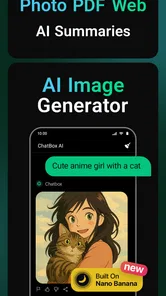
The same approach works for personal projects: I might ask for several dinner ideas based on ingredients I already have, then request a shopping list for the option I choose. For a visual task, I could try describing a mood or concept and use generated imagery as a rough reference. These are useful ways to get unstuck, but I wouldn’t assume the first response is polished or that an image will match a precise brief without iteration.
Who will get the most from it
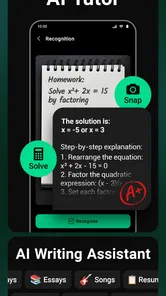
I see the strongest fit for curious users who like experimenting with AI and want a convenient place to switch between conversational help and creative prompts. Students can use it to brainstorm questions for revision, while freelancers might use it to explore alternative headlines or organize an early outline. In both cases, the value comes from asking follow-up questions and shaping the output—not simply accepting the first answer.
It is less compelling if you mainly need a dependable calendar, reminders, or a specialized writing workspace. A dedicated task manager is usually better for recurring schedules and clear notifications; a document editor gives more control over long drafts and collaboration. ChatBox can complement those tools, but I wouldn’t replace a system that already handles an important routine reliably just to consolidate apps.
Getting Started with ChatBox
Jumping into the world of ChatBox: AI Chat Bot Assistant is as easy as pie. You download the app, fire it up, and boom – there’s your virtual assistant ready to rock and roll. The interface is sleek and intuitive, making it super easy to start chatting. It feels like you’re texting a friend who’s not only witty but also incredibly knowledgeable. The app does a fantastic job of guiding you through its features without overwhelming you, which is a total win in my book.
Features that Wow
What sets ChatBox apart from the myriad of chat apps out there? First off, it’s not just about having a conversation. This app can help you manage your schedule, answer queries, and even entertain you with jokes or trivia. Feeling lonely? Just open the app and start a conversation. Need a reminder for that meeting you keep forgetting? ChatBox has got you covered. The versatility here is pretty impressive, and it’s all wrapped up in a package that’s easy to navigate.
More From Our News Desk

Weather by Xiaomi Review: Clear at a Glance, Less Clear Up Close

X Under Pressure: Can It Recover When Posting Goes Wrong?

Clash of Clans Is Won Between the Battles

Android Auto Makes the Case for Quieter Car Software

MobiOffice: Transforming Mobile Productivity with Seamless Integration

EA SPORTS FC™ Mobile Soccer: Redefining Mobile Sports Gaming
One feature that I absolutely adore is its ability to learn and adapt. The more you use it, the smarter it gets. It’s like having a friend who remembers your preferences and anticipates your needs. Now, that’s what I call smart technology!
Performance and Reliability
No one likes an app that crashes or lags, and thankfully, ChatBox performs like a champ. In my experience, it’s quick, responsive, and rarely, if ever, crashes. It’s built to handle whatever you throw at it, from managing tasks to keeping you entertained. Plus, the seamless integration with other apps on your phone is top-notch. Whether you’re using it to send emails or check the weather, it’s a reliable companion.
Another point worth mentioning is the app’s language processing capabilities. It understands context and nuances, which makes conversations feel natural. You don’t have to worry about awkward robotic responses, which is a huge plus in my book!
Making prompts work harder
For better results, I find it helps to include the audience, purpose, and desired format in a request. “Explain this simply” is broad; asking for a short explanation for a beginner, followed by three questions to check understanding, gives the assistant a clearer target. If the answer misses the mark, correcting one detail at a time is often more useful than repeating the entire prompt.
I’d also keep separate conversations for unrelated tasks. A thread used for meal ideas can become confusing if I later ask for help with a work email, since earlier context may influence the next response. Before using AI-generated material in a public post or important message, I check names, factual claims, and tone myself. That small review step matters more than getting a fluent-sounding answer quickly.
What to expect from the current version
ChatBox: AI Chat Bot Assistant is a free productivity app from FLORATE LIMITED, with optional in-app purchases ranging from $4.99 to $99.99 per item. It is rated for Everyone, has an average rating of 4.5 from around 94,000 ratings, and has been installed over 5 million times. Version 1.80.7 is the current version, following its release on April 14, 2023; those details show an app that has continued to be maintained, but a version number by itself doesn’t tell me exactly what changed or guarantee how a feature will behave on every device.
For someone already using it, the sensible approach is to keep the app updated and judge changes by the tasks that matter to them: whether prompts remain easy to revisit, whether responses suit their needs, and whether any paid option offers enough value for their own routine. Since the core app is free, I’d explore it before considering a purchase. The listed purchase range is broad, so I’d check the in-app terms carefully rather than assume every tool or usage level is included without extra cost.
Limits worth keeping in mind
AI can sound confident while misunderstanding a question or producing inaccurate details. That makes ChatBox a poor choice as the sole source for medical, legal, financial, or time-sensitive decisions. It can help me prepare questions or explain unfamiliar wording, but I’d verify consequential information with a reliable source. Similarly, generated text may need fact-checking and editing before it represents my own voice.
There’s also a difference between a chat assistant and an actual organizer. A conversational suggestion about a meeting is not the same as a confirmed calendar entry or a dependable reminder. If I need a task to trigger at a specific time, I use a dedicated calendar or reminder app and check that it is saved there. That division of labor keeps the AI useful without making it responsible for something I can’t afford to forget.
Is It Worth Your Time?
In a world where technology is constantly evolving, ChatBox: AI Chat Bot Assistant stands out as a leading light in the realm of personal assistant apps. It’s not just about functionality, although it certainly delivers on that front. It’s about having an app that feels personal, intuitive, and genuinely helpful. Whether you’re looking to boost productivity or just have a chat, ChatBox is a fantastic choice.
So, would I recommend ChatBox? Absolutely. It’s like having a pocket-sized genius that’s always ready to lend a hand or a listening ear. Give it a try, and you might just find yourself wondering how you ever managed without it!
My recommendation in practice
I’d try it first on low-stakes tasks—brainstorming, simplifying a topic, or drafting a message—and see whether its answers save more time than they take to refine. If that fits your habits, its mix of chat and creative assistance may earn a place in your toolkit. If you want guaranteed accuracy, structured project tracking, or a specialist app with a narrow and predictable job, another option will likely serve you better. For me, the best way to use it is as a flexible helper, with my own judgment still firmly in charge.
ChatBox: AI Chat Bot Assistant Frequently Asked Questions
What can I use ChatBox: AI Chat Bot Assistant for in everyday life?
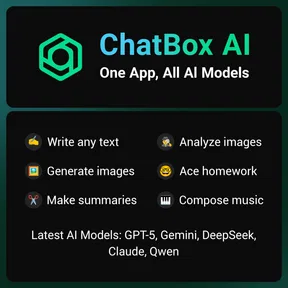
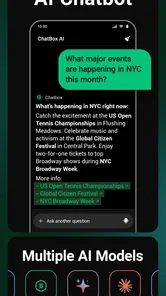
ChatBox is designed to bring several AI-assisted activities into one place, including chatting with an AI, getting help from a smart assistant, and generating text or images. You might use it to explore ideas, draft or rework writing, or request creative prompts. As with any AI tool, review its responses and generated content before relying on them or sharing them.
What should I check before installing ChatBox on my device?
Before downloading, check that your device meets the app’s operating-system requirement and that you have enough room for an additional app. ChatBox is available on Android and iOS, and its current version is 1.80.7. It is free to download, though optional in-app purchases are available, so it is sensible to review the app-store details on your device before installing.
Who develops ChatBox: AI Chat Bot Assistant, and what kind of app is it?
ChatBox: AI Chat Bot Assistant is a productivity app developed by FLORATE LIMITED. Its store summary describes it as bringing AI models together in one app, with chatbot, smart assistant, text-generation, and image-generation functions. That makes it worth considering if you want an AI-focused tool for a range of everyday tasks rather than a game or a single-purpose utility.
What platforms is ChatBox: AI Chat Bot Assistant available on?
ChatBox: AI Chat Bot Assistant is available for both Android and iOS platforms. Users can download the app from the Google Play Store for Android devices and the Apple App Store for iOS devices. The app is designed to work seamlessly across both platforms, ensuring that users have a consistent experience regardless of their device.
What are the main features of ChatBox: AI Chat Bot Assistant?
ChatBox: AI Chat Bot Assistant boasts an array of features designed to enhance user interaction. Key features include natural language processing, personalized responses, task automation, and integration with other apps. The AI is capable of learning from user interactions, making it more efficient over time in understanding and responding to user queries.
Pros
- User-friendly interface.
- Quick and accurate responses.
- Wide range of topics covered.
- Customizable settings.
- Lightweight and fast loading.
Cons
- Requires internet connection.
- Limited free features.
- Occasional minor bugs.
- No voice interaction.
- Ads in free version.











